
1. Введение
This manual provides essential instructions for the safe operation and maintenance of your karuisrc K600GPS-7 GPS Drone. Please read this manual thoroughly before operating the drone to ensure proper usage and to prevent damage or injury. Retain this manual for future reference.
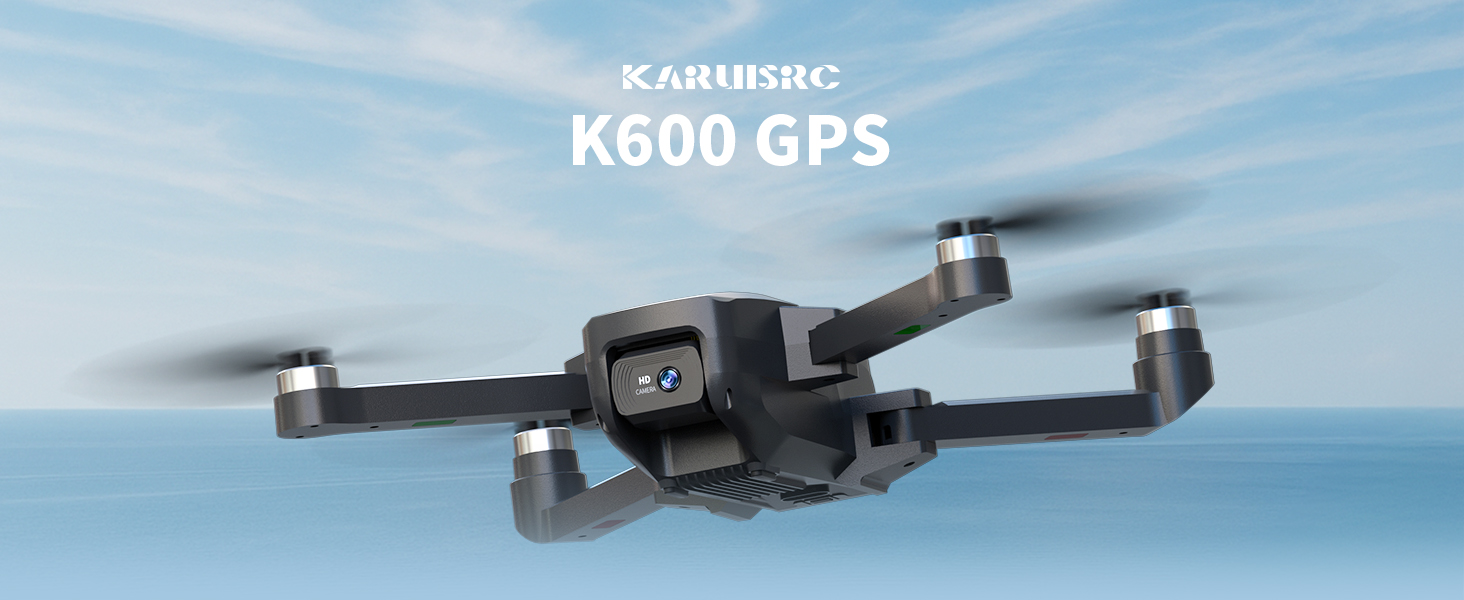
The karuisrc K600GPS-7 drone features a 110° FOV, 90° adjustable 1080P HD camera, 5G Wi-Fi connectivity, a 4.5-inch HD LCD screen on the remote, and a 1312 ft transmission range.
2. Правила техники безопасности
Adhering to these safety guidelines is crucial for safe drone operation and to prevent accidents or damage.
- Предполетная проверка: Always inspect the drone, remote control, and propellers for any damage before each flight. Ensure batteries are fully charged.
- Условия окружающей среды: Do not fly in strong winds, rain, snow, or fog. Maintain clear line of sight with the drone.
- Зона полета: Operate in open areas, away from people, animals, buildings, and power lines. Avoid flying over crowds or private property.
- Безопасность аккумулятора: Use only the provided charger and batteries. Do not overcharge or puncture batteries. Discontinue use if batteries show signs of swelling or damage.
- Уважайте конфиденциальность: При использовании функции камеры помните о законах о конфиденциальности.
- Рекомендация по возрасту: This drone is intended for adults.
3. Содержимое упаковки
Проверьте наличие всех предметов в посылке:
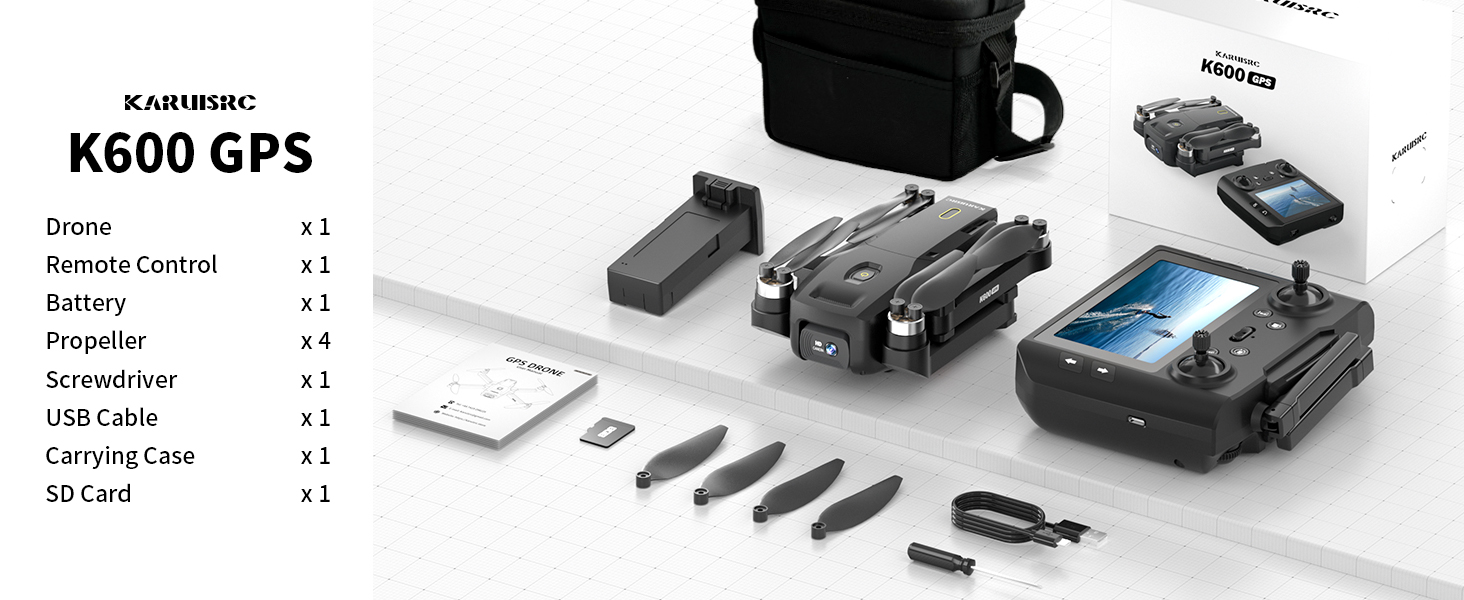
The karuisrc K600GPS-7 package includes the drone, remote control, battery, propellers, screwdriver, USB cable, carrying case, and an SD card.
- karuisrc K600GPS-7 Drone x 1
- Remote Control with 4.5-inch LCD Screen x 1
- Drone Battery (Lithium Ion) x 1
- Запасные гребные винты (4 шт.)
- Отвертка х 1
- USB-кабель для зарядки x 1
- Сумка для переноски x 1
- SD-карта на 32 ГБ x 1
- Руководство пользователя х 1
4. Продукт закончилсяview
4.1 Компоненты дрона

The karuisrc K600GPS-7 drone features a foldable design for portability, equipped with a 1080p HD camera and GPS module.
- Складные ручки: Для компактного хранения и транспортировки.
- Винты: Четыре основных пропеллера для полёта.
- HD-камера: Front-facing 1080p camera with 90-degree adjustable angle.
- Нижняя камера: For optical flow positioning and landing assistance.
- Модуль GPS: Enables precise positioning and intelligent flight functions.
- Отсек для батареи: Houses the removable Lithium Ion flight battery.
Пульт дистанционного управления 4.2

The remote control for the karuisrc K600GPS-7 features an integrated 4.5-inch HD LCD screen for real-time video feed and flight data.
- 4.5-дюймовый ЖК-экран высокой четкости: Displays real-time video feed and flight parameters.
- Ручки управления: Левый стик для управления газом/рысканием, правый стик для управления тангажем/креном.
- Функциональные кнопки: Dedicated buttons for one-key takeoff/landing, auto-return, photo/video capture, and speed modes.
- Антенны: Для стабильной передачи сигнала.
- Отсек для батареи: For remote control batteries (not included, typically AA).
5. Руководство по установке
5.1 Зарядка аккумуляторов
- Аккумулятор Drone: Connect the drone battery to the USB charging cable and plug it into a 5V/2A USB adapter (not included). The indicator light will show charging status and turn off when fully charged. Charging time is approximately 120-150 minutes.
- Батарея пульта дистанционного управления: Insert 3 AA batteries (not included) into the remote control's battery compartment, ensuring correct polarity.
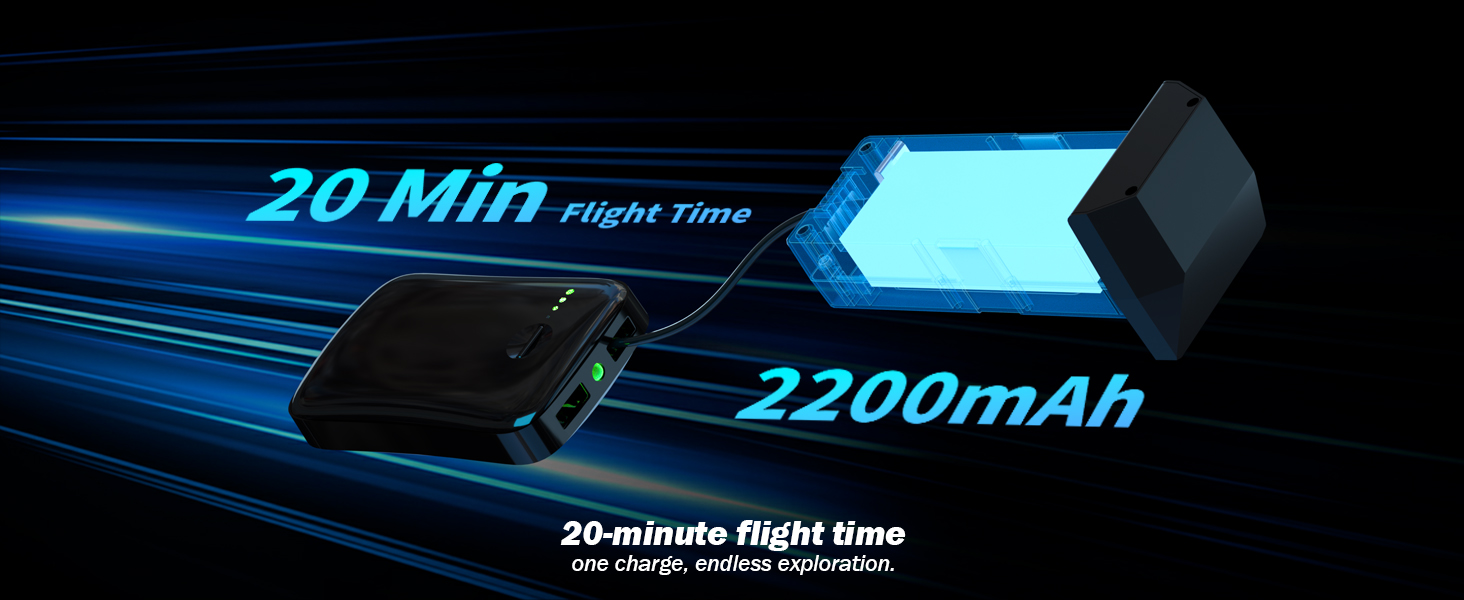
The karuisrc K600GPS-7 drone battery provides approximately 20 minutes of flight time with a 2200mAh capacity.
5.2 Установка пропеллера
Attach the propellers to the motor shafts according to the markings (A and B) on both the propellers and the drone arms. Use the provided screwdriver to secure them firmly.
5.3 Установка SD-карты
Insert the provided 32GB SD card into the drone's SD card slot. Ensure it is inserted correctly until it clicks into place. This card is used for storing photos and videos.

The karuisrc K600GPS-7 drone supports an SD card for media storage, with a 32GB card included.
5.4 Сопряжение и калибровка
- Установите дрон на ровную ровную поверхность.
- Turn on the drone, then turn on the remote control. The remote will automatically search for the drone.
- Once paired, perform gyroscope calibration by moving both control sticks to the bottom-left or bottom-right corners simultaneously until the drone's indicator lights flash rapidly and then become solid.
- Perform GPS calibration by rotating the drone horizontally and then vertically as instructed by the remote control's screen or indicator lights. Wait for sufficient GPS satellites to be acquired (usually indicated by solid green lights).
6. Инструкция по эксплуатации
6.1 Основные элементы управления полетом

Operating the karuisrc K600GPS-7 drone in an open environment allows for optimal flight experience.
- Взлет/Посадка: Press the one-key takeoff/landing button or push both control sticks to the bottom-outward corners to start/stop motors, then push the left stick up to ascend.
- Подъем/спуск: Push the left control stick up/down.
- Вперед назад: Push the right control stick up/down.
- Полёт влево/вправо: Push the right control stick left/right.
- Поворот налево/направо (рыскание): Push the left control stick left/right.
6.2 GPS Intelligent Flight Functions
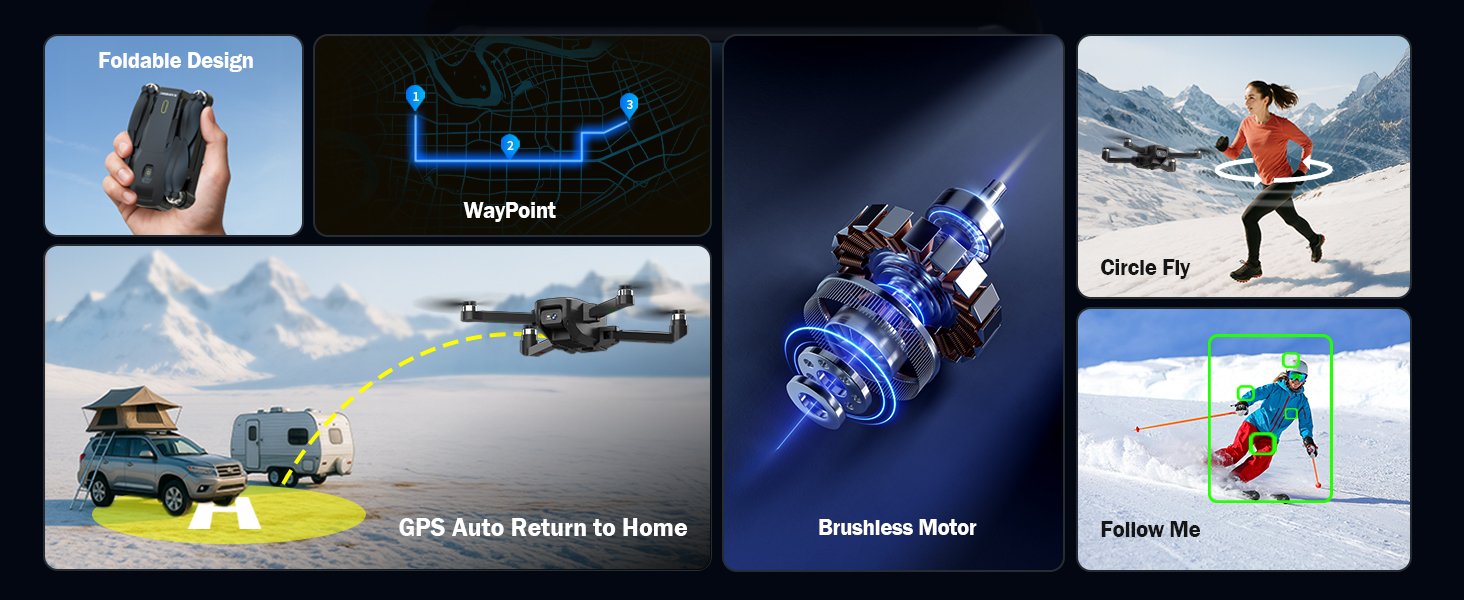
The karuisrc K600GPS-7 drone offers advanced features including WayPoint flight, Circle Fly, GPS Auto Return to Home, and Follow Me mode.
- GPS Auto Return to Home (RTH): The drone will automatically return to its takeoff point if the signal is lost, battery is low, or RTH is manually activated. Ensure sufficient GPS signal before flight.
- Режим «Следуй за мной»: The drone will automatically follow the remote control (or connected smartphone) at a set distance (3-50 meters) and altitude, keeping the subject centered.
- Полет по контрольной точке: Plan a custom flight path by tapping points on the map within the companion app. The drone will fly along the designated route.
- Круговой полет: The drone will orbit around a designated point or the remote control, capturing footagс разных ракурсов.

The GPS auto-return function ensures the karuisrc K600GPS-7 drone safely returns to its starting point.
6.3 Работа камеры

The karuisrc K600GPS-7 features a 1080p HD camera with 90-degree electric adjustment for versatile aerial photography and videography.
- Фотосъемка: Press the dedicated photo button on the remote control to take a picture.
- Видеозапись: Press the dedicated video button to start recording. Press again to stop.
- Регулировка угла камеры: Use the designated button or dial on the remote to adjust the camera's vertical angle (90-degree electric adjustment).
- Двойные камеры: Switch between the front and bottom cameras via the remote or companion app for different perspectives.
6.4 LCD Screen Usage
The 4.5-inch HD LCD screen on the remote control provides a clear, real-time view from the drone's camera. It also displays important flight data such as altitude, distance, speed, and battery level. Monitor this information to ensure safe and controlled flight.
7. Техническое обслуживание
Регулярное техническое обслуживание обеспечит долговечность и оптимальную производительность вашего дрона.
- Уборка: Для очистки дрона и пульта дистанционного управления используйте мягкую сухую ткань. Избегайте использования растворителей или агрессивных химикатов.
- Проверка винта: Регулярно проверяйте гребные винты на наличие трещин, изгибов или повреждений. Немедленно заменяйте поврежденные гребные винты, используя прилагаемые запасные части.
- Уход батареи: Храните батареи в прохладном, сухом месте. Не храните полностью заряженные или полностью разряженные батареи в течение длительного времени. Для длительного хранения заряжайте их примерно до 50-60%.
- Техническое обслуживание двигателя: Очищайте двигатели от пыли и мусора. Не пытайтесь смазывать двигатели.
- Хранилище: Когда дрон не используется, храните его и аксессуары в прилагаемом чехле, чтобы защитить их от пыли и механических повреждений.
8. Поиск Неисправностей
В этом разделе вы найдете информацию о распространенных проблемах и способах их решения.
| Проблема | Возможная причина | Решение |
|---|---|---|
| Дрон не включается | Аккумулятор не заряжен или неправильно вставлен. | Убедитесь, что батарея дрона полностью заряжена и правильно установлена. |
| Пульт дистанционного управления не включается | AA batteries not inserted or depleted. | Insert fresh AA batteries with correct polarity. |
| Дрон не может подключиться к пульту дистанционного управления. | Incorrect pairing sequence or interference. | Ensure drone and remote are turned on in sequence. Move to an area with less interference. Repeat pairing steps. |
| Дрон дрейфует во время полета | Gyroscope not calibrated or strong wind. | Perform gyroscope calibration on a flat surface. Avoid flying in strong winds. |
| Функции GPS не работают. | Insufficient GPS signal or calibration not performed. | Fly in an open outdoor area. Perform GPS calibration. Wait for sufficient satellite acquisition. |
| Низкое качество изображения с камеры | Объектив загрязнен или условия освещения плохие. | Очистите объектив камеры. Обеспечьте достаточное освещение для записи. |
| Ошибка SD-карты | SD card not inserted correctly or corrupted. | Reinsert the SD card. Try formatting the card (backup data first) or use a different compatible SD card. |
9. Технические характеристики
| Особенность | Деталь |
|---|---|
| Бренд | karuisrc |
| Название модели | K600GPS-7 |
| Особые возможности | Auto Follow, Auto-Landing, GPS Auto Return |
| Цвет | Черный |
| Разрешение видеозахвата | 1080p |
| Технология связи | Wi-Fi, Bluetooth |
| Уровень мастерства | Все |
| Вес товара | 150 грамм (5.3 унции) |
| Формат захвата видео | МП4 |
| Тип управления | Дистанционное управление |
| Материал | Пластик |
| Состав аккумуляторной батареи | Литий-ионный |
| Батарейки в комплекте | Yes (1 Nonstandard Battery for drone) |
| Пульт дистанционного управления в комплекте | Да |
| Технология оптических датчиков | CMOS, CCD |
| Размеры продукта | 7.09"Д x 1.97"Ш x 8.66"В |
| Производитель | karuisrc |
| Дата первой доступности | 11 июня 2025 г. |
10. Гарантия и поддержка
karuisrc is committed to providing quality products and customer satisfaction. For any questions, technical assistance, or warranty claims, please contact our support team.

karuisrc customer support is available Monday to Sunday, 24 hours a day.
- Электронная почта: Karuisrc@gmail.com
- Телефон: +44 7419 298225
Please have your model number (K600GPS-7) and purchase information ready when contacting support.