
AURAFIT Trek 1
AURAFIT Trek 1 Smartwatch User Manual
Model: Trek 1
1. Введение
This manual provides detailed instructions for the AURAFIT Trek 1 Smartwatch. Please read this manual thoroughly before using your device to ensure proper operation and to maximize its features. The AURAFIT Trek 1 is designed to be a versatile companion for daily life and fitness activities, offering advanced health monitoring, GPS tracking, and communication capabilities.
2. Что в коробке
- AURAFIT Trek 1 Smartwatch
- Зарядный кабель
- Watch Band (Black)
- Additional Silicone Strap (Military Green)
- Руководство пользователя

Image: Contents of the AURAFIT Trek 1 Smartwatch package, showing the watch, charging cable, and two interchangeable watch bands.
3. Устройство перешлоview
The AURAFIT Trek 1 Smartwatch features a robust design with a 1.43-inch AMOLED screen, multiple physical buttons, and advanced sensors for comprehensive tracking.

Изображение: Спереди view of the AURAFIT Trek 1 Smartwatch, showcasing its round AMOLED display and rugged casing with a green silicone strap.
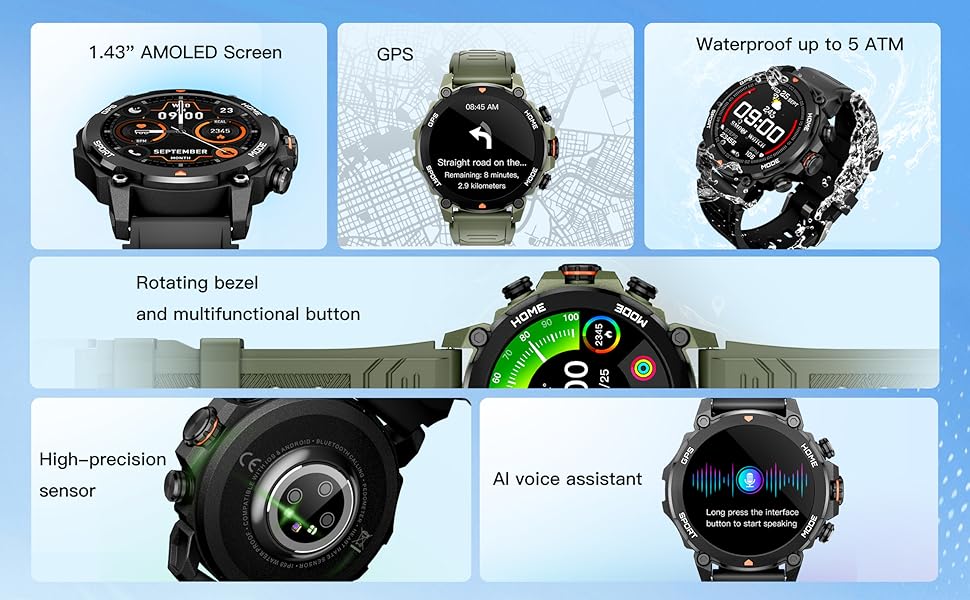
Image: An infographic detailing the main components and features of the smartwatch, such as the AMOLED screen, GPS, 5ATM water resistance, rotating bezel, high-precision sensor, and AI voice assistant.

Изображение: подробное view of the smartwatch's rear, highlighting the high-precision optical sensor for health tracking and the charging interface.
4. Настройка и сопряжение
4.1 Первоначальная зарядка
Before first use, fully charge your AURAFIT Trek 1 Smartwatch. Connect the magnetic charging cable to the charging contacts on the back of the watch and plug the USB end into a power adapter (not included) or a computer USB port. The watch display will indicate charging status.
4.2 Установка приложения
To unlock the full potential of your smartwatch, download the companion application. The app is compatible with both Android and iOS devices.
- Scan the QR code in the manual or on the watch packaging.
- Искать "Smart Time Pro" in the Google Play Store (for Android) or Apple App Store (for iOS).

Image: A user interacting with the Smart Time Pro application on a smartphone, showing various health metrics and tracking data.
4.3 Сопряжение устройств
- Убедитесь, что ваши умные часы заряжены и включены.
- Включите Bluetooth на вашем смартфоне.
- Open the "Smart Time Pro" app and follow the on-screen instructions to add a new device.
- Select "AURAFIT Trek 1" from the list of available devices.
- Подтвердите запрос на сопряжение на телефоне и на умных часах.
Once paired, your watch will synchronize data and notifications with your smartphone.
5. Основные операции
5.1 Навигация по интерфейсу
The AURAFIT Trek 1 features a responsive touchscreen and physical buttons for navigation.
- Проведите пальцем вверх/вниз: Прокрутка меню и уведомлений.
- Проведите пальцем влево/вправо: Быстрый доступ к виджетам или различным циферблатам.
- Кран: Выберите элемент или подтвердите действие.
- Press Top Button (HOME): Вернитесь к основному циферблату.
- Press Bottom Button (MODE): Access the main menu or switch modes.
Video: Demonstrates basic UI navigation on the AURAFIT Trek 1 Smartwatch, including swiping through menus and selecting applications like the stopwatch.
5.2 Настройка циферблатов
The watch supports over 100 cloud-based watch faces and allows for customizable watch faces using your own images via the companion app.

Image: A visual representation of the multiple selectable watch faces, demonstrating how users can personalize their smartwatch display.
5.3 Функциональность вызова
With Dual Bluetooth 5.3 + 3.0 connectivity, you can answer and make calls directly from your wrist.
- Ответ на звонки: При входящем звонке нажмите на зеленый значок телефона на экране часов.
- Делая звонки: Access the call menu from the main menu to dial numbers or select contacts (requires synchronization with your phone).
5.4 Голосовой помощник на основе искусственного интеллекта
The smartwatch integrates an AI voice assistant for convenient control. Long press the designated button or interface to activate the voice assistant and issue commands (e.g., "What's the weather today?", "Call Jack").
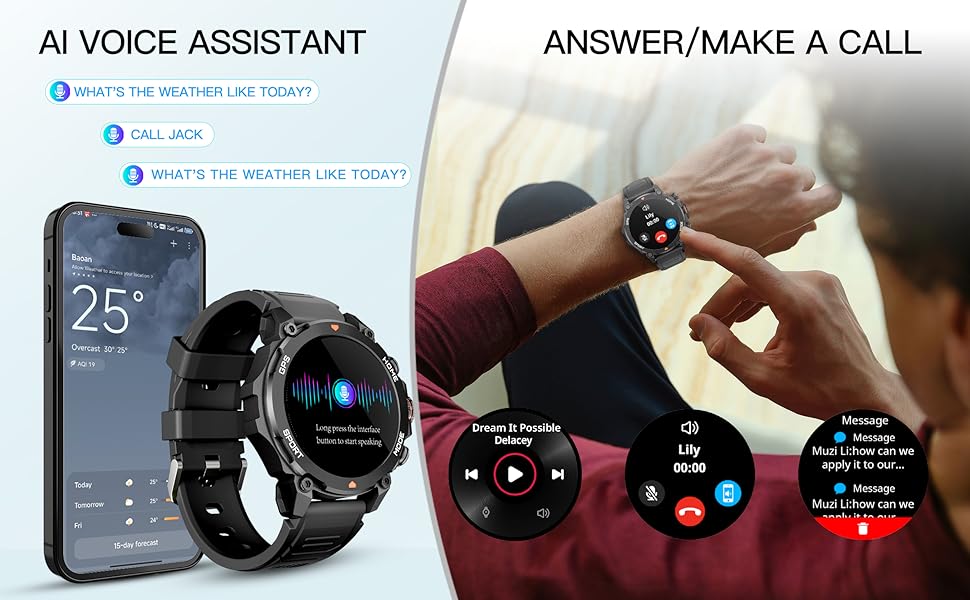
Image: An illustration demonstrating the AI Voice Assistant and the ability to answer/make calls directly from the smartwatch, showing the watch paired with a smartphone.
6. Отслеживание состояния здоровья
The AURAFIT Trek 1 provides continuous 24/7 health monitoring to help you understand your body's status.
6.1 Мониторинг сердечного ритма
The watch continuously tracks your heart rate throughout the day. View данные в реальном времени на часах или подробные тенденции в приложении.
6.2 Мониторинг уровня кислорода в крови (SpO2)
Monitor your blood oxygen levels to assess your respiratory health. Measurements can be taken on demand or automatically at intervals.
6.3 Отслеживание сна
The advanced sleep mode monitors various sleep stages, including Awake, REM, Light, and Deep sleep, as well as short naps. The app provides detailed sleep analysis and suggestions for improving rest.

Image: A comprehensive display of the smartwatch's 24-hour health monitoring capabilities, including graphs for heart rate, stress levels, blood oxygen saturation, and a breakdown of sleep stagес.

Image: A person sleeping, wearing the smartwatch, to visually represent its sleep tracking functionality.
6.4 Мониторинг уровня стресса
The watch can also track your stress levels, providing insights into your mental well-being throughout the day.
7. Спортивные режимы и GPS
The AURAFIT Trek 1 offers over 150 sports modes to accurately track your workouts, along with built-in GPS for precise outdoor activity monitoring.
7.1 Выбор спортивного режима
Navigate to the 'Sports' menu on your watch to select from a wide range of activities such as running, cycling, swimming, hiking, and more. The watch will track relevant metrics like heart rate, calories burned, distance, and duration.

Image: The smartwatch displaying a sports tracking screen, with icons for over 150 different sports modes, indicating its versatility for various fitness activities.
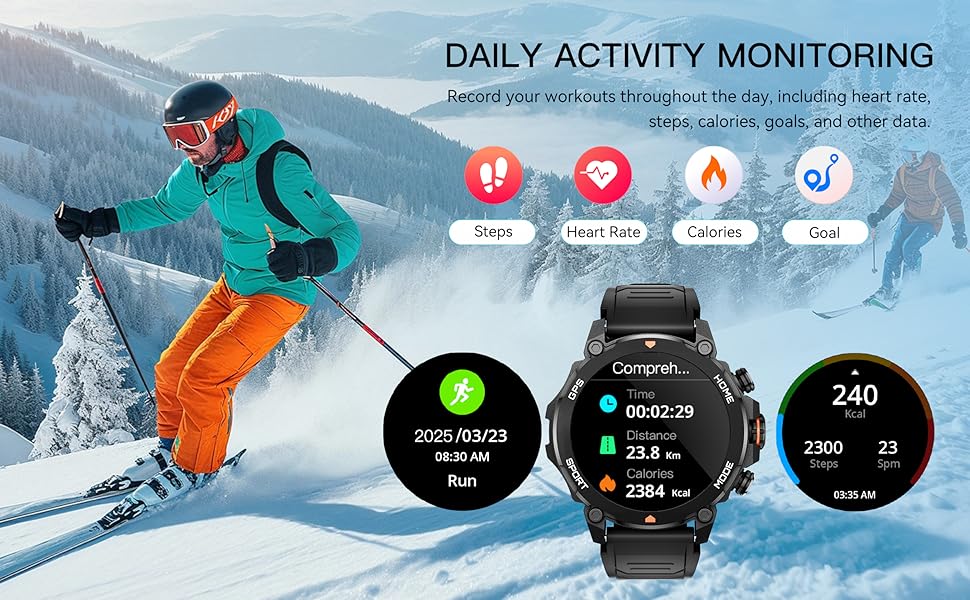
Image: A scene of a person skiing, with the smartwatch displaying activity data such as distance, calories, and steps, illustrating its daily activity monitoring capabilities.
7.2 GPS-слежение
The built-in GPS and independent GNSS chip (supporting GPS, Beidou, GLONASS, GALILEOGPS, QZSS) provide precise location data for outdoor activities. Track your routes and view movement trajectories even in remote areas.

Image: The smartwatch displaying a map with GPS tracking, emphasizing its global independent five-star positioning capabilities for accurate navigation.
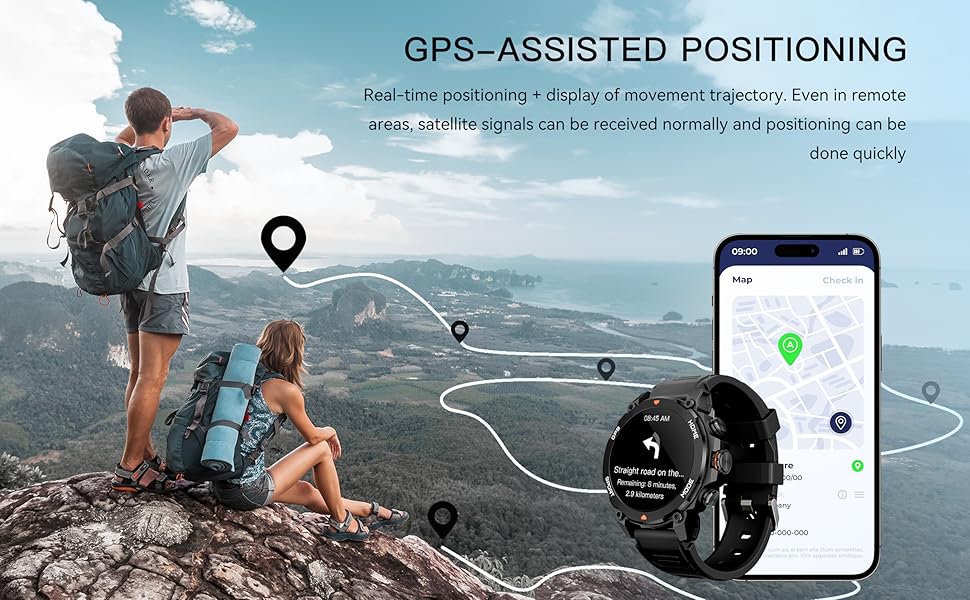
Изображение: Живописный view of a hiking trail with the smartwatch displaying GPS-assisted positioning, showing real-time tracking and movement trajectory.
7.3 Environmental Sensors
The Trek 1 is equipped with a built-in compass and barometric altimeter sensors to display your current direction, altitude, and atmospheric pressure, aiding navigation in wilderness areas.
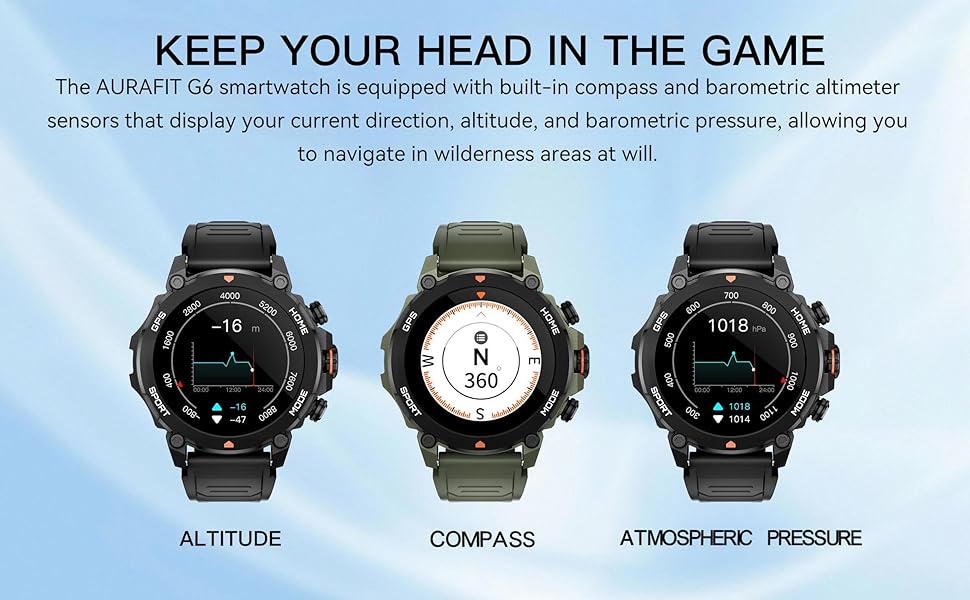
Image: The smartwatch displaying readings for altitude, compass direction, and atmospheric pressure, highlighting its environmental sensing capabilities.
8. Водостойкость
The AURAFIT Trek 1 Smartwatch is 5ATM waterproof, meaning it can withstand pressures equivalent to a depth of 50 meters. This makes it suitable for:
- Swimming in pools or open water (not deep-sea diving).
- Принимая душ (избегайте горячей воды и пара).
- Rain and sweat exposure during workouts.
Примечание:
- Do not use the watch in hot water, saunas, or steam rooms as steam can penetrate the seals.
- Избегайте нажатия кнопок под водой.
- После воздействия соленой воды промойте часы пресной водой и тщательно высушите.
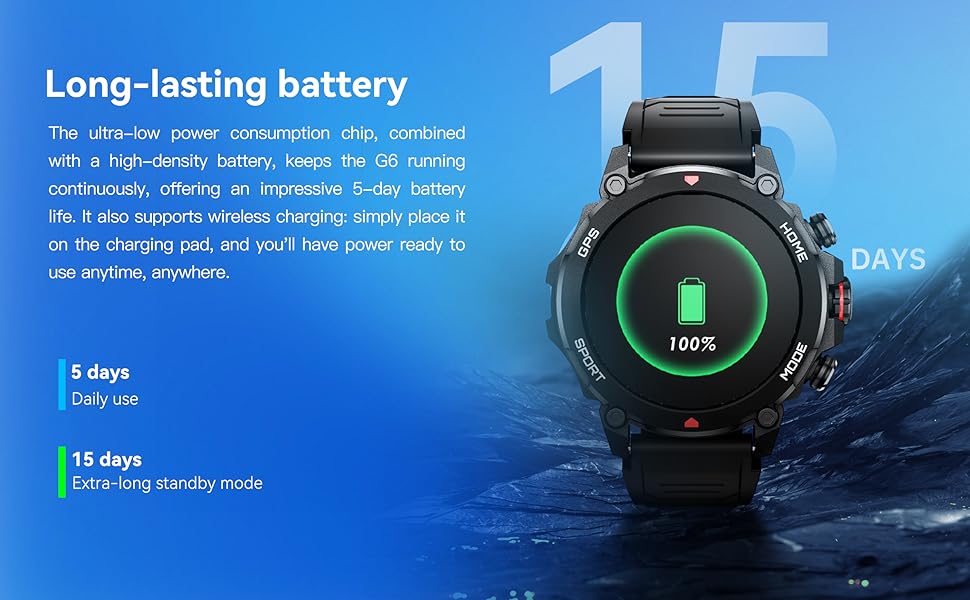
Image: A person swimming underwater with the smartwatch, demonstrating its 5ATM high water resistance for aquatic activities.

Image: An infographic highlighting the smartwatch's 5ATM water resistance, along with its ability to withstand high/low temperatures, dust, and shock.
9. Срок службы батареи
The AURAFIT Trek 1 is equipped with a 450mAh large battery and an ultra-low power consumption chip, providing extended usage times.
- Ежедневное использование: До 5 дней.
- Extra-long Standby Mode: До 15 дней.
The watch supports wireless charging. Simply place it on the charging pad to power it up.
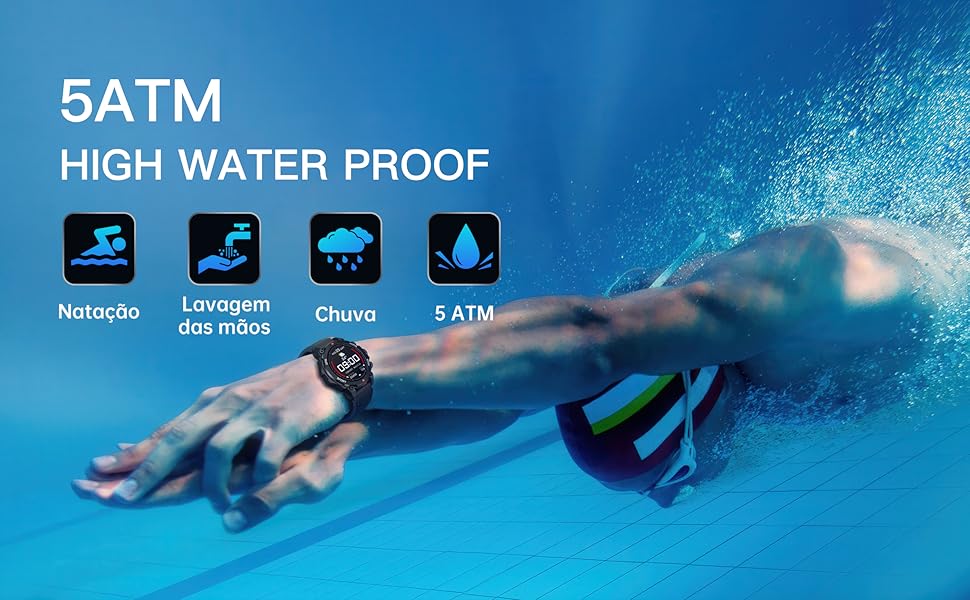
Image: The smartwatch on a charging pad, illustrating its long-lasting battery life with indicators for 5 days of daily use and 15 days of standby time.
10. Поиск Неисправностей
- Часы не включаются: Убедитесь, что часы полностью заряжены. Подключите их к зарядному кабелю и источнику питания как минимум на 30 минут.
- Невозможно подключиться к телефону:
- Убедитесь, что Bluetooth включен на вашем телефоне.
- Убедитесь, что часы находятся в зоне действия Bluetooth (обычно 10 метров).
- Перезагрузите телефон и смарт-часы.
- Clear Bluetooth cache on your phone or try pairing from the app directly.
- Неточные данные о состоянии здоровья: Убедитесь, что часы плотно прилегают к запястью, не слишком туго и не слишком свободно. Регулярно очищайте область датчика.
- Уведомления не появляются:
- Check app permissions on your phone to ensure the "Smart Time Pro" app has access to notifications.
- Verify that notification settings are enabled within the "Smart Time Pro" app for desired applications.
- Убедитесь, что часы подключены через Bluetooth.
- Проблемы с сигналом GPS: Убедитесь, что вы находитесь на открытом пространстве с чистым view неба для оптимального приема сигнала GPS.
11. Технические характеристики
| Особенность | Спецификация |
|---|---|
| Номер модели | Трек 1 |
| Размер экрана | 1.43 дюйма |
| Тип дисплея | AMOLED |
| Водостойкость | 5ATM |
| Емкость аккумулятора | 450 мАч |
| Связность | Bluetooth 5.3 + 3.0 |
| GPS | Built-in GPS (GNSS chip) |
| Операционная система | ОСРВ |
| Емкость памяти | 128 МБ |
| Вес товара | 68.3 грамм (2.41 унции) |
| Производитель | Shenzhen Smart Care Technology Limited |
12. Гарантия и поддержка
AURAFIT provides a 2-year warranty for the Trek 1 Smartwatch. If the product is damaged or unusable due to manufacturing defects, we will provide warranty or replacement service.
For any questions or support needs, please contact our customer service. We are available 24/7 to assist you.

Image: An icon representing customer service, indicating 24/7 support availability.
Ask a question about this manual
Ask about setup, troubleshooting, compatibility, parts, safety, or missing instructions. Manuals+ will review the question and use this page’s manual context to help answer it.