
Soundcore D1301
Руководство пользователя Soundcore Sleep A30
Smart Active Noise Cancelling Sleep Earbuds
1. Введение
The Soundcore Sleep A30 earbuds are designed to provide a tranquil sleep environment through advanced noise cancellation and adaptive sound technologies. This manual provides detailed instructions for setting up, operating, and maintaining your Sleep A30 earbuds to ensure optimal performance and comfort.

Image: Soundcore Sleep A30 earbuds and their charging case, highlighting their compact design.
2. Что в коробке
Убедитесь, что в упаковке присутствуют все компоненты:
- Soundcore Sleep A30 Earbuds (1 pair)
- Зарядный чехол (1)
- Кабель USB-C (1)
- Ear Tips: XXS, XS, S, M (pre-installed), L, XL (6 pairs total)
- Ear Wings: S, M (pre-installed), L (3 pairs total)
Image: All components included in the Soundcore Sleep A30 package, laid out for inspection.
3. Настройка
3.1. Выбор подходящего размера
Selecting the correct ear tips and ear wings is crucial for comfort and effective noise cancellation. Experiment with different sizes to find the best seal and most comfortable fit for your ears, especially if you are a side sleeper.
Image: A diagram illustrating the proper insertion angle for the earbuds and the various ear tip and wing options.
3.2. Зарядка
Before first use, fully charge the earbuds and the charging case. Connect the USB-C cable to the charging case and a power source. The LED indicators on the case will show the charging status.
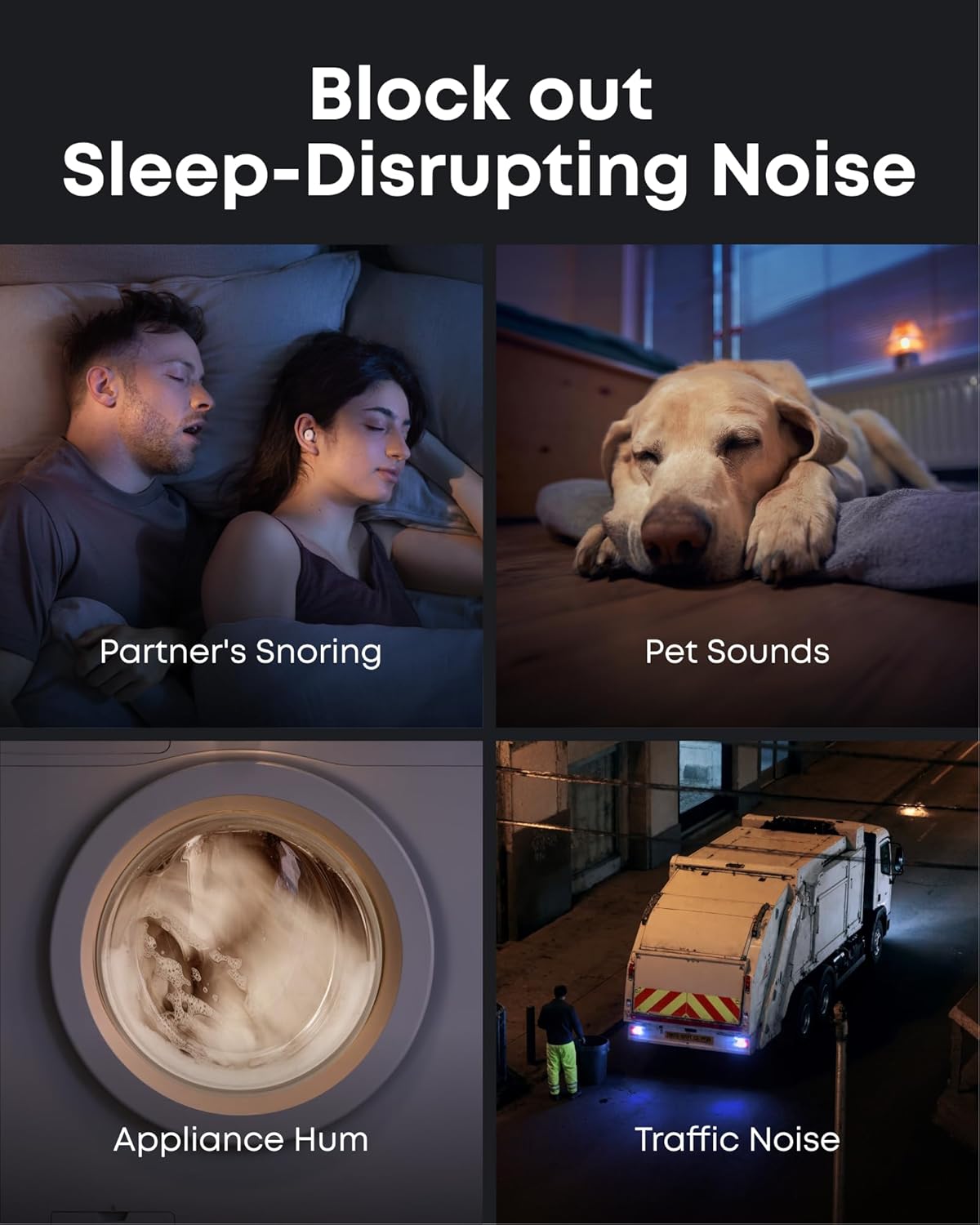
Image: Soundcore Sleep A30 earbuds resting in their open charging case, ready for charging.
3.3. Сопряжение по Bluetooth
Open the charging case. The earbuds will automatically enter Bluetooth pairing mode. On your device, enable Bluetooth and select "Soundcore Sleep A30" from the list of available devices.
3.4. Установка приложения Soundcore
Download the Soundcore app from your device's app store. The app provides access to advanced features, sound customization, sleep tracking, and firmware updates.
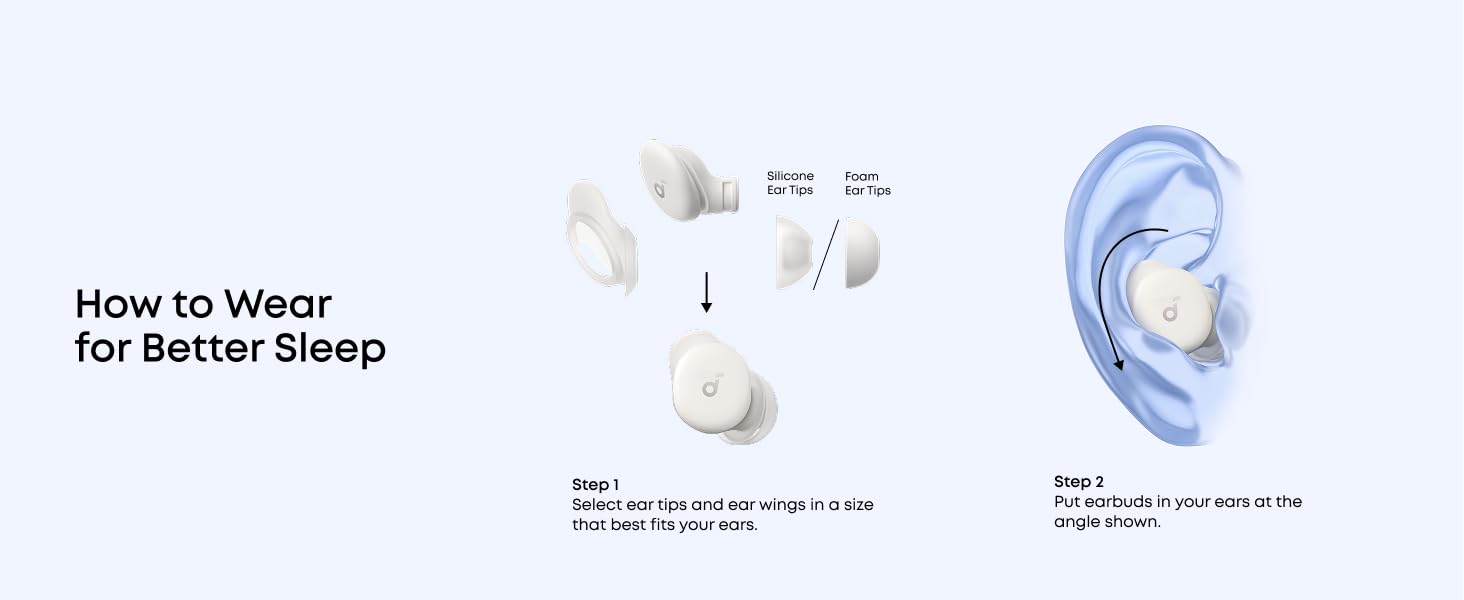
Image: Screenshots of the Soundcore app interface, demonstrating options for customizing your sleep journey.
4. Инструкция по эксплуатации
4.1. Включение/выключение питания
The earbuds power on automatically when removed from the charging case and power off when placed back inside and the case is closed.
4.2. Сенсорное управление
The Sleep A30 earbuds feature touch-sensitive controls. Customize these controls via the Soundcore app for actions such as playing/pausing audio, adjusting volume, or switching noise control modes.
4.3. Контроль шума
The Sleep A30 utilizes Smart Active Noise Cancelling (ANC) with Ear Canal Adaptation Technology to reduce ambient noise. It also features a Passive Noise Cancellation (PNC) system for high-frequency sounds.

Image: Visual representation of the earbuds blocking common sleep-disrupting noises like snoring, pet sounds, appliance hum, and traffic noise.
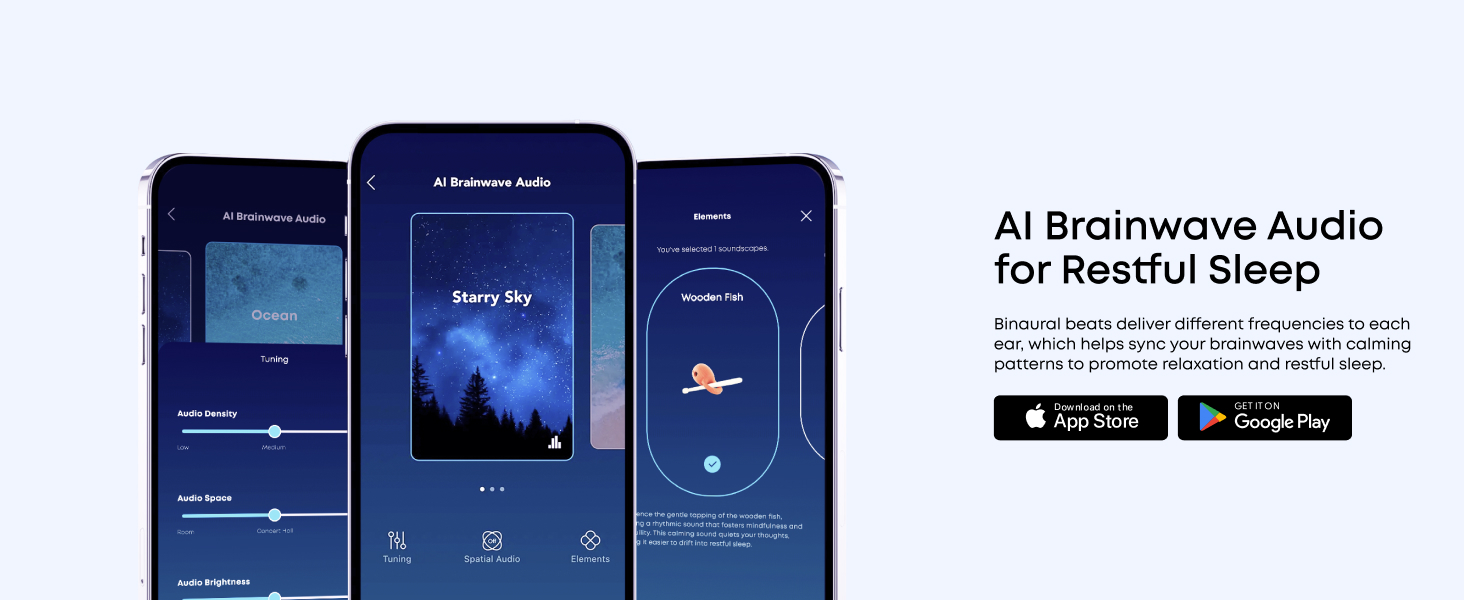
Image: An exploded diagram illustrating the components of the Dual Noise Cancellation System, including ANC and PNC elements.
4.4. Adaptive Snore Masking System
The charging case monitors and analyzes snoring sounds in real-time. The earbuds then constantly optimize the snore-masking audio to ensure you remain undisturbed. For best results, place the charging case within 5 feet (1.5 m) of the snorer.

Image: A visual explanation of the 3-Stage Snore Masking System, showing the snore-tracking case, adaptive snore-masking audio, and memory foam ear tips working together.
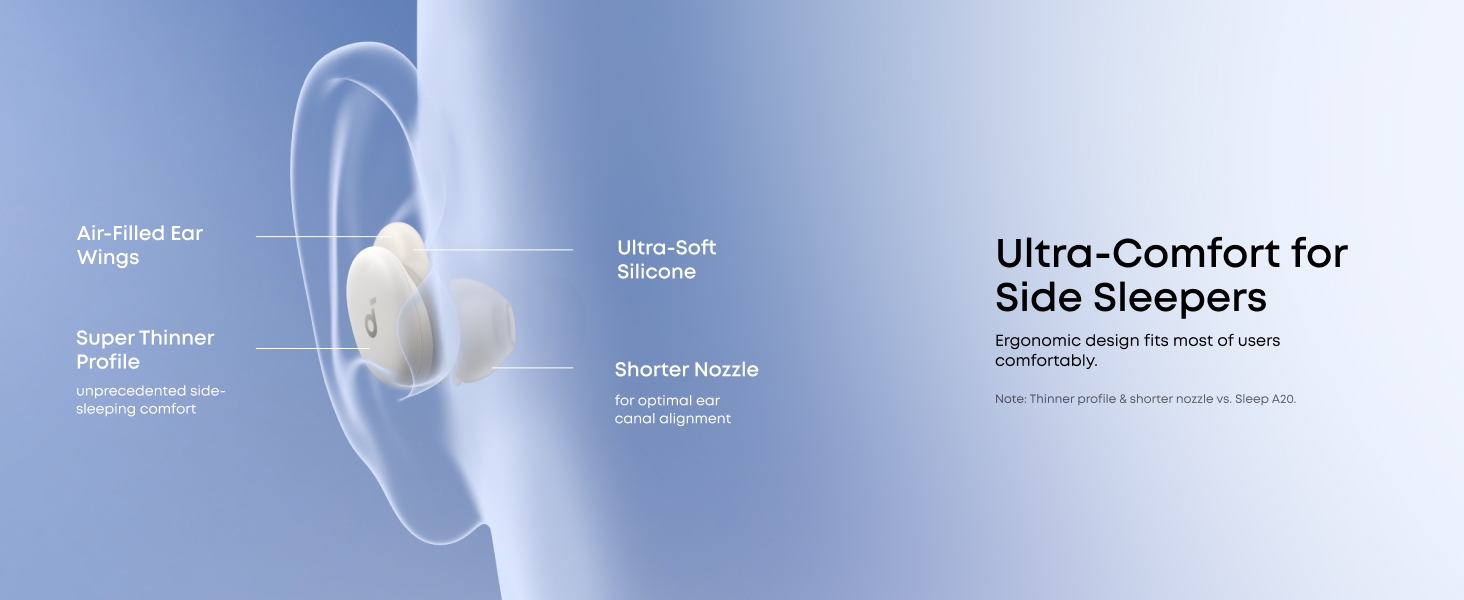
Image: The charging case emitting sound waves, indicating its real-time snore-tracking capability.
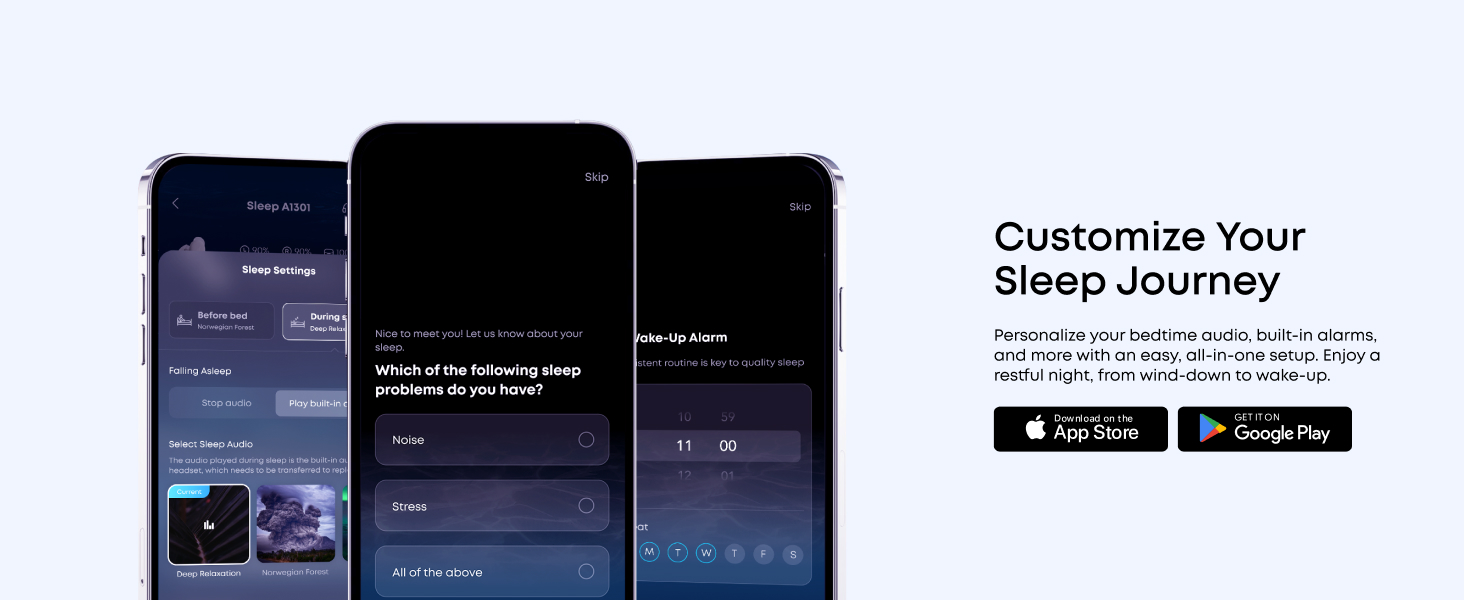
Image: A woman sleeping peacefully with the earbuds, while sound waves illustrate the snore masking system in action.
4.5. AI Brainwave Audio
The earbuds utilize binaural beats to deliver different frequencies to each ear, helping to sync your brainwaves with calming patterns to promote relaxation and restful sleep. Access various brainwave audio options through the Soundcore app.
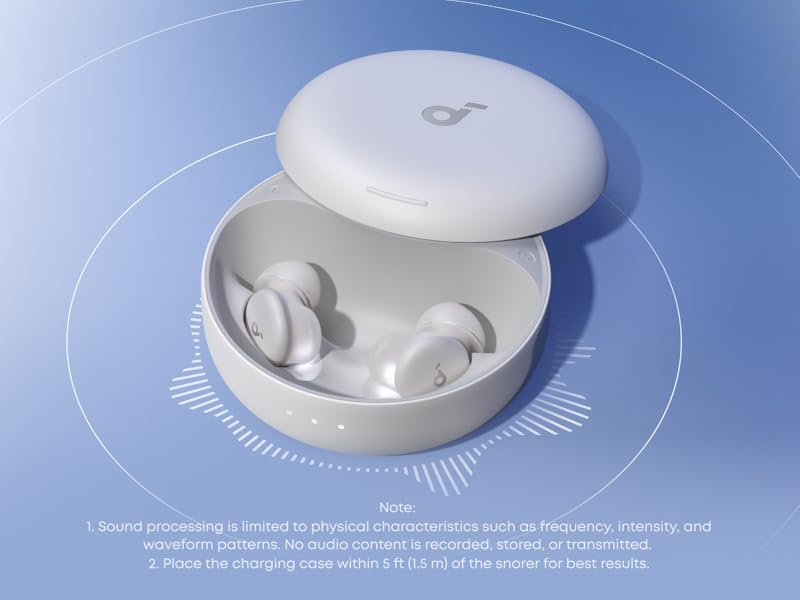
Image: The Soundcore app displaying various AI Brainwave Audio soundscapes like 'Ocean' and 'Starry Sky', with tuning options.
4.6. Ultra-Comfort for Side Sleepers
The Sleep A30 earbuds are designed with ultra-soft silicone, short nozzles, and a lightweight, slim profile to relieve pressure, making them comfortable for side sleepers. The ergonomic shape is based on 3D mapping of thousands of ear canals for a universal comfortable fit.
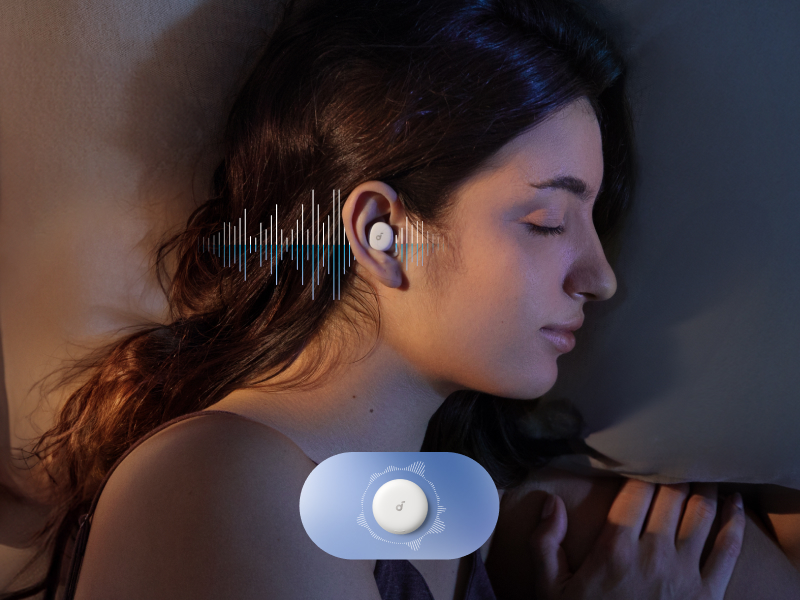
Image: A woman sleeping on her side, demonstrating the comfortable fit of the earbuds for side sleepers.
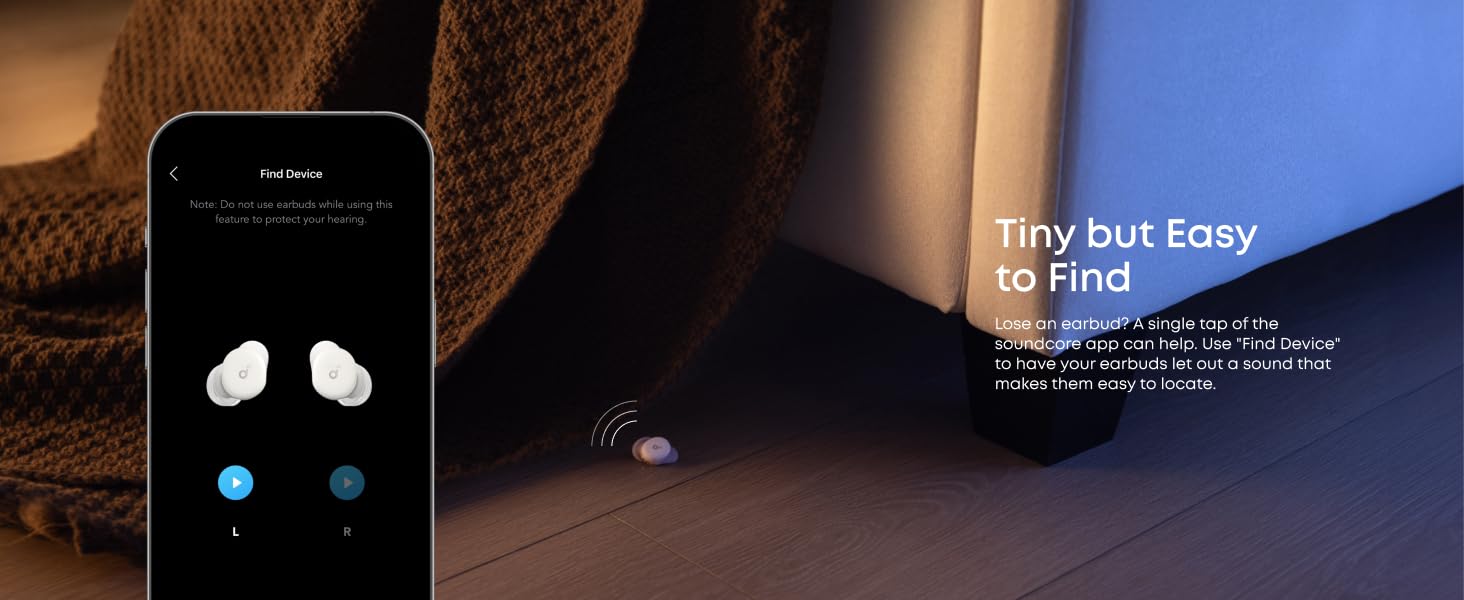
Image: A detailed diagram highlighting the design features that contribute to ultra-comfort for side sleepers, including air-filled ear wings, ultra-soft silicone, and a shorter nozzle.

Изображение: Поперечное сечение view of the earbud, showing the soft silicone, memory foam core, and ultra-thin coating for enhanced comfort.
4.7. Sleep Customization
The Soundcore app allows you to personalize your bedtime audio, set sleep reminders, and configure built-in alarms for a tailored sleep experience.
4.8. Find Device Feature
If an earbud is misplaced, use the "Find Device" feature in the Soundcore app to make it emit a sound, aiding in its location.
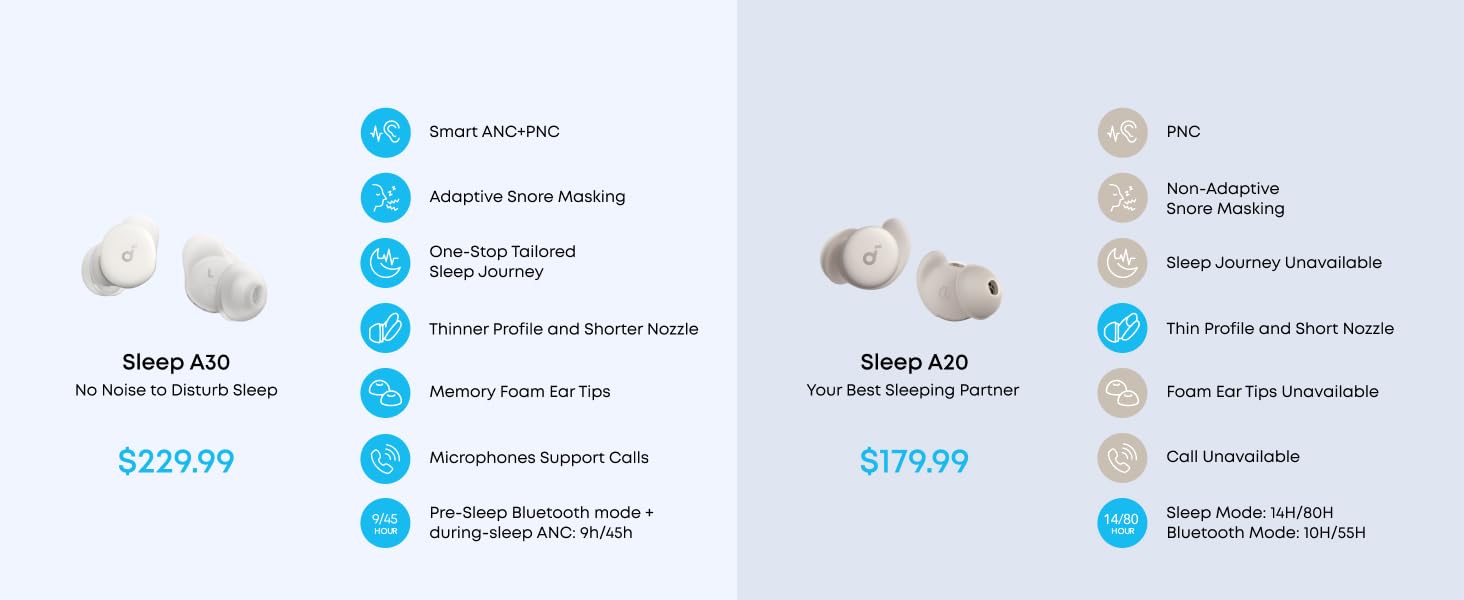
Image: The Soundcore app's 'Find Device' screen, showing left and right earbud icons and a visual of a lost earbud under a bed.
4.9. Видеоролик о продукте
Video: Official product video for Soundcore Sleep A30, demonstrating key features and usage scenarios.
5. Техническое обслуживание
5.1. Уборка
Регулярно протирайте наушники и зарядный кейс мягкой сухой тканью. Что касается амбушюр, снимите их, промойте мягким мылом и водой, затем тщательно высушите перед повторным использованием.
5.2. Хранение
Когда наушники не используются, храните их в зарядном футляре, чтобы защитить их и продлить срок службы батареи.
6. Поиск Неисправностей
If you encounter any issues with your Soundcore Sleep A30 earbuds, refer to the following common problems and solutions:
| Проблема | Решение |
|---|---|
| Наушники не заряжаются | Убедитесь, что зарядный кабель надежно подключен и источник питания включен. Очистите контакты зарядки на наушниках и в зарядном кейсе. |
| Невозможно подключиться к устройству | Ensure earbuds are in pairing mode (open case). Turn off and on Bluetooth on your device. Forget the device in your Bluetooth settings and re-pair. |
| Плохое шумоподавление | Ensure you have selected the correct size ear tips and ear wings for a snug fit. Check for any obstructions in the earbud nozzles. |
| Проблемы с качеством звука | Check the audio source. Ensure earbuds are clean. Try resetting the earbuds (refer to the full user guide for specific reset instructions). |
Для более подробного устранения неполадок обратитесь к официальному Руководство по устранению неполадок (PDF).
7. Технические характеристики
- Название модели: Сон А30
- Контроль шума: Адаптивное шумоподавление
- Связь: Беспроводная связь (Bluetooth 5.3)
- Диапазон Bluetooth: 15 метра
- Частотная характеристика: 20 кГц
- Срок службы батареи: До 9 часов (наушники), до 45 часов (с зарядным чехлом)
- Время зарядки: 1.5 часов (наушники)
- Материал: Пластик
- Вес товара: 103.5 граммов (всего)
- Размеры продукта: 2.56 x 2.56 x 1.18 дюйм (зарядный чехол)
- Уровень водонепроницаемости: Водонепроницаемый
- Тип управления: Сенсорное управление
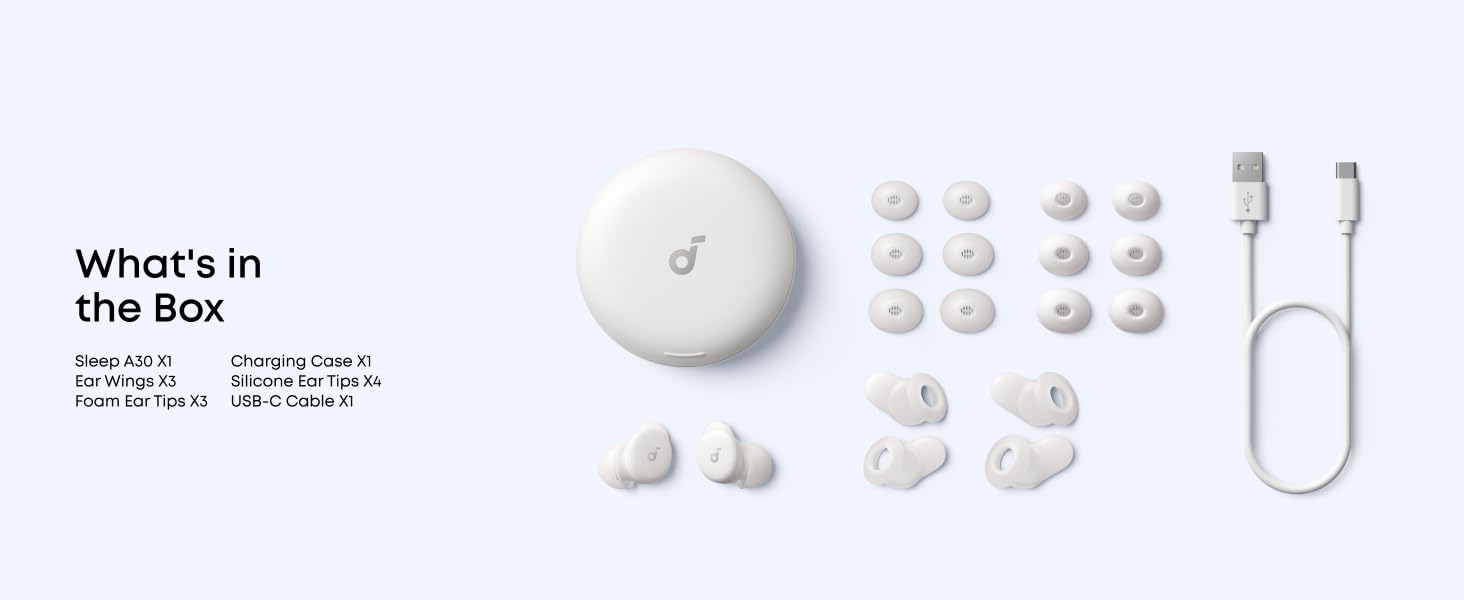
Image: A graphic illustrating the 9 hours of playtime per charge and 45 hours total with the charging case.
8 Важная информация по безопасности
To prevent damage or injury, always adhere to the following safety guidelines:
- Не подвергать воздействию экстремальных температур.
- Избегайте падений и сильных ударов.
- Хранить в недоступном для детей и домашних животных месте.
- Не разбирайте и не пытайтесь ремонтировать устройство.
- Use only specified charging cables and adapters.
- Во избежание повреждения слуха избегайте использования устройств на чрезмерно высокой громкости в течение длительного времени.
9. Гарантия и поддержка
Soundcore products come with a limited warranty. For detailed warranty information, product support, or to access the full user guide, please visit the official Soundcore webсайт или обратитесь к предоставленным PDF-документам:
Связанные документы - Д1301
 |
Наушники Soundcore Sleep A30: подробное руководство по часто задаваемым вопросам и устранению неполадок Найдите ответы на часто задаваемые вопросы о наушниках Soundcore Sleep A30, включая технические характеристики, удобство ношения, эксплуатацию, зарядку, подключение по Bluetooth, качество звука, функции приложения, будильники и обслуживание. |
 |
Наушники Soundcore Sleep A30: руководство пользователя и устранение неполадок Comprehensive guide to soundcore Sleep A30 wireless earbuds, covering specifications, features, setup, usage, and troubleshooting for optimal sleep and audio experience. |
 |
Руководство пользователя Soundcore Sleep A30: настройка, функции и отслеживание сна. Подробное руководство по наушникам Soundcore Sleep A30. Узнайте, как загрузить приложение, надеть, зарядить, выполнить сопряжение, использовать активное шумоподавление, отслеживание сна и аудиофункции для оптимального отдыха. |
 |
Наушники Soundcore Sleep A20: устранение неполадок и руководство пользователя Подробное руководство по наушникам Soundcore Sleep A20, включающее характеристики, использование, устранение распространённых неполадок и обслуживание. Узнайте больше о подключении Bluetooth, отслеживании сна, времени автономной работы и качестве звука. |
 |
Soundcore Sleep A30: Руководство пользователя для умных наушников для сна с активным шумоподавлением и отслеживанием сна. Подробное руководство пользователя для беспроводных наушников Soundcore Sleep A30. Узнайте об активном шумоподавлении, маскировке храпа, отслеживании сна, функциях приложения, элементах управления, зарядке и технических характеристиках. |
 |
Руководство пользователя и инструкция по эксплуатации наушников Soundcore Sleep A30. Подробное руководство по наушникам soundcore Sleep A30, охватывающее настройку, использование приложения, шумоподавление, отслеживание сна, звонки, обновления прошивки и технические характеристики. Узнайте, как правильно надевать, заряжать, сопрягать и управлять наушниками для оптимального сна и расслабления. |