
1. Введение
This manual provides detailed instructions for the installation, operation, and maintenance of your Ossuret Android 14 Car Stereo, specifically designed for Renault Laguna 2 vehicles manufactured between 2001 and 2007 (Model B). Please read this manual thoroughly before using the product to ensure proper functionality and safety.

Рисунок 1: Совместимость поview for Renault Laguna 2 (2001-2007), specifically Model B.
2. Настройка и установка
2.1 Содержимое упаковки
Убедитесь, что в вашей посылке присутствуют все перечисленные ниже предметы:
- Main Car Stereo Unit
- Монтажная рама
- GPS-антенна
- Жгут проводов RCA
- RCA Harness with 4G SIM Card Slot (for 4G version only)
- Антенна 4G LTE (только для версии 4G)
- 4-контактный USB-кабель
- 6-контактные кабели с двумя USB-разъемами
- Внешний микрофон
- Кабель RCA для подключения задней камеры
- Кабель питания и декодер шины Canbus
- Кабель-адаптер для радиоантенны

Figure 2: Complete package contents of the Ossuret car stereo.
2.2 Общие указания по установке
Installation of the car stereo should ideally be performed by a qualified professional. Ensure the vehicle's power is disconnected before beginning installation. Connect all cables according to the provided wiring diagrams (not included in this manual, typically found with the product's specific wiring harness). Secure the main unit within the dashboard using the supplied frame.
3. Инструкция по эксплуатации
3.1 Система Оверview и пользовательский интерфейс
The Ossuret car stereo operates on Android 14, powered by an 8-core processor for smooth performance. It features a 9-inch QLED touchscreen with a resolution of 1280x720, offering clear and vibrant visuals. The system supports various user interface themes and wallpaper customization.
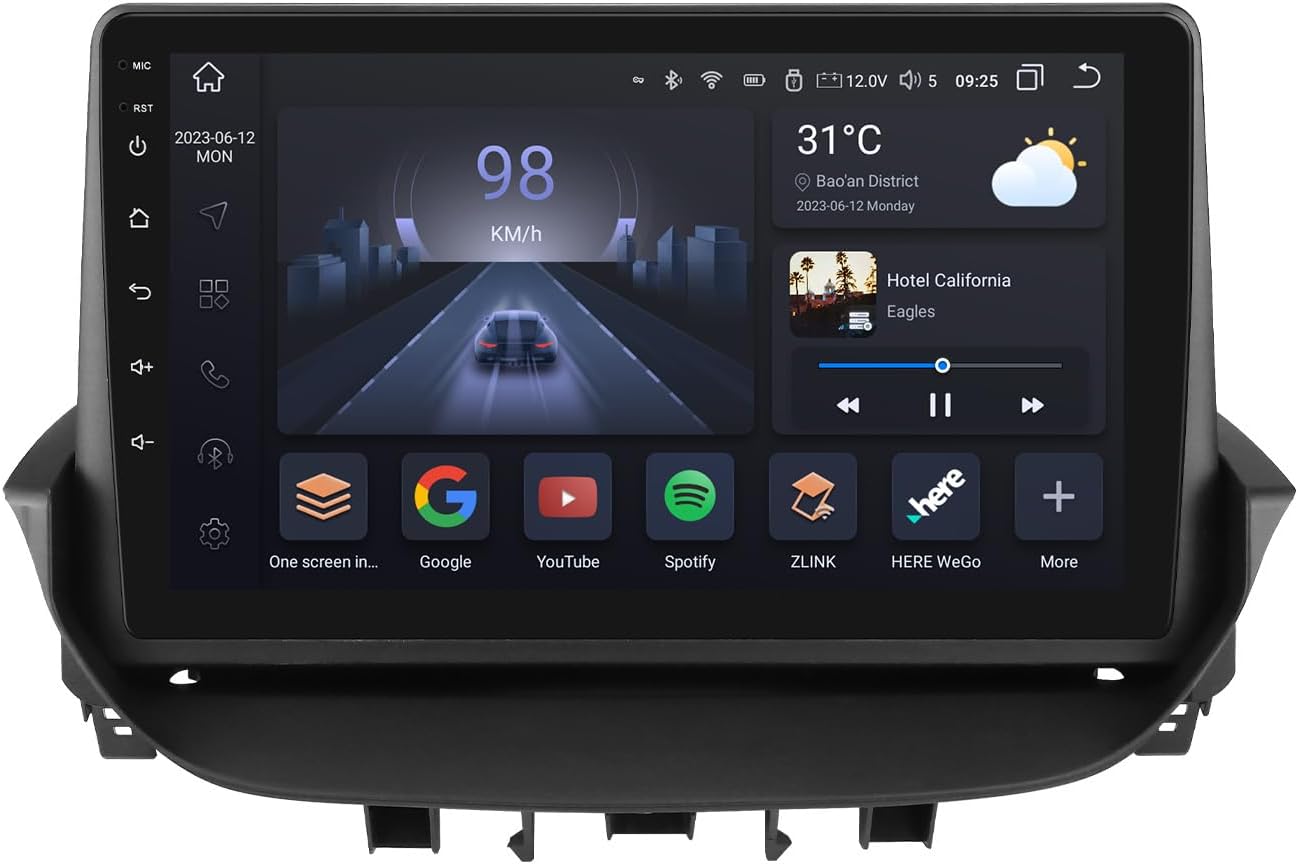
Figure 3: Main display of the Ossuret Android 14 Car Stereo showing the home screen with various applications.

Figure 4: Performance specifications highlighting the 8-core Unisoc 7862 CPU.
3.2 Connectivity: CarPlay, Android Auto, Bluetooth, WiFi, 4G LTE
The unit supports wireless Apple CarPlay and Android Auto, allowing seamless integration with your smartphone for navigation, music, calls, and messages. Connect via WiFi, Bluetooth, or USB. A 4G SIM card slot and antenna are included for direct 4G LTE network access, enabling online navigation, music streaming, and more. Bluetooth 5.0 ensures stable and long-distance connections for hands-free calling and audio streaming.

Рисунок 5: Беспроводная работа Apple CarPlay и Android Auto.

Figure 6: 4G LTE connectivity feature.

Figure 7: Bluetooth 5.0 dual-channel and WiFi support.
3.3 Audio Features: DSP and Radio
The integrated DSP (Digital Sound Processor) IC BU32107EFV allows for precise adjustment of sound effects, including equalization, bass enhancement, and sound field settings, to optimize your audio experience and reduce road noise. The unit supports AM/FM radio with RDS (Radio Data System) for station information.
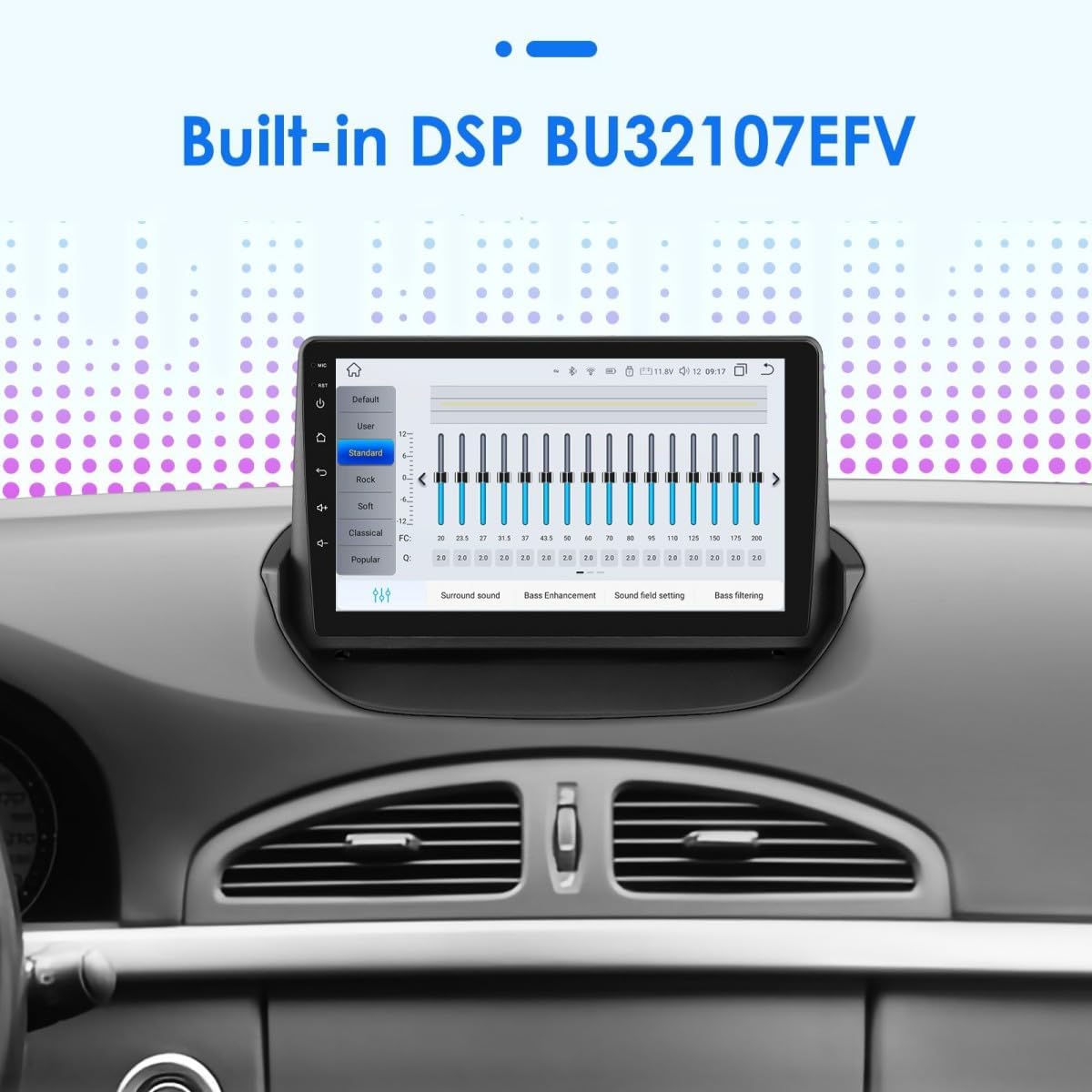
Figure 8: Digital Sound Processor (DSP) interface for audio customization.
3.4 Навигация (GPS)
The car stereo includes GPS navigation capabilities. Users can utilize online navigation services via WiFi/4G LTE or install offline navigation applications from the Play Store.
3.5 Управление на рулевом колесе
Control the car stereo's functions, such as changing music tracks and adjusting volume, directly from your vehicle's steering wheel buttons. This feature enhances driving safety by minimizing distractions.

Рисунок 9: Интерфейс обучения управлению с помощью рулевого колеса.
3.6 Display Features: PIP, Split Screen, Day/Night Mode
- Картинка в картинке (PIP): Watch videos in a small, resizable window while using other applications.
- Разделенный экран: Run two applications simultaneously side-by-side on the screen, for example, navigation and music player.
- Режим день/ночь: The screen brightness automatically adjusts or can be manually switched between day and night modes for optimal visibility and reduced eye strain.

Figure 10: Picture-in-Picture (PIP) mode in action.

Рисунок 11: Функция разделения экрана.

Figure 12: Day and Night display modes.
3.7 Задняя часть View Поддержка камеры
The unit supports both CVBS and AHD rear view cameras, which can be configured in the factory settings. This feature aids in safer parking and reversing maneuvers.
3.8 Оригинальный информационный дисплей автомобиля
The car stereo integrates with your vehicle's original systems to display relevant car information directly on the screen.

Figure 13: Display of original car information.
3.9 TPMS Functionality
The system supports Tire Pressure Monitoring System (TPMS) functionality, allowing you to monitor your tire pressure directly from the car stereo display (requires compatible TPMS sensors, sold separately).

Figure 14: TPMS display interface.
3.10 USB-подключение
The unit supports up to three USB connections simultaneously, allowing for multiple devices to be connected, such as USB drives for media playback or charging devices. It supports up to 2TB USB storage.

Figure 15: Multiple USB connection support.
3.11 Голосовое управление
Enhance your driving experience with voice control features, allowing you to operate various functions using voice commands, improving safety and convenience.

Figure 16: Voice control interface.
3.12 Feature Demonstration Video
Video 1: Demonstration of various features including UI, themes, CarPlay/Android Auto, voice control, dual screen, radio, DSP, GPS navigation, and rear view функциональность камеры.
4. Техническое обслуживание
Для обеспечения долговечности и оптимальной работы вашей автомобильной стереосистемы Ossuret следуйте этим рекомендациям по техническому обслуживанию:
- Регулярно протирайте сенсорный экран мягкой безворсовой тканью. Избегайте использования абразивных чистящих средств.
- Очищайте устройство от пыли и мусора.
- Обеспечьте надлежащую вентиляцию вокруг устройства во избежание перегрева.
- Periodically check for software updates to enhance features and stability.
- Не подвергайте устройство длительному воздействию экстремальных температур или прямых солнечных лучей.
5. Поиск Неисправностей
If you encounter issues with your Ossuret car stereo, refer to the following common troubleshooting steps:
- Нет питания: Check all power connections and ensure the vehicle's ignition is on. Verify the fuse.
- Нет звука: Check speaker connections, volume settings, and ensure the mute function is not activated. Verify DSP settings.
- Сенсорный экран не отвечает: Попробуйте перезапустить устройство. Если проблема не исчезнет, может потребоваться сброс настроек к заводским (обратите внимание: при этом будут удалены все пользовательские данные).
- Потерян сигнал GPS: Убедитесь, что антенна GPS установлена правильно и имеет свободное пространство. view из неба. Проверьте настройки навигационного приложения.
- Проблемы с подключением Bluetooth: Убедитесь, что Bluetooth включен как на стереосистеме, так и на вашем устройстве. Попробуйте отменить сопряжение устройств и выполнить его повторно.
- CarPlay/Android Auto не подключается: Verify USB cable connection (if wired) or WiFi/Bluetooth connection (if wireless). Ensure your phone's operating system is up to date.
В случае постоянных проблем обращайтесь в службу поддержки клиентов.
6. Технические характеристики
| Особенность | Спецификация |
|---|---|
| Бренд | Оссурет |
| Название модели | Ossuret Renault Laguna 2 |
| Операционная система | Андроид 14 |
| Процессор | 8-core (Octa Core 1.8 GHz x 8) |
| ОЗУ + Хранилище | 6 ГБ + 64 ГБ |
| Размер экрана | 9 дюйма |
| Тип дисплея | Сенсорный QLED-экран |
| Разрешение | 1280*720 |
| Технология связи | Bluetooth, USB, Wi-Fi, 4G LTE |
| Особые возможности | Apple CarPlay/Android Auto, Day/Night Mode, DSP (BU32107EFV), GPS Navigation, Steering Wheel Control, Mirror Link |
| Режим аудиовыхода | Стерео |
| Тип обслуживания автомобиля | Машина |
| Тип крепления | Крепление на приборную панель |
| Размеры упаковки | 31.4 х 30.3 х 13.9 см |
| Вес товара | 2.05 килограмма |
7. Гарантия и поддержка
This Ossuret car stereo comes with a 1-year manufacturer's warranty. For technical assistance, troubleshooting, or warranty claims, please contact your retailer or the Ossuret customer support team. Please have your product model and purchase information ready when contacting support.