
1. Введение
This manual provides essential information for the safe and efficient use of your Azeyou A733 Android 15 Tablet. Please read this manual thoroughly before operating the device to ensure proper functionality and to prevent damage. Keep this manual for future reference.

Image: The Azeyou A733 Android 15 Tablet, showcasing its 12-inch display and core specifications.
2. Информация по технике безопасности
- Не подвергайте планшет воздействию экстремальных температур, прямых солнечных лучей или высокой влажности.
- Не допускайте падений планшета и сильных ударов по нему.
- Используйте только зарядные устройства и аксессуары, одобренные производителем.
- Do not attempt to disassemble or repair the tablet yourself. Refer to authorized service personnel.
- Keep the tablet away from children and pets to prevent accidental damage or injury.
3. Содержимое упаковки
Проверьте наличие всех предметов в упаковке вашего продукта:
- Azeyou A733 Android 15 Tablet
- Зарядный кабель USB Type-C
- Адаптер питания (быстрое зарядное устройство 20 Вт)
- Руководство пользователя (этот документ)
- SIM Ejector Tool (if applicable for models with cellular support)
4. Устройство перешлоview
Ознакомьтесь с физическими компонентами вашего планшета.

Изображение: сбоку view of the Azeyou A733 tablet, illustrating the placement of buttons and ports.
- Кнопка питания: Расположена сбоку, используется для включения/выключения планшета или пробуждения/перевода экрана в спящий режим.
- Кнопки громкости: Отрегулируйте громкость звука.
- Порт USB Type-C: Для зарядки и передачи данных.
- Решетки динамиков: Located on the sides for audio output.
- Фронтальная камера: Для видеозвонков и селфи (5 Мп).
- Задняя камера: Для фото- и видеосъемки (13 МП).
- Микрофон: Для голосового ввода.
- Слот для TF-карты: Для расширяемого хранилища до 1 ТБ.
5. Настройка
5.1 Первоначальная зарядка
Before first use, fully charge your tablet. Connect the provided USB Type-C cable to the tablet's Type-C port and the power adapter, then plug the adapter into a wall outlet. The tablet supports 20W fast charging.
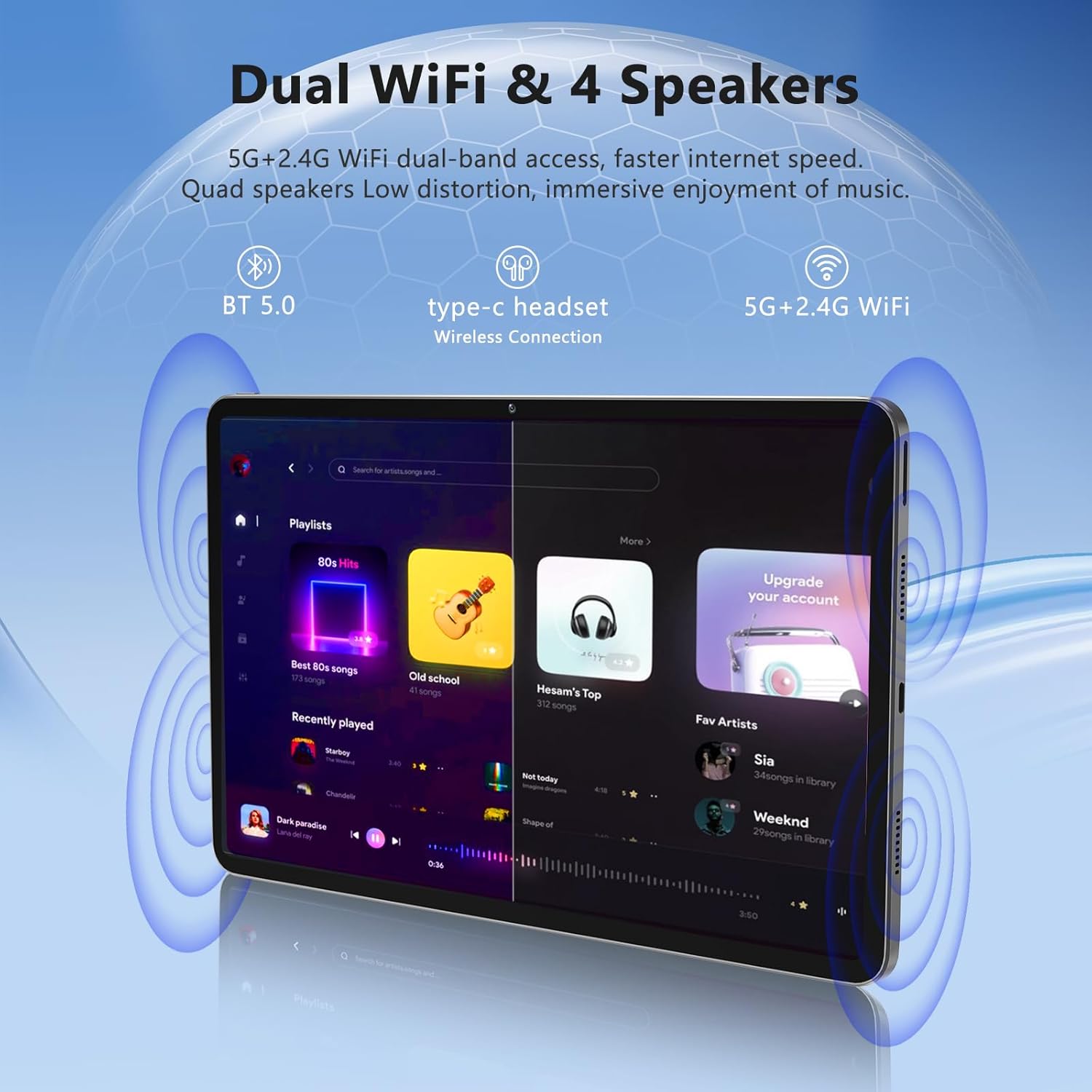
Image: The Azeyou A733 tablet connected to a charger, illustrating its fast charging feature.
5.2 Включение/выключение питания
- Для включения: Press and hold the Power button until the Azeyou logo appears.
- Чтобы выключить: Press and hold the Power button until the power options appear on screen, then select "Power off."
- Начать заново: Press and hold the Power button until the power options appear, then select "Restart."
5.3 Мастер начальной настройки
При первом включении планшет проведет вас через процесс первоначальной настройки:
- Выберите предпочитаемый язык.
- Подключитесь к сети Wi-Fi.
- Войдите в свою учетную запись Google или создайте новую.
- Review и принять положения и условия.
- Настройте блокировку экрана (PIN-код, графический ключ или пароль).
5.4 Расширяемое хранилище
To expand storage, insert a TF (microSD) card into the designated slot. The tablet supports up to 1TB expansion.

Image: Visual representation of the tablet's memory configuration, including 20GB RAM, 128GB ROM, and 1TB expandable storage.
6. Эксплуатация планшета
6.1 Базовая навигация
The Azeyou A733 tablet uses touch gestures for navigation:
- Кран: Выберите элемент или откройте приложение.
- Проведите пальцем по экрану: Прокручивайте экраны или списки.
- Ущипнуть: Увеличивайте или уменьшайте масштаб изображений и web страниц.
- Длительное нажатие: Доступ к контекстным меню или перемещение значков.
6.2 Wi-Fi-соединение
Чтобы подключиться к сети Wi-Fi:
- Перейти к Настройки > Сеть и интернет > Wi-Fi.
- Включить Wi-Fi On.
- Выберите нужную сеть из списка.
- Введите пароль, если потребуется, затем нажмите Соединять.
The tablet supports Wi-Fi 6 for faster and more stable connections.

Изображение: Демонстрация планшетаasing its dual Wi-Fi capabilities and quad speakers for enhanced audio experience.
6.3 Bluetooth-соединение
To pair with a Bluetooth device (e.g., headphones, keyboard, mouse):
- Перейти к Настройки > Подключенные устройства > Bluetooth.
- Переключить Bluetooth On.
- Убедитесь, что ваше устройство Bluetooth находится в режиме сопряжения.
- Выберите устройство из списка и следуйте инструкциям на экране для завершения сопряжения.
6.4 Управление приложениями
Your Azeyou A733 tablet is GMS certified, allowing full access to the Google Play Store for downloading and managing applications.
- Установить приложения: Open the Play Store app, search for your desired app, and tap Установить.
- Удаление приложений: Long-press an app icon on the home screen or app drawer, then drag it to "Uninstall" or select "App info" and choose "Uninstall."
6.5 Использование камеры
Планшет оснащен 5-мегапиксельной фронтальной камерой и 13-мегапиксельной тыловой камерой.
- Откройте Камера приложение.
- Нажмите значок переключателя камеры, чтобы переключиться между передней и задней камерами.
- Нажмите кнопку спуска затвора, чтобы сделать фотографию или начать/остановить запись видео.
Изображение: подробное view of the tablet's 13MP rear camera and 5MP front camera, illustrating their positions and use.
6.6 Функция разделенного экрана
To use two apps simultaneously:
- Откройте первое приложение.
- Tap the recent apps button (usually a square icon).
- Long-press the icon of the first app at the top of its card.
- Select "Split screen."
- Выберите второе приложение из списка последних приложений или панели приложений.
6.7 AI Air Gesture
The tablet supports AI Air Gesture for hands-free control. Specific gestures and their functions can be configured in Настройки > Умное управление (or similar menu name).
6.8 Sitting Posture Detection
This feature helps users maintain a healthy sitting posture by providing alerts or guidance. Access and configure this feature in Настройки > Цифровое благополучие и родительский контроль or a dedicated health/posture app.

Image: Demonstrations of AI air gesture for tablet control and the sitting posture detection system.
6.9 Воспроизведение медиафайлов (Widevine L1)
The tablet is Widevine L1 certified, enabling high-definition (HD) content streaming on platforms such as Netflix, Amazon Prime Video, Hulu, and HBO.

Image: The tablet displaying logos of popular streaming services, signifying its Widevine L1 certification for HD playback.
7. Техническое обслуживание
7.1 Очистка
Use a soft, lint-free cloth to clean the tablet screen and body. Avoid using harsh chemicals or abrasive materials.
7.2 Уход за аккумулятором
Аккумулятор емкостью 8000 мАч обеспечивает длительное время работы. Для продления срока службы батареи:
- Избегайте частой полной разрядки аккумулятора.
- Do not leave the tablet charging for excessively long periods after it's full.
- Keep the tablet within a moderate temperature range.

Image: An infographic detailing the 8000mAh battery and its estimated performance across various activities.
7.3 Обновления программного обеспечения
Регулярно проверяйте наличие обновлений программного обеспечения и устанавливайте их, чтобы обеспечить оптимальную производительность и безопасность. Перейти к Настройки > Система > Обновление системы.
7.4 Управление хранением
To manage your 128GB internal storage (expandable to 1TB):
- Перейти к Настройки > Хранилище к view использование и освобождение места.
- Регулярно очищайте кэш приложений.
- Двигайтесь масштабно files на вставленную TF-карту.
8. Поиск Неисправностей
8.1 Общие проблемы
- Планшет не включается: Убедитесь, что аккумулятор заряжен. Подключите устройство к зарядному устройству не менее чем на 30 минут, прежде чем пытаться включить его.
- Приложения вылетают или зависают: Close and reopen the app. If the issue persists, clear the app's cache (Settings > Apps > [App Name] > Storage & cache > Clear cache). Restart the tablet.
- Проблемы с подключением к Wi-Fi: Перезагрузите Wi-Fi роутер и планшет. Удалите сеть из настроек планшета и подключитесь заново.
- Низкая производительность: Закройте ненужные фоновые приложения. Очистите кэш и временные файлы. files. Consider performing a factory reset if performance issues persist after other troubleshooting steps.
8.2 Сброс к заводским настройкам
Сброс настроек к заводским значениям удалит все данные с планшета и восстановит его заводские настройки. Перед продолжением сделайте резервную копию важных данных.
- Перейти к Настройки > Система > Сбросить настройки.
- Выбирать Удалить все данные (сброс настроек к заводским).
- Подтвердите свое решение и следуйте инструкциям на экране.
9. Технические характеристики

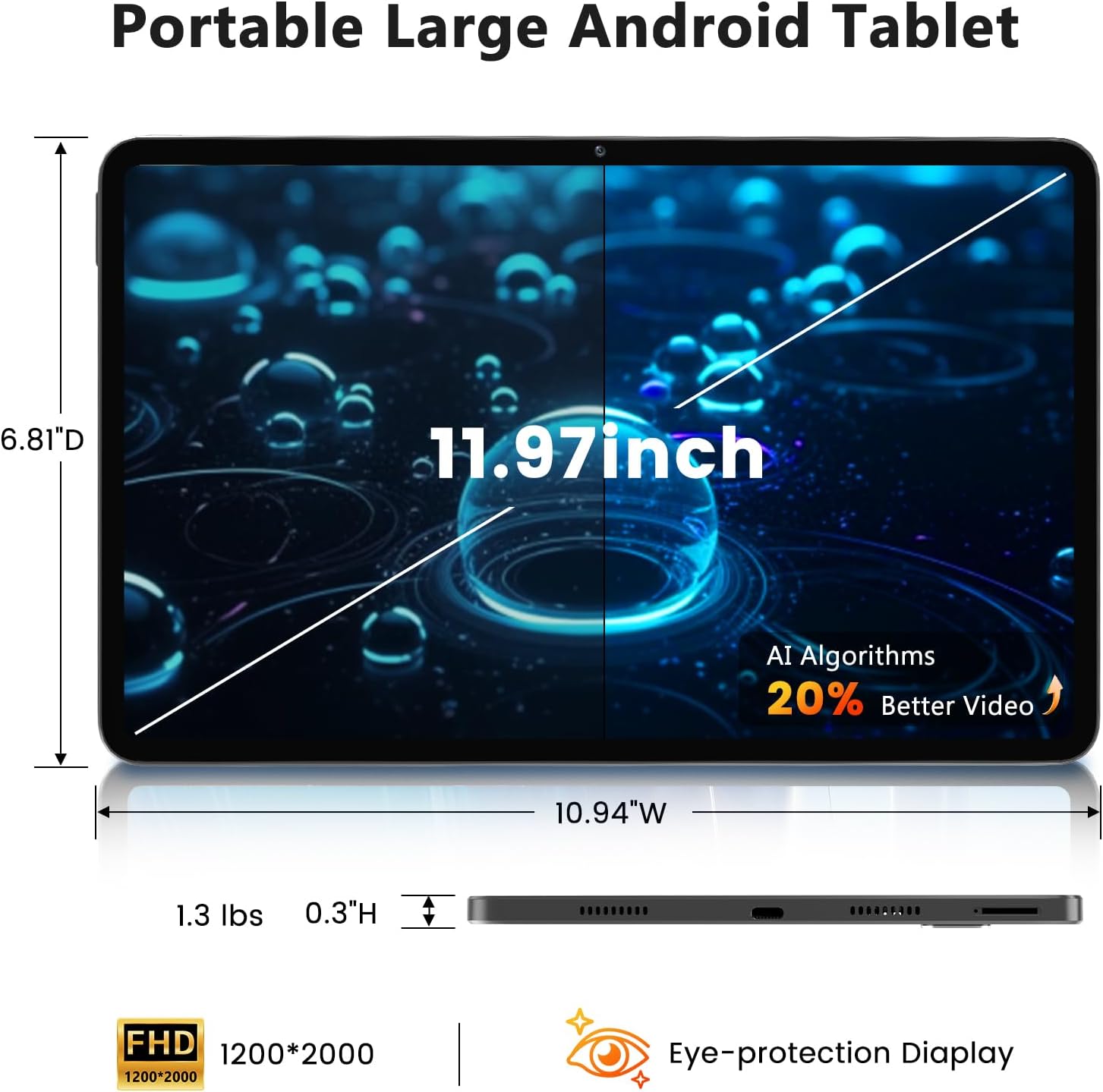
Image: A visual representation of the tablet's physical dimensions and weight.
| Особенность | Спецификация |
|---|---|
| Бренд | Азею |
| Модель | А733 |
| Операционная система | Андроид 15 |
| Процессор | Восьмиядерный процессор A733 |
| БАРАН | 20 ГБ (6 ГБ физической памяти + 14 ГБ виртуальной памяти) |
| Внутренняя память (ПЗУ) | 128 ГБ |
| Расширяемое хранилище | До 1 ТБ памяти через карту памяти TF (не входит в комплект). |
| Размер экрана | 11.97 дюйма |
| Разрешение экрана | 1200 x 2000 Pixels (2K Display) |
| Задняя камера | 13 МП |
| Передняя камера | 5 МП |
| Емкость аккумулятора | 8000мАч |
| Зарядка | 20W Fast Charge, Type-C Port |
| Беспроводное подключение | Wi-Fi 6 (802.11ax), Bluetooth 5.0 |
| Размеры (ДxШxВ) | 11.97 x 6.81 x 0.3 дюйма |
| Вес товара | 3.15 фунта |
| Особые возможности | GMS Certified, Widevine L1, Dual Speakers, AI Air Gesture, Sitting Posture Detection, Split-screen function |
10. Гарантия и поддержка
Your Azeyou A733 Tablet comes with a standard manufacturer's warranty. Please refer to the warranty card included in your package for specific terms and conditions, including warranty duration and coverage details.
For technical support, troubleshooting assistance, or warranty claims, please contact Azeyou customer service through the retailer where the product was purchased or visit the official Azeyou support webсайт (при наличии).
Please have your product model number (A733) and purchase information ready when contacting support.