
1. Введение
The ATTACK SHARK X11SE is a high-performance wireless gaming mouse designed for precision and comfort. It features a lightweight design, advanced sensor technology, and versatile connectivity options to enhance your gaming and productivity experience.

Изображение: Оверview of the ATTACK SHARK X11SE's key features including PAW3311 sensor, 63g lightweight design, 22000 DPI, HUANO switches, tri-mode switch, BK52820 chip, TTC encoders, and 65 hours of battery life.
Основные характеристики:
- PAW3311 Gaming Sensor: Equipped with the flagship PixArt PAW3311 sensor, offering up to 22,000 DPI with 6 adjustable levels, 400 IPS tracking speed, 35G acceleration, and a 1000Hz/1ms polling rate.
- Ultralight 63g Design: Weighing only 63 ± 3g, this mouse features a minimalist, full-casing design optimized for reduced weight without compromising build quality.
- Трехрежимное подключение: Supports 2.4 GHz wireless, USB-C wired, and Bluetooth connections for versatile use across various devices.
- Durable Switches & Encoder: Features HUANO switches with a lifespan of 20 million clicks and an optimized TTC encoder for precise scroll wheel feedback.
- Эргономичный дизайн: Dimensions (128 x 64 x 40 mm) suitable for medium to large hands, accommodating palm, claw, and fingertip grip styles for extended comfort.
- Dual Driver Support: Совместимо с Web Driver and proprietary ATTACK SHARK driver for advanced customization of buttons, DPI, polling rate, and macros.
2. Настройка
Содержимое упаковки:
- Беспроводная игровая мышь ATTACK SHARK X11SE
- Кабель USB-C
- USB-приемник (2.4 ГГц)
- Лента для сцепления
- Руководство пользователя
Зарядка мыши:
Connect the mouse to your computer using the provided USB-C cable. The mouse has a 300mAh battery, providing up to 65 hours of uninterrupted use on a full charge (2-3 hours charging time).

Image: The ATTACK SHARK X11SE mouse illustrating its efficient battery management, offering up to 65 hours of use from a 300mAh battery, fully charged in 2-3 hours.
Режимы подключения:
The X11SE mouse supports three connection modes: 2.4GHz Wireless, Bluetooth, and USB-C Wired.

Image: The ATTACK SHARK X11SE mouse highlighting its lightning-fast 2.4G wireless connection, wired mode via USB-C, and Bluetooth 5.2 capabilities.
- Беспроводной режим 2.4 ГГц:
- Найдите USB-приемник, который обычно хранится в отсеке на нижней стороне мыши.
- Подключите USB-приемник к свободному USB-порту на вашем компьютере.
- Turn on the mouse using the switch on the bottom. Select the 2.4G mode.
- Мышь должна подключиться автоматически.
- Режим Bluetooth:
- Включите мышь и выберите режим Bluetooth с помощью переключателя внизу.
- Press and hold the Bluetooth toggle button (often located near the mode switch) for 3 seconds to enter pairing mode. The indicator light will flash.
- На компьютере или устройстве перейдите в настройки Bluetooth и выполните поиск новых устройств.
- Select "ATTACK SHARK X11SE" from the list to pair.
- Проводной режим USB-C:
- Connect the USB-C cable to the front port of the mouse and the other end to a USB port on your computer.
- Мышь автоматически переключится в проводной режим и начнет заряжаться.
3. Операция
Функции кнопок:
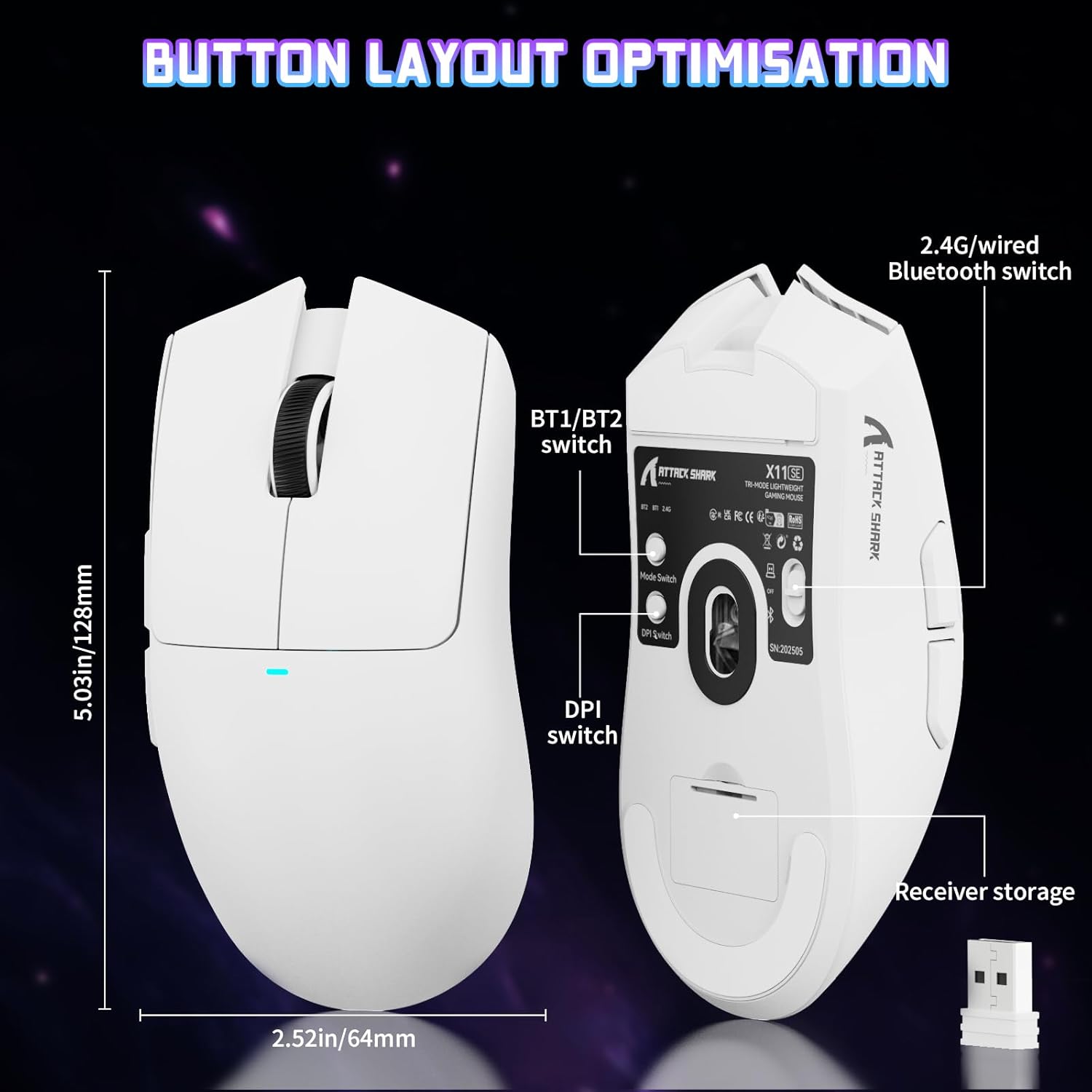
Image: The ATTACK SHARK X11SE mouse displaying its button layout, including the BT1/BT2 switch, DPI switch, and receiver storage, along with its dimensions (128mm length, 64mm width).
- Щелчок левой кнопкой мыши: Кнопка основного действия.
- Щелкните правой кнопкой мыши: Кнопка вторичного действия, обычно для контекстных меню.
- Колесо прокрутки: Scrolls up/down. Can also be pressed for a middle-click function.
- Боковые кнопки (вперед/назад): Used for navigation in web браузеры или действия в игре.
- Переключатель DPI: Located on the underside of the mouse, this button cycles through preset DPI levels.
- Переключатель режимов: Located on the underside, this switch allows you to select between 2.4G wireless, Bluetooth, and Off modes.
Настройка DPI:
The X11SE features a PixArt PAW3311 sensor with up to 22,000 DPI. You can adjust the DPI sensitivity using the dedicated DPI switch on the bottom of the mouse. For more precise control and custom DPI levels, use the official software.
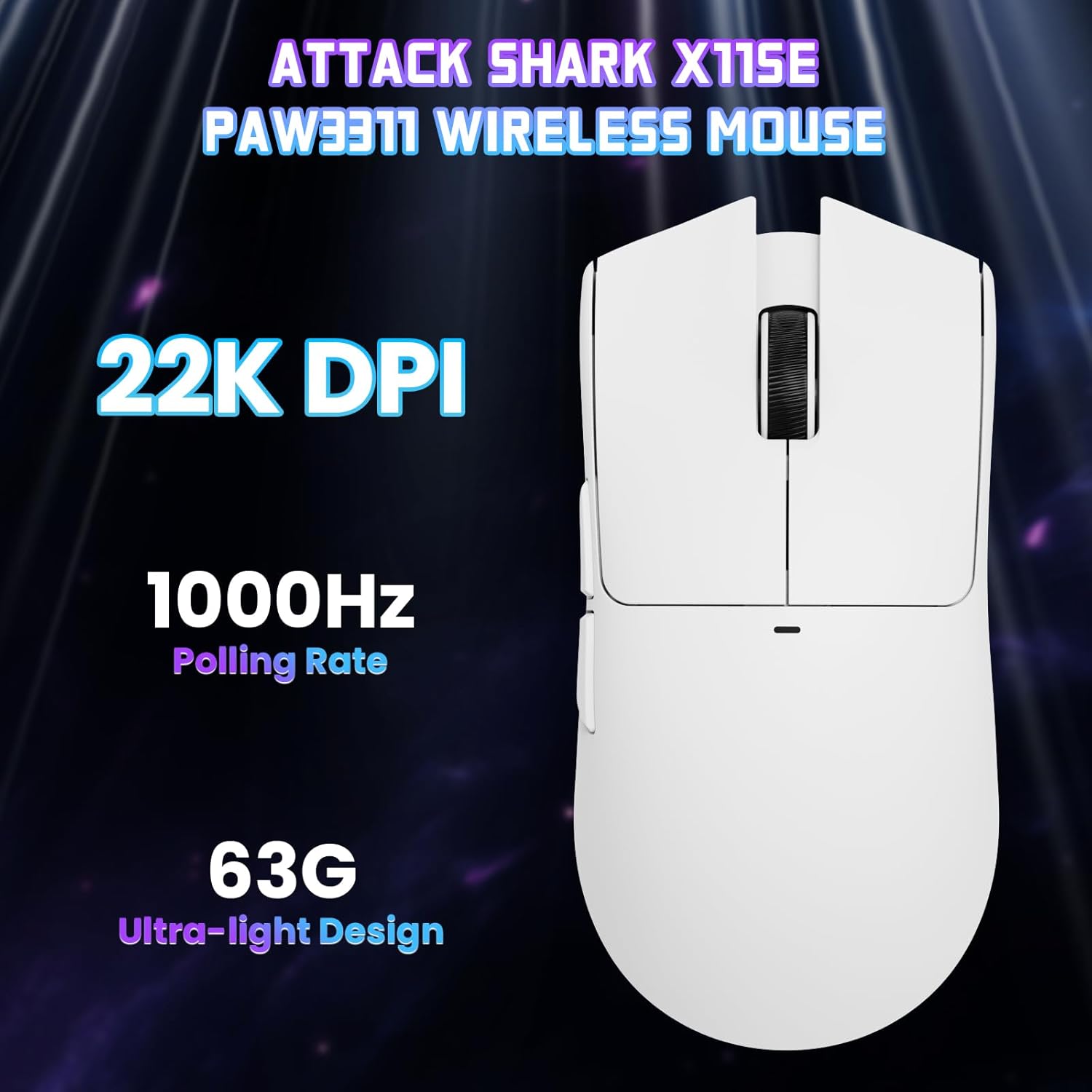
Изображение: вид сверху вниз view of the ATTACK SHARK X11SE mouse, emphasizing its 22,000 DPI capability and 1000Hz polling rate for high-performance gaming.
4.Настройка
The ATTACK SHARK X11SE mouse offers extensive customization options through its dedicated software. This allows you to personalize button assignments, DPI settings, polling rate, and create macros.
Установка драйвера:
The mouse supports two drivers:
- Web Водитель: Доступ через http://szslxd-tech.com/#/
- ATTACK SHARK Proprietary Driver: Скачать с https://attackshark.com/pages/dirver-download
Download and install the preferred driver software on your Windows, macOS, or Linux system.
Функции программы:

Image: The ATTACK SHARK X11SE software interface, demonstrating options for mouse settings, DPI adjustments, parameter settings, macro editing, and personal profiles.
- Программирование кнопок: Переназначьте функции любой из 5 кнопок.
- Настройки DPI: Создать пользовательское разрешение DPIfiles and adjust sensitivity levels.
- Скорость опроса: Отрегулируйте частоту опроса для оптимальной скорости отклика.
- Редактор макросов: Записывайте и назначайте сложные последовательности команд одной кнопке.
- Профиfile Управление: Сохраняйте и переключайтесь между различными программами.fileдля различных игр или приложений.
5. Техническое обслуживание
Уборка:
- Протрите поверхность мыши мягкой сухой тканью.
- Для удаления стойких загрязнений слегкаampСмочите ткань водой или мягким чистящим средством. Избегайте использования агрессивных химикатов.
- Для обеспечения точного отслеживания протрите область оптического датчика на нижней части мыши ватным тампоном.
Уход батареи:
- Чтобы продлить срок службы аккумулятора, избегайте его частой полной разрядки.
- Если мышь не используется в течение длительного времени, храните ее в прохладном, сухом месте.
6. Поиск Неисправностей
Распространенные проблемы и решения:
- Мышь не отвечает:
- Убедитесь, что мышь заряжена.
- Check the mode switch on the bottom of the mouse to ensure it's in the correct mode (2.4G, BT, or Wired).
- Для режима 2.4 ГГц убедитесь, что USB-приемник надежно подключен. Попробуйте использовать другой USB-порт.
- For Bluetooth mode, ensure Bluetooth is enabled on your device and the mouse is paired correctly. Try re-pairing.
- Для проводного подключения убедитесь, что кабель USB-C правильно подключен.
- DPI не меняется:
- Press the DPI switch on the bottom of the mouse.
- If using custom DPI settings, ensure the driver software is running and the correct profile активен.
- Задержка или прерывистое соединение:
- Ensure the mouse is close to the USB receiver (for 2.4GHz) or your device (for Bluetooth).
- Избегайте помех от других беспроводных устройств.
- Убедитесь, что аккумулятор мыши достаточно заряжен.
- Обновите драйверы мыши, если они доступны.
7. Технические характеристики
| Особенность | Спецификация |
|---|---|
| Бренд | АТАКУЮЩАЯ АКУЛА |
| Название модели | X11SE |
| Цвет | Белый |
| Технология связи | 2.4 GHz Wireless/USB-C Wired/Bluetooth |
| Особые возможности | 63g ultralight, BK52820 Chip, TTC Encoder, Dual Driver |
| Технология обнаружения движения | Optical (PixArt PAW3311) |
| Количество кнопок | 5 |
| Ориентация руки | Двусторонний |
| Рекомендации по применению продукта | Компьютер Gaming |
| Совместимые устройства | Desktop Computer, MAC |
| Операционная система | Windows, MacOS, Linux |
| Количество батарей | 1 литий-полимерный (входит в комплект) |
| Источник питания | Питание от батареи |
| Maximum Mouse Sensitivity | 22000 точек на дюйм |
| Диапазон | 300 сантиметра |
| Стиль | Эргономичный |
| Материал | Пластик |
| Страна происхождения | Китай |
| Включенные компоненты | USB-C Cable, Manual, Grip Tape |
| СКП | 752010613663 |
8. Гарантия и поддержка
Информация о гарантии:
The ATTACK SHARK X11SE Wireless Gaming Mouse comes with a six-month warranty from the date of purchase. Please retain your proof of purchase for warranty claims.
Загрузка драйверов:
Для получения последних обновлений драйверов и программного обеспечения посетите:
- Web Водитель: http://szslxd-tech.com/#/
- ATTACK SHARK Driver: https://attackshark.com/pages/dirver-download
Related Product Video:
Видео: Официальный видеоролик продавца.asing the ATTACK SHARK X11 Mouse, demonstrating its features and functionality. While specifically for the X11, it provides relevant insights into the X11SE's design and operation.