
1. Важные инструкции по технике безопасности
Please read these instructions carefully before using the Audizio Canzo DAB+ Internet Radio. Keep this manual for future reference.
- Не подвергайте устройство воздействию дождя или влаги во избежание возгорания или поражения электрическим током.
- Не открывайте сasing. Внутри нет деталей, подлежащих обслуживанию пользователем. По всем вопросам обслуживания обращайтесь к квалифицированному персоналу.
- Используйте только адаптер питания, поставляемый с устройством.
- Обеспечьте достаточную вентиляцию вокруг устройства. Не закрывайте вентиляционные отверстия.
- Не размещайте устройство вблизи источников тепла или под прямыми солнечными лучами.
- Clean the unit only with a dry, soft cloth. Do not use liquid cleaners.
2. Продукт закончилсяview
The Audizio Canzo is a versatile DAB+ Internet Radio designed for high-quality audio reception and playback. It features multiple connectivity options including Wi-Fi, Bluetooth 5.3, AUX, and USB, along with a remote control for convenient operation. The elegant wooden finish and clear display make it suitable for various home environments.
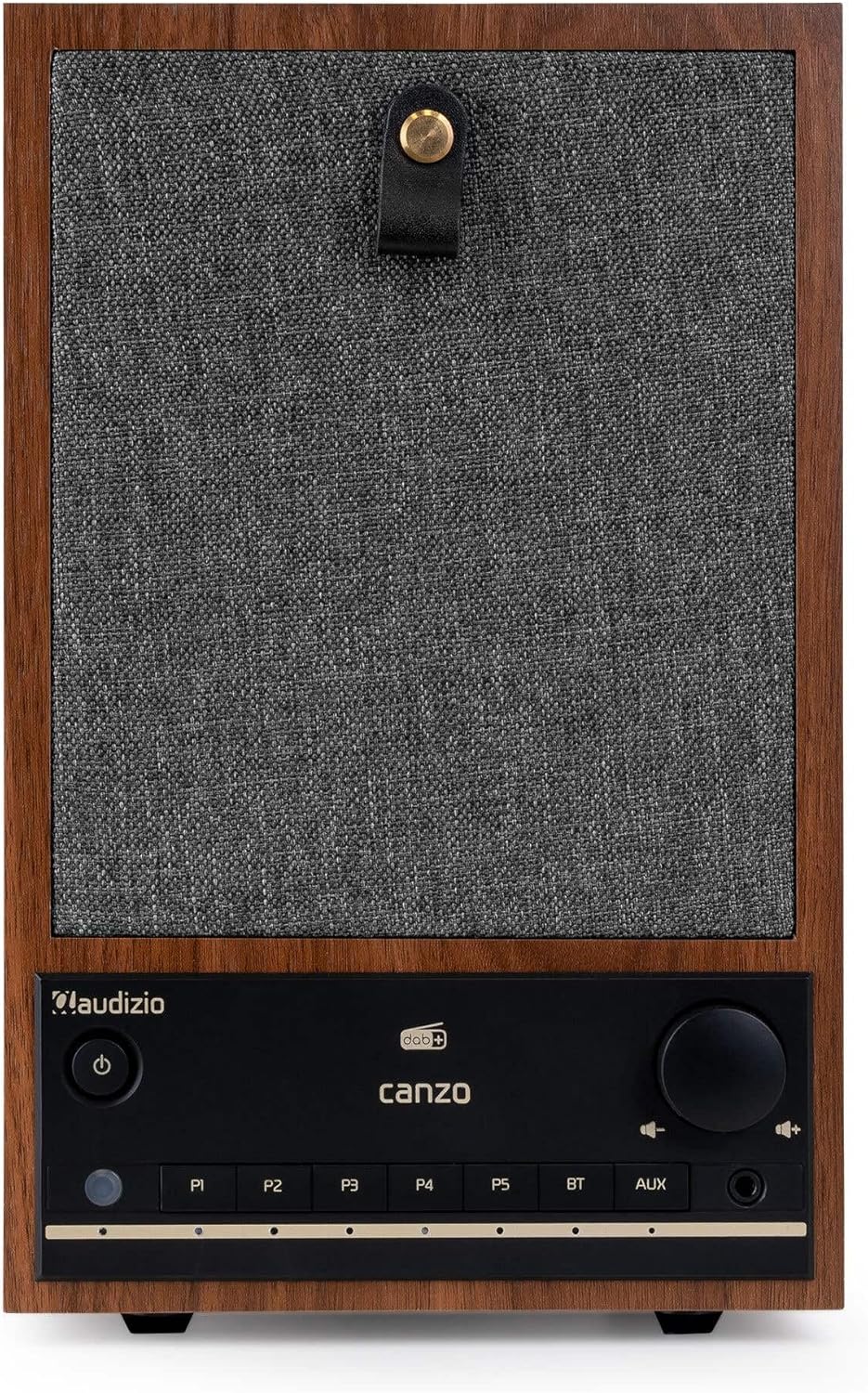
Рисунок 2.1: Передняя часть view of the Audizio Canzo DAB+ Internet Radio in walnut finish.

Рисунок 2.2: Передняя часть view with speaker grille removed, highlighting the speaker, display, and control panel.
3. Что в коробке
Осторожно распакуйте коробку и убедитесь в наличии всех предметов:
- Audizio Canzo DAB+ Internet Radio
- Адаптер питания
- Дистанционное управление
- Краткое руководство пользователя
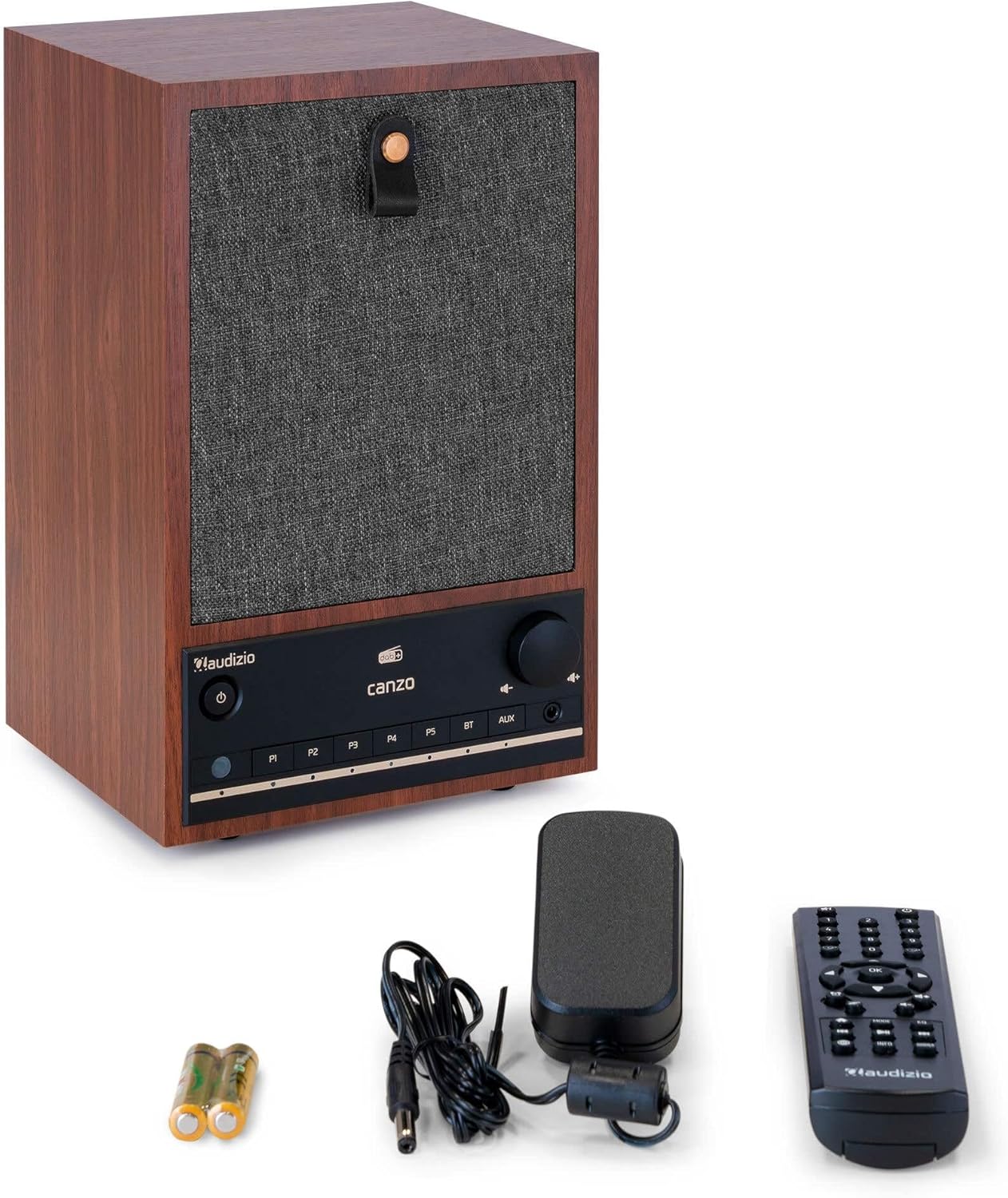
Figure 3.1: Audizio Canzo radio with its accessories.
4. Настройка
4.1 Подключение питания
- Вставьте штекер постоянного тока адаптера питания в DC ВХОД port on the back of the radio.
- Подключите адаптер питания к стандартной настенной розетке (220 В).
- Переверните ВКЛ/ВЫКЛ switch on the back of the unit to the ON позиция.
4.2 Подключение антенны
For optimal DAB+ and FM reception, extend the telescopic antenna located on the back of the unit. Adjust its position for the best signal.

Figure 4.1: Rear panel with power input, audio ports, USB, LAN, and antenna.
4.3 Первоначальное включение и настройка сети
- Нажмите Власть button on the front panel or remote control to turn on the radio.
- The display will show the Audizio logo and then guide you through the initial setup wizard.
- Выберите предпочитаемый язык.
- The radio will prompt you to connect to a network. Choose Wi-Fi or Локальная сеть.
- Для Wi-Fi: Select your Wi-Fi network from the list and enter the password using the navigation buttons and OK кнопка.
- For LAN: Подключите кабель Ethernet от маршрутизатора к Локальная сеть port on the back of the radio. The connection should be established automatically.
- Once connected, the radio will update the time and date automatically.
5. Инструкция по эксплуатации
5.1 Основные элементы управления
The front panel features a power button, preset buttons (P1-P5), Bluetooth (BT) and AUX input buttons, a volume knob, and navigation controls. The remote control provides full access to all functions.
5.2 Выбор режима
Нажмите РЕЖИМ button on the radio or remote control to cycle through available modes: Internet Radio, DAB+, FM, Bluetooth, AUX, and USB Playback.
5.3 Интернет-радио
- Выбирать Интернет-радио режим.
- Use the navigation buttons to browse stations by location, genre, or search.
- Нажимать OK для выбора станции.
- Чтобы сохранить станцию в качестве предустановки, нажмите и удерживайте одну из кнопок. П1-П5 buttons until the display confirms.
5.4 DAB+ радио
- Выбирать DAB+ режим.
- Радио автоматически выполнит поиск доступных станций DAB+.
- Use the navigation buttons to scroll through the list of found stations.
- Нажимать OK для выбора станции.
- Чтобы сохранить станцию в качестве предустановки, нажмите и удерживайте одну из кнопок. П1-П5 кнопки.
5.5 FM-радио
- Выбирать FM режим.
- Нажмите и удерживайте Сканировать button (usually on the remote or via menu) to auto-scan for FM stations.
- Use the navigation buttons to tune manually or select from scanned stations.
- Чтобы сохранить станцию в качестве предустановки, нажмите и удерживайте одну из кнопок. П1-П5 кнопки.
5.6 Воспроизведение по Bluetooth
- Выбирать Bluetooth mode. The radio will enter pairing mode, indicated on the display.
- На смартфоне или планшете включите Bluetooth и выполните поиск доступных устройств.
- Select "Audizio Canzo" from the list to pair.
- После сопряжения вы сможете воспроизводить аудио с вашего устройства через радио.
5.7 Дополнительный вход
- Подключите внешнее аудиоустройство (например, MP3-плеер) к AUX IN port on the back of the radio using a 3.5mm audio cable.
- Выбирать AUX режим.
- Audio from the connected device will now play through the radio.
5.8 Воспроизведение через USB
- Вставьте USB-накопитель с аудиофайлами. files в ВОСПРОИЗВЕДЕНИЕ USB port on the back of the radio.
- Выбирать USB режим.
- Use the navigation buttons to browse and select audio files для воспроизведения.
5.9 Будильник и таймер сна
- Тревога: Access the Alarm settings via the menu. Set up to two alarms with desired time, source (buzzer, radio), and volume.
- Таймер сна: Access the Sleep Timer settings via the menu. Set a duration (e.g., 15, 30, 60 minutes) after which the radio will automatically turn off.
- Отложить: Когда сработает будильник, нажмите кнопку Вздремнуть button on the remote or radio to temporarily silence it.
6. Техническое обслуживание
6.1 Очистка
To clean the radio, use a soft, dry, lint-free cloth. Do not use abrasive cleaners, waxes, or solvents as they may damage the finish or internal components.
6.2 Хранение
При длительном хранении устройства отключите его от розетки и храните в прохладном, сухом месте, вдали от прямых солнечных лучей и экстремальных температур.
7. Поиск Неисправностей
| Проблема | Возможная причина | Решение |
|---|---|---|
| Нет электричества | Power adapter not connected; ON/OFF switch is OFF. | Ensure power adapter is securely connected and ON/OFF switch is ON. |
| Нет звука | Слишком низкий уровень громкости; выбран неверный источник; подключены наушники. | Увеличьте громкость; выберите правильный режим ввода; отсоедините наушники. |
| Невозможно подключиться к Wi-Fi | Неверный пароль; маршрутизатор находится слишком далеко; проблема с сетью. | Verify Wi-Fi password; move radio closer to router; restart router. |
| Плохой прием DAB+/FM | Антенна не выдвинута; слабый сигнал. | Fully extend and adjust the telescopic antenna; try repositioning the radio. |
| Пульт дистанционного управления не работает | Batteries depleted; obstruction between remote and radio. | Replace remote control batteries; ensure clear line of sight to the radio's sensor. |
8. Технические характеристики
| Особенность | Спецификация |
|---|---|
| Номер модели | Canzo |
| Размеры продукта | 22.5 х 20.5 х 34 см |
| Вес товара | 2.9 Килограмма |
| Цвет | Орех |
| Размер экрана | 2.4 дюйма |
| Технология связи | Aux, Bluetooth, Wi-Fi, LAN |
| Версия Bluetooth | 5.3 |
| Поддерживаемые радиодиапазоны | DAB+, FM, интернет-радио |
| Источник питания | Электрический проводной (220 Вольт) |
| Особые возможности | Integrated Clock, Sleep Timer, Alarm, Remote Control, Preset Stations |
| Совместимые устройства | Smartphone, Tablet, Headphones, MP3 Player, USB Storage Device |
9. Гарантия и поддержка
For warranty information and technical support, please refer to the warranty card included with your product or contact your retailer. Keep your proof of purchase for any warranty claims.