
1. Введение
This manual provides essential information for setting up, operating, and maintaining your TCL 98Q7K 98-inch QLED 4K Google TV. This television features a stunning QLED 4K display with a 144 Hz panel for smooth motion, integrated Google TV for smart functionality, and advanced audio with Dolby Atmos. It also includes Google Assistant and Alexa compatibility for hands-free voice control, VisionHDR10+, and AiPQ™ processing for optimized picture quality.

2. Настройка
2.1 Распаковка и первоначальный осмотр
Carefully remove the television from its packaging. Inspect the TV and all included accessories for any signs of damage. Keep the packaging materials for future transport or service needs.
2.2 Установка подставки
If you plan to use the TV with its included stand, follow these steps:
- Положите телевизор экраном вниз на мягкую ровную поверхность, чтобы предотвратить появление царапин.
- Совместите компоненты подставки с соответствующими пазами на нижней части телевизора.
- Secure the stand using the screws provided in the accessory kit. Ensure all screws are tightened firmly.

2.3 Настенный монтаж (опционально)
For wall mounting, a compatible VESA wall mount (not included) is required. Due to the size and weight of the 98-inch television, professional installation is highly recommended to ensure safety and proper mounting. Refer to the wall mount manufacturer's instructions for specific installation details.
2.4 Подключение периферийных устройств
Connect your external devices such as Blu-ray players, gaming consoles, sound systems, and cable/satellite boxes to the appropriate ports on the TV. The TCL 98Q7K features 4 HDMI ports and 2 USB ports for versatile connectivity.
3. Инструкция по эксплуатации
3.1 Включение/выключение питания
Connect the power cord to the TV and a power outlet. Press the power button on the remote control or on the TV itself to turn the television on or off.
3.2 Initial Setup with Google TV
Upon first power-on, the TV will guide you through the initial setup process for Google TV. This includes selecting your language, connecting to a Wi-Fi network, signing in with your Google account, and configuring basic settings. Follow the on-screen prompts.

3.3 Функции дистанционного управления
The included remote control allows you to navigate the TV's interface, adjust volume, change channels, and access smart features. It supports voice control via Google Assistant and Alexa. Insert the provided batteries into the remote control before use.
3.4 Интеллектуальные функции и голосовое управление
- Гугл ТВ: Access a wide range of streaming apps, movies, and shows.
- Google Assistant & Alexa: Use voice commands for hands-free control of your TV, search for content, get information, and control smart home devices.
- Встроенный Chromecast: Транслируйте контент с совместимых мобильных устройств прямо на телевизор.
3.5 Игровые возможности
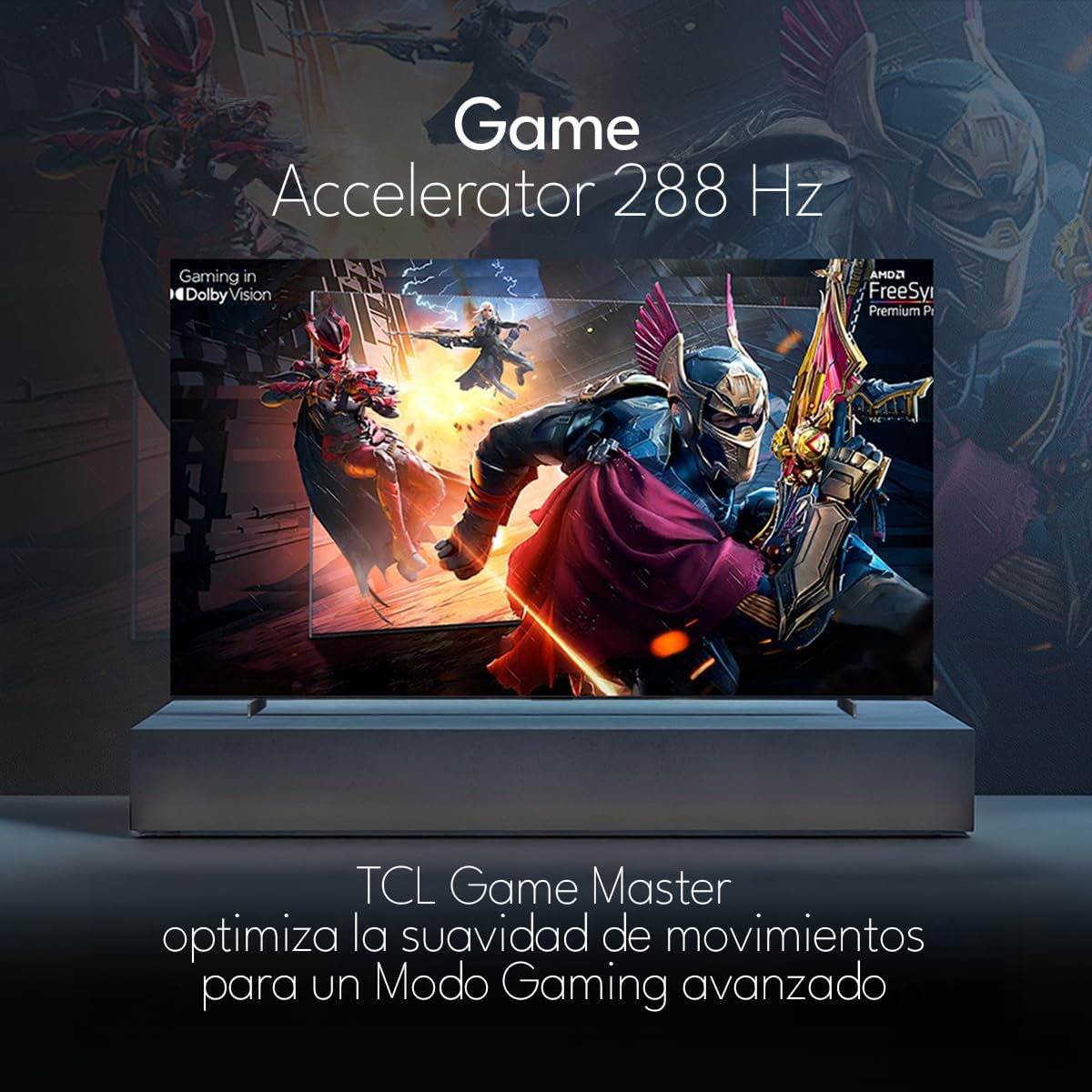
The TCL 98Q7K features a 144 Hz panel and Game Accelerator technology for an enhanced gaming experience with reduced latency and smoother motion.

3.6 Аудиовозможности
Experience immersive sound with Dolby Atmos and the integrated ONKYO Hi-Fi System 2.1 Channels, providing clear vocals and deep bass.

3.7 продукта болееview Видео
4. Техническое обслуживание
4.1 Очистка экрана
Чтобы очистить экран, аккуратно протрите его мягкой тканью без ворса. Для удаления стойких загрязнений слегка потрите.ampСмочите ткань водой или специальным средством для чистки экранов. Избегайте использования агрессивных химикатов, абразивных материалов и прямого распыления жидкостей на экран.
4.2 Чистка корпуса телевизора
Wipe the TV body with a soft, dry cloth. Do not use liquid cleaners directly on the TV body.
4.3 Обновления программного обеспечения
Your TCL Google TV may receive automatic software updates. To manually check for updates, navigate to the settings menu, then select System > About > System update. Ensure your TV is connected to the internet for updates.
5. Поиск Неисправностей
Если у вас возникли проблемы с телевизором, воспользуйтесь следующими распространенными решениями:
- Нет питания:
Убедитесь, что шнур питания надежно вставлен как в телевизор, так и в работающую розетку. Попробуйте подключить другое устройство к той же розетке, чтобы убедиться, что оно подключено к источнику питания. - Нет изображения или звука:
Verify that the correct input source is selected (e.g., HDMI 1, AV). Check all cable connections between the TV and external devices. Ensure the volume is not muted or set to minimum. - Пульт дистанционного управления не работает:
Замените батарейки в пульте дистанционного управления. Убедитесь, что между пультом дистанционного управления и ИК-датчиком телевизора нет препятствий. - Проблемы с сетевым подключением:
Check your Wi-Fi router and ensure it is powered on and functioning correctly. Restart the TV and your router. In the TV settings, verify the Wi-Fi connection status. - Проблемы с качеством изображения (например, размытое, искаженное):
Check the resolution settings of your input source. Ensure the cables are not damaged. Adjust picture settings (brightness, contrast, sharpness) in the TV menu.
For persistent issues, consult the full electronic manual available through the TV's help menu or contact TCL customer support.
6. Технические характеристики
| Особенность | Спецификация |
|---|---|
| Размер экрана | 98 дюйма |
| Технология отображения | QLED |
| Разрешение | 4К (3840 x 2160) |
| Частота обновления | 144 Гц |
| Поддержка формата HDR | Dolby Vision, HDR10, HDR10+, HLG |
| Пиковая яркость | 450 нит |
| Звуковая система | Dolby Atmos, Dolby Digital, ONKYO Hi-Fi System 2.1 Channels |
| Операционная система | Гугл ТВ |
| Голосовое управление | Google Ассистент, Алекса |
| Связность | Wi-Fi, Ethernet, 4x HDMI, 2x USB |
| Размеры (с подставкой) | 217.8 х 128.5 х 42 см |
| Размеры (без подставки) | 0.06prof. x 2.18an. x 1.25alt. Meters (approx. 6 cm depth) |
| Модельный год | 2025 |
| Включенные компоненты | Ручное управление, пульт дистанционного управления, батарейки |
7. Гарантия и поддержка
7.1 Гарантия на продукт
The TCL 98Q7K television comes with a Ограниченная гарантия сроком на 2 год с даты покупки. Данная гарантия распространяется на производственные дефекты и неисправности при нормальном использовании. Сохраните чек о покупке для предъявления гарантийных претензий.
7.2 Поддержка клиентов
For technical assistance, troubleshooting beyond this manual, or warranty inquiries, please contact TCL customer support. Refer to the contact information provided in the separate warranty card or visit the official TCL webсайт для вашего региона.