
NIMO NIMO N154G
NIMO 15.6 FHD-Laptop User Manual
Model: NIMO N154G
Введение
Thank you for choosing the NIMO 15.6 FHD-Laptop. This powerful and versatile laptop is designed to enhance your productivity and entertainment experience. Featuring an Intel Core i3-1215U processor, 16GB RAM, and a 1TB SSD, it delivers fast and efficient performance for all your tasks. This manual provides essential information on setting up, operating, maintaining, and troubleshooting your new laptop.

Image: The NIMO 15.6 FHD-Laptop, showcasing its sleek design and key features like Full HD display, 16GB RAM, 1TB SSD, Type-C PD Charger, Fingerprint reader, and Backlit keyboard.
Что в коробке?
Пожалуйста, проверьте содержимое посылки, чтобы убедиться в наличии всех предметов:
- 1 x Nimo N154 Laptop
- 1 x Type-C 65W PD Fast Charger
- 1 х Руководство пользователя
- Windows 11 Домашняя (предустановленная)
Настраивать
Первоначальное включение и зарядка
- Unpack your NIMO laptop and the Type-C 65W PD Fast Charger.
- Connect the Type-C charger to the laptop's Type-C charging port and plug the adapter into a power outlet.
- Перед первым использованием дайте ноутбуку зарядиться в течение как минимум 30 минут или до тех пор, пока индикатор заряда батареи не покажет достаточный уровень заряда.
- Press the power button located on the top right side of the keyboard to turn on the laptop.
Установка Windows 11
Следуйте инструкциям на экране, чтобы завершить первоначальную настройку Windows 11. Обычно это включает в себя:
- Выбор региона и раскладки клавиатуры.
- Подключение к сети Wi-Fi.
- Принятие лицензионного соглашения.
- Создание учетной записи Microsoft или вход в систему с ее помощью.
- Setting up a PIN or password for login.
- Настройка параметров конфиденциальности.
Работа с ноутбуком
Дисплей и визуальные эффекты
The NIMO laptop features a stunning 15.6-inch Full HD (1920x1080) display with an 85% screen-to-body ratio and razor-thin bezels, providing vibrant colors and sharp details for an immersive viewопыт.

Image: The NIMO laptop screen displaying a vibrant image, highlighting its Full HD (1920x1080) resolution, IPS technology, bright view, and eye protection features.
Производительность
Equipped with an Intel Core i3-1215U processor, 16GB DDR4 RAM, and a 1TB SSD, your NIMO laptop delivers powerful performance for multitasking, productivity, and entertainment. The 12th Gen Intel Core i3-1215U processor offers 6 cores and 8 threads, with a turbo boost up to 3.7 GHz, ensuring smooth and responsive operation.

Изображение: Подробный view of the 12th Gen Intel Core i3-1215U Processor, illustrating its 6 cores, 8 threads, 15W power consumption, and 3.7 GHz Turbo Boost frequency, with a performance improvement indicator.
Клавиатура и ввод
The laptop features a backlit keyboard for comfortable typing in various lighting conditions, a responsive touchpad, and a numeric keypad for efficient data entry. The integrated fingerprint reader provides seamless and secure login.
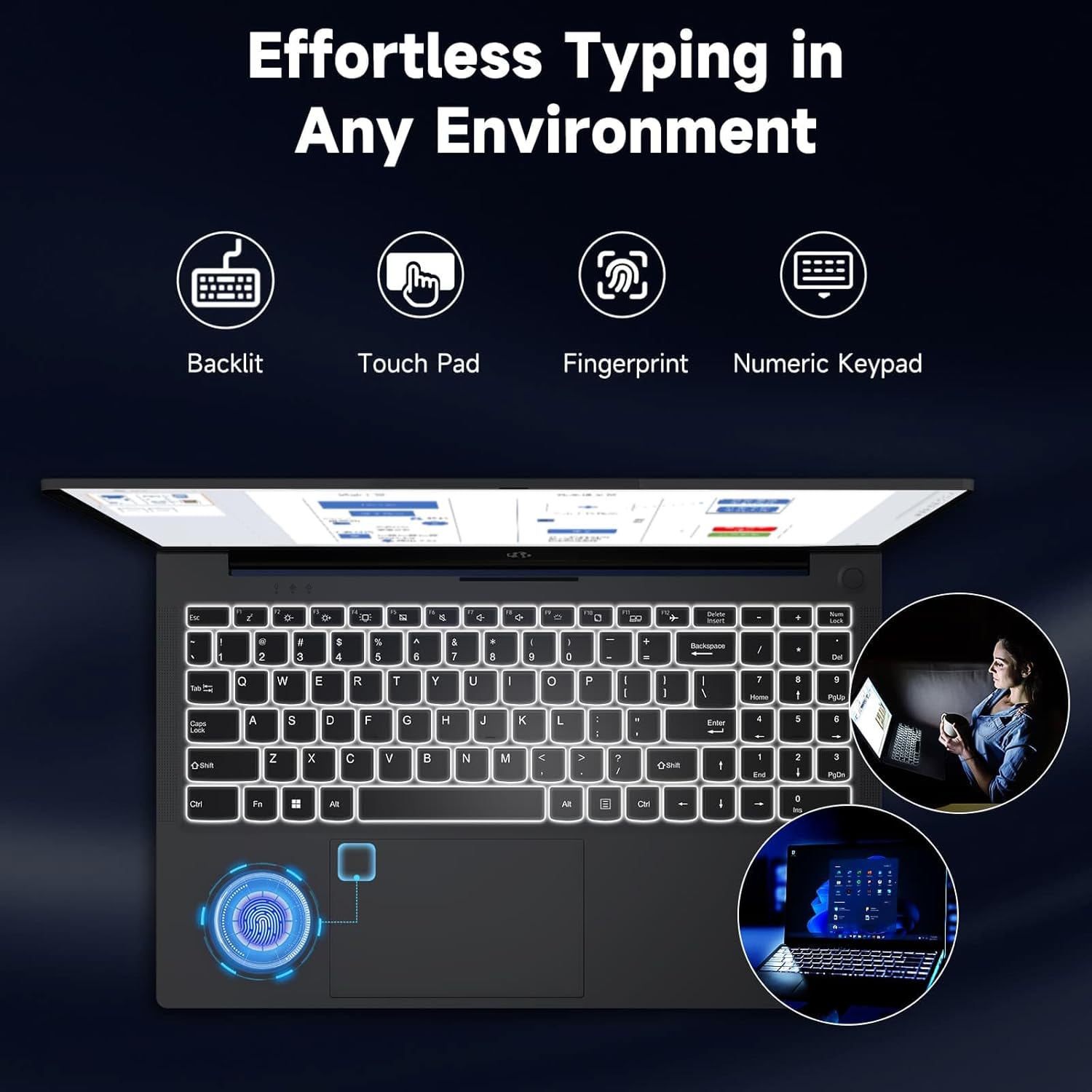
Image: The NIMO laptop keyboard, highlighting its backlit keys, touchpad, fingerprint sensor, and numeric keypad for effortless typing in any environment.
Безопасность и конфиденциальность
Unlock your laptop with ease and speed using the integrated fingerprint scanner. For privacy, the 2.0MP webcam includes a physical privacy switch, allowing you to control when your camera is active.
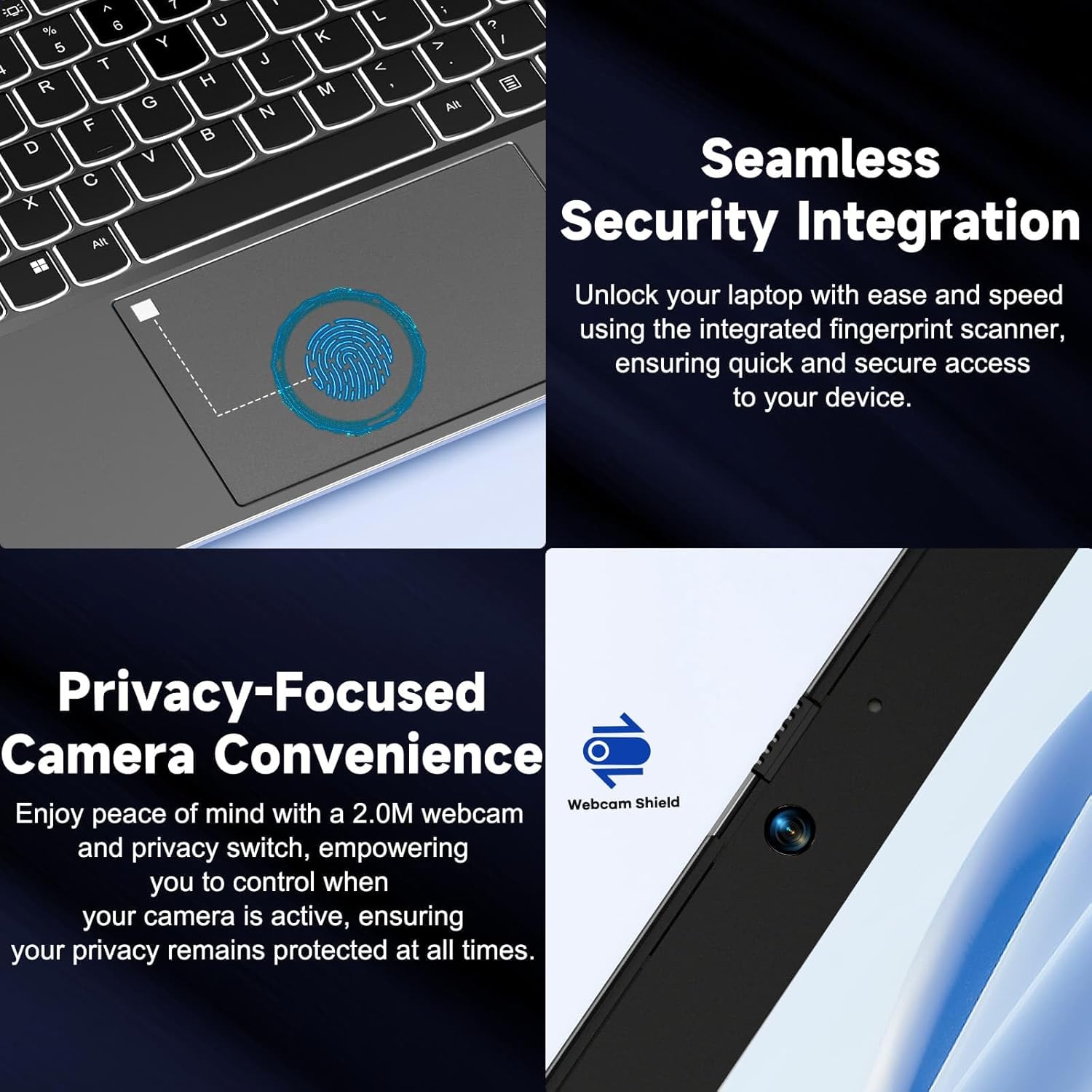
Изображение: Крупный план views of the laptop's fingerprint sensor for seamless security integration and the webcam with its privacy shield for enhanced privacy.
Связность
The NIMO laptop offers multiple ports for versatile connectivity, including USB 2.0, USB 3.0, HDMI, and Type-C ports (one for charging, one for multifunction). It also features a Micro SD card reader, a headphone combo jack, and a Kensington lock slot.

Изображение: взорванный view of the NIMO laptop, highlighting the location and type of its multiple ports, including USB, HDMI, Type-C, Micro SD, headphone combo, and Kensington lock.
Петля с углом раскрытия 180°
The laptop is equipped with a 180° lay-flat hinge, allowing the screen to lie completely flat. This feature expands usage scenarios, making it easier to share content or collaborate with others.

Image: The NIMO laptop demonstrating its 180° lay-flat hinge, showing the screen fully opened and flat, ideal for sharing content.
Обслуживание
Уборка
- Используйте мягкую, безворсовую ткань, слегкаampСмочите дисплей водой или очистителем для экранов.
- Для очистки клавиатуры и корпуса используйте мягкую сухую ткань. Избегайте использования агрессивных химикатов и абразивных материалов.
- Для удаления пыли с клавиш клавиатуры и вентиляционных решеток используйте сжатый воздух.
Уход за аккумулятором
- Избегайте частой полной разрядки аккумулятора.
- Если вы не используете ноутбук в течение длительного времени, храните его в прохладном, сухом месте.
- Use only the provided NIMO 65W PD fast charger.
Обновления программного обеспечения
- Regularly check for Windows updates to ensure your system has the latest security patches and performance improvements.
- Keep your drivers updated for optimal hardware performance.
Поиск неисправностей
| Проблема | Возможная причина | Решение |
|---|---|---|
| Ноутбук не включается | Разряженная батарея; Проблема с адаптером питания | Ensure charger is properly connected and plugged in. Allow to charge for a few minutes before attempting to power on again. |
| Проблемы с подключением Wi-Fi | Driver issue; Router problem; Wi-Fi disabled | Check if Wi-Fi is enabled (Fn+F5). Restart your router. Update Wi-Fi drivers via Device Manager. |
| Низкая производительность | Too many background apps; Low disk space; Malware | Закройте ненужные приложения. Освободите место на диске. Выполните полное сканирование системы с помощью антивирусного программного обеспечения. |
| Подсветка клавиатуры не работает. | Подсветка отключена | Press Fn + F10 (or the key with the backlight icon) to toggle the backlight on/off or adjust brightness. |
| Fingerprint reader not responding | Sensor dirty; Driver issue; Incorrect setup | Clean the sensor with a soft cloth. Re-register your fingerprint in Windows Settings. Update fingerprint reader drivers. |
Технические характеристики
| Особенность | Деталь |
|---|---|
| Название модели | NIMO N154G |
| Размер экрана | 15.6 дюйма |
| Разрешение экрана | 1920 x 1080 пикселей (Full HD) |
| Процессор | Процессор Intel Core i3-1215U (до 4.4 ГГц) |
| БАРАН | 16 ГБ DDR4 (3200 МГц) |
| Хранилище | SSD-накопитель 1 ТБ |
| Графический сопроцессор | Интегрированная графика |
| Операционная система | Windows 11 Домашняя |
| Тип беспроводной связи | 802.11a/b/g/n/ac |
| USB-порты | 1 х USB 2.0, 2 х USB 3.0 |
| Другие порты | HDMI, 2 x Type-C (1 Charge Only, 1 Multifunction), Micro SD Reader, Headphone Combo, Kensington Lock |
| Webкулачок | 2 Мп сзади WebРазрешение камеры |
| Срок службы батареи (средний) | 5 часов |
| Источник питания | Battery Powered (65W PD Type-C Charger) |
| Вес товара | 5 фунта |
| Размеры продукта | 14.07 x 8.98 x 0.76 дюйма |
| Цвет | Серый |
| Особые возможности | Fingerprint Reader, HD Audio, Backlit Keyboard, Memory Card Slot, Numeric Keypad, 180° Lay-Flat Hinge |
Гарантия и поддержка
NIMO is committed to providing reliable products and excellent customer service. Your NIMO laptop comes with comprehensive warranty and support:
- 2-Year Laptop Protection: Наслаждайтесь спокойствием благодаря годовой гарантии, покрывающей производственные дефекты.
- Возврат в течение 90 дней: бесплатно. If you are not satisfied with your purchase, you can return it within 90 days.
- 24/7 Customer Service Support: Our dedicated team of laptop experts is available around the clock to provide instant assistance and resolve any issues you may encounter.
For support, please refer to the contact information provided on the NIMO official website or the packaging. Please have your model number (NIMO N154G) and purchase details ready when contacting support.

Image: An illustration of NIMO's after-sales excellence, showing domestically partial assembly, 90-day free returns, 2-year after-sales support, and 24/7 customer service support.
Ask a question about this manual
Ask about setup, troubleshooting, compatibility, parts, safety, or missing instructions. Manuals+ will review the question and use this page’s manual context to help answer it.