
1. Введение
This manual provides comprehensive instructions for the proper installation and basic operation of the QSZN HYK-RZ-13 Android Car Radio Wiring Harness and Canbus Box. This product is specifically designed to integrate an aftermarket Android head unit into a 2012 Kia K3 vehicle, ensuring compatibility with existing vehicle systems such as steering wheel controls and power supply.
Please read this manual thoroughly before beginning installation to ensure correct setup and to prevent damage to your vehicle or the product. Professional installation is recommended.
2. Продукт закончилсяview
The QSZN HYK-RZ-13 kit includes a specialized wiring harness and a Canbus decoder box. These components facilitate the connection of an aftermarket Android car radio to your vehicle's electrical system and data network.
2.1 Компоненты
- Основной жгут проводов: Connects the Android head unit to the vehicle's power, speaker, and data lines.
- Canbus Decoder Box (HYK-RZ-13): Translates vehicle data (e.g., steering wheel controls, ignition status) into a format compatible with the Android head unit.
- Вспомогательные кабели: May include USB adapters, antenna adapters, or camera input cables depending on the specific kit configuration.
2.2 Изображения продукта

Рисунок 1: Надview of the QSZN HYK-RZ-13 wiring harness and Canbus box components. This image displays the main wiring loom with various connectors and the rectangular Canbus decoder module.
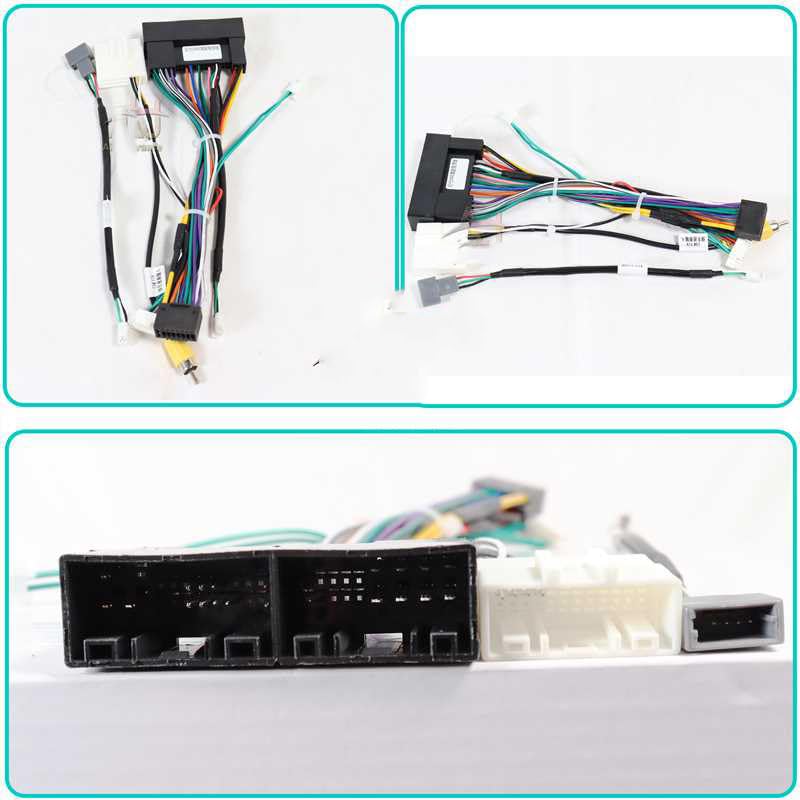
Рисунок 2: Подробный view of the HYK-RZ-13 Canbus decoder box. The label shows the model number P/N: HYK-RZ-13 and other identification markings, indicating its specific function for vehicle data interpretation.
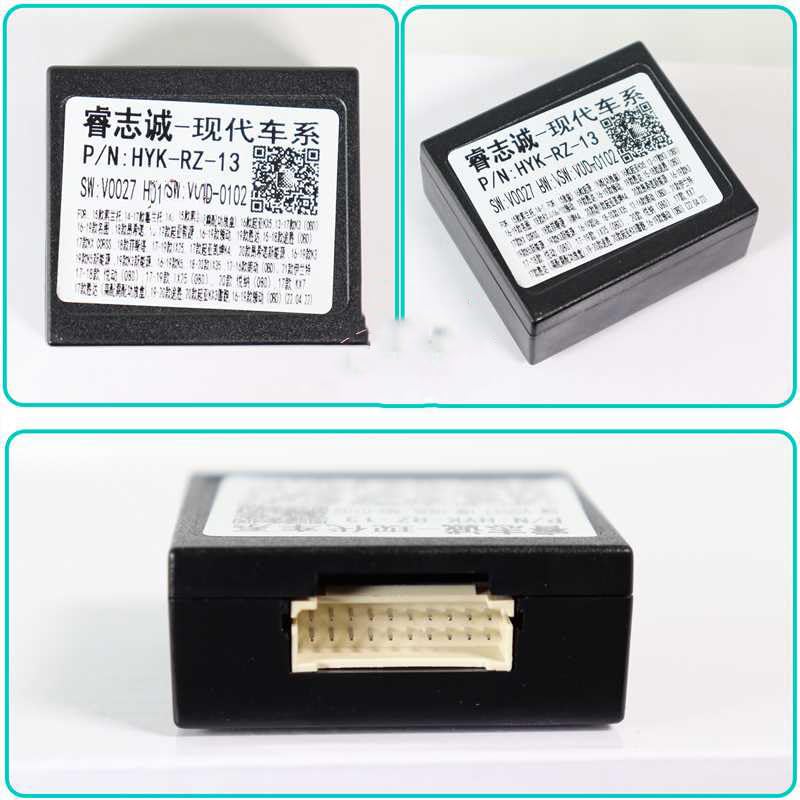
Рисунок 3: Close-up of various connectors on the wiring harness. This image highlights the different types of plugs and sockets designed to interface with the vehicle's existing wiring and the new Android head unit.
3. Настройка и установка
The installation process involves connecting the wiring harness and Canbus box to your vehicle's existing wiring and the new Android head unit. Ensure the vehicle's battery is disconnected before starting any electrical work.
3.1 Предварительные шаги по установке
- Отключить аккумулятор: Always disconnect the negative terminal of your vehicle's battery to prevent electrical shorts.
- Демонтаж старого головного устройства: Carefully remove the factory car radio from the dashboard. Refer to your vehicle's service manual for specific removal instructions.
- Проверьте проводку: Familiarize yourself with the vehicle's factory wiring connectors.
3.2 Процедура подключения
- Подключите блок Canbus: Plug the Canbus decoder box (HYK-RZ-13) into the designated connector on the main wiring harness. Ensure it clicks securely into place.
- Подключение к головному устройству Android: Connect the appropriate end of the wiring harness to the corresponding ports on your aftermarket Android head unit. This typically includes power, speaker, and data connectors.
- Подключиться к автомобилю: Plug the vehicle-specific connectors of the wiring harness into the factory wiring harnesses in your dashboard. These should match the connectors that were previously attached to your old head unit.
- Дополнительные подключения: Connect any additional accessory cables (e.g., USB, GPS antenna, reverse camera input) to your Android head unit as required.
- Безопасная проводка: Route and secure all wiring to prevent pinching or interference once the head unit is reinstalled.
3.3 Проверка после установки
- Подсоедините батарею: Подсоедините обратно отрицательную клемму аккумулятора вашего автомобиля.
- Тестовая функциональность: Turn on the vehicle and the Android head unit. Verify that the head unit powers on, audio plays, and all integrated features (e.g., steering wheel controls, reverse camera) function correctly.
- Reinstall Head Unit: Once all functions are confirmed, carefully reinstall the Android head unit into the dashboard.
4. Инструкция по эксплуатации
The QSZN HYK-RZ-13 Canbus box primarily facilitates communication between your 2012 Kia K3 and the aftermarket Android head unit. Its main function is to ensure that vehicle-specific features operate correctly.
- Органы управления на рулевом колесе: After installation, the Canbus box should enable your vehicle's factory steering wheel controls to operate the Android head unit (e.g., volume up/down, track skip, mode). Configuration may be required within the Android head unit's settings. Refer to your Android head unit's manual for specific instructions on mapping steering wheel buttons.
- Ignition/ACC Signal: The Canbus box provides the correct ignition (ACC) signal to the Android head unit, allowing it to power on and off with the vehicle's ignition.
- Сигнал освещения: It may also provide an illumination signal, allowing the head unit's display brightness to adjust with the vehicle's headlights.
No direct user interaction is required with the Canbus box itself once installed. Its operation is automatic.
5. Техническое обслуживание
The QSZN HYK-RZ-13 wiring harness and Canbus box are designed for long-term, maintenance-free operation. However, the following general guidelines can help ensure continued reliability:
- Безопасные соединения: Убедитесь, что все соединения надежно затянуты и не подвержены коррозии.
- Избегайте попадания влаги: Keep the components dry and away from excessive moisture.
- Физический ущерб: Avoid physical stress or damage to the wiring and the Canbus box.
No user-serviceable parts are contained within the Canbus box.
6. Поиск Неисправностей
Если после установки возникнут проблемы, повторно выполните следующие действия.view следующие общие шаги по устранению неполадок:
- Отсутствует питание головного устройства:
- Check all power connections from the harness to the head unit and the vehicle.
- Verify the vehicle's fuses are intact.
- Ensure the battery is properly reconnected.
- Управление на рулевом колесе не работает:
- Confirm the Canbus box is securely connected to the harness.
- Check the settings within your Android head unit for steering wheel control configuration. Many units require manual mapping of buttons.
- Ensure the Canbus box is compatible with your specific Android head unit model (though generally universal for Android units).
- Нет звука:
- Verify all speaker wires are correctly connected from the harness to the head unit.
- Check the audio settings on your Android head unit.
- Прерывистая работа:
- Проверьте все соединения на предмет ослабления или плохого контакта.
- Убедитесь, что провода не зажаты и не повреждены.
If issues persist, consult a professional car audio installer or contact the product seller for further assistance.
7. Технические характеристики
| Особенность | Деталь |
|---|---|
| Номер модели | HYK-RZ-13 |
| Совместимость | 2012 Kia K3 (for Android head units) |
| Тип товара | Cables, Adapters & Sockets (Canbus Decoder) |
| Томtage | 12В |
| Вес товара | 0.2 кг |
| Размер товара | 10 x 10 x 10 см (приблизительные размеры упаковки) |
| Источник | Материковый Китай |
| Производитель | ХАНТАН |
8. Гарантия и поддержка
For warranty information, technical support, or assistance with installation, please contact the retailer or seller from whom you purchased this product. Keep your purchase receipt as proof of purchase.
The manufacturer, HUNTAN, provides this product. For specific technical inquiries, refer to the contact information provided by your seller.