
VILCORN R46S
VILCORN R46S Retro Handheld Game Console User Manual
Модель: R46S
1. Введение
This manual provides essential instructions for the setup, operation, and maintenance of your VILCORN R46S Retro Handheld Game Console. Please read this manual thoroughly before using the device to ensure proper functionality and to maximize your gaming experience.

Рисунок 1.1: Передний view of the VILCORN R46S console. The screen displays key features such as HD output, battery capacity, dual joysticks, and HD color screen.
2. Информация по технике безопасности
- Keep the device away from water and fire to prevent damage and ensure user safety.
- Не пытайтесь разбирать или модифицировать устройство. Это может привести к аннулированию гарантии и повреждению устройства.
- Для зарядки устройства используйте только прилагаемый зарядный кабель и адаптер.
- Избегайте длительного воздействия прямых солнечных лучей или экстремальных температур.
- Данный продукт рекомендован для детей от 3 лет.
3. Особенности продукта
- Отображать: 4.0-inch IPS OCA display with 720x720 resolution and 1:1 aspect ratio.
- Процессор: High-performance RK3566 quad-core CPU.
- Аккумулятор: Built-in 3500mAh 3.8V LiPo battery, providing approximately 3-5 hours of gameplay.
- Хранилище: Dual TF card slots for independent system and game storage.
- Связь: Supports 2.4GHz WiFi and Bluetooth.
- Операционная система: Open Source Linux System, allowing for system upgrades and compatibility with mainstream 64-bit 3D simulators.
- Периферийные устройства: Supports Bluetooth handles, speakers, and headsets.
- Трансляция: Supports WiFi Moonlight streaming function.

Рисунок 3.1: The 4-inch IPS OCA fully laminated 2.5D HD MIPL screen with 720*720 high resolution provides clear picture quality and soft colors, designed to reduce eye strain during extended play.
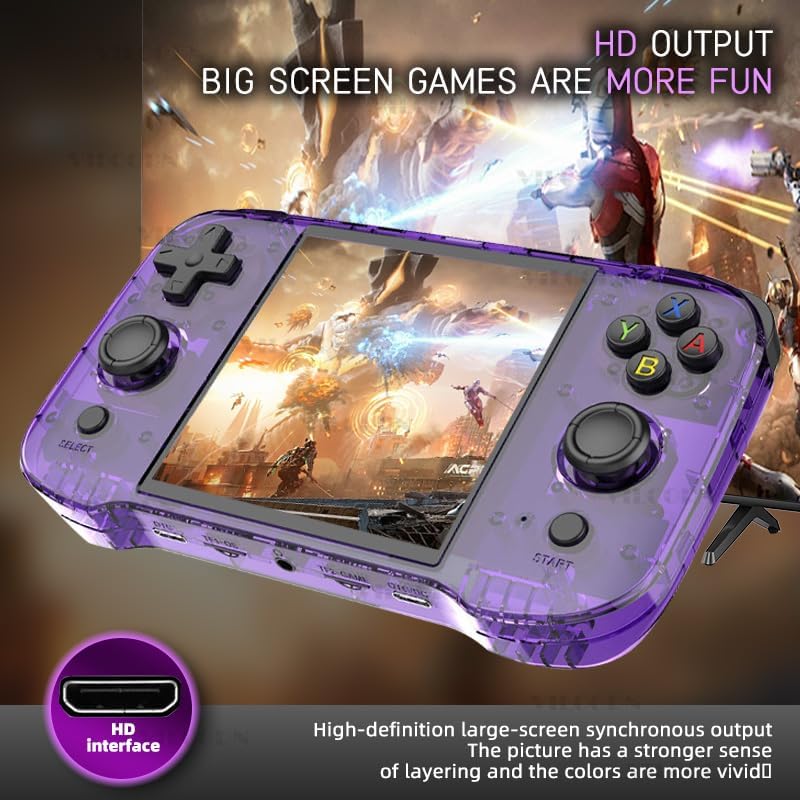
Рисунок 3.2: The console features high-definition large-screen synchronous output via an HDMI interface, enhancing the visual experience with greater depth and vivid colors.
4. Компоновка устройства и элементы управления
Familiarize yourself with the buttons and ports on your R46S console:
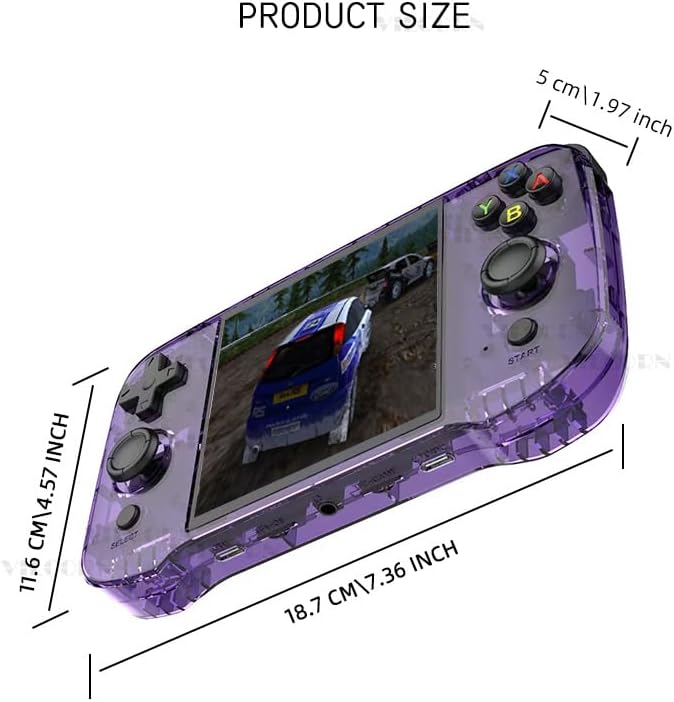
Рисунок 4.1: Key Analysis of the VILCORN R46S console.
| Нет. | Особенность |
|---|---|
| 1 | Top L1/L2 buttons |
| 2 | Top R1/R2 buttons |
| 3 | Кнопка питания |
| 4 | Кнопка СБРОСА |
| 5 | Выходной порт HDMI |
| 6 | Кнопка громкости |
| 7 | D-Pad (крестовина) |
| 8 | Joystick (L) |
| 9 | Кнопка ВЫБОР |
| 10 | Game function keys (A, B, X, Y) |
| 11 | Joystick (R) |
| 12 | Кнопка ПУСК |
| 13 | Charging level light indicator |
| 14 | Порт OTG |
| 15 | TF1-OS (MicroSD card slot for Operating System) |
| 16 | 3.5mm Audio hole (Headphone Jack) |
| 17 | TF2-GAME (MicroSD card slot for Games) |
| 18 | OTG/DC (Charging port) |

Рисунок 4.2: The console features dual joysticks with an ergonomic design, allowing for precise game operation and adaptability to various game types.
5. Инструкции по настройке
- Первоначальный сбор: Before first use, fully charge the console using the provided USB-C cable and a compatible power adapter. The charging level light (13) will indicate charging status.
- Вставьте карты MicroSD:
- Insert the MicroSD card containing the operating system into the TF1-OS slot (15).
- Insert the MicroSD card containing your games into the TF2-GAME slot (17).
- Включение питания: Press and hold the Power key (3) until the screen illuminates.
- Выбор языка (если применимо): Follow on-screen prompts to select your preferred language.
- Сетевое подключение (необязательно): To enable WiFi Moonlight streaming or system updates, navigate to the system settings and connect to a 2.4GHz WiFi network.
- Сопряжение Bluetooth (дополнительно): To connect Bluetooth peripherals (controller, speaker, headset), go to system settings and initiate pairing.
6. Инструкция по эксплуатации
- Навигация по меню: Use the D-Pad (7) or Joysticks (8, 11) to navigate through the game system menus. The Game function keys (10) (A, B, X, Y) and SELECT (9) / START (12) buttons are used for selection and confirmation.
- Selecting a Game System: From the main menu, scroll to select your desired game system (e.g., Super Nintendo, Game Boy Advance, PSP). Press the 'A' button (part of 10) to enter.
- Launching a Game: Within a game system, use the D-Pad or Joysticks to browse the list of available games. Select a game and press the 'A' button to launch it.
- Управление в игре: Controls will vary by game. The console features L1/L2 (1), R1/R2 (2) shoulder buttons, a D-Pad (7), dual joysticks (8, 11), and A, B, X, Y function keys (10).
- Регулировка громкости: Use the Volume button (6) to increase or decrease the audio output.
- Exiting a Game / System: Specific button combinations (often SELECT + START or a dedicated menu button) are typically used to exit a game or return to the main system menu. Refer to the system's on-screen instructions if available.
- Выключение: Press and hold the Power key (3) until the power-off options appear, then select to shut down the device. A quick press may put the device into sleep mode.
7. Техническое обслуживание
- Уборка: Use a soft, dry cloth to clean the console's exterior. Do not use liquid cleaners or aerosols.
- Хранилище: Храните устройство в прохладном, сухом месте, вдали от прямых солнечных лучей и экстремальных температур.
- Уход батареи: Чтобы продлить срок службы аккумулятора, избегайте его частой полной разрядки. Регулярно заряжайте устройство, даже если оно не используется в течение длительного времени.
- Обновления программного обеспечения: Periodically check for system updates through the device's settings menu to ensure optimal performance and access to new features.
8. Поиск Неисправностей
- Устройство не включается:
- Убедитесь, что аккумулятор заряжен. Подключите зарядное устройство и подождите несколько минут, прежде чем снова попытаться включить устройство.
- If the device is unresponsive, press the RESET button (4) with a thin object (e.g., a paperclip) and then try to power on.
- Games are not loading or performing poorly:
- Verify that the game MicroSD card is correctly inserted into the TF2-GAME slot (17).
- Обеспечьте игру file format is compatible with the installed system emulator.
- For performance issues, try restarting the device.
- Нет звука:
- Check the volume level using the Volume button (6).
- If headphones are connected, ensure they are fully plugged into the 3.5mm Audio hole (16).
- Cannot connect to WiFi/Bluetooth:
- Ensure you are within range of a 2.4GHz WiFi network. The device does not support 5GHz networks.
- Verify correct password entry for WiFi.
- For Bluetooth, ensure the peripheral is in pairing mode and within close proximity to the console.
9. Технические характеристики
| Особенность | Деталь |
|---|---|
| Название модели | Р46С |
| Бренд | ВИЛКОРН |
| Отображать | 4.0-inch IPS OCA, 720x720 resolution, 1:1 aspect ratio |
| Процессор | RK3566 Quad-core CPU |
| Аккумулятор | 3500mAh 3.8V LiPo (approx. 3-5 hours playtime) |
| Хранилище | Dual MicroSD card slots (TF1-OS, TF2-GAME) |
| Связность | 2.4 ГГц Wi-Fi, Bluetooth |
| Операционная система | Система Linux с открытым исходным кодом |
| Размеры | 7.8 x 5.11 x 1.6 дюйма |
| Рекомендуемый возраст | 3 года и старше |
| Производитель | Шэньчжэнь Цзяцзюэ Технологическая Ко., Лтд. |

Рисунок 9.1: Product dimensions of the VILCORN R46S console: 18.7 cm (7.36 inches) length, 11.6 cm (4.57 inches) width, and 5 cm (1.97 inches) thickness.
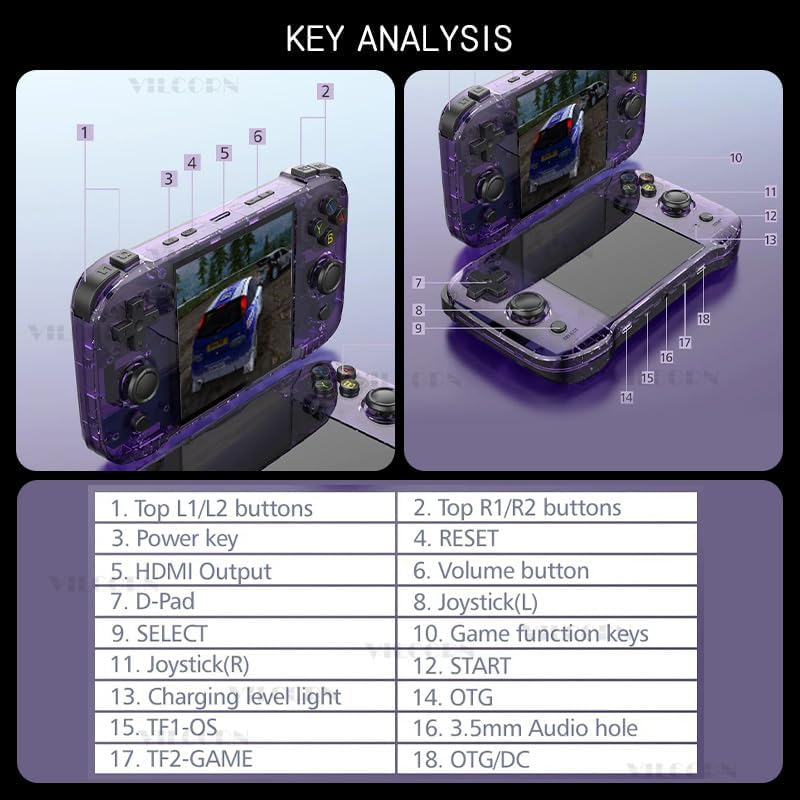
Рисунок 9.2: The console is equipped with a built-in 3500mAh polymer battery (note: image shows 4000mAh, but product text specifies 3500mAh), featuring two-way protection for charge and discharge, allowing for several hours of play on a single full charge.
10. Что в коробке
- 1 x VILCORN R46S Handheld Game Console
- Зарядный кабель 1 x USB-C
- 1 x Руководство пользователя (этот документ)
11. Гарантия и поддержка
For warranty information and technical support, please refer to the contact details provided by your retailer or visit the official VILCORN webСохраните чек о покупке в качестве подтверждения покупки для предъявления гарантийных претензий.