
Введение
Thank you for choosing the CREATE Speaker Retro. This portable Bluetooth speaker combines a classic retro design with modern audio technology, offering versatile connectivity and powerful sound. This manual will guide you through the setup, operation, and maintenance of your new speaker to ensure optimal performance and longevity.

Image: The CREATE Speaker Retro, highlighting its elegant retro aesthetic and compact form factor.
Важные инструкции по технике безопасности
- Внимательно прочитайте все инструкции перед использованием продукта.
- Сохраните это руководство для дальнейшего использования.
- Do not expose the speaker to water or excessive moisture. This product is не водонепроницаемый.
- Не размещайте вблизи источников тепла, таких как радиаторы, отопительные приборы, печи или другие устройства (включая amp(жирообразующие вещества), которые вырабатывают тепло.
- Используйте только те насадки/аксессуары, которые указаны производителем.
- Отключайте устройство от сети во время грозы или если оно не используется в течение длительного времени.
- По всем вопросам обслуживания обращайтесь к квалифицированному персоналу.
Содержимое упаковки
The CREATE Speaker Retro package includes:
- CREATE Speaker Retro Portable Bluetooth Speaker (1 unit)
- Зарядный кабель USB-C
- Руководство пользователя (этот документ)
Управление и портыview
Ознакомьтесь с элементами управления и портами подключения динамика:

Изображение: подробное view верхней панели управления динамика.
- Ручка регулировки громкости: Регулирует общую громкость звука.
- Ручка баса: Регулирует уровень басов.
- Ручка высоких частот: Регулирует уровень высоких частот.
- Селекторный переключатель входа: Toggles between AUX, Bluetooth (BT), and USB input modes.
- Выключатель: Включает/выключает динамик.
- Вход AUX (3.5 мм): Для подключения внешних аудиоустройств через аудиокабель.
- USB-порт: Для воспроизведения с USB-накопителя.
- Порт DC-IN 5 В: Для зарядки динамика.
- Световой индикатор: Показывает состояние питания, состояние зарядки и состояние сопряжения Bluetooth.
Настраивать
1. Зарядка динамика
Before first use, fully charge the speaker. Connect the provided USB-C charging cable to the DC-IN 5V port on the speaker and the other end to a compatible USB power adapter (not included) or a computer's USB port. The indicator light will show the charging status. A full charge takes approximately 4-5 hours.
- Зарядка: Indicator light glows (color may vary).
- Полностью заряжен: Indicator light turns off or changes color.
2. Включение и выключение
To power on the speaker, flip the Выключатель питания to the "ON" position. To power off, flip the switch to the "OFF" position.
Инструкция по эксплуатации
1. Режим Bluetooth
The speaker features Bluetooth 5.2 for wireless audio streaming with a range of up to 10 meters.
- Включите динамик.
- Установите Селекторный переключатель входа to "BT/AUX" and then ensure it's in Bluetooth mode (indicator light will blink, indicating pairing mode).
- На смартфоне, планшете или другом устройстве с поддержкой Bluetooth включите Bluetooth и выполните поиск доступных устройств.
- Select "CREATE Speaker Retro" from the list.
- Once paired, the indicator light will stop blinking and remain solid. You can now play music wirelessly.
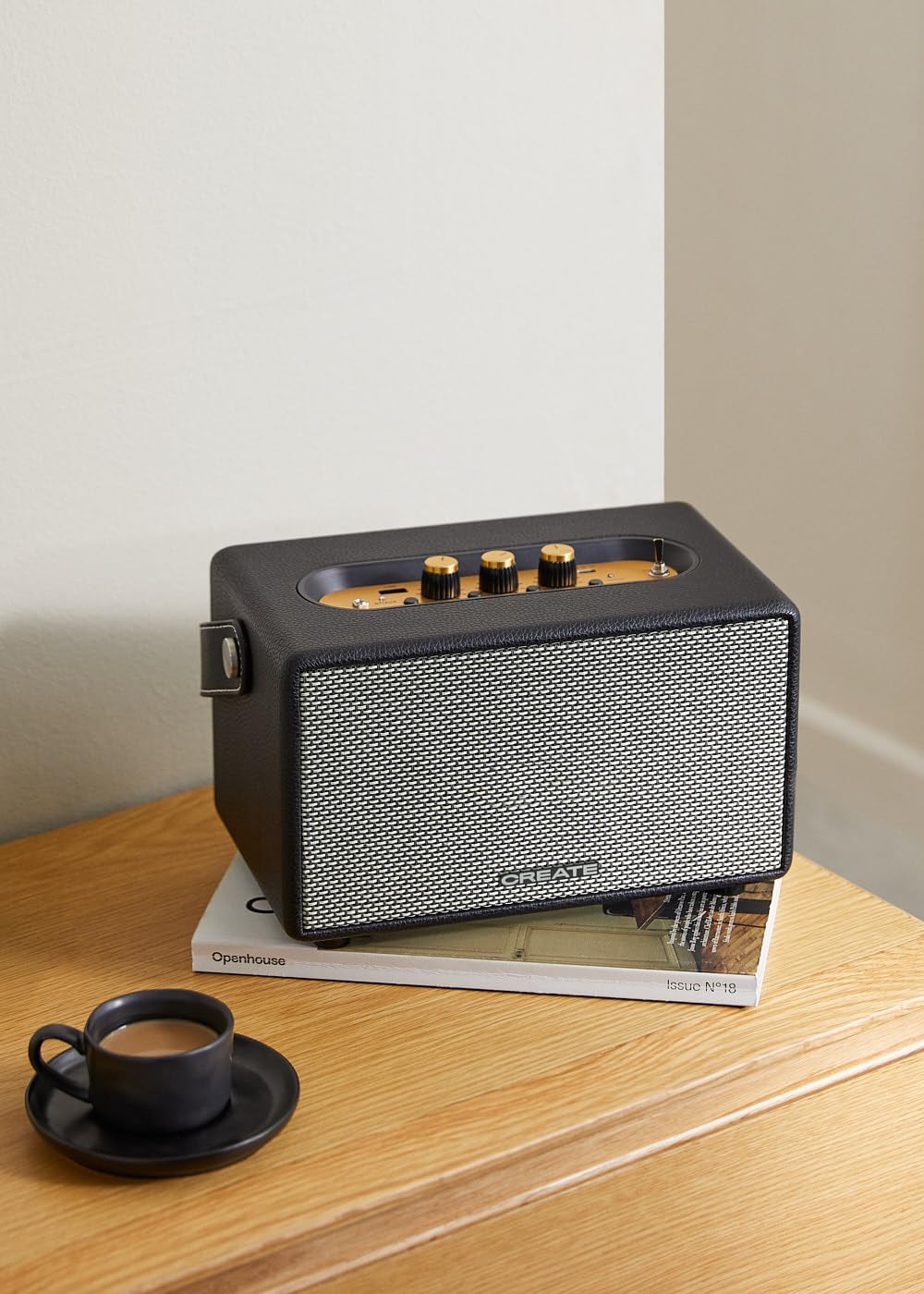
Image: Connecting to the speaker via Bluetooth from a mobile device.
2. Режим воспроизведения с USB
Воспроизвести аудио fileнепосредственно с USB-накопителя.
- Включите динамик.
- Вставьте USB-накопитель с аудиофайлами. files в USB-порт.
- Установите Селекторный переключатель входа to "USB". The speaker will automatically begin playing music from the USB drive.

Image: Inserting a USB drive for direct audio playback.
3. Режим входа AUX
Подключите внешние аудиоустройства с помощью аудиокабеля 3.5 мм.
- Включите динамик.
- Подключите один конец аудиокабеля 3.5 мм (не входит в комплект) к Вход AUX порт на динамике.
- Подключите другой конец кабеля к разъему для наушников или аудиовыходу вашего внешнего устройства (например, MP3-плеера, ноутбука).
- Установите Селекторный переключатель входа to "AUX". The speaker will now play audio from your connected device.
4. Регулировка звука
Используйте специальные регуляторы на панели управления для точной настройки звучания:
- Поверните Регулятор громкости to increase or decrease the overall sound level.
- Поверните Басовый регулятор to adjust the low-frequency sounds.
- Поверните Ручка высоких частот to adjust the high-frequency sounds.
Обслуживание
Уборка
To clean the speaker, use a soft, dry cloth. Do not use abrasive cleaners, waxes, or solvents as they may damage the finish. Avoid spraying liquids directly onto the speaker.
Хранилище
When not in use for extended periods, store the speaker in a cool, dry place away from direct sunlight and extreme temperatures. Ensure the speaker is fully charged before storing to preserve battery health.
Уход за аккумулятором
The speaker is equipped with a built-in rechargeable battery. To maximize battery life:
- Избегайте частой полной разрядки аккумулятора.
- Recharge the battery regularly, even if the speaker is not used often.
- Не подвергайте динамик воздействию температур выше 45°C (113°F) или ниже 0°C (32°F).
Поиск неисправностей
If you encounter any issues with your CREATE Speaker Retro, please refer to the following common problems and solutions:
| Проблема | Возможная причина | Решение |
|---|---|---|
| Динамик не включается. | Батарея разряжена. | Charge the speaker for 4-5 hours using the USB-C cable. |
| Нет звука из динамика. | Слишком низкий уровень громкости; неправильный режим ввода; устройство подключено неправильно. | Increase volume. Ensure the correct input mode (BT, USB, AUX) is selected. Reconnect Bluetooth device or AUX cable. |
| Сбой сопряжения по Bluetooth. | Динамик не находится в режиме сопряжения; устройство находится вне зоны действия; помехи. | Ensure speaker is in Bluetooth pairing mode (blinking indicator). Move device closer to speaker (within 10m). Turn off other Bluetooth devices. |
| Воспроизведение с USB-накопителя не работает. | Incorrect input mode; USB drive not formatted correctly or no compatible files. | Ensure "USB" input mode is selected. Check USB drive for compatible audio files (e.g., MP3). Try a different USB drive. |
| Play/Pause button not responding. | Возможная проблема с оборудованием или программный сбой. | Restart the speaker. If the issue persists, contact customer support. (Примечание: Пользовательская переадресацияview mentioned this issue.) |
Технические характеристики
| Название модели | SPEAKER RETRO |
| Номер модели | 181643_452174 |
| Размеры (Д x Ш x В) | 17 х 26 х 15 см |
| Масса | 2.5 кг |
| Max. Speaker Output Power | 40 Вт |
| Режим аудиовыхода | Стерео (2.0-канальный) |
| Технология связи | Bluetooth 5.2, USB, AUX (3.5 мм) |
| Диапазон Bluetooth | До 10 метров |
| Емкость аккумулятора | 3000 мАч |
| Срок службы батареи | До 5 часов (в зависимости от использования) |
| Время зарядки | Приблизительно 4-5 часа |
| Метод контроля | Touch (knobs and switches) |
| Цвет | Черный |
| Водонепроницаемый | Нет |
Гарантия и поддержка
Информация о гарантии
The CREATE Speaker Retro comes with a standard manufacturer's warranty. Please retain your proof of purchase for warranty claims. The warranty covers defects in materials and workmanship under normal use. It does not cover damage caused by misuse, accidents, unauthorized modifications, or exposure to water.
For specific warranty terms and conditions, please refer to the warranty card included with your product or contact CREATE customer service.
Поддержка клиентов
If you have any questions, require technical assistance, or need to report an issue that cannot be resolved using the troubleshooting guide, please contact CREATE customer support.
Более подробную информацию и контактные данные вы можете найти на официальном сайте CREATE. webили через их фирменный магазин на Amazon: