
1. Введение
Thank you for choosing the DEVAISE Electric Standing Desk. This manual provides essential information for the safe assembly, operation, and maintenance of your new desk. This 40x24 inch electric standing desk features a one-piece desktop, adjustable height functionality, and memory presets for personalized comfort. Please read this manual thoroughly before use and retain it for future reference.
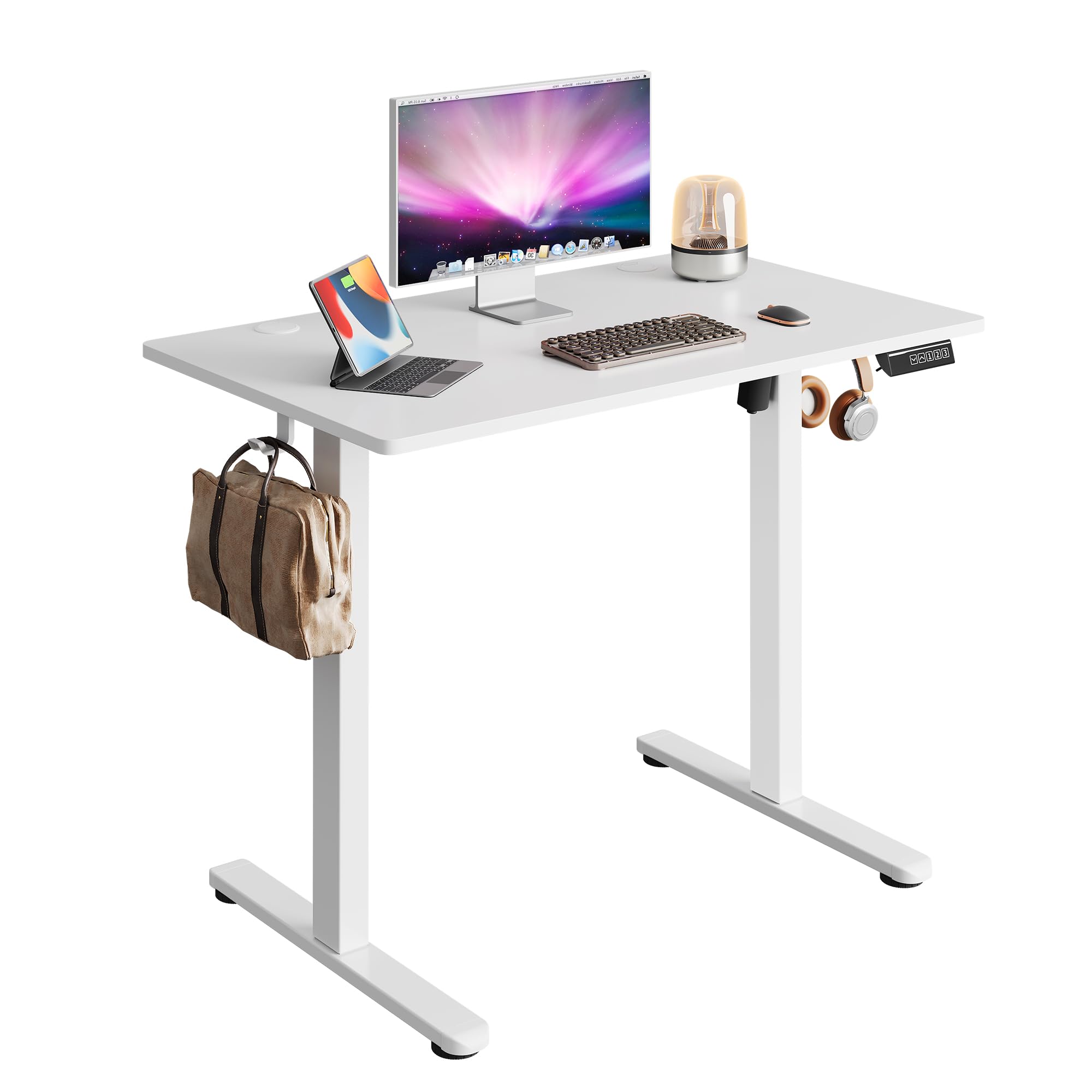
Image 1.1: The DEVAISE 40x24 Inch Electric Standing Desk in a typical home office environment.
2. Информация по технике безопасности
- Do not exceed the weight limit of 180 lbs (81.6 kg).
- Убедитесь, что стол стоит на ровной поверхности.
- Не допускайте детей и домашних животных к столу во время работы.
- Избегайте попадания жидкостей непосредственно на панель управления или вблизи электрических компонентов.
- Do not attempt to disassemble or repair the motor or control system yourself. Contact customer service for assistance.
- Ensure there are no obstructions in the desk's path during height adjustment to prevent damage or injury. The desk is equipped with anti-collision sensors.

Image 2.1: Key safety and convenience features including the anti-collision system, cable holes, and storage hooks.
3. Содержимое упаковки
Перед сборкой убедитесь, что все компоненты присутствуют и не повреждены. Если какие-либо детали отсутствуют или повреждены, обратитесь в службу поддержки клиентов.
- Desktop (One-piece)
- Ноги (2)
- Ноги (2)
- Crossbar/Support Beam
- Блок управления
- Цифровая панель управления
- Адаптер питания и кабель
- Крючок для наушников
- Зажимы для прокладки кабелей
- Монтажные комплектующие (винты, шестигранный ключ)
- Руководство пользователя

Image 3.1: All components included in the package, pre-drilled and labeled for quick installation.
4. Инструкция по сборке
Assembly typically takes approximately 15 minutes. All holes are pre-drilled, and accessories are clearly labeled for ease of installation. It is recommended to assemble the desk with two people.
- Распаковываем компоненты: Carefully remove all parts from the packaging and lay them out on a clean, soft surface to prevent scratches. Refer to the 'Package Contents' section to ensure all parts are present.
- Прикрепите ступни к ногам: Secure the feet to the bottom of each leg using the provided screws and Allen wrench.
- Connect Legs to Crossbar: Attach the two legs to the central crossbar. Ensure the motor and drive shaft are correctly aligned.
- Установите блок управления: Secure the control box to the designated area under the desktop.
- Прикрепить рабочий стол: Carefully place the desktop upside down on a soft surface. Align the assembled leg frame with the pre-drilled holes on the desktop and secure it with screws.
- Установить панель управления: Mount the digital control panel to the front edge of the desktop using the provided screws.
- Соединительные кабели: Connect the motor cable, control panel cable, and power adapter cable to the control box. Ensure all connections are secure.
- Прикрепите крючок для наушников: При желании закрепите крючок для наушников на боковой стороне стола.
- Управление кабелями: Use the provided cable clips to organize and secure cables under the desk.
- Включение питания: Flip the desk upright, connect the power adapter to a wall outlet, and power on the desk.

Image 4.1: Visual guide to the quick installation process, highlighting pre-drilled holes and labeled parts.
5. Инструкция по эксплуатации
5.1 Регулировка высоты
The desk's height can be adjusted electrically from 28.35 inches (72 cm) to 46.46 inches (118 cm).
- Кнопка «Вверх» (▲): Нажмите и удерживайте, чтобы поднять стол.
- Кнопка «Вниз» (▼): Нажмите и удерживайте, чтобы опустить стол.
- Release the button at your desired height. The LED display will show the current height.

Image 5.1: Illustration of the desk's adjustable height range from 28.35 inches to 46.45 inches.
5.2 Предустановки памяти
Панель управления позволяет сохранить до трех предпочтительных настроек высоты для быстрой регулировки.
- Установить позицию в памяти:
- Отрегулируйте высоту стола до желаемого уровня с помощью кнопок «Вверх/Вниз».
- Press the 'S' button (Set). The display will flash.
- Press one of the number buttons (1, 2, or 3) within 5 seconds to save the current height to that preset. The display will show 'S-' followed by the number to confirm.
- Воспроизвести позицию в памяти:
- Simply press the corresponding number button (1, 2, or 3). The desk will automatically move to the saved height.

Image 5.2: The digital control panel featuring an LED display, up/down controls, and three memory preset buttons.
5.3 Видеодемонстрация
Watch this video for a visual guide on operating the DEVAISE Electric Standing Desk, including height adjustments and memory preset functions.
Video 5.3: Official product video demonstrating the operation of the DEVAISE Electric Standing Desk.
6. Техническое обслуживание
- Уборка: Wipe the desktop and legs with a soft, damp Ткань. Избегайте использования едких химикатов и абразивных чистящих средств.
- Инспекция: Периодически проверяйте надёжность затяжки всех винтов и соединений. При необходимости подтягивайте.
- Управление кабелями: Ensure cables are neatly organized and not pinched or tangled, especially during height adjustments.
7. Поиск Неисправностей
| Проблема | Возможная причина | Решение |
|---|---|---|
| Стол не двигается. | Power cable disconnected, control box cable loose, motor error. | Check all cable connections. Unplug and replug the power cable. If the issue persists, contact customer service. |
| Стол двигается неравномерно или издает необычные звуки. | Overload, obstruction, loose components. | Reduce weight on the desk. Check for obstructions. Ensure all assembly screws are tight. |
| Отображается код ошибки (например, E01, E02). | Сбой в работе системы, проблема с датчиком. | Unplug the desk for 10 minutes, then plug it back in. If the error persists, contact customer service. |
| Настройки памяти не работают. | Настройки сохранены некорректно. | Re-save the memory positions following the instructions in Section 5.2. |
8. Технические характеристики
| Особенность | Деталь |
|---|---|
| Номер модели | ASJZ029 |
| Габариты столешницы (глубина x ширина) | 23.62 x 39.35 дюйма (60 x 100 см) |
| Регулируемый диапазон высоты | 28.35–46.46 дюймов (72–118 см) |
| Максимальная грузоподъемность | 180 фунта (81.6 кг) |
| Материал рабочего стола | Инженерная древесина |
| Материал рамы | Железо |
| Тип двигателя | Dual-motor drive |
| Уровень шума | <45 дБ |
| Предустановки памяти | 3 |
| Особые возможности | Anti-collision system, Cable holes, Headphone hook, One-piece desktop |
| Цвет | Белый |
| Вес товара | 36.85 фунта (16.7 кг) |

Image 8.1: Detailed product dimensions and maximum weight capacity of 180 lbs.

Image 8.2: Visual comparison highlighting the enhanced stability of the one-piece desktop design.
9. Гарантия и поддержка
The DEVAISE Electric Standing Desk comes with a 1-year frame warranty. For any questions, concerns, or assistance with your product, please contact our 24/7 US-based customer service team. Please have your model number (ASJZ029) and purchase information ready when contacting support.
For further information or to explore other DEVAISE products, visit the official DEVAISE Store on Amazon.