
1. Продукт закончилсяview
The Wothfav Smart Plug ETK-07 is designed to enhance your smart home experience by providing intelligent control over your electrical appliances. This device features energy monitoring, programmable timers, and a countdown function, allowing for efficient energy management and increased convenience.
Ключевые особенности включают в себя:
- Емкость 16 А: Supports a maximum current of 16A and a maximum power of 3600W.
- Энергетический мониторинг: Real-time tracking of connected device power consumption.
- Программируемые таймеры: Set up to 19 adjustable time programs for automated on/off cycles.
- Функция обратного отсчета: Automatically turns off devices after a set duration, preventing overcharging.
- Direct Controller Connection: Connects directly to a dedicated controller via RF signals for stable operation (up to 30m range), reducing reliance on Wi-Fi for basic control.
- Функции безопасности: Equipped with a child safety mechanism and constructed from fireproof PC material.
The smart plug is suitable for various applications, including charging electric vehicles, mobile phones, and other electronic products, as well as controlling routers, kettles, aquariums, and lawn irrigation systems.
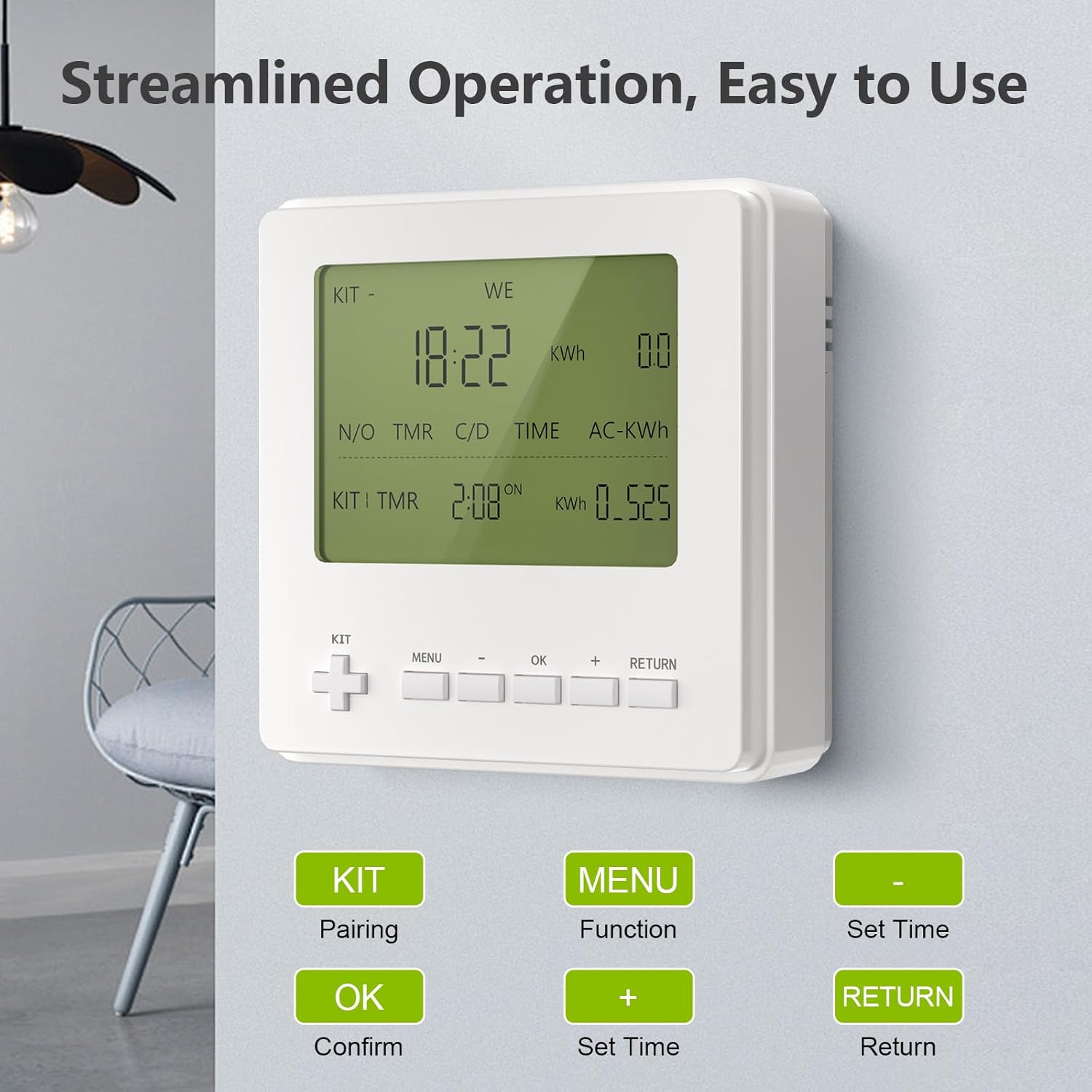
Image 1: Wothfav Smart Plug ETK-07
2. Инструкции по настройке
2.1. Preparing for Connection
Before connecting your smart plug, ensure you have the following:
- The Wothfav Smart Plug ETK-07.
- A smartphone with the "Smart Life" application installed.
- A 2.4GHz Wi-Fi network. (Note: 5GHz Wi-Fi is not supported for initial setup.)
2.2. Connecting the Smart Plug with the App
- Connect your smartphone to your 2.4GHz Wi-Fi network. Ensure Bluetooth is also enabled.
- Plug the smart plug into a power outlet.
- Open the "Smart Life" application on your smartphone.
- Нажмите на значок «+» в правом верхнем углу приложения, чтобы добавить устройство.
- The app may automatically detect the smart plug. If so, select it and follow the prompts to enter your Wi-Fi password.
- If not automatically detected, select "Add Device" and then choose "Plug (Wi-Fi)" under the "Electrical" or "Socket" category.
- Follow the on-screen instructions to reset the device (usually by holding the power button for 5 seconds until the indicator light blinks rapidly).
- Confirm the indicator light's blinking status in the app and proceed to enter your Wi-Fi password.
- Wait for the configuration to complete. Once successful, you can rename the smart plug for easy identification (e.g., "Kitchen Lamp"Вентилятор для спальни").
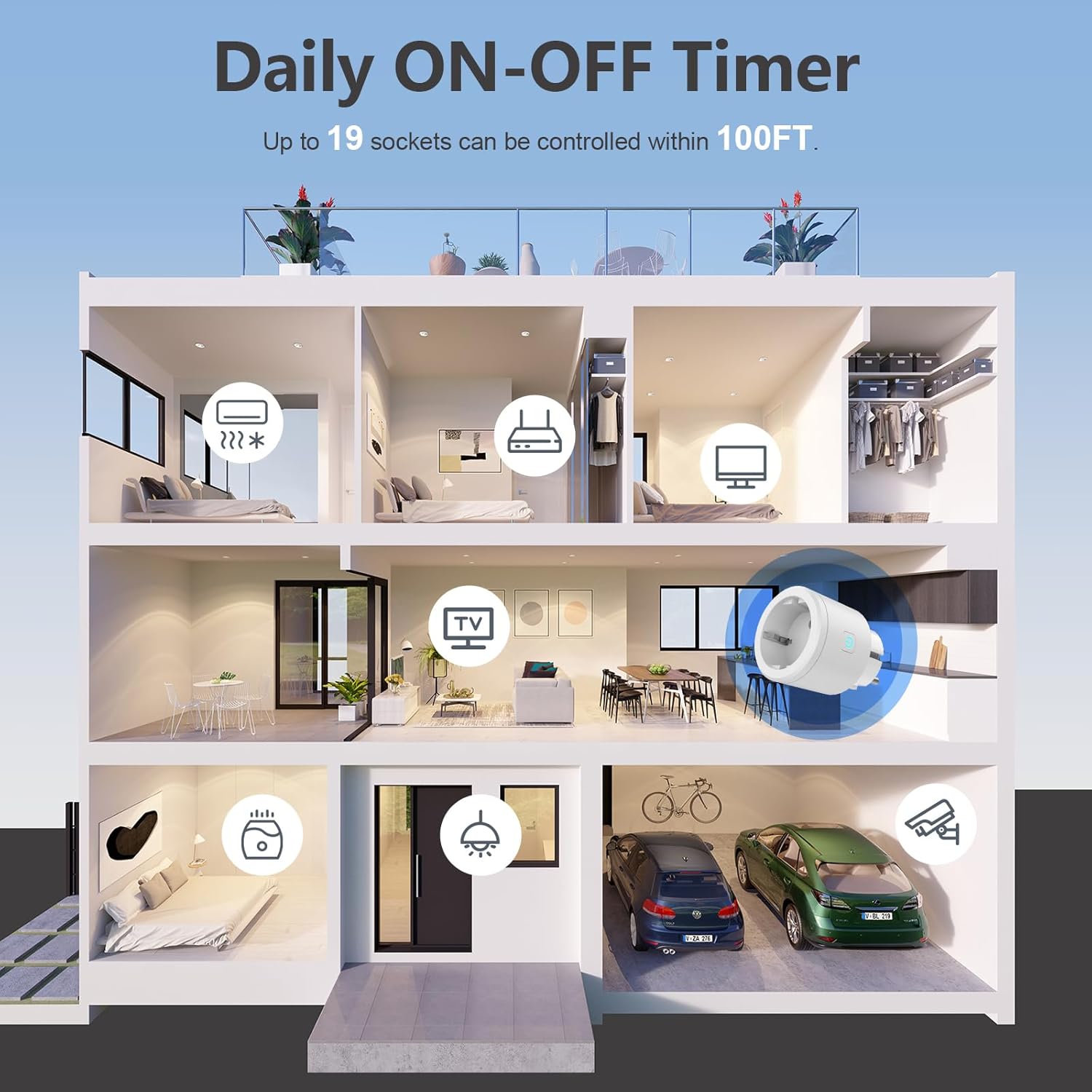
Image 2: Smart Plug controlling devices in various rooms
2.3. Video Guide: Connecting the Smart Plug with the App
Video 1: This video demonstrates the process of connecting the Wothfav Smart Plug to the Smart Life application, including steps for automatic and manual device addition and Wi-Fi password entry.
3. Инструкция по эксплуатации
3.1. Ручное управление
You can manually turn the smart plug on or off by pressing the physical On/Off button located on the device.
3.2. Приложение для удаленного управления
Once connected to the "Smart Life" app, you can control the smart plug remotely from anywhere with an internet connection:
- Переключатель включения / выключения: Нажмите на значок питания в приложении, чтобы мгновенно включить или выключить подключенное устройство.
- Расписание: Set specific times for the plug to turn on or off. You can create up to 19 different schedules to automate your devices.
- Таймер обратного отсчета: Utilize the countdown function to automatically power off a device after a desired time period. This is useful for charging devices or running appliances for a limited duration.
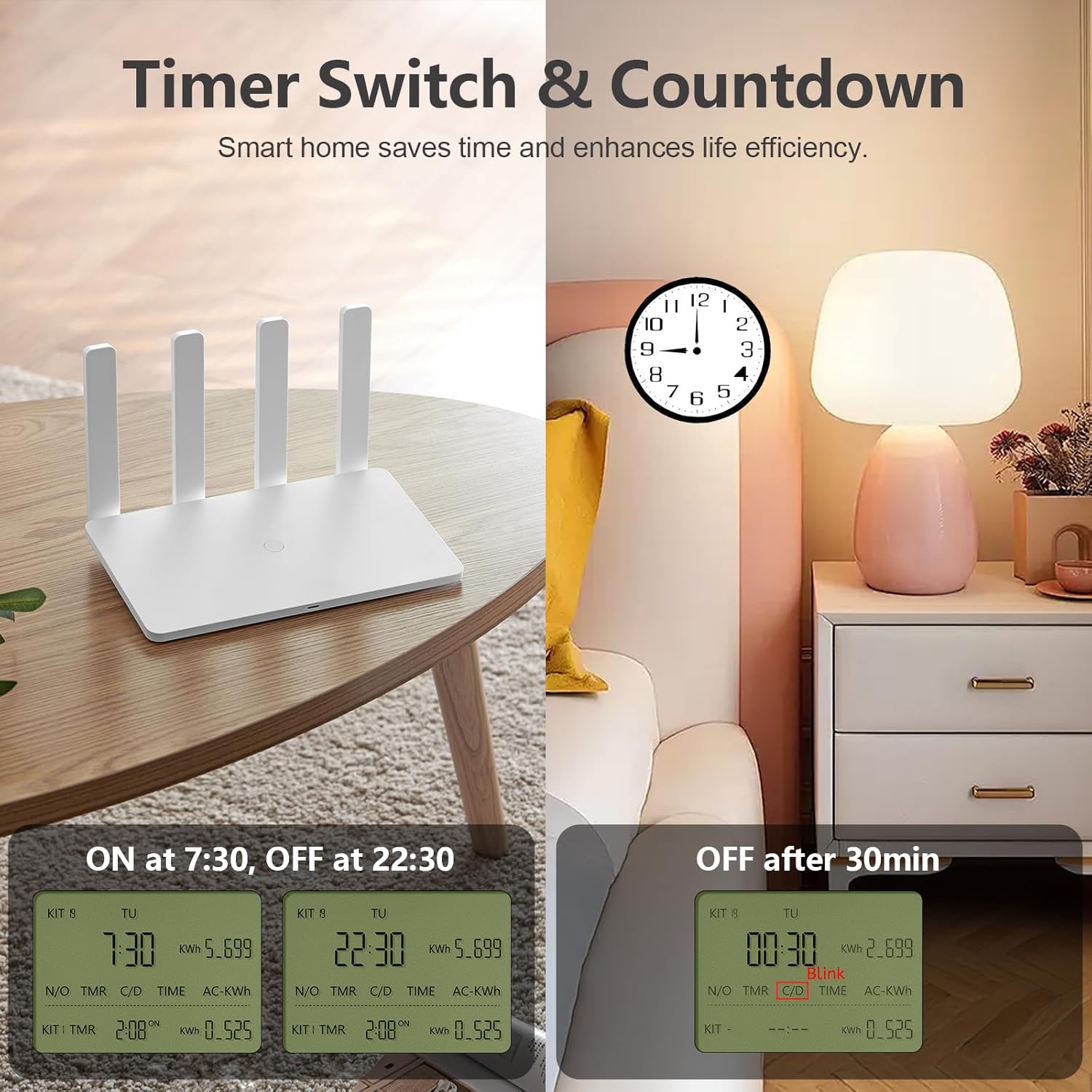
Image 3: Demonstrates timer and countdown functions for a router and a bedside lamp.
3.3. Мониторинг энергии
The app provides real-time energy consumption data for devices connected to the smart plug. This allows you to:
- Monitor current, power, and voltage.
- View historical power consumption logs.
- Identify energy-wasting appliances and optimize usage to save energy.

Image 4: Illustrates the energy consumption monitoring feature with a graph showing daily power usage.
4. Техническое обслуживание
To ensure the longevity and optimal performance of your Wothfav Smart Plug, follow these general maintenance guidelines:
- Уборка: Перед чисткой отсоедините умную вилку от розетки. Протрите корпус мягкой сухой тканью. Не используйте жидкие чистящие средства или абразивные материалы.
- Среда: Avoid exposing the smart plug to extreme temperatures, direct sunlight, high humidity, or dusty environments. The operating temperature range is -10℃ to 45℃.
- Хранилище: При длительном хранении устройства отключите его от сети и поместите в прохладное, сухое место.
5. Поиск Неисправностей
If you encounter issues with your Wothfav Smart Plug, refer to the following common troubleshooting steps:
- Устройство не подключается к Wi-Fi:
- Убедитесь, что ваша сеть Wi-Fi работает на частоте 2.4 ГГц. Умная розетка не поддерживает сети 5 ГГц.
- Check if your Wi-Fi signal is strong enough where the plug is located.
- Try resetting the smart plug by holding the power button for 5 seconds until the indicator light blinks rapidly, then attempt to reconnect via the app.
- Перезагрузите ваш Wi-Fi-роутер.
- Управление приложением не отвечает:
- Убедитесь, что ваш смартфон подключен к интернету.
- Check if the smart plug is still connected to your Wi-Fi network (indicator light status).
- Close and reopen the "Smart Life" app.
- If the issue persists, try unplugging the smart plug for 10 seconds and then plugging it back in.
- Energy Monitoring Data Incorrect:
- Ensure the appliance connected to the smart plug is functioning correctly.
- Check for any app updates for "Smart Life."
For further assistance, please refer to the "Smart Life" app's help section or contact Wothfav customer support.
6. Технические характеристики
| Особенность | Спецификация |
|---|---|
| Бренд | Wothfav |
| Номер модели | ETK-07 |
| Vol входtage | Переменный ток 100-240 В, 50/60 Гц |
| Максимальный ток | 16 А |
| Максимальная мощность | 3600 Вт |
| Рабочая температура | -10℃ до 45℃ |
| Maximum Operating Range (RF) | 30 m (for controller connection) |
| Материал | Fireproof PC Plastic |
| Размеры продукта (ДxШxВ) | 11.5 Ш x 10.3 Д x 9 В см |
| Number of Settings (Timers) | 19 |
7. Информация по технике безопасности
The Wothfav Smart Plug is designed with user safety in mind:
- Безопасность детей: Features a built-in child safety mechanism to prevent accidental access to live parts.
- Огнестойкий материал: Constructed from high-quality fireproof PC material to minimize fire risks.
- Защита от перегрузки: The 16A maximum current rating helps prevent overloading when used within specified limits.
Always ensure the smart plug is used in accordance with local electrical safety standards. Do not disassemble or modify the device.
8. Гарантия и поддержка
For information regarding warranty coverage, terms, and conditions, please refer to the documentation provided with your purchase or visit the official Wothfav webсайт.
If you require technical support, have questions about product functionality, or need assistance with troubleshooting, please contact Wothfav customer service through their official channels. Details can typically be found on the product packaging or the manufacturer's webсайт.