
1. Введение
Спасибо за покупкуasing the KTC 24-inch WQHD 100Hz IPS Monitor. This manual provides essential information for the safe and efficient use of your new monitor. Please read it thoroughly before use and keep it for future reference.
This monitor features a 24-inch IPS panel with WQHD (2560x1440) resolution, offering stunning visual clarity and vibrant colors with 122% sRGB coverage. A 100Hz refresh rate and FreeSync & G-Sync compatibility ensure smooth, tear-free visuals, ideal for both office work and casual gaming. Advanced eye care technologies, including blue light reduction and flicker-free operation, provide a comfortable viewing experience even during extended use. The monitor also supports HDR10 for enhanced dynamic range and features flexible connectivity options with HDMI and DisplayPort.
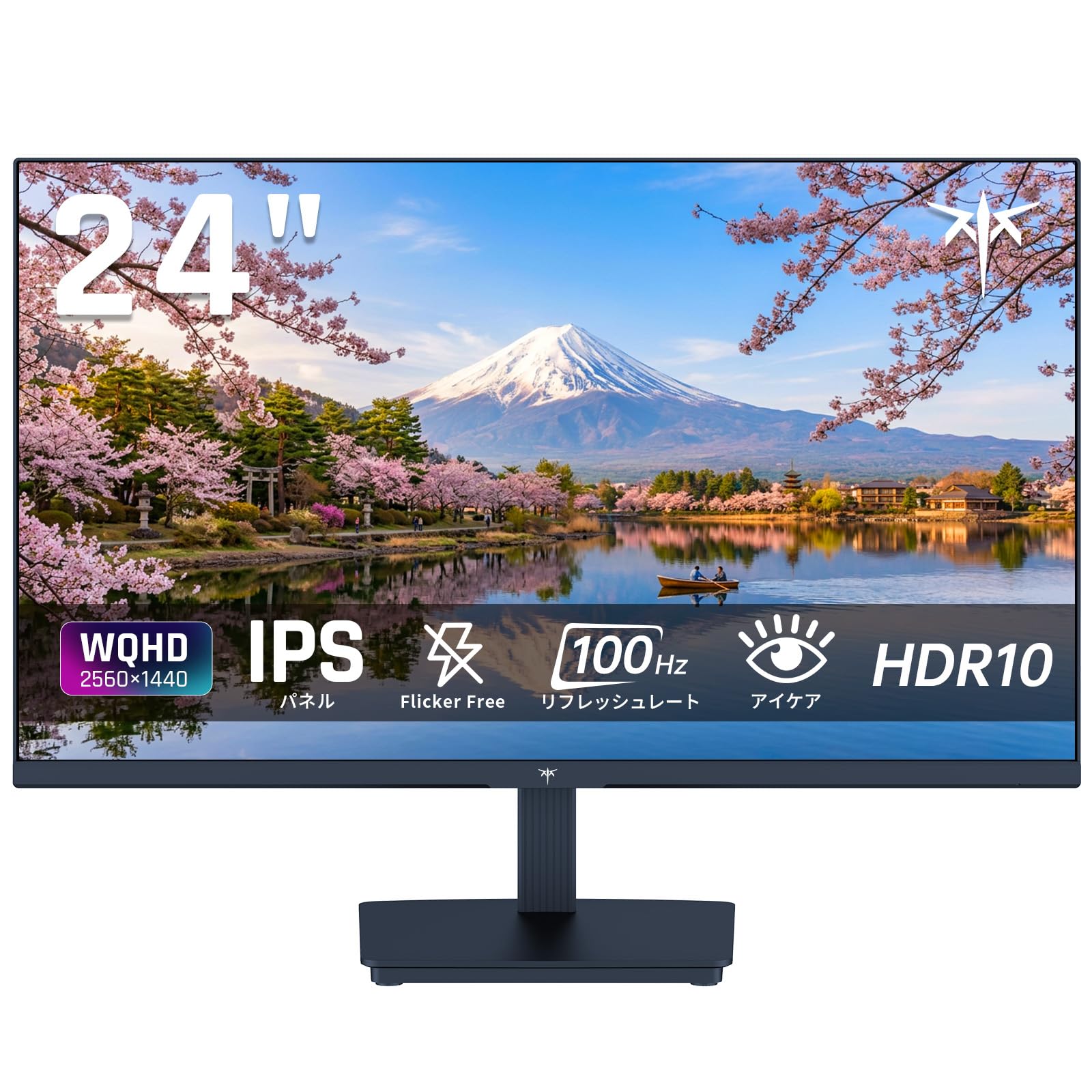
Image: KTC 24-inch WQHD 100Hz IPS Monitor.
2. Информация по технике безопасности
Please observe the following safety precautions to prevent damage to the monitor or injury to yourself or others:
- Не подвергайте монитор воздействию дождя, влаги или экстремальных температур.
- Обеспечьте надлежащую вентиляцию вокруг монитора во избежание перегрева.
- Используйте только тот адаптер питания, который входит в комплект поставки монитора.
- Не ставьте тяжелые предметы на шнур питания или монитор.
- Не пытайтесь разбирать или ремонтировать монитор самостоятельно. Обратитесь к квалифицированным специалистам.
- Держите монитор вдали от сильных магнитных полей.
3. Содержимое упаковки
Проверьте наличие всех предметов в упаковке:
- KTC 24-inch WQHD 100Hz IPS Monitor (H24T27)
- База монитора
- HDMI-кабель
- Адаптер питания
- Руководство пользователя
4. Настройка
4.1 Сборка подставки
- Аккуратно извлеките монитор и подставку из упаковки.
- Прикрепите шейку подставки к панели монитора.
- Secure the base to the stand neck using the provided screws.
4.2 Подключение монитора
Подключите монитор к компьютеру или другим устройствам с помощью соответствующих кабелей.
- Подключение питания: Connect the power adapter to the monitor's DC input and then plug it into a power outlet.
- Видео соединение: Use the supplied HDMI cable or a DisplayPort cable to connect your computer's video output to the corresponding port on the monitor.
- Аудиовыход: If desired, connect headphones or external speakers to the 3.5mm audio output jack.

Image: Close-up of the KTC monitor's rear ports, including DC power, HDMI, DisplayPort, and audio out.
5. Инструкция по эксплуатации
5.1 Включение/выключение питания
Чтобы включить или выключить монитор, нажмите кнопку питания, расположенную на нем.
5.2 Экранное меню (OSD)
The OSD menu allows you to adjust various monitor settings. Use the control buttons (usually located on the back or bottom of the monitor) to navigate the menu and make selections.
5.3 Настройки дисплея
- Разрешение: The monitor supports WQHD (2560x1440) resolution for sharp and detailed images. Ensure your graphics card is set to this resolution for optimal display.
- Частота обновления: Enjoy smooth visuals with a 100Hz refresh rate. This can be configured in your operating system's display settings.
- Цветовая гамма: The monitor offers 122% sRGB coverage for rich and accurate colors.

Image: KTC monitor highlighting key features like IPS panel, 100Hz, WQHD, 24-inch, Adaptive Sync, and blue light reduction.

Image: Comparison of WQHD (2560x1440) and FHD (1920x1080) resolutions, demonstrating enhanced detail with WQHD.

Image: Comparison of 100Hz and 60Hz refresh rates, showing smoother motion with 100Hz.
5.4 Adaptive Sync (FreeSync & G-Sync)
The monitor supports both FreeSync and G-Sync technologies to eliminate screen tearing and stuttering, providing a fluid gaming experience. Ensure this feature is enabled in your graphics card settings and the monitor's OSD.

Image: Monitor display showing HDR10 content on one side and standard HDR on the other, along with FreeSync & G-Sync comparison (ON/OFF).
5.5 Особенности ухода за глазами
The monitor includes Flicker-Free technology and a Blue Light Reduction mode to minimize eye strain during prolonged use. These settings can be adjusted via the OSD menu.

Image: KTC monitor displaying eye care features: Low Blue Light (ON/OFF) and Flicker-Free (ON/OFF).
5.6 Поддержка HDR10
This monitor supports HDR10, providing a wider range of colors and contrasts for a more immersive viewing experience. Ensure HDR is enabled in your device's display settings for compatible content.
5.7 Регулируемая подставка
The monitor stand allows for tilt adjustment from -5° to 15°, enabling you to find the most comfortable viewугол наклона.

Изображение: сбоку view of the KTC monitor demonstrating the tilt-adjustable stand (-5° to 15°).
5.8 Широкий Viewугол наклона
The IPS panel provides a wide 178-degree viewing angle, ensuring consistent color and image quality from almost any perspective.

Image: KTC monitor showcasing a wide 178-degree viewing angle with consistent color.
6. Техническое обслуживание
6.1 Очистка монитора
- Перед чисткой всегда отключайте монитор от сети.
- Слегка используйте мягкую безворсовую ткань.ampпромойте водой или мягким неабразивным чистящим средством для экранов.
- Не распыляйте чистящее средство непосредственно на экран.
- Избегайте использования едких химикатов и абразивных материалов.
6.2 Общий уход
- Храните монитор в чистом и сухом месте.
- Защитите экран от острых предметов.
- When moving the monitor, handle it carefully and avoid putting pressure on the screen.
7. Поиск Неисправностей
Если у вас возникли проблемы с монитором, ознакомьтесь со следующими распространенными проблемами и решениями:
| Проблема | Возможное решение |
|---|---|
| Нет изображения на экране | Check power connections. Ensure video cable is securely connected to both monitor and computer. Select correct input source via OSD. |
| Изображение размыто или искажено | Ensure the display resolution is set to 2560x1440. Check video cable for damage. |
| Разрывы или заикания изображения на экране | Verify FreeSync/G-Sync is enabled in both monitor OSD and graphics card settings. |
| Нет звука из наушников/динамиков | Check audio cable connection. Ensure volume is not muted on monitor or computer. |
| Монитор не включается | Check power outlet and power adapter connection. Try a different power outlet. |
Если проблема не исчезнет после применения этих решений, пожалуйста, свяжитесь со службой поддержки клиентов KTC.
8. Технические характеристики
Подробные технические характеристики монитора KTC H24T27:
| Особенность | Спецификация |
|---|---|
| Бренд | КТС |
| Номер модели | H24T27 |
| Размер экрана | 24 дюймов |
| Разрешение | WQHD (2560 x 1440 пикселей) |
| Соотношение сторон | 16:9 |
| Тип панели | ИПС |
| Поверхность экрана | Не бликует |
| Частота обновления | 100 Гц |
| Время отклика | 7 мс |
| Коэффициент контрастности | 1300:1 |
| Яркость | 300 кд/м² |
| Цветовая гамма | 122% sRGB |
| Viewугол наклона | 178 градусов |
| Технология HDR | HDR10 |
| Адаптивная синхронизация | FreeSync, G-Sync |
| Связность | 1 разъема HDMI, 1 разъем DisplayPort, аудиовыход. |
| Потребляемая мощность | 12 Вт |
| Томtage | 100 Вольт |
| Размеры (Д x Ш x В) | 18.3 х 54 х 40.5 см |
| Дополнительные возможности | Adaptive Sync, Eye Care, Flicker-Free, Blue Light Filter, Tilt Adjustment |
| Совместимые устройства | Game Consoles, Laptops |
| Цвет | Черный |
| Форма | Плоский |
| Источник | Китай |
9. Гарантия и поддержка
9.1 Информация о гарантии
Your KTC monitor comes with a 3-летняя гарантия производителя. In the event of a product defect, a free replacement will be provided. Please note that this warranty does not cover loss or damage caused by customer negligence.

Image: KTC's 3-year free replacement warranty details and contact information.
9.2 Поддержка клиентов
For any inquiries or concerns, please feel free to contact us. We are committed to providing full support to ensure your satisfaction.
Телефон: 050-3606-8990
Электронная почта: support@ktcplay.com
You can also contact support through Amazon:

Image: Step-by-step guide on how to contact customer support via Amazon.
10. Продукт закончилсяview Видео
Посмотрите это видео для наглядного обзораview of the KTC QHD computer monitor and its features.
Video: This video showcases the KTC QHD computer monitor, highlighting its 2560x1440 (2K) resolution, 100Hz refresh rate, FreeSync and G-Sync compatibility, flicker-free and low blue light features, 8-bit & 116% sRGB color gamut, 3-side frameless design, -5° to 15° tilt adjustable stand, and available sizes (24, 27, 32 inches). It emphasizes its suitability for professional office use.