
DEVAISE ASJZ022
DEVAISE 48 Inch Electric Standing Desk Instruction Manual
Model: ASJZ022
1. Введение
Thank you for choosing the DEVAISE 48 Inch Electric Standing Desk. This manual provides detailed instructions for assembly, operation, and maintenance to ensure optimal performance and longevity of your desk. This ergonomic sit-stand desk is designed to enhance your home or office workspace with adjustable height settings, memory presets, and a stable structure.
2 Важная информация по безопасности
- Перед использованием убедитесь, что все компоненты надежно закреплены.
- Не перегружайте стол. Максимальная грузоподъемность составляет 180 фунтов.
- Во время регулировки высоты стола держите детей и домашних животных подальше от него.
- The desk features an anti-collision system. If the desk encounters an obstacle during adjustment, it will move back approximately 1 inch to prevent damage or injury.
- A child lock feature is available for added safety.
- Используйте только прилагаемый адаптер питания.
3. Содержимое упаковки
Please verify that all parts are present before beginning assembly. Refer to the assembly instructions for a complete list of components and hardware.

Image: All components of the DEVAISE Electric Standing Desk laid out for assembly, including desktop panels, leg frames, motor, control panel, and hardware.
4. Инструкция по сборке
Setting up your DEVAISE Electric Standing Desk is designed to be straightforward with pre-drilled screw holes and clear instructions. A detailed installation video is also available for visual guidance.
4.1 Видеоруководство по сборке
Video: A comprehensive guide demonstrating the step-by-step assembly process of the DEVAISE Electric Standing Desk.
4.2. Пошаговая сборка
- Assemble the Leg Frames: Attach the crossbar to the two leg columns using the provided screws. Ensure all connections are secure.

Изображение: В разобранном виде view showing the main components of the desk frame and desktop for quick installation.
- Прикрепите ножки: Secure the feet to the bottom of each leg column using the appropriate screws.
- Install the Drive Rod: Insert the drive rod into the motor mechanism and connect it to the opposite leg column. This rod synchronizes the movement of both legs.
- Assemble the Desktop: If your desktop comes in multiple pieces, align them using the wooden dowels and secure them with the connecting plates and screws.
- Mount the Frame to the Desktop: Carefully place the assembled frame onto the underside of the desktop, aligning the pre-drilled holes. Secure the frame to the desktop using the provided screws.
- Connect the Control Panel and Power: Attach the LED touchscreen control panel to the designated area under the desktop. Connect the motor cables and power adapter to the control box. Use the provided cable management clips to organize wires.
- Insert Cable Grommets: Place the cable grommets into the pre-drilled holes on the desktop for cable organization.
- Прикрепите крючок для наушников: Secure the headphone hook to the side of the desk using the provided screws.
5. Инструкция по эксплуатации
5.1. Регулировка высоты
The DEVAISE Electric Standing Desk features a smooth and quiet tri-motor system for height adjustments. The desk can be adjusted from 28.35 inches to 46.45 inches.
- Используйте Вверх (▲) и Вниз (▼) arrow buttons on the LED touchscreen to manually adjust the desk height.
- Текущая высота будет отображаться на светодиодном экране.
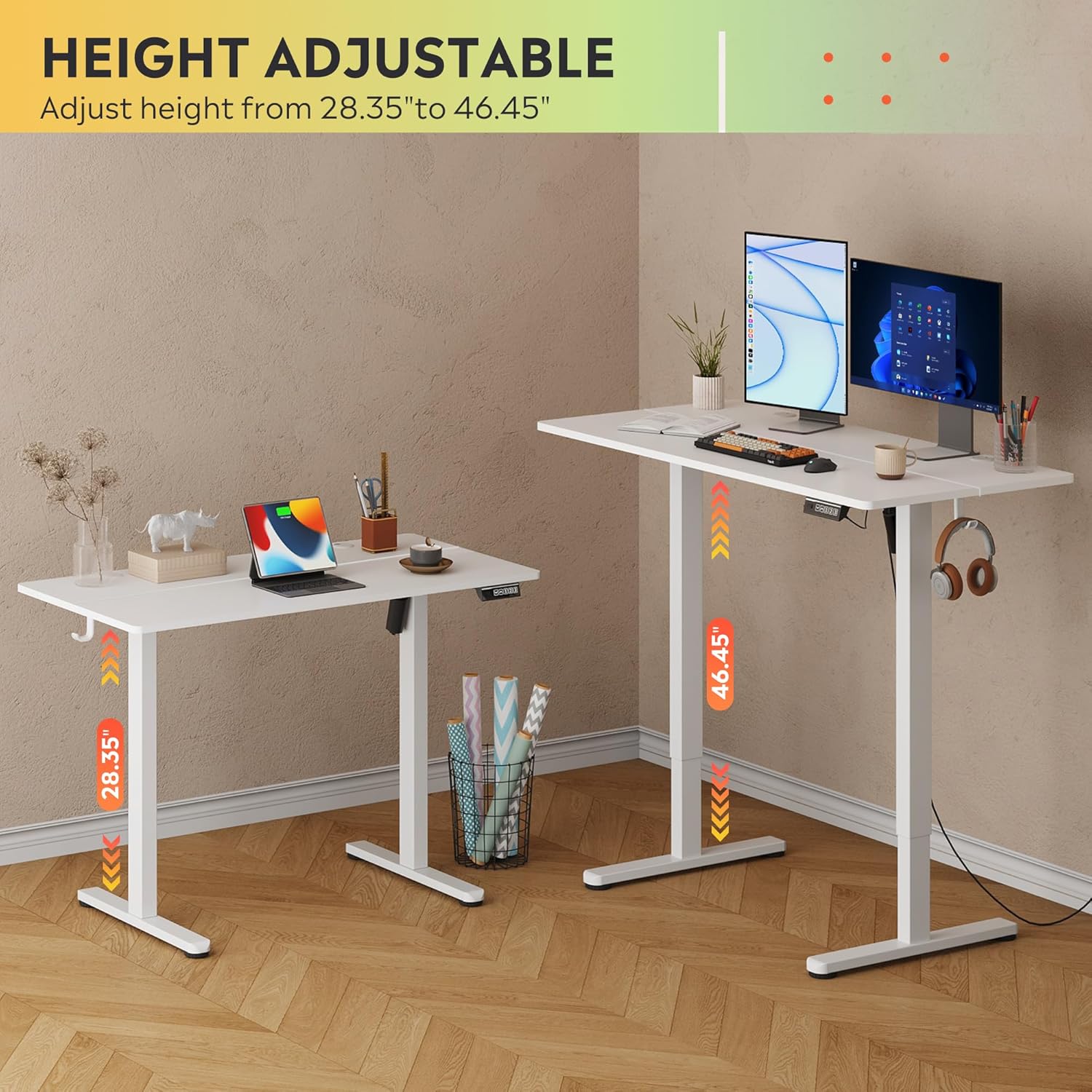
Image: The DEVAISE Electric Standing Desk illustrating its adjustable height range from 28.35 inches to 46.45 inches.
5.2. Настройки памяти
The control panel allows you to save up to three personalized height settings for quick recall.
- Чтобы сохранить предустановку: Adjust the desk to your desired height. Press the 'S' button, then press one of the number buttons (1, 2 или 3) в течение 3 секунд. Высота теперь сохраняется под этим числом.
- Чтобы вызвать предустановку: Просто нажмите соответствующую цифровую кнопку (1, 2 или 3Стол автоматически переместится на заданную высоту.
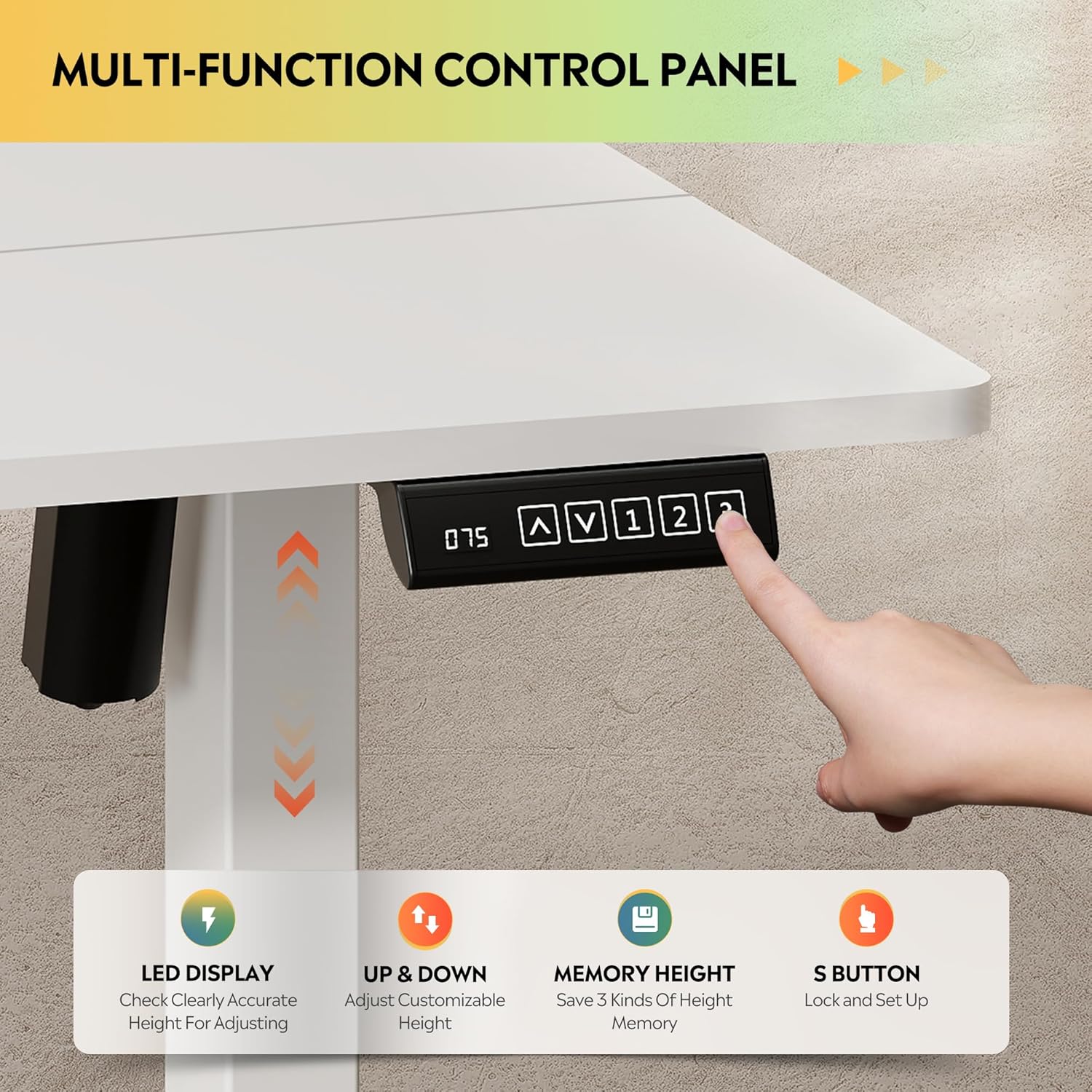
Изображение: Крупный план view of the LED touchscreen control panel, highlighting the up/down arrows, memory preset buttons (1, 2, 3), and the 'S' button for saving settings.
5.3. Система предотвращения столкновений
For safety, the desk is equipped with an anti-collision feature. If the desk encounters an obstruction during movement, it will automatically reverse its direction by approximately 1 inch to prevent damage or injury.
6.Основные характеристики
- Несокрушимая стабильность: Heavy-duty solid steel frame with aerospace-grade connectors, tested for 100,000 cycles. Designed to eliminate wobble even at full height.
- Optimal Workspace: 48x24 inch desktop accommodates multiple monitors and accessories, with a 28-inch ergonomic depth to prevent shoulder fatigue.
- Высококачественный и безопасный материал: Eco-engineered thickened desktop made of FSC-Certified wood, with 78% lower VOC emissions. Supports up to 180 lbs.
- Quiet & Smooth Operation: Tri-motor system ensures whisper-quiet (<50dB) height transitions.
- Умное управление: LED touchscreen with 3 memory presets for one-tap height recall.
- Простая установка: Less labeled parts, pre-drilled screw holes, and detailed instructions for quick setup.
- Крючок для наушников: Conveniently located hook for headphones or bags.
Видео: Оверview of the DEVAISE Electric Standing Desk highlighting its features and benefits in a home office setting.
7. Технические характеристики
| Атрибут | Деталь |
|---|---|
| Бренд | ДЕВАЙС |
| Номер модели | ASJZ022 |
| Размеры продукта | 23.62"Д x 47.24"Ш x 28.34"В |
| Цвет | Белый |
| Верхний тип материала | Инженерная древесина |
| Основной материал | Железо |
| Рекомендация по максимальному весу | 180 фунта |
| Минимальная высота | 28.35 дюйма |
| Максимальная высота | 46.45 дюйма |
| Особые возможности | Adjustable Height, Electric, Ergonomic, LED Touchscreen |
| Включенные компоненты | Крючок для наушников |
8. Техническое обслуживание
- Регулярно проверяйте все винты и соединения, чтобы убедиться в их надежности.
- Очистите поверхность рабочего стола мягкой тряпкой.amp ткань. Избегайте агрессивных химикатов, которые могут повредить отделку.
- Не допускайте попадания пыли и влаги на двигатель и электрические компоненты.
9. Поиск Неисправностей
Если у вас возникли какие-либо проблемы с рабочим столом, пожалуйста, воспользуйтесь следующими распространенными решениями:
- Стол не двигается: Check all power connections and ensure the power adapter is securely plugged into a working outlet.
- Неравномерное движение: Ensure the desk is placed on a flat, level surface. Check that all leg components are correctly assembled and tightened.
- Error code on LED display: Refer to the specific error codes in the full product manual (if provided separately) or contact customer support.
- Anti-collision system activating frequently: При регулировке высоты убедитесь, что над или под столом нет никаких препятствий.
10. Гарантия и поддержка
DEVAISE offers a limited warranty on this product. For any questions regarding assembly, product selection, or warranty claims, please feel free to contact our U.S.-based product support team.
Contact information can typically be found on the product packaging or the official DEVAISE webсайт.