Введение
This manual provides detailed instructions for the Daguaika 8-in-1 USB C Hub. This multi-functional adapter expands the connectivity of your USB-C enabled devices, offering a range of ports for various peripherals and functions. Please read this manual thoroughly before use to ensure proper operation and to maximize the product's capabilities.
Характеристики продукта
- Возможность подключения 8-в-1: Integrates a 100M Ethernet port, a 4K HDMI port, 1x USB 3.0 (5 Gbps), 1x USB 2.0 (480Mbps), a USB C charging port with 100W Power Delivery, and TF/SD card slots (up to 104 Mbps).
- Выход HDMI 4K: Supports 4K@30Hz video output, allowing connection to HDTVs, monitors, or projectors for Ultra HD visuals. Compatible with laptops featuring DisplayPort 1.4 Alt Mode for 4K@30Hz.
- 100 Вт Power Delivery (PD): Provides up to 90W power output for fast charging of your MacBook Pro/Air or other USB-C devices, with a 100W power input capacity.
- Универсальная совместимость: Plug-and-play functionality with Windows, macOS, Chrome OS, and Steam OS, requiring no additional drivers or software.
- Высокоскоростная передача данных: USB 3.0 port offers data transfer speeds up to 5 Gbps, while USB 2.0 provides 480 Mbps. SD/TF card slots support up to 104 Mbps.
Содержимое упаковки
The Daguaika 8-in-1 USB C Hub package typically includes:
- 1 x Daguaika 8-in-1 USB C Hub
- 1 х Руководство пользователя
Product Diagram and Port Overview

Рисунок 1: Болееview of the Daguaika 8-in-1 USB C Hub, illustrating its various ports including USB-C input, PD 100W, 4K HDMI, USB 3.0, USB 2.0, RJ45 Ethernet, and SD/TF card slots.
The Daguaika 8-in-1 USB C Hub provides the following ports:
- Входной кабель USB-C: Подключается к вашему основному устройству (ноутбуку, планшету, смартфону).
- USB-C PD Port (100W): For power input to charge your host device and power the hub.
- HDMI Port (4K@30Hz): Connects to an external display for video output.
- USB 3.0 Port (5Gbps): For high-speed data transfer with USB 3.0 compatible devices.
- USB 2.0 Port (480Mbps): For connecting standard USB peripherals like keyboards, mice, or older USB devices.
- RJ45 Ethernet Port (100Mbps): Обеспечивает стабильное проводное подключение к Интернету.
- Слот для SD-карты: Для чтения стандартных SD-карт памяти.
- Слот для карт TF (Micro SD): Для чтения карт памяти Micro SD.

Рисунок 2: Крупный план view of the USB 3.0 and USB 2.0 ports on the Daguaika USB C Hub, highlighting their functions for connecting various peripherals.

Figure 3: Illustration of the SD and TF (Micro SD) card slots on the Daguaika USB C Hub, demonstrating how memory cards are inserted for data access. Note: SD and TF cards cannot be read simultaneously.
Инструкции по установке
- Подключение к хост-устройству: Plug the USB-C input cable of the Daguaika Hub into an available USB-C port on your laptop, tablet, or smartphone. Ensure the USB-C port on your host device supports data transfer and video output (DisplayPort Alt Mode) for full functionality.
- Подключение питания (необязательно, но рекомендуется): For stable operation and to charge your host device, connect a USB-C power adapter (up to 100W) to the USB-C PD port on the hub.
- Установка драйвера: The hub is designed for plug-and-play operation and typically does not require additional drivers. Your operating system should automatically recognize the connected devices.
Инструкция по эксплуатации
Использование порта HDMI

Figure 4: A laptop connected to an external monitor through the hub's HDMI port, demonstrating 4K resolution display capabilities.
- Connect an HDMI cable from your external display (monitor, TV, projector) to the HDMI port on the Daguaika Hub.
- Ensure your host device's USB-C port supports DisplayPort Alt Mode for video output.
- Adjust display settings on your host device (e.g., duplicate, extend, or second screen only) as needed. The hub supports resolutions up to 4K@30Hz.
Using USB Data Ports (USB 3.0 & USB 2.0)
- Plug your USB devices (e.g., flash drives, external hard drives, keyboards, mice) into the available USB 3.0 or USB 2.0 ports on the hub.
- The USB 3.0 port offers faster data transfer speeds (up to 5 Gbps) for compatible devices.
Using the RJ45 Ethernet Port
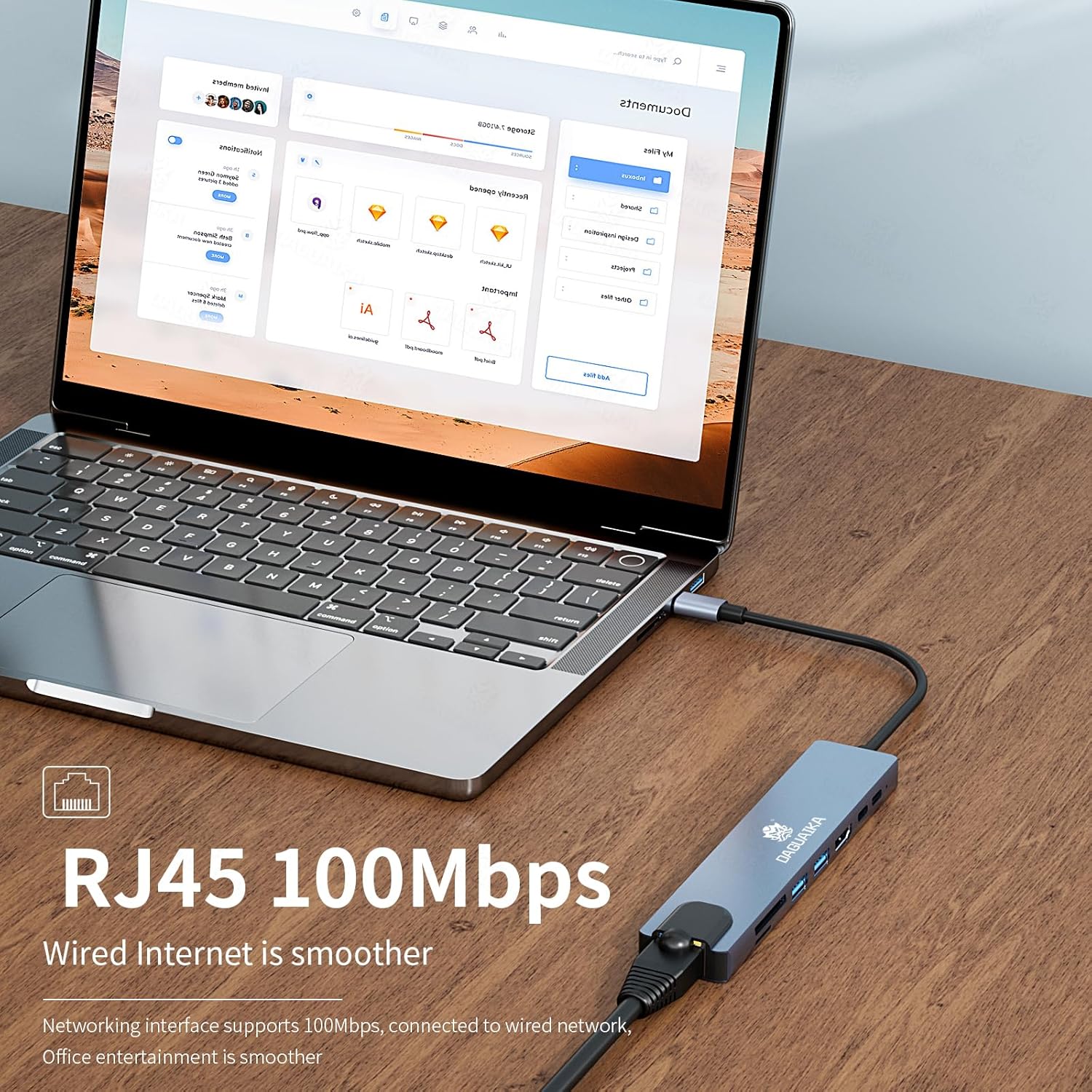
Figure 5: The RJ45 Ethernet port on the hub with a connected network cable, highlighting its 100Mbps wired internet capability.
- Connect an Ethernet cable from your router or network switch to the RJ45 port on the hub.
- Your host device should automatically detect the wired network connection. The port supports speeds up to 100Mbps.
Использование считывателей SD/TF-карт
- Insert your SD or Micro SD (TF) card into the corresponding slot on the hub.
- The card will appear as a removable drive on your host device.
- Примечание: SD and TF cards cannot be read simultaneously.
Using the USB-C PD Charging Port
- Connect your original USB-C power adapter to the USB-C PD port on the hub.
- This will provide power to the hub and pass through up to 90W of charging power to your connected host device.
Совместимость
The Daguaika 8-in-1 USB C Hub is compatible with a wide range of devices and operating systems, including:
- Операционные системы Windows
- MacBook Air / MacBook Pro (macOS)
- ОС Chrome
- Steam OS
- Other USB-C devices supporting DisplayPort Alt Mode and Power Delivery.
For 4K@30Hz HDMI output, ensure your laptop features DisplayPort 1.4 Alt Mode functionality.
Поиск неисправностей
| Проблема | Возможная причина | Решение |
|---|---|---|
| Видеовыход через HDMI отсутствует. |
|
|
| Devices connected to USB ports are not recognized. |
|
|
| Slow Ethernet speed. |
|
|
| Карта SD/TF не обнаружена. |
|
|
| Hub disconnects occasionally. |
|
|
Технические характеристики

Figure 6: Detailed product parameters and dimensions of the Daguaika 8-in-1 USB C Hub.
| Особенность | Деталь |
|---|---|
| Номер модели | 8-in-1 100M |
| Размеры продукта | 7.8 x 2.7 x 0.4 дюйма (19.8 x 6.8 x 1.0 см) |
| Вес товара | 2.39 унции (67.7 грамма) |
| Материал | Алюминиевый сплав |
| Разрешение HDMI | 4К@30Гц |
| Порт USB-C PD | 100W Power Input (90W Power Output) |
| USB-порты данных | 1x USB 3.0 (5Gbps), 1x USB 2.0 (480Mbps) |
| RJ45 Ethernet | 100 Мбит/с |
| Устройство чтения карт SD/TF | Supports up to 104 Mbps (SD and TF cannot be read simultaneously) |
| Совместимые устройства | Laptops, Smartphones with USB-C (DisplayPort Alt Mode required for video) |
| Особые возможности | Fast Data Transfer, Plug and Play |
Техническое обслуживание и уход
- Держите ступицу подальше от воды, огня и едких жидкостей.
- Не допускайте падений и сильных ударов по ступице.
- Не пытайтесь разбирать или ремонтировать устройство самостоятельно. При возникновении проблем обратитесь в службу поддержки клиентов.
- Clean the hub with a soft, dry cloth. Avoid using harsh chemicals.
- Храните концентратор в сухом прохладном месте, когда он не используется.
Гарантия и поддержка
Daguaika provides a full one-year warranty covering manufacturing defects or issues. This ensures your purchase is protected, allowing confident use of the product.
For technical support, warranty claims, or any inquiries, please contact Daguaika customer service through the official channels provided with your purchase or visit the Daguaika store on Amazon.
Производитель: Dongguan Daguaika Electronics Co., Ltd.