
1. Введение
This manual provides essential information for setting up, operating, and maintaining your GMKtec Mini PC G10. Please read these instructions carefully before using the device to ensure optimal performance and longevity.
2. Содержимое упаковки
Проверьте наличие всех предметов в упаковке:
- GMKtec Nucbox G10 Mini PC
- Адаптер питания и кабель
- HDMI-кабель
- Крепление VESA и винты
- Руководство пользователя

Image: Contents of the GMKtec Mini PC G10 package, including the mini PC, power adapter, HDMI cable, VESA mount, and user manual.
3. Продукт закончилсяview и интерфейсы
The GMKtec Mini PC G10 features a compact design with a variety of ports for connectivity. Familiarize yourself with the available interfaces:
Передняя панель:
- 1x CTIA Audio Jack
- 2x USB 3.2 (5Gbps) Ports
- 1x кнопка питания
Задняя панель:
- 1x USB-C Power Input (PD Only)
- 1x USB-C (Full-function: DisplayPort, Data, Power Delivery)
- 1 порт USB 2.0
- 1x 2.5G Gigabit Ethernet (LAN) Port
- 1x HDMI 2.1 (4K@60Hz) Port
- 1x DisplayPort 1.4 (4K@60Hz)
- 1 слот для замка Kensington

Изображение: подробное view of the front and rear ports of the GMKtec Mini PC G10, illustrating USB, HDMI, DisplayPort, Ethernet, and power connections.
4. Настройка
Follow these steps to set up your GMKtec Mini PC G10:
- Подключиться к дисплею: Connect your monitor(s) to the Mini PC using the HDMI, DisplayPort, or USB-C (DisplayPort Alt Mode) outputs. The device supports up to three displays simultaneously.
- Подключите периферийные устройства: Подключите клавиатуру, мышь и другие USB-устройства к имеющимся USB-портам.
- Подключение к сети: For a wired connection, connect an Ethernet cable to the 2.5G LAN port. For wireless, ensure Wi-Fi is enabled in the operating system settings after initial boot.
- Включение питания: Connect the power adapter to the Mini PC's USB-C power input and then to a power outlet. Press the power button on the front panel to turn on the device.
- Начальная настройка: Следуйте инструкциям на экране для завершения настройки Windows 11 Pro.
5 Операционная система
The GMKtec Mini PC G10 comes pre-installed with Windows 11 Профессиональная. It is also compatible with Windows 10 and various Linux distributions.
Windows 11 Pro Features:
- Расширенные функции безопасности.
- BitLocker device encryption.
- Remote Desktop capabilities.
- Domain Join and Group Policy management.
Ensure your operating system is regularly updated for security and performance improvements.
6. Производительность и хранение
The Mini PC G10 is designed for efficient daily computing and light gaming, featuring robust components for smooth operation.
Процессор:
Оснащен AMD Ryzen 5 3500U Processor, a 64-bit quad-core CPU with 8 threads, based on AMD's 12nm Zen+ architecture. It offers a base frequency of 2.1 GHz and a boost frequency of up to 3.7 GHz, with a TDP of 15W (configurable up to 35W for higher performance).
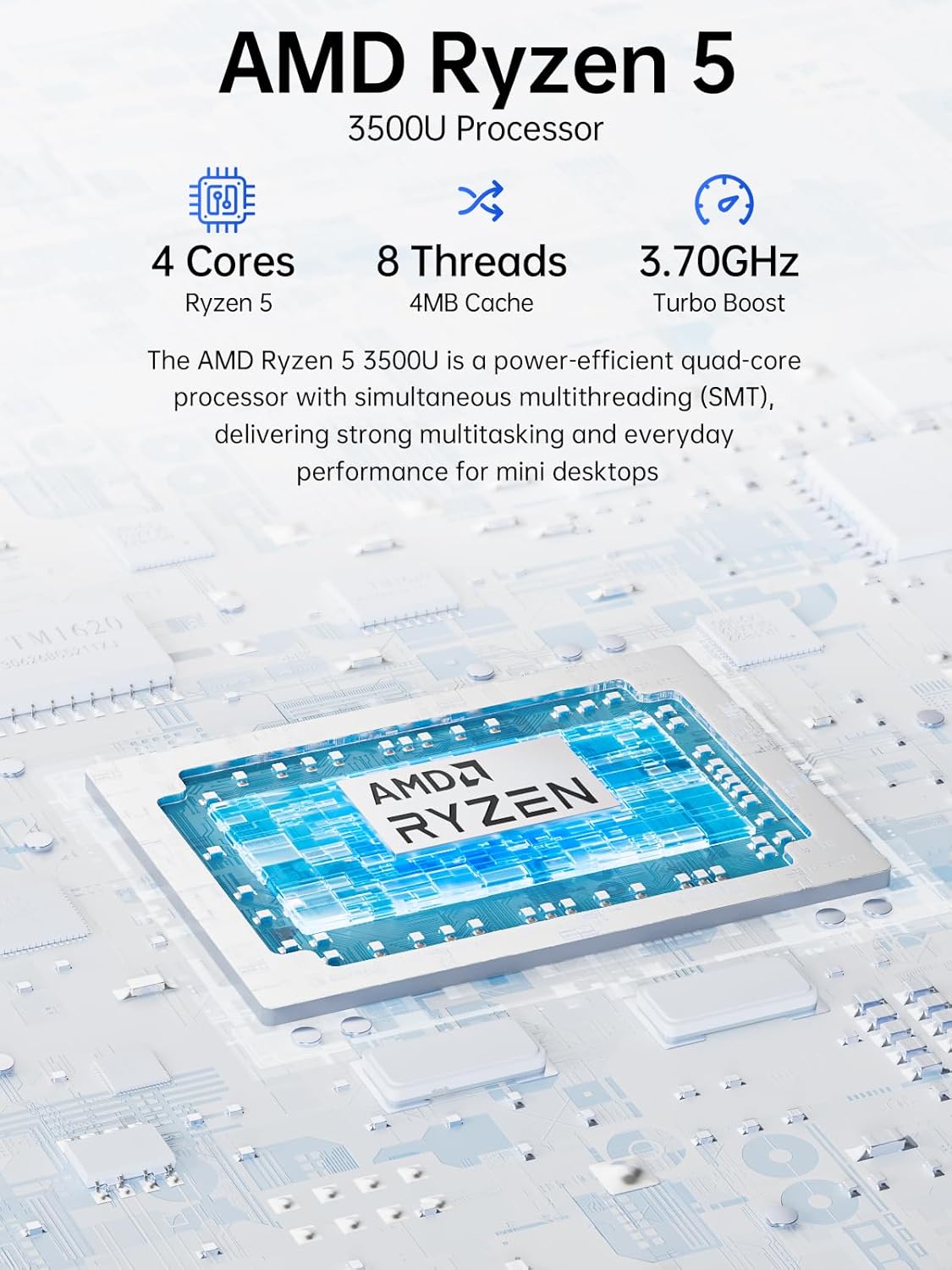
Image: Visual representation of the AMD Ryzen 5 3500U processor, highlighting its 4 cores, 8 threads, 4MB cache, and 3.70GHz turbo boost.
Графика:
Интегрированный Radeon Vega 8 Graphics (up to 1.2 GHz) provides capable performance for video editing, multimedia playback, and casual gaming.
Память (ОЗУ):
Система включает в себя 16GB of DDR4 SO-DIMM dual-channel RAM (2 x 8GB). The memory is expandable up to 32GB.
Хранилище:
Особенности 1 ТБ PCIe 3.0 x4 NVMe SSD, offering significantly faster data transfer speeds (up to 3500 MB/s) compared to traditional SATA SSDs. This results in quicker boot times, faster application loading, and smoother file переводы.
Изображение: Сравнение, иллюстрирующее преимущество скоростиtage of PCIe 3.0 NVMe SSDs (up to 3500 MB/s) over SATA SSDs (up to 550 MB/s).
Расширение хранилища:
The Mini PC G10 is equipped with two M.2 2280 PCIe 3.0 slots, allowing for storage expansion up to 16TB (with 2 x 8TB SSDs, not included).

Image: Diagram showing the dual SO-DIMM DDR4 slots for RAM expansion up to 64GB and two M.2 2280 SSD slots for storage expansion up to 16TB.
7. Конфигурация дисплея
The GMKtec Mini PC G10 supports a triple display setup, allowing for enhanced productivity and immersive multimedia experiences.
- Connect up to three monitors simultaneously using the HDMI 2.1, DisplayPort 1.4, and full-function USB-C ports.
- All display outputs support 4K resolution at 60Hz.

Image: An illustration of a triple monitor setup connected to the Mini PC, demonstrating its multi-display capability for a productive workspace.
8. Связь
The Mini PC G10 offers versatile connectivity options for both wired and wireless networks and peripherals.
- Wi-Fi 5: Provides fast wireless internet access.
- Bluetooth 5.0: Для подключения беспроводных периферийных устройств, таких как клавиатуры, мыши и наушники.
- 2.5-гигабитный Ethernet: An ultra-fast wired network connection for high-speed data transfer and low-latency applications.

Image: A visual representation of the Mini PC connected wirelessly via Wi-Fi and Bluetooth, and wired via 2.5GbE Ethernet, highlighting its comprehensive connectivity.
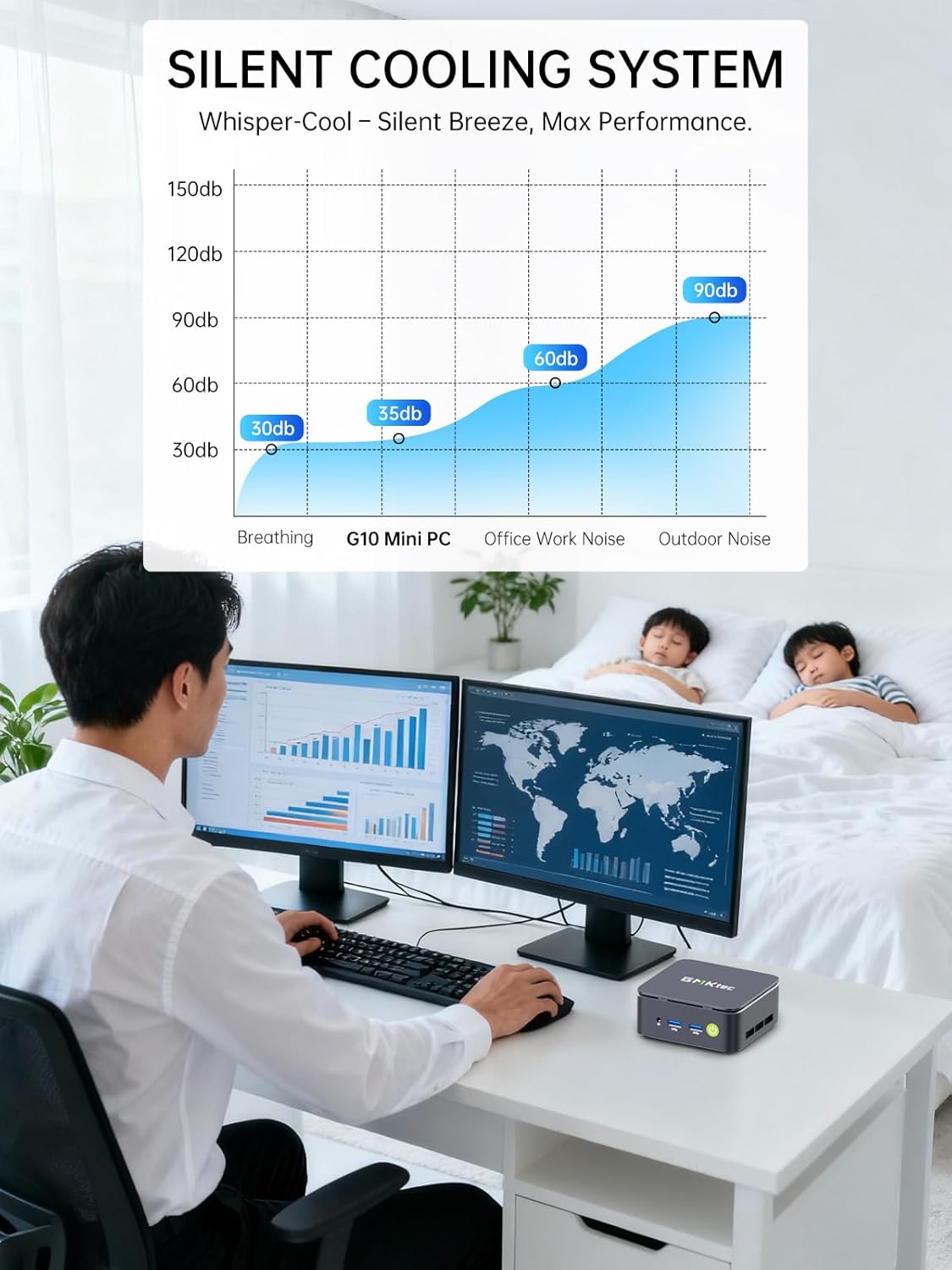
9. Silent Cooling System
The GMKtec Mini PC G10 incorporates a silent turbo cooling fan designed to maintain optimal operating temperatures while minimizing noise output. This ensures stable performance even under load.

Изображение: взорванный view of the Mini PC G10 showing the internal silent turbo cooling fan and its airflow path.
10. Техническое обслуживание
Регулярное обслуживание поможет обеспечить долговечность и оптимальную производительность вашего мини-ПК.
- Уборка: Periodically clean the exterior of the Mini PC with a soft, dry cloth. Use compressed air to clear dust from ventilation openings. Ensure the device is powered off and unplugged before cleaning.
- Обновления программного обеспечения: Регулярно обновляйте операционную систему и драйверы до последних версий. Это повышает безопасность, стабильность и производительность.
- Вентиляция: Ensure the Mini PC is placed in a well-ventilated area and that its vents are not obstructed. Proper airflow is crucial for cooling.
- Управление хранилищем: Регулярно управляйте своим хранилищем, удаляя ненужные данные. fileи приложения для поддержания оптимальной производительности SSD.
11. Поиск Неисправностей
If you encounter issues with your GMKtec Mini PC G10, refer to the following common troubleshooting steps:
Нет питания / Система не запускается:
- Убедитесь, что адаптер питания надежно подключен как к мини-ПК, так и к работающей розетке.
- Проверьте работоспособность розетки, подключив к ней другое устройство.
- Плотно нажмите кнопку питания.
Нет вывода на дисплей:
- Убедитесь, что кабель HDMI, DisplayPort или USB-C надежно подключен как к мини-ПК, так и к монитору.
- Убедитесь, что монитор включен и настроен на правильный источник входного сигнала.
- Попробуйте использовать другой дисплейный кабель или монитор, если он доступен.
No Wi-Fi / Bluetooth Connection:
- Check if Wi-Fi or Bluetooth is enabled in the Windows settings.
- Перезагрузите мини-ПК и маршрутизатор/модем.
- Убедитесь, что у вас установлены последние версии драйверов.
Низкая производительность:
- Закройте ненужные приложения, работающие в фоновом режиме.
- Проверьте наличие достаточного свободного места на SSD-накопителе.
- Ensure the Mini PC is well-ventilated to prevent thermal throttling.
- Запустите сканирование системы на наличие вредоносных программ и вирусов.
If these steps do not resolve the issue, please contact GMKtec customer support.
12. Технические характеристики
Detailed technical specifications for the GMKtec Mini PC G10:
| Особенность | Спецификация |
|---|---|
| Бренд | GMKtec |
| Модель | Nucbox G10 |
| Операционная система | Windows 11 Профессиональная |
| Модель ЦП | AMD Ryzen 5 3500U |
| Скорость ЦП | 2.1 GHz (Boost up to 3.7 GHz) |
| Количество процессоров | 4 (8 Threads) |
| Графический сопроцессор | Radeon Vega 8 |
| RAM Installed | 16 ГБ DDR4 |
| Максимальный размер оперативной памяти | 64 ГБ |
| RAM Speed | 2400 МГц |
| Емкость хранилища | 1 TB SSD (PCIe 3.0 x4 NVMe) |
| Расширение хранилища | 2x M.2 2280 PCIe 3.0 slots (up to 16TB total) |
| Интерфейс видеовыхода | HDMI 2.1, DisplayPort 1.4, USB-C (DP Alt Mode) |
| Максимальное разрешение дисплея | 3840 x 2160 (4K) при 60 Гц |
| Беспроводные технологии | Wi-Fi 5 (802.11ac), Bluetooth 5.0 |
| Проводное подключение | 2.5-гигабитный Ethernet |
| USB-порты | 2x USB 3.2, 1x USB 2.0, 1x USB-C (full-function) |
| Аудиовыход | 1x CTIA Audio Jack |
| Входная мощность | USB-C (PD) |
| Год модели | 2023 |
13. Гарантия и поддержка
GMKtec provides comprehensive warranty and support for your Mini PC G10.
- Гарантия: Each Mini PC comes with a limited 3-year warranty from the date of purchase. This includes replacement during the first year and repair services for the subsequent two years, covering design and manufacturing defects.
- Служба поддержки клиентов: For any inquiries or technical assistance, you can contact GMKtec's professional after-sales team.
Контактная информация:
- Поддержка Амазон: Log in to your Amazon account, navigate to "Your Orders," and select "Ask Product Question" for direct assistance.
- Электронная почта после продажи: Отправить электронное письмо eu-cs@gmktec.com для круглосуточной поддержки клиентов.

Image: Details on GMKtec's warranty and support, including contact methods for Amazon support and the after-sales email address.