
1. Введение
Спасибо за покупкуasing the Sharp KI-TX75-W Humidifying Air Purifier. This appliance is designed to improve your indoor air quality through advanced air purification and humidification technologies. It features Plasmacluster NEXT for high-density ion emission, AI AUTO mode for intelligent operation, Coanda flow for efficient dust collection, an AI monitor for real-time air quality feedback, and COCORO AIR for smart control via a smartphone app.
This manual provides essential information for the safe and efficient use, maintenance, and troubleshooting of your air purifier. Please read it thoroughly before use and keep it for future reference.
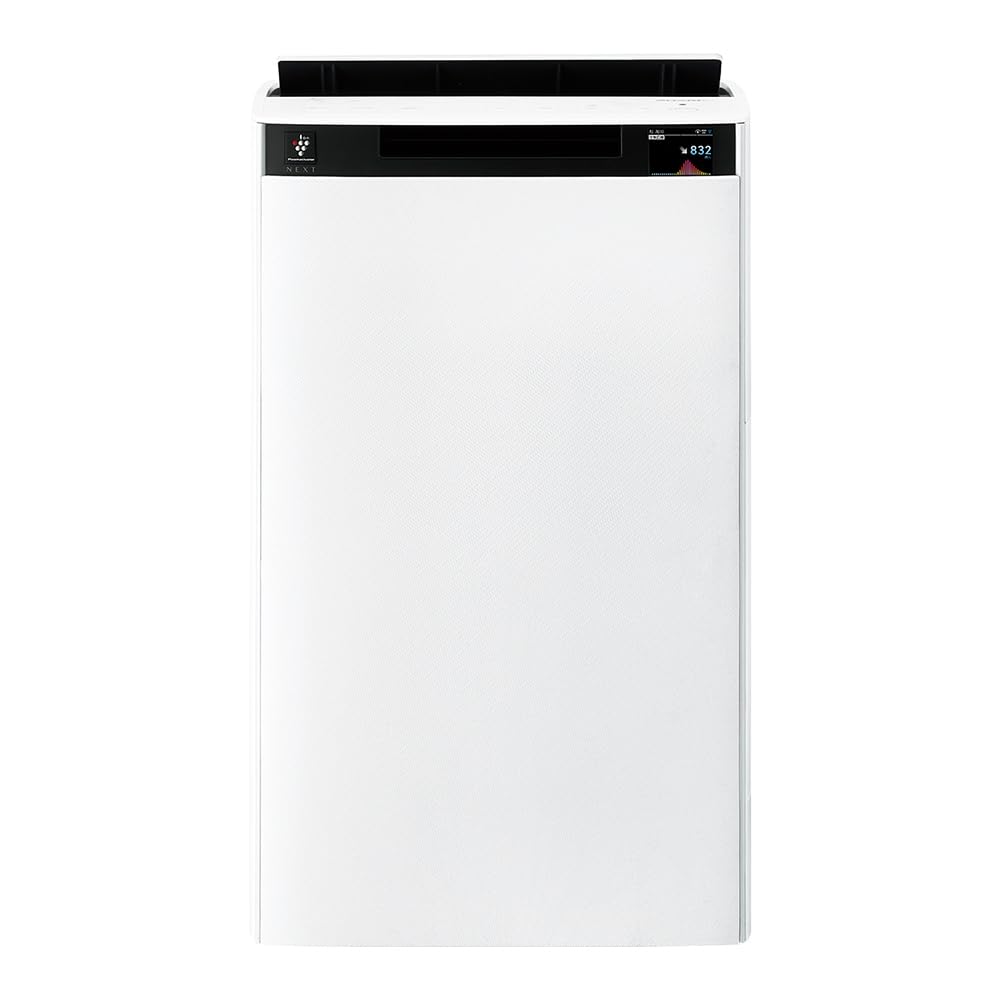
Передний view of the Sharp KI-TX75-W Humidifying Air Purifier.
2. Информация по технике безопасности
Для обеспечения безопасной эксплуатации и предотвращения повреждений соблюдайте следующие меры предосторожности:
- Always use the appliance with the correct voltage, как указано на этикетке с рейтингом.
- Не закрывайте вентиляционные отверстия для притока или отвода воздуха.
- Keep the appliance away from water and moisture. Do not operate with wet hands.
- Перед чисткой или проведением любых работ по техническому обслуживанию отключите шнур питания от сети.
- Не позволяйте детям пользоваться прибором без присмотра.
- Если шнур питания поврежден, он должен быть заменен производителем, его сервисным агентом или лицом с аналогичной квалификацией, чтобы избежать опасности.
- Не вставляйте посторонние предметы в отверстия.
- Установите устройство на устойчивую ровную поверхность.
3. Настройка
3.1 Распаковка и размещение
- Осторожно извлеките очиститель воздуха из упаковки.
- Choose a location with adequate space around the unit for optimal airflow. Avoid placing it directly against walls or furniture.
- Ensure the unit is placed on a flat, stable surface. The built-in casters with stoppers allow for easy movement and secure positioning.

The unit features casters with stoppers for convenient movement and secure placement.
3.2 Установка фильтра
The unit comes with pre-installed filters. Verify they are correctly seated before first use.
- Open the back panel of the air purifier.
- Ensure the HEPA filter, deodorizing filter, and pre-filter are securely in place.
- Закройте заднюю панель.

The air purifier utilizes a three-layer filter system: pre-filter, deodorizing filter, and HEPA filter.
3.3 наполнение резервуара для воды
For humidification, fill the water tank with clean tap water.
- Снимите резервуар для воды с боковой стороны устройства.
- Open the water tank cap and fill it with fresh tap water.
- Плотно закройте крышку и вставьте резервуар для воды обратно в устройство.

Remove the water tank from the side of the unit to fill it with water.
3.4 Первоначальное включение и сетевое подключение
- Подключите шнур питания к розетке.
- Нажмите кнопку питания на панели управления.
- To utilize smart features, download the COCORO AIR app on your smartphone and follow the in-app instructions to connect the air purifier to your wireless LAN network.
4. Инструкция по эксплуатации
4.1 Панель управления оконченаview

The control panel allows selection of various modes and settings.
Режимы работы 4.2
- AI AUTO Mode: This intelligent mode automatically adjusts operation based on detected air quality, aiming for a cleanroom Class 8 level environment. It optimizes airflow to effectively collect pollen, dust, and fine particles.
- Режим очистки воздуха: Operates solely as an air purifier, removing airborne particles and odors.
- Режим увлажнения: Adds moisture to the air while purifying. The unit can deliver up to 900 mL/h of humidification.
- Plasmacluster NEXT: This technology generates high-density Plasmacluster ions (50,000 ions/cm³) to suppress airborne and adhering viruses, allergens, and odors.

AI AUTO mode significantly reduces airborne particles to maintain a clean environment.
4.3 AI Monitor
The AI Monitor visualizes the number of particles in the room and provides feedback on air quality. It displays real-time particle counts and indicates when the air is clean or needs purification.

The AI Monitor provides a visual representation of airborne particle levels.
The AI Monitor also provides notifications for humidification status, maintenance timing, and estimated electricity costs.

Notifications include humidification status, maintenance alerts, and electricity usage.
4.4 COCORO AIR App
Connect your air purifier to the COCORO AIR app via Wi-Fi for enhanced control and monitoring. The app allows you to:
- Monitor air quality and operating status remotely.
- Customize operation schedules and settings.
- Receive notifications for filter replacement and maintenance.
- Access special operating modes, such as pet-specific modes.

The COCORO AIR app provides remote control and monitoring capabilities.
5. Техническое обслуживание
Регулярное техническое обслуживание обеспечивает оптимальную производительность и продлевает срок службы вашего очистителя воздуха.
5.1 Очистка и замена фильтра
- Предварительный фильтр: Clean regularly (e.g., once a month) by vacuuming or washing with water.
- HEPA Filter & Deodorizing Filter: These filters are not washable. Replace them according to the recommended schedule (typically every 1-2 years, depending on usage and environment). The COCORO AIR app will notify you when replacement is due.
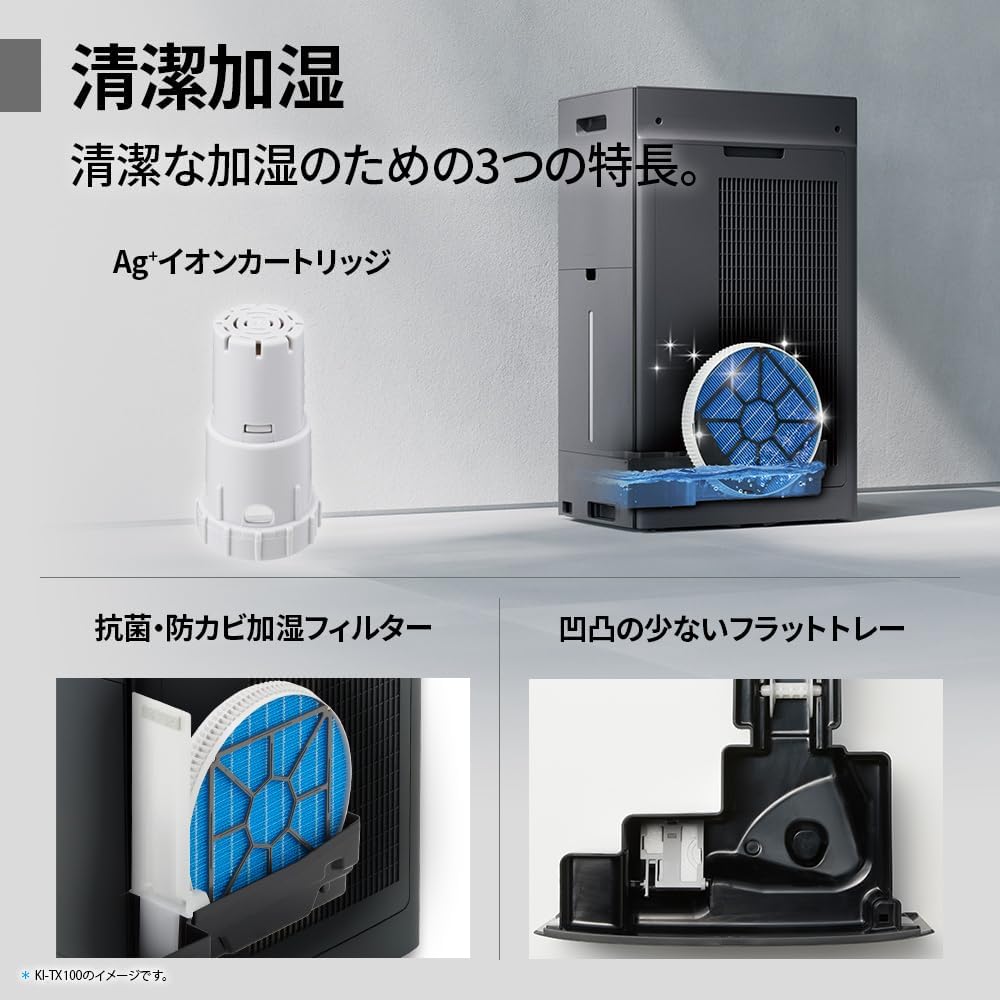
Regularly clean the pre-filter to maintain air purification efficiency.
5.2 Humidifying Filter Maintenance
The humidifying filter can be automatically cleaned using the unit's internal cleaning function. This helps prevent scale buildup.
- Remove the water tank and humidifying filter assembly.
- Add a small spoon of citric acid (commercially available) to the water tank and fill with water.
- Press the internal humidification cleaning button on the unit.
- After the cleaning cycle, rinse the tank and filter thoroughly.

The humidifying filter can be automatically cleaned using citric acid and water.
5.3 Ag+ Ion Cartridge Replacement
The Ag+ ion cartridge helps keep the water in the tank clean. Replace it approximately once a year.

Replace the Ag+ ion cartridge annually for optimal water tank hygiene.
6. Поиск Неисправностей
Если у вас возникли проблемы с очистителем воздуха, ознакомьтесь со следующими распространенными проблемами и решениями:
| Проблема | Возможная причина | Решение |
|---|---|---|
| Блок не включается. | Шнур питания подключен неправильно. В розетку не подается питание. | Проверьте подключение шнура питания. Проверьте розетку с помощью другого устройства. |
| Слабый поток воздуха или плохая очистка. | Filters are dirty or clogged. Air intake/outlet blocked. | Clean or replace filters. Ensure vents are clear. |
| Отсутствие увлажнения или низкий уровень влажности. | Water tank is empty. Humidifying filter is dirty. | Refill water tank. Clean the humidifying filter. |
| Необычный шум во время работы. | Unit not on a level surface. Foreign object in fan. | Ensure unit is stable. Check for obstructions (unplug first). |
| AI Monitor shows high particle count despite operation. | Filters need cleaning/replacement. Room size exceeds recommended area. | Perform filter maintenance. Consider unit placement or additional units for larger spaces. |
Если проблема сохраняется после применения этих решений, обратитесь в службу поддержки клиентов.
7. Технические характеристики
| Особенность | Спецификация |
|---|---|
| Номер модели | KI-TX75-W |
| Бренд | Острый |
| Размеры (Ш x Г x В) | 39.5 см х 26.5 см х 65 см |
| Масса | 12 кг |
| Источник питания | Проводной электрический |
| Уровень шума | 20-52 дБ |
| Recommended Room Size (Plasmacluster) | Up to 18 tatami (~29.7 m²) |
| Recommended Room Size (Air Purification) | Up to 34 tatami (~56.1 m²) |
| Maximum Humidification Capacity | 900 мл / ч |
| Air Purification Time (8 tatami) | 9 минуты |
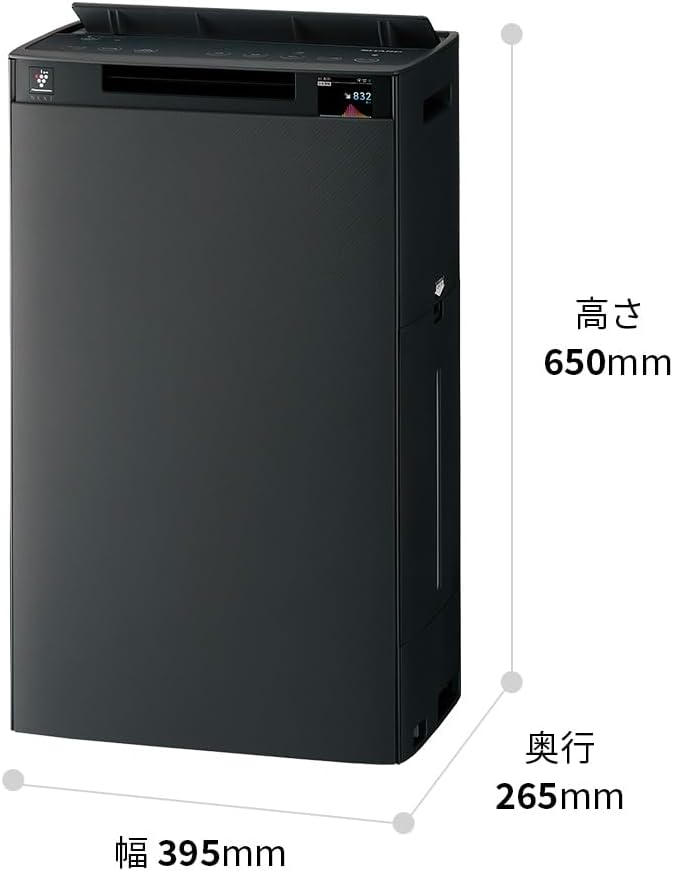
Detailed dimensions of the Sharp KI-TX75-W.
8. Гарантия и поддержка
8.1 Гарантия производителя
This Sharp KI-TX75-W Humidifying Air Purifier comes with a 1-летняя гарантия производителя с даты покупки. Данная гарантия распространяется на дефекты материалов и изготовления при условии нормального использования. Сохраните чек для предъявления гарантийных претензий.
Гарантия не распространяется на повреждения, вызванные неправильным использованием, несчастным случаем, несанкционированной модификацией или несоблюдением инструкций, изложенных в данном руководстве.
8.2 Поддержка клиентов
For technical assistance, warranty service, or inquiries about replacement parts, please contact Sharp customer support.
You can find additional support resources and FAQs on the official Sharp webсайт: