
1. Введение
Thank you for choosing the Generic HY-T26 Pro Smart Translator Earbuds. These innovative wireless Bluetooth earbuds are designed to provide seamless multilingual communication and high-fidelity audio. Equipped with advanced AI technology, they offer real-time translation, immersive sound, and a range of smart functions to enhance your daily interactions and travel experiences. This manual will guide you through the setup, operation, maintenance, and troubleshooting of your new device.
2. Продукт закончилсяview
2.1 Содержимое упаковки
The HY-T26 Pro package includes the following items:
- 1 Pair of HY-T26 Pro Earbuds
- 1 талреп
- 1 чехол для беспроводной зарядки
- 1 зарядный кабель Type-C
- 1 Руководство пользователя
2.2 Основные характеристики
- Immersive Hi-Fi Audio: Integrated 16mm moving coil speaker with noise cancellation offering 360-degree stereo sound.
- Advanced AI Translation: Up to 98% translation accuracy with five essential functions: recording, writing, translation, listening, and speaking.
- Comprehensive AI Application: Features include recording, translation, AI chat, image generation, and simple music generation.
- Seamless Cross-Language Communication: Eliminates language barriers for effective global interaction.
- Портативная конструкция: Includes a lanyard for easy carrying and to prevent loss.
- Bluetooth 5.4 Стабильное и эффективное беспроводное соединение на расстоянии до 10 метров.
2.3 Компоненты продукта
Familiarize yourself with the main components of your HY-T26 Pro Smart Translator Earbuds.

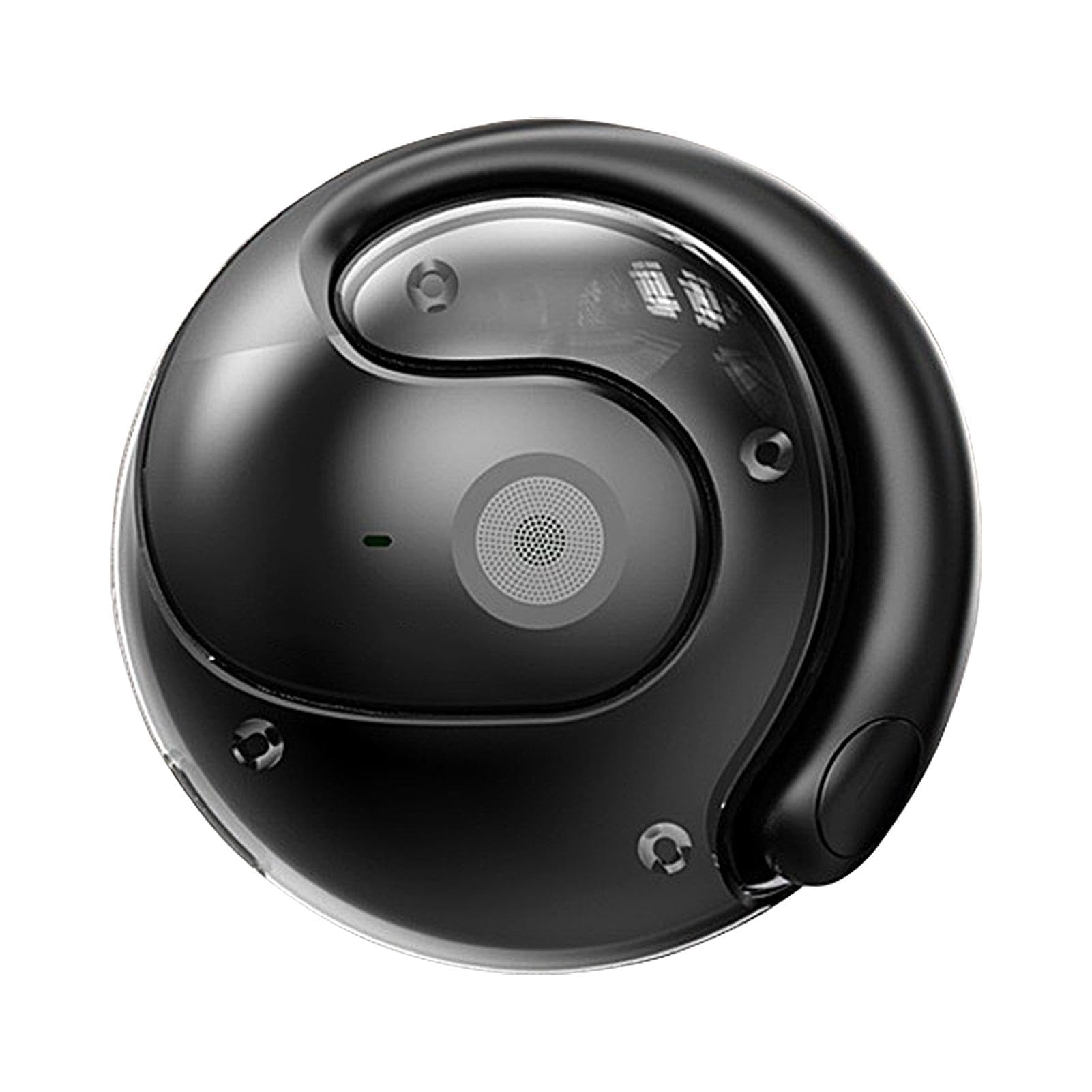
Изображение 2.3.1: The HY-T26 Pro earbuds and their compact wireless charging case.

Изображение 2.3.2: Крупный план view of the HY-T26 Pro charging case, highlighting its AI capabilities.

Изображение 2.3.3: The HY-T26 Pro charging case can be worn with a lanyard for portability and to prevent loss.
3. Настройка
3.1 Первоначальная зарядка
Перед первым использованием полностью зарядите наушники и зарядный чехол.
- Поместите наушники в зарядный футляр.
- Подключите зарядный кабель Type-C к зарядному футляру и источнику питания (например, сетевому USB-адаптеру, USB-порту компьютера).
- The indicator lights on the charging case will show the charging status. A full charge takes approximately 1 hour.
3.2 Сопряжение по Bluetooth
To connect your HY-T26 Pro earbuds to your smartphone or other Bluetooth-enabled device:
- Убедитесь, что наушники заряжены и извлечены из зарядного футляра. Они автоматически перейдут в режим сопряжения.
- На вашем устройстве перейдите в настройки Bluetooth и включите Bluetooth.
- Искать available devices and select "HY-T26 Pro" from the list.
- После подключения вы услышите звуковой сигнал, и индикаторные лампочки наушников изменят цвет.
3.3 AI Application Installation
To utilize the full translation and AI features, download and install the dedicated AI application on your smartphone.
- Scan the QR code provided in the physical user manual or search for the "HY-T26 Pro AI App" in your device's app store (Google Play Store for Android, Apple App Store for iOS).
- Загрузите и установите приложение.
- Open the app and follow the on-screen instructions to connect your HY-T26 Pro earbuds to the application.
4. Инструкция по эксплуатации
4.1 Основные аудиофункции
- Воспроизведение/Пауза: Коснитесь любого наушника один раз.
- Следующий трек: Дважды коснитесь правого наушника.
- Предыдущий трек: Дважды коснитесь левого наушника.
- Ответить/завершить вызов: Коснитесь любого наушника один раз.
- Отклонить вызов: Нажмите и удерживайте любой наушник в течение 2 секунд.
- Активировать голосового помощника: Трижды коснитесь любого наушника.
4.2 AI Translation Functions
The HY-T26 Pro earbuds offer advanced translation capabilities through the dedicated AI application.
Изображение 4.2.1: User engaging in an AI voice conversation using the HY-T26 Pro earbuds and smartphone app for real-time translation.

Изображение 4.2.2: The HY-T26 Pro enabling efficient communication through its AI app on a smartphone, anytime and anywhere.

Изображение 4.2.3: The HY-T26 Pro facilitates cross-language communication, acting as a personal translator during business meetings or video calls.
- Real-time Conversation Translation:
- Open the AI application and select the "Conversation Translation" mode.
- Выберите исходный и целевой языки.
- Speak into the earbud's microphone. The app will translate and play the translated audio through the earbuds or display it on the screen.
- Перевод текста:
- Within the app, select "Text Translation."
- Type or paste text into the input field. The translated text will appear instantly.
- Recording & Translation:
- Use the "Recording" feature in the app to record audio.
- After recording, you can select the audio to be translated into your desired language.
- Режим прослушивания:
- In this mode, the earbuds can pick up external speech and translate it into your chosen language, playing it directly into your ear.
4.3 AI Application Advanced Features
The AI application extends beyond translation, offering additional intelligent functionalities:
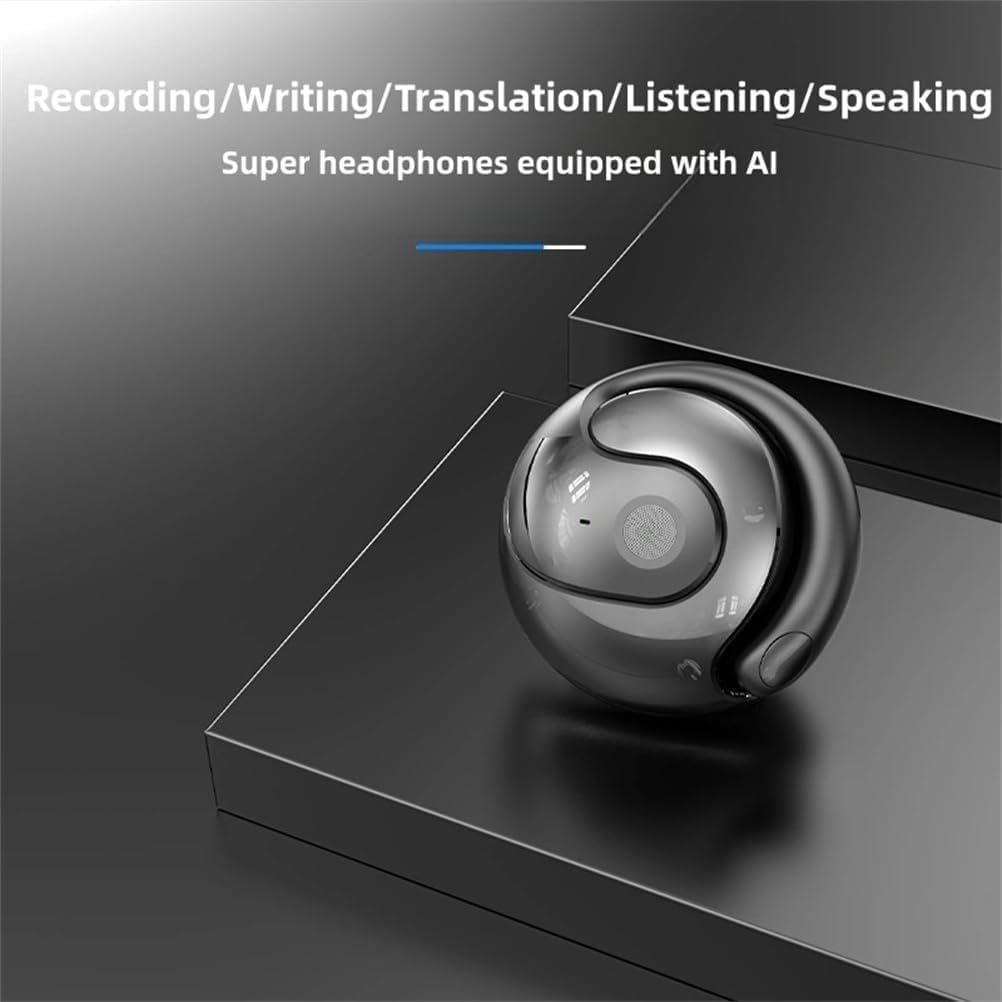
Изображение 4.3.1: The HY-T26 Pro supports multiple AI-powered functions including recording, writing, translation, listening, and speaking.
- AI-чат: Engage in conversations with the AI for information, assistance, or practice.
- Image Generation: Utilize AI to generate images based on text prompts.
- Simple Music Generation: Experiment with AI-assisted music creation.
4.4 Сценарии использования
The HY-T26 Pro earbuds are versatile for various communication needs:

Изображение 4.4.1: A collage illustrating various usage scenarios for the HY-T26 Pro earbuds, including video calls, business meetings, and personal communication.
5. Техническое обслуживание
5.1 Очистка
- Аккуратно протрите наушники и зарядный чехол мягкой, сухой, безворсовой тканью.
- Не используйте абразивные чистящие средства, растворители или аэрозольные распылители.
- Избегайте попадания влаги в отверстия.
5.2 Хранение
- Когда наушники не используются, храните их в зарядном футляре, чтобы защитить их и сохранить заряженными.
- Храните устройство в прохладном, сухом месте, вдали от прямых солнечных лучей и экстремальных температур.
5.3 Уход за аккумулятором
- Чтобы продлить срок службы аккумулятора, избегайте частой полной разрядки наушников и зарядного кейса.
- Регулярно заряжайте устройство, даже если оно не используется постоянно.
6. Поиск Неисправностей
If you encounter issues with your HY-T26 Pro earbuds, refer to the following common solutions:
| Проблема | Возможная причина | Решение |
|---|---|---|
| Наушники не сопрягаются | Low battery, out of range, pairing mode not active, previous connection issue. | Ensure earbuds are charged. Place them back in the case and take them out again. Ensure Bluetooth is on on your device. Forget "HY-T26 Pro" in your device's Bluetooth settings and try pairing again. |
| Нет звука или плохое качество звука | Volume too low, earbuds not properly seated, connection issues, dirty speaker mesh. | Increase volume on both earbuds and connected device. Re-seat earbuds. Reconnect Bluetooth. Clean speaker mesh gently. |
| Перевод не работает или неточен | App not connected, incorrect language settings, poor internet connection, background noise. | Ensure earbuds are connected to the AI app. Verify language settings. Check internet connection. Speak clearly in a quiet environment. |
| Зарядный кейс не заряжается | Неисправный кабель, проблема с источником питания, загрязненный зарядный порт. | Попробуйте другой кабель Type-C и адаптер питания. Убедитесь, что зарядный порт чистый и в нем нет мусора. |
7. Технические характеристики
Technical details for the HY-T26 Pro Smart Translator Earbuds:
| Особенность | Деталь |
|---|---|
| Название продукта | HY-T26 Pro Language Translator Earbuds |
| Бренд | Общий |
| Модель | HY-T26 Про |
| Версия Bluetooth | 5.4 |
| Расстояние передачи | 10 метра (33 фута) |
| Интерфейс зарядки | Тип-С |
| Емкость зарядного кейса | 300 мАч |
| Время зарядки | Примерно 1 час |
| Цвет | Черный |
8. Гарантия и поддержка
8.1 Информация о гарантии
Specific warranty details for the Generic HY-T26 Pro Smart Translator Earbuds are not provided in the product information. Please refer to the retailer's return policy or contact the seller directly for warranty terms and conditions. Information regarding spare parts availability and software update guarantees is also not available.
8.2 Поддержка клиентов
For further assistance or inquiries, please contact the seller or refer to the contact information provided with your purchase documentation.