
Введение
The VEMER TUO 4G-LTE thermostat provides advanced remote control and monitoring of your heating system. Featuring integrated 4G LTE connectivity, it allows operation even without a Wi-Fi connection, making it ideal for primary residences, secondary homes, offices, or environments without a fixed internet line. This smart chronothermostat offers security and comfort with intuitive app control and weekly programming capabilities.
It is compatible with boilers, heat pumps, and mixed heating systems, ensuring easy integration into various installations. The device is powered by 230V, designed for stability and reliability in heating control.
Настройка и установка
The VEMER TUO 4G thermostat is designed for straightforward installation and configuration. Follow these steps for initial setup:
- Источник питания: Connect the thermostat to a 230V power supply. This ensures stable and reliable operation within conventional electrical installations.
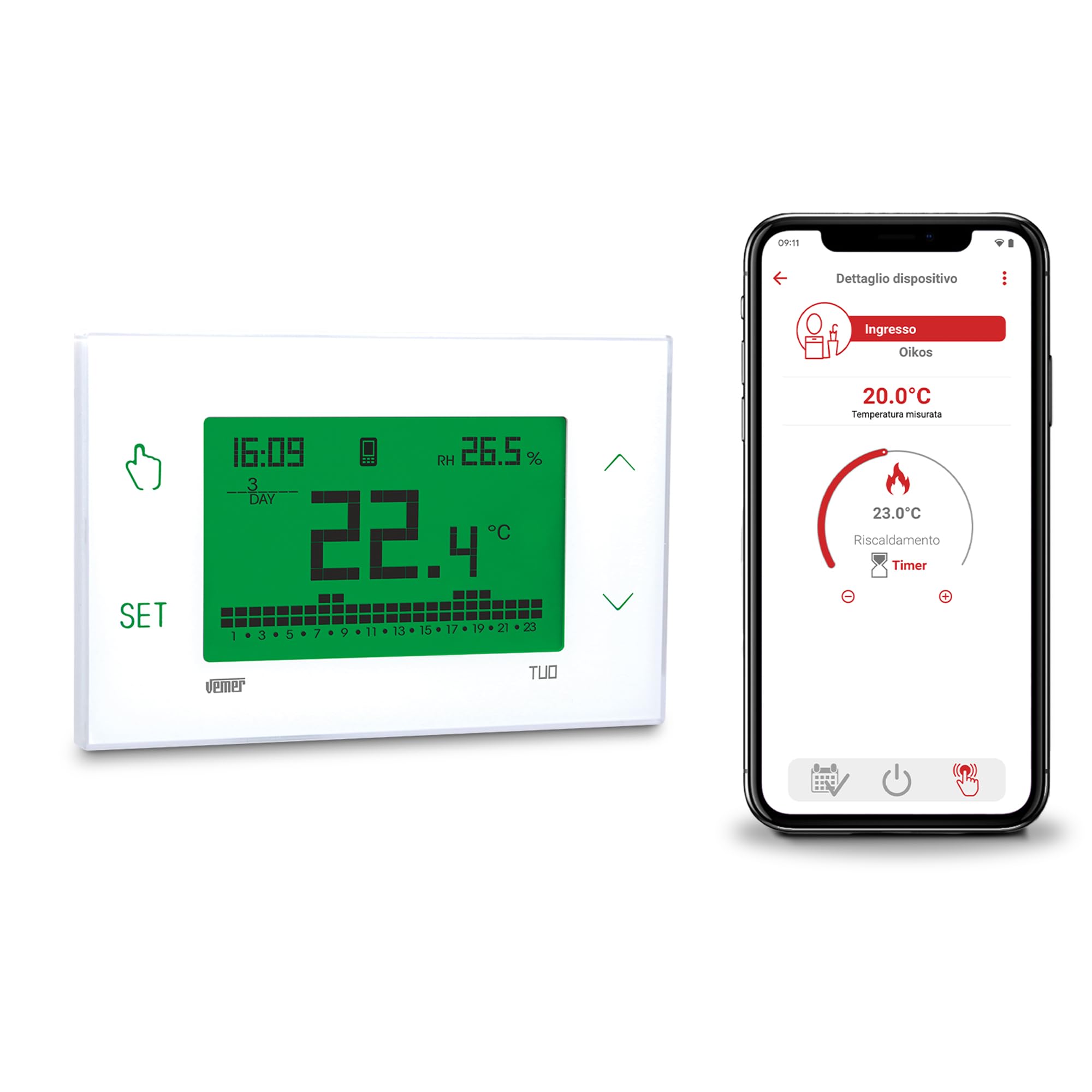
Изображение: Спереди view of the VEMER TUO 4G thermostat display, showing time, temperature, and programming indicators.
- Физическая установка: The thermostat can be easily installed on a wall or within a 503 flush-mounted box cover. Detailed installation instructions are provided in the included manual.

Image: The VEMER TUO 4G thermostat mounted on a wall in a modern living room setting.
- SIM-карта: The thermostat comes with a pre-installed SIM card, including 1 year of data traffic (for activations after 01-09-2025). No initial additional costs apply. After this period, you can renew your subscription via the app. Alternatively, you can remove the pre-installed SIM and insert a new one from a different mobile provider.
- Конфигурация приложения: Configuration is performed via the dedicated smartphone app (available for Android and iOS) using Bluetooth. This ensures a quick and simple setup process.

Image: A smartphone displaying the VEMER TUO 4G control app interface, showing temperature settings.
Инструкция по эксплуатации
The VEMER TUO 4G thermostat offers both local and remote control options for managing your heating system efficiently.
Удаленное управление через приложение
- Умное управление: Use the free smartphone app to manage and monitor your heating remotely. The app allows for intelligent and programmable control, including setting weekly schedules to optimize energy consumption.
- Еженедельное программирование: Configure detailed weekly programs to adapt heating to your household or business habits, ensuring comfort and energy savings.
Local Operation via Touch Screen
- Отображать: The large, multi-color backlit touch screen provides an elegant and simple interface. You can choose from 48 different display colors, or set it to vary between red, green, and blue based on the temperature deviation from the set point.
- Сенсорные клавиши: Four touch keys located on the sides of the screen allow for direct management, programming, and configuration of the chronothermostat.
- Местное управление: In case of temporary connectivity issues, the local operation feature enables full control of the thermostat directly from its keypad.
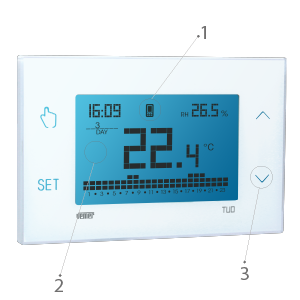
Image: Close-up of the VEMER TUO 4G thermostat display with labeled touch controls and screen elements.
Обслуживание
Regular maintenance ensures the longevity and optimal performance of your VEMER TUO 4G thermostat.
- Уборка: Аккуратно протрите дисплей и сasinпротрите мягкой сухой тканью. Избегайте использования абразивных чистящих средств или растворителей.
- Резервная батарея: The device includes a replaceable AAA NiMH backup battery. This battery allows the thermostat to send a notification in case of a power outage and retains the time until full discharge. Replace the battery as needed without disconnecting the main power supply.
- Обновление SIM-карты: If you are using the pre-installed SIM card, remember to renew your data subscription via the app after the initial 1-year period to maintain remote connectivity.
Поиск неисправностей
If you encounter issues with your VEMER TUO 4G thermostat, consider the following common solutions:
- Нет дисплея/питания:
- Check the 230V power supply connection.
- Ensure the backup battery is correctly installed and charged.
- Connectivity Issues (4G/App):
- Убедитесь, что SIM-карта активна и имеет действующий тарифный план для передачи данных.
- Check for local network coverage in your area.
- Ensure the thermostat is within Bluetooth range of your smartphone during initial app configuration.
- If remote control is unavailable, utilize the local operation feature directly from the thermostat's touch screen.
- Неправильные показания температуры:
- Убедитесь, что термостат не подвергается воздействию прямых солнечных лучей, сквозняков или источников тепла, которые могут повлиять на его внутренний датчик.
- Ошибки программирования:
- Review your weekly programming settings in the app or directly on the device.
- Refer to the detailed manual for specific programming steps.
For persistent issues, please contact VEMER technical support as described in the Support section.
Технические характеристики
| Особенность | Деталь |
|---|---|
| Бренд | ВЕМЕР |
| Название модели | TUO 4G |
| Номер модели | VE795800 |
| Тип контроллера | Управление приложениями |
| Особые возможности | Отображение температуры |
| Цвет | Белый |
| Product Specific Use | Air conditioner, Boiler, Oven, Heat pump |
| Тип контроля температуры | Программируемый, интеллектуальный/дистанционный |
| Технология связи | Bluetooth, LTE (4G) |
| Включенные компоненты | Data SIM card pre-installed in the chronothermostat |
| Источник питания | Проводной электрический |
| Томtage | 230 Вольт |
| Тип дисплея | ЖК-дисплей |
| Тип крепления | Настенное крепление |
| Подсветка | Да |
| Вес товара | 1 Килограмм |
| Страна происхождения | Италия |
Информация о гарантии
Specific warranty details for the VEMER VE795800 TUO 4G thermostat are typically provided with the product packaging or on the manufacturer's official webПожалуйста, ознакомьтесь с полными условиями гарантии на этом сайте.
Техническая поддержка
For any technical issues or assistance with your VEMER TUO 4G thermostat, VEMER technical support is available. You can contact them by sending an email to:
Please include your product model number (VE795800) and a detailed description of the issue when contacting support.