
1. Введение
The MiBOXER K3S Rotating Wheel Remote provides intuitive control over LED lighting systems, allowing for precise adjustment of both color temperature and brightness. Utilizing 2.4GHz wireless technology, this remote ensures stable and responsive operation. Its ergonomic design facilitates easy handling and accurate adjustments, making it suitable for various lighting applications.
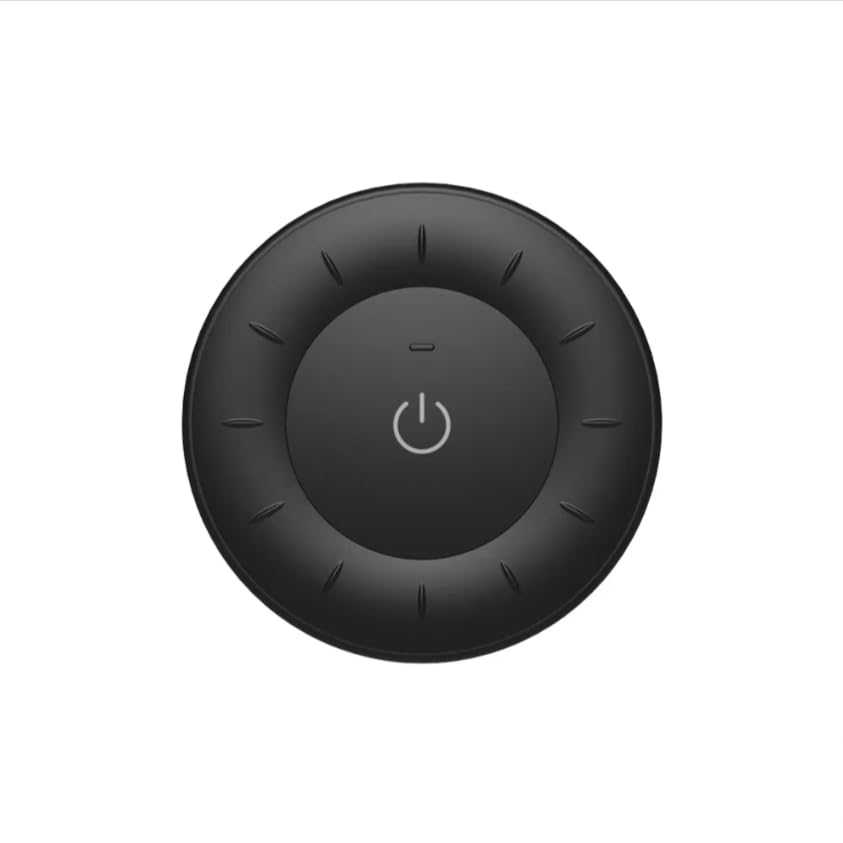
Image 1.1: MiBOXER K3S Rotating Wheel Remote (Black)
This image displays the MiBOXER K3S remote control in black, highlighting its circular design and central power button.
2. Особенности продукта
- Регулируемая яркость и цветовая температура: Allows fine-tuning of lighting intensity and warmth.
- Конструкция вращающегося колеса: Provides smooth and intuitive control for easy adjustments.
- Беспроводная технология 2.4 ГГц: Ensures stable, interference-free connectivity with compatible devices.
- Эргономичный дизайн: Удобно держать в руке и использовать.
- Multi-Environment Compatibility: Suitable for various settings including homes, offices, and commercial spaces.
3. Содержимое упаковки
После вскрытия упаковки убедитесь в наличии всех компонентов:
- MiBOXER K3S Пульт дистанционного управления с вращающимся колесом
- Руководство пользователя
Note: CR2032 battery is purchased separately and is not included in the package.
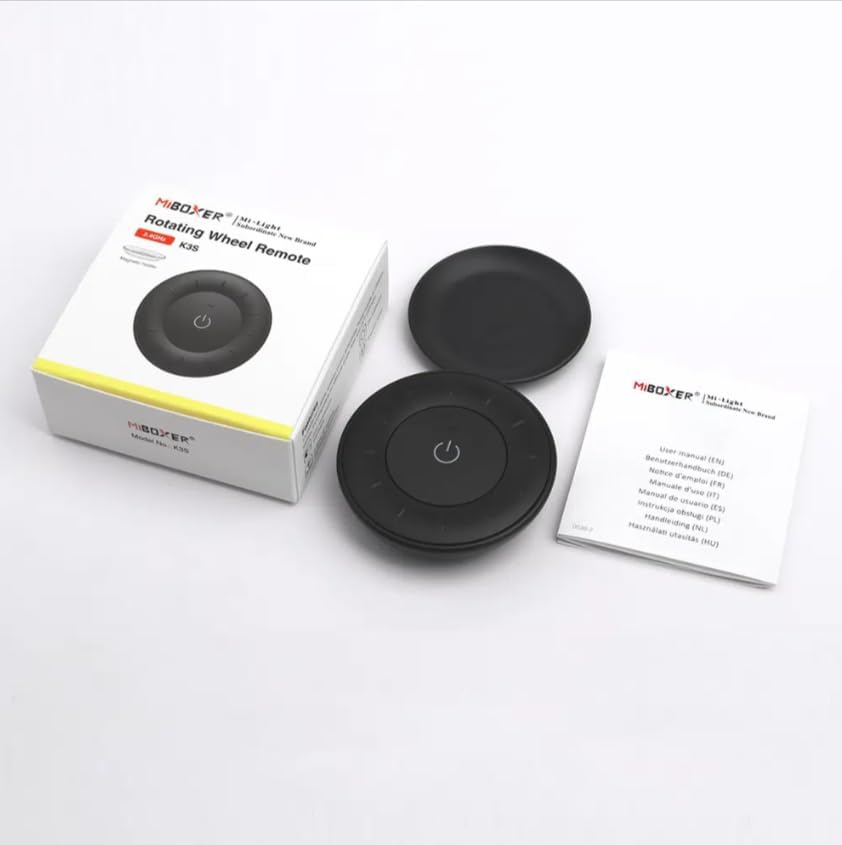
Изображение 3.1: Содержимое упаковки.view
This image shows the MiBOXER K3S remote, its packaging box, and the included user manual, laid out on a surface.
4. Схема продукта

Image 4.1: Remote Control Components
This diagram illustrates the main components of the MiBOXER K3S remote, including the ON/OFF button, brightness/color temperature rotating wheel, and the battery compartment with Link/Unlink button.
- Кнопка ВКЛ/ВЫКЛ: Central button to power the connected light on or off.
- Brightness / Color Temperature Rotating Wheel: The outer ring used to adjust brightness by default. Long press the ON/OFF button for 3 seconds to switch to color temperature adjustment mode.
- Link / Unlink Button: Located inside the battery compartment, used for pairing the remote with compatible lighting devices.
5. Настройка
5.1 Установка аккумулятора
- Найдите батарейный отсек на задней стороне пульта дистанционного управления.
- Откройте крышку батарейного отсека.
- Вставьте одну батарею CR2032, соблюдая правильную полярность (+/-).
- Плотно закройте крышку батарейного отсека.
Image 5.1: Battery Installation Area
This image shows the underside of the remote, indicating the location for the CR2032 battery and the Link/Unlink button.
5.2 Linking / Unlinking the Remote
The K3S remote uses 2.4GHz RF wireless technology to communicate with compatible MiBOXER lighting devices.
Linking Procedure:
- Ensure the light fixture you wish to control is powered off.
- Power on the light fixture.
- Within 3 seconds of powering on the light, press the "Link/Unlink" button (located inside the battery compartment) on the K3S remote три раза.
- Индикатор должен медленно мигнуть три раза, указывая на успешное соединение.
Unlinking Procedure:
- Ensure the light fixture you wish to unlink is powered off.
- Power on the light fixture.
- Within 3 seconds of powering on the light, press the "Link/Unlink" button (located inside the battery compartment) on the K3S remote пять раз.
- Индикатор должен быстро мигнуть десять раз, указывая на успешное разъединение.
6. Инструкция по эксплуатации
6.1 Включение/выключение питания
- Нажмите центральную ⏻ (ON/OFF) button once to turn the connected light on or off.
6.2 Регулировка яркости
- By default, rotating the outer wheel adjusts the brightness of the light.
- Поверните по часовой стрелке, чтобы увеличить яркость.
- Rotate counter-clockwise to decrease brightness.
6.3 Регулировка цветовой температуры
- To switch to color temperature adjustment mode, долгое нажатие the central ⏻ (ON/OFF) button for 3 seconds.
- Once in color temperature mode, rotate the outer wheel to adjust the color temperature.
- Rotate clockwise for cooler (bluer) light.
- Rotate counter-clockwise for warmer (yellower) light.
- To switch back to brightness adjustment, long press the ⏻ (ON/OFF) button for another 3 seconds.
7. Технические характеристики
| Название модели | К3С |
| Бренд | МиБОКСЕР |
| Технология связи | Беспроводная связь 2.4 ГГц |
| Тип управления | Яркость, цветовая температура |
| Максимальный диапазон | 30 метра |
| Тип батареи | CR2032 (purchased separately) |
| Размеры (диаметр x высота) | Ø60mm x 15mm (approx.) |
| Weight (Gross Weight per box) | 0.05 KGS (approx.) |

Image 7.1: Remote Control Dimensions
This diagram provides the physical dimensions of the MiBOXER K3S remote, showing a diameter of 60mm and a thickness of 15mm (or 19.5mm with the base).
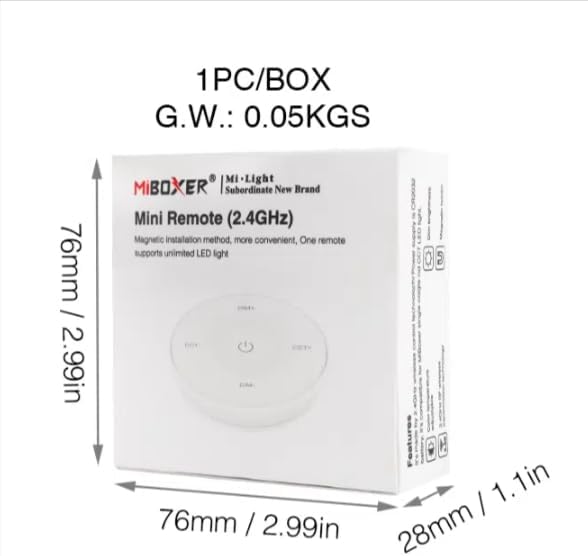
Image 7.2: Packaging Dimensions
This image displays the dimensions of the product packaging, indicating it is 76mm x 76mm x 28mm with a gross weight of 0.05 KGS.
8. Техническое обслуживание
- Поддерживайте чистоту пульта дистанционного управления, протирая его мягкой сухой тканью.
- Avoid exposing the remote to moisture, extreme temperatures, or direct sunlight.
- If the remote is not used for an extended period, remove the battery to prevent leakage.
- Replace the battery when the remote's performance degrades or it stops responding.
9. Поиск Неисправностей
| Проблема | Возможная причина | Решение |
|---|---|---|
| Удаленный не отвечает | Низкий или разряженный аккумулятор | Замените батарею CR2032. |
| Light not linking | Incorrect linking procedure or light not compatible | Ensure the light is powered on within 3 seconds of pressing the link button. Verify light compatibility with MiBOXER 2.4G RF remotes. |
| Ограниченный диапазон | Препятствия или помехи | Reduce distance between remote and light. Remove obstructions. Avoid areas with strong 2.4GHz interference. |
| Brightness/Color Temp adjustment not working | Пульт в неправильном режиме | Long press the ON/OFF button for 3 seconds to switch between brightness and color temperature adjustment modes. |
10. Гарантия и поддержка
The product comes with a manufacturer's warranty. For specific warranty details and duration, please refer to the documentation included with your purchase or contact MiBOXER customer support.
For technical support or inquiries, please visit the official MiBOXER webсайте или обратитесь в их отдел обслуживания клиентов.
Производитель: Мибоксер