
1. Введение
This manual provides comprehensive instructions for the operation and maintenance of your Symcode MJ-2023 Upgraded 2D Industrial Barcode Scanner. Please read this manual thoroughly before use to ensure proper functionality and to maximize the lifespan of your device.
Основные характеристики:
- Unique Designed Screen: 1.9-inch TFT Color LCD Screen displays barcode content, type, number, length, battery power, and transmission status in real-time.
- Switchable Storage Modes: Easily toggle between Storage mode (stores up to 10,000 codes for later upload) and Normal mode (direct transmission to PC).
- High-Resolution Industrial Scan Engine: Equipped with a 1-megapixel optical lens for swift and accurate reading of various printed and screen-displayed barcodes, even if damaged or poorly printed.
- Exceptional Signal Range: 433MHz RF wireless transmission up to 1968 feet (600 meters) in unobstructed environments and 656 feet (200 meters) with obstacles.
- Беспроводная зарядка: Convenient wireless charging by placing the scanner on its stand.
- Широкая совместимость: Compatible with Windows, Mac OS, iOS, Android, and software like QuickBooks, Word, Excel.
- Прочная конструкция: Shock and dust proof, designed to withstand multiple drops from 8 feet (2.5 meters).
2. Настройка
Содержимое упаковки:
- Symcode MJ-2023 Barcode Scanner
- Зарядная подставка
- Charging Cord (USB Cable)
- Руководство пользователя (этот документ)
Зарядка сканера:
Place the scanner onto the charging cradle. The scanner supports wireless charging. Ensure the charging cradle is connected to a power source via the provided USB cable. A full charge takes approximately 2.5 hours and provides up to 30 hours of battery life.

Figure 2.1: Symcode MJ-2023 Barcode Scanner in its charging cradle, ready for use or charging.
Режимы подключения:
The Symcode MJ-2023 offers multiple connection options for versatility:
- Беспроводная связь 433 МГц: Connects via the charging base, which has a built-in 433MHz wireless receiver. This mode offers an extended transmission range, ideal for large warehouses.
- Bluetooth: Connects directly to Bluetooth-enabled devices like laptops, tablets, or smartphones.
- Проводной USB: Connects directly to a computer via the USB cable for a stable, direct connection.

Figure 2.2: Illustration of the two primary connection modes: 433MHz wireless via the charging base and direct Bluetooth connection.

Figure 2.3: Transmission range comparison: Bluetooth (15m/49ft interior) and 433MHz Wireless (600m/1968ft outdoor).
3. Инструкция по эксплуатации
Basic Scanning Operation:
To scan a barcode, aim the scanner's light at the barcode and press the trigger button. The scanner will emit a beep and the display screen will show the scanned data.
Display Screen Functionality:
The 1.9-inch TFT color LCD screen provides real-time feedback on your scanning activities and scanner status.

Рисунок 3.1: Крупный план view of the scanner's display screen.
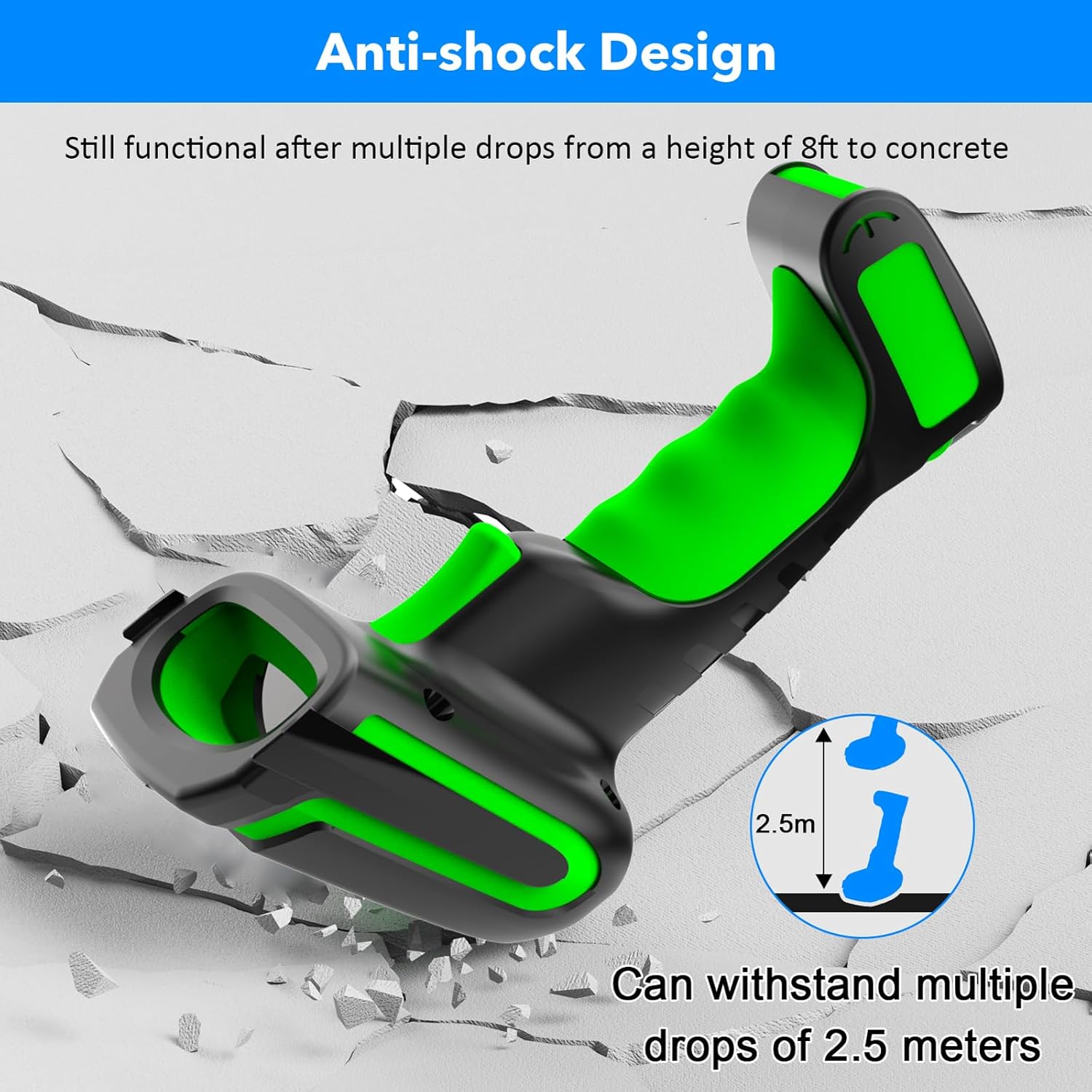
Figure 3.2: Explanation of display screen elements: 1. Time, 2. Connection status, 3. Connection mode, 4. Electricity level, 5. Store (scanned items in storage), 6. Total (total scanned items).
Storage vs. Normal Mode:
A toggle switch allows you to select between two operational modes:
- Режим хранения: When set to 'Storage', the scanner saves scanned barcodes internally. This is useful when working away from a computer. Data can be uploaded later. The scanner can store up to 10,000 codes.
- Нормальный режим: When set to 'Normal', scanned barcodes are transmitted directly to the connected computer or device in real-time.

Figure 3.3: Illustration of Storage mode (offline saving) and Normal mode (direct transfer).
Поддерживаемые типы штрихкодов:
Сканер поддерживает широкий спектр одномерных и двухмерных символов штрихкодов, включая:
- 1D: UPC/EAN, UPC/EAN with Supplemental, UCC/EAN 128, Code 39, Code 39 Full ASCII, Trioptic Code 39, Code 128 Full ASCII, Codabar, Interleaved 2 of 5, Discrete 2 of 5, Code 93, MSI, Code 11, RSS variants, Chinese 2 of 5.
- 2D: PDF417, QR Code, Data Matrix.
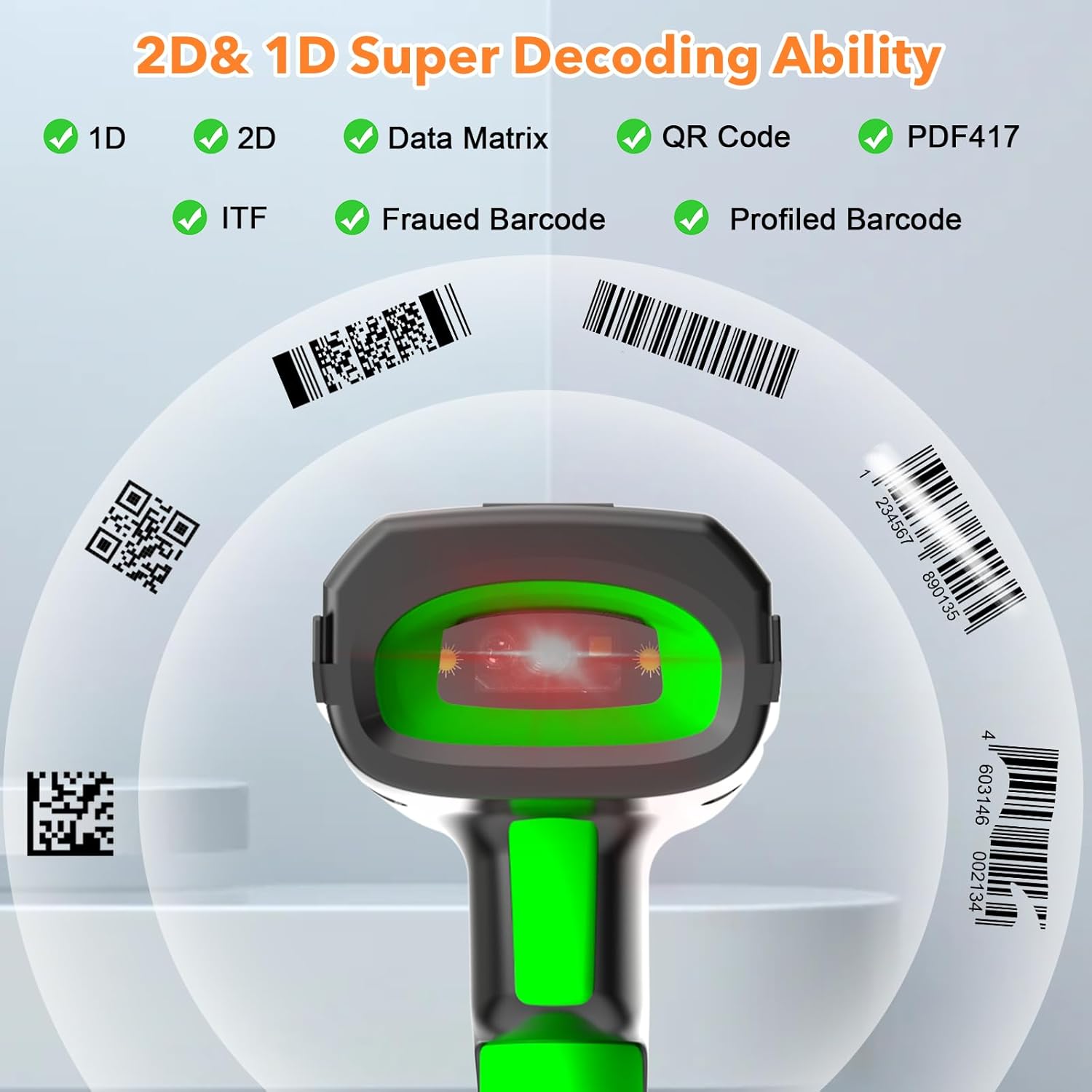
Figure 3.4: The scanner's super decoding ability for 1D and 2D barcodes.
Параметры конфигурации:
The barcode reader offers over 180 configuration options. These allow you to customize the scanning output, such as adding prefixes or suffixes to scanned data, deleting starting or ending characters, or even adding keyboard keys/combinations to the scanning operation. Refer to the detailed configuration guide (if provided separately) for advanced settings.
4. Техническое обслуживание
Уборка:
Для чистки сканера используйте мягкую тряпку.amp cloth. Do not use abrasive cleaners or solvents, as these can damage the device. Ensure the scanner is powered off before cleaning.
Уход батареи:
The scanner is equipped with a 2600 mAh high-capacity rechargeable Lithium Polymer battery. To prolong battery life:
- Избегайте частой полной разрядки аккумулятора.
- Если сканер не используется в течение длительного времени, храните его в прохладном, сухом месте.
- Регулярно заряжайте аккумулятор, даже если он не используется постоянно.

Figure 4.1: Battery specifications: 2600mAh capacity, 4 hours charging time, 30 hours scanning time.
Прочность:
The Symcode MJ-2023 is designed with an anti-shock construction, allowing it to withstand multiple drops from a height of 8 feet (2.5 meters) onto concrete surfaces, ensuring reliability in demanding environments.

Figure 4.2: Anti-shock design demonstration.
5. Поиск Неисправностей
Распространенные проблемы и решения:
- Сканер не включается: Ensure the battery is charged. Place the scanner on the charging cradle or connect via USB cable.
- Scanner not connecting to device:
- For 433MHz wireless: Ensure the charging cradle is properly connected to your computer and the scanner is within range.
- For Bluetooth: Ensure Bluetooth is enabled on your device and the scanner is in pairing mode. Re-pair if necessary.
- For USB wired: Ensure the USB cable is securely connected to both the scanner and your computer.
- Сканер не считывает штрихкоды:
- Убедитесь, что штрих-код чистый и не имеет существенных повреждений.
- Проверьте, поддерживается ли сканер данным типом штрихкода.
- Отрегулируйте расстояние и угол наклона сканера относительно штрихкода.
- Verify the scanner is in the correct operating mode (Normal or Storage).
- Отсканированные данные неверны или неполны: Check the scanner's configuration settings (e.g., prefix/suffix, data formatting). Reset to factory defaults if necessary (refer to the detailed configuration guide).
6. Технические характеристики
| Особенность | Спецификация |
|---|---|
| Номер модели | МДж-2023 |
| Vol входtage | DC5В±0.25В |
| Текущая работа | 25 мА |
| Текущий (мгновенный) | 95 мА |
| Скорость декодирования | 100 раз / сек |
| Диапазон беспроводной связи (433 МГц) | Up to 600m (1968ft) unobstructed, 200m (656ft) with obstacles |
| Радиус действия беспроводной связи (Bluetooth) | До 15 м (49 фута) |
| Тип батареи | Литий-полимерный |
| Емкость аккумулятора | 2600 мАч |
| Время зарядки | 2.5 часов |
| Срок службы батареи | 30 часов |
| Экран дисплея | 1.9-дюймовый цветной TFT-ЖК-дисплей |
| Поддерживаемые ОС | Windows, Mac OS, iOS, Android, Linux |
| Размеры (упаковка) | 9.65 x 4.96 x 4.06 дюйма |
| Вес товара | 1.43 фунта |
7. Информация о гарантии
The Symcode MJ-2023 Barcode Scanner is covered by the manufacturer's standard warranty. Please refer to the warranty card included in your product packaging or contact Symcode customer support for specific details regarding warranty terms and conditions.
8 Поддержка
For technical assistance, troubleshooting beyond this manual, or general inquiries, please contact Symcode customer support. Contact information can typically be found on the Symcode official webсайте или на упаковке продукта.