
ETOE A1222
ETOE Starfish 720P Projector User Manual (Model A1222)
Ваше руководство по настройке, эксплуатации и обслуживанию
1. Введение
Welcome to the ETOE Starfish 720P Projector user manual. This guide provides essential information for setting up, operating, and maintaining your projector. The ETOE Starfish projector offers a native 720P resolution with 300 ANSI lumens, a built-in Google Android system for streaming, and features like 140-degree rotation, auto keystone correction, and dual-band Wi-Fi connectivity. Please read this manual thoroughly before using your device to ensure optimal performance and longevity.
2. Что в коробке
Carefully unpack your ETOE Starfish projector and ensure all items are present:
- Проектор
- Адаптер
- Руководство пользователя
- Дистанционное управление
- Шнур питания
3. Продукт закончилсяview
Familiarize yourself with the main components and features of your ETOE Starfish projector.

Изображение: Спереди view of the ETOE Starfish Projector, showcasing его компактный и современный дизайн.
3.1 Порты и соединения
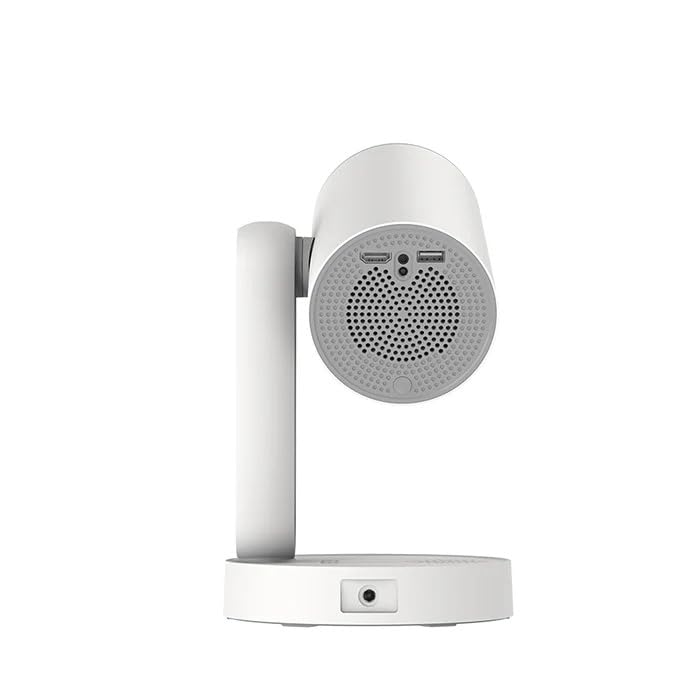
Изображение: сбоку view of the ETOE Starfish Projector, highlighting its connectivity ports including USB and HDMI.
Проектор оснащен различными портами для подключения:
- Порт HDMI: For connecting external devices like gaming consoles, Blu-ray players, or laptops.
- USB-порт: Для подключения USB-накопителей для воспроизведения медиафайлов files.
- Потребляемая мощность: Для подключения адаптера питания.
3.2.Основные характеристики
- Вращение на 140°: The projector head can be rotated up to 140 degrees for flexible projection angles, including ceiling projection.
- Touch-controlled Ambient Light: A customizable seven-color night light feature with adjustable brightness and color temperature.
- Built-in Google Android System: Access popular streaming services like Netflix, YouTube, and Prime Video directly.
- Автоматическая коррекция трапецеидальных искажений: Automatically adjusts the image for a perfectly rectangular display.
- Двухдиапазонный Wi-Fi: Supports 2.4G and 5G Wi-Fi for stable wireless connectivity.
- Низкий уровень шума при работе: Designed for quiet performance, operating at approximately 24.5 dB.
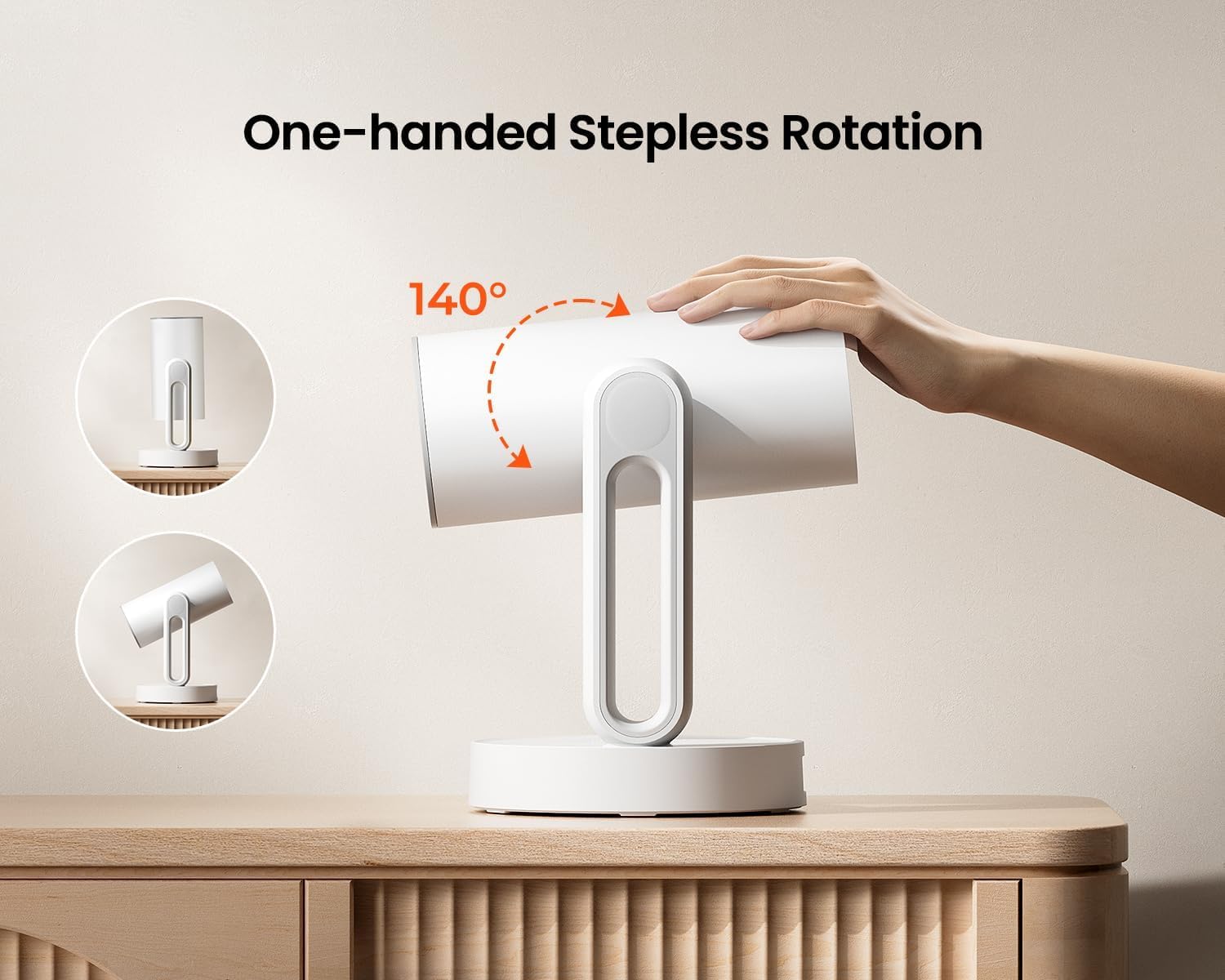
Image: The ETOE Starfish Projector shown rotating 140 degrees, illustrating its flexible projection capabilities.

Image: The ETOE Starfish Projector displaying its touch-controlled ambient light feature with various color options.
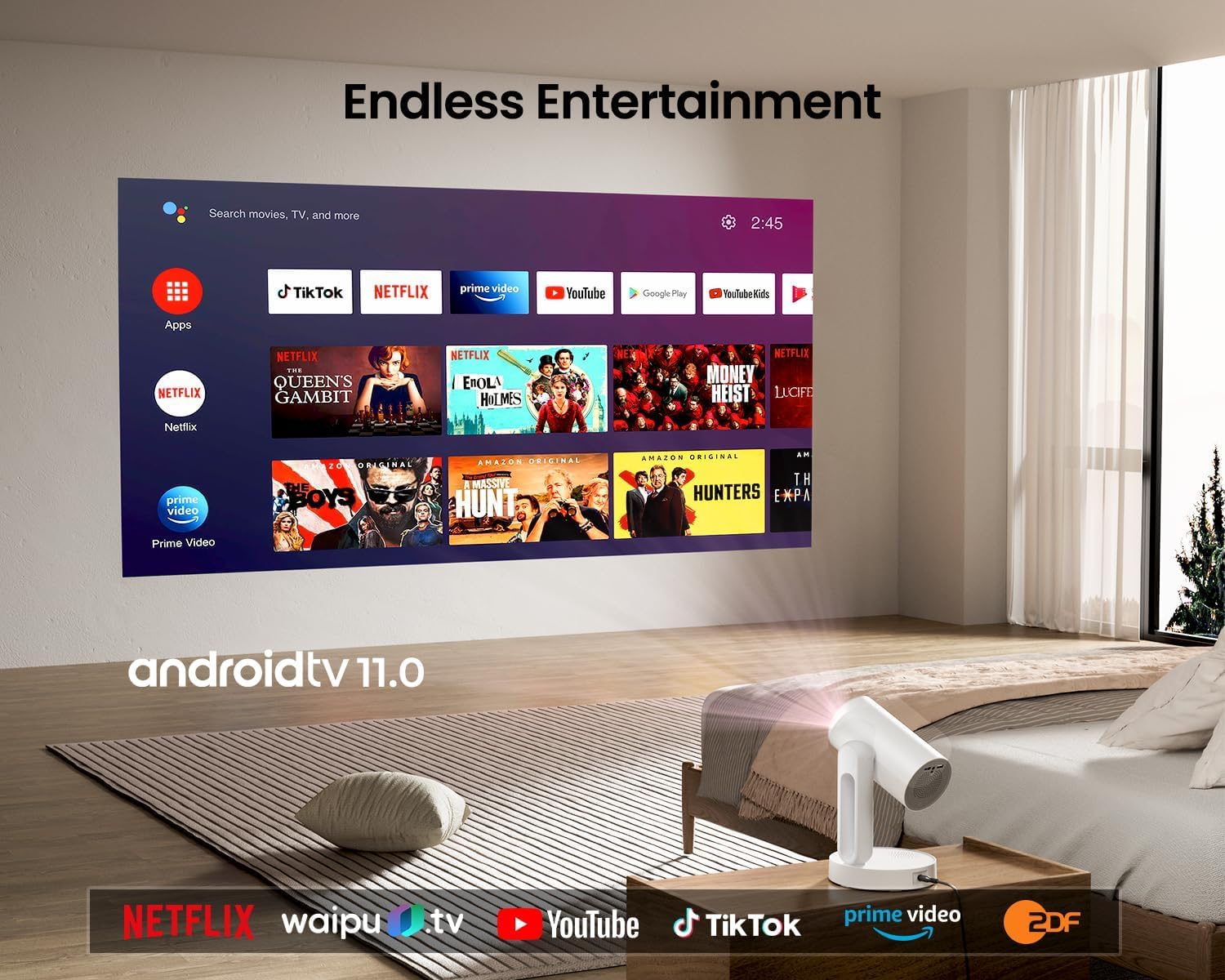
Image: The ETOE Starfish Projector displaying the Android TV interface, showing various streaming applications like Netflix, YouTube, and Prime Video.

Image: The ETOE Starfish Projector automatically correcting a distorted image to a perfect rectangle.

Image: Illustration comparing the low noise level of the ETOE Starfish Projector (24.5 dB) to common sounds.
4. Настройка
4.1. Подключение питания
- Connect the power cord to the adaptor.
- Plug the adaptor into the projector's power input port.
- Вставьте другой конец шнура питания в настенную розетку.
4.2 Первоначальное размещение
Установите проектор на устойчивую ровную поверхность. Для оптимального качества изображения viewing, ensure the projection surface (wall or screen) is clean and smooth. The 140° rotation feature allows for flexible positioning, including ceiling projection.
4.3. Настройка дистанционного управления
Вставьте две батарейки типа ААА (не входят в комплект) в пульт дистанционного управления, соблюдая полярность.
4.4. First Boot and Network Connection
- Нажмите кнопку питания на проекторе или пульте дистанционного управления, чтобы включить его.
- Follow the on-screen instructions for the initial Google Android system setup. This will include language selection and connecting to a Wi-Fi network.
- Select your preferred 2.4G or 5G Wi-Fi network and enter the password.
5. Инструкция по эксплуатации
5.1. Основные операции
- Включение/выключение питания: Нажмите кнопку питания на пульте дистанционного управления или проекторе.
- Навигация: Use the directional buttons on the remote to navigate the Android interface.
- Регулятор громкости: Воспользуйтесь кнопками регулировки громкости на пульте дистанционного управления.
5.2.Регулировка изображения
- Цифровой фокус: Adjust the image clarity using the focus controls on the remote or through the settings menu.
- Автоматическая коррекция трапецеидальных искажений: The projector automatically corrects trapezoidal distortion. If manual adjustment is needed, access it via the settings.
- Цифровой зум: Adjust the image size from 50% to 100% without moving the projector, accessible in the settings menu.
- Вращение на 140°: Physically rotate the projector head to project onto different surfaces, including ceilings. The auto keystone will adjust the image accordingly.

Image: The ETOE Starfish Projector projecting content onto a ceiling, demonstrating its versatility for different viewing angles, with a smartphone mirroring content.
5.3. Smart System Features
- Приложения для потоковой передачи данных: Access pre-installed apps like Netflix, YouTube, and Prime Video. Ensure you are logged into your respective accounts.
- Google Ассистент: Use voice commands via the remote control for navigation, content search, and system control.
- Встроенный Chromecast: Cast content directly from compatible Android, iOS, and PC devices to the projector. Ensure both devices are on the same Wi-Fi network.
5.4. Ambient Light Function
The projector features a touch-controlled ambient light. Touch the designated area on the projector to cycle through seven colors, adjust brightness, and change color temperature to create your desired atmosphere.
6. Техническое обслуживание
Правильное обслуживание гарантирует долговечность и оптимальную производительность вашего проектора.
- Чистка линз: Аккуратно протрите линзы проектора мягкой безворсовой тканью, специально предназначенной для оптических линз. Избегайте использования абразивных материалов и едких химикатов.
- Защита от пыли: The ETOE Starfish features a fully sealed optical engine designed to protect against dust ingress, minimizing the need for internal cleaning.
- Генеральная уборка: Протирайте внешнюю поверхность проектора мягкой сухой тканью. Не используйте жидкие чистящие средства непосредственно на устройстве.
- Хранилище: Если проектор не используется в течение длительного времени, храните его в прохладном, сухом месте, вдали от прямых солнечных лучей и экстремальных температур.
7. Поиск Неисправностей
Если у вас возникли проблемы с проектором, ознакомьтесь со следующими распространенными проблемами и решениями:
| Проблема | Возможная причина | Решение |
|---|---|---|
| Проектор не включается. | Шнур питания подключен неправильно; проблема с розеткой. | Ensure power cord is securely connected to both projector and outlet. Test outlet with another device. |
| Изображение не отображается. | Input source incorrect; external device not connected; projector in standby. | Check input source settings. Ensure HDMI/USB devices are connected and powered on. Wake projector from standby. |
| Изображение размыто. | Фокусировка не отрегулирована; проектор расположен слишком близко/далеко от экрана. | Adjust digital focus using the remote. Ensure optimal projection distance. |
| Изображение искажено (не прямоугольное). | Требуется коррекция трапецеидальных искажений. | The projector has auto keystone. If manual adjustment is required, access it in the settings menu. |
| Ни звука. | Volume too low; external audio device issue; mute enabled. | Increase volume. Check external audio connections. Disable mute. |
| Проблемы с подключением к Wi-Fi. | Неверный пароль; маршрутизатор находится слишком далеко; помехи в сети. | Re-enter Wi-Fi password. Move projector closer to router. Restart router. |
| Пульт дистанционного управления не работает. | Batteries low/dead; line of sight blocked. | Replace batteries. Ensure no obstructions between remote and projector. |
8. Технические характеристики
Detailed technical specifications for the ETOE Starfish 720P Projector (Model A1222).
| Бренд | ЭТОЭ |
| Модель | А1222 |
| Производитель | JVDN International |
| Размеры продукта | 61 х 48 х 43 см |
| Вес товара | 3 кг |
| Тип дисплея | ЖК-дисплей |
| Яркость изображения | 300 ANSI Lumens |
| Коэффициент контрастности изображения | 3000:1 |
| Соотношение сторон | 16:9 |
| Собственное разрешение | 1280 х 720 |
| Томtage | 240 Вольт |
| Ватtage | 5 Вт |
| Частота обновления | 60 Гц |
| Технология связи | Wi-Fi (2.4 ГГц и 5 ГГц) |
| аппаратный интерфейс | HDMI, USB |
| Совместимые устройства | Smartphones (Android & iOS), Gaming Consoles, Blu-ray Players, Media Players |
| Особые возможности | Digital Focus, Portable, Wireless, Auto Keystone, 140° Rotation, Built-in Android System, Ambient Light |
| Тип крепления | Настольное крепление |
9. Гарантия и поддержка
9.1. Информация о гарантии
The ETOE Starfish Projector is manufactured by JVDN International. For specific warranty terms and conditions, please refer to the warranty card included with your product or contact the manufacturer directly. Keep your purchase receipt as proof of purchase for warranty claims.
9.2. Поддержка клиентов
For technical assistance, troubleshooting not covered in this manual, or warranty inquiries, please contact JVDN International customer support:
- Контактное лицо: JAYESH KUMAR JAGETIYA
- Телефон: +91 91361 87951
- Электронная почта: jayesh@jvdninternational.com
- Адрес: B-1122 Sun Westbank, Ashram Road, Ahmedabad, Gujarat, India, 380009
Ask a question about this manual
Ask about setup, troubleshooting, compatibility, parts, safety, or missing instructions. Manuals+ will review the question and use this page’s manual context to help answer it.