
Введение
This manual provides essential information for the safe and effective use of your DOSS Extreme Boom Pro D100 Bluetooth Speaker. Please read it thoroughly before operating the device and retain it for future reference.
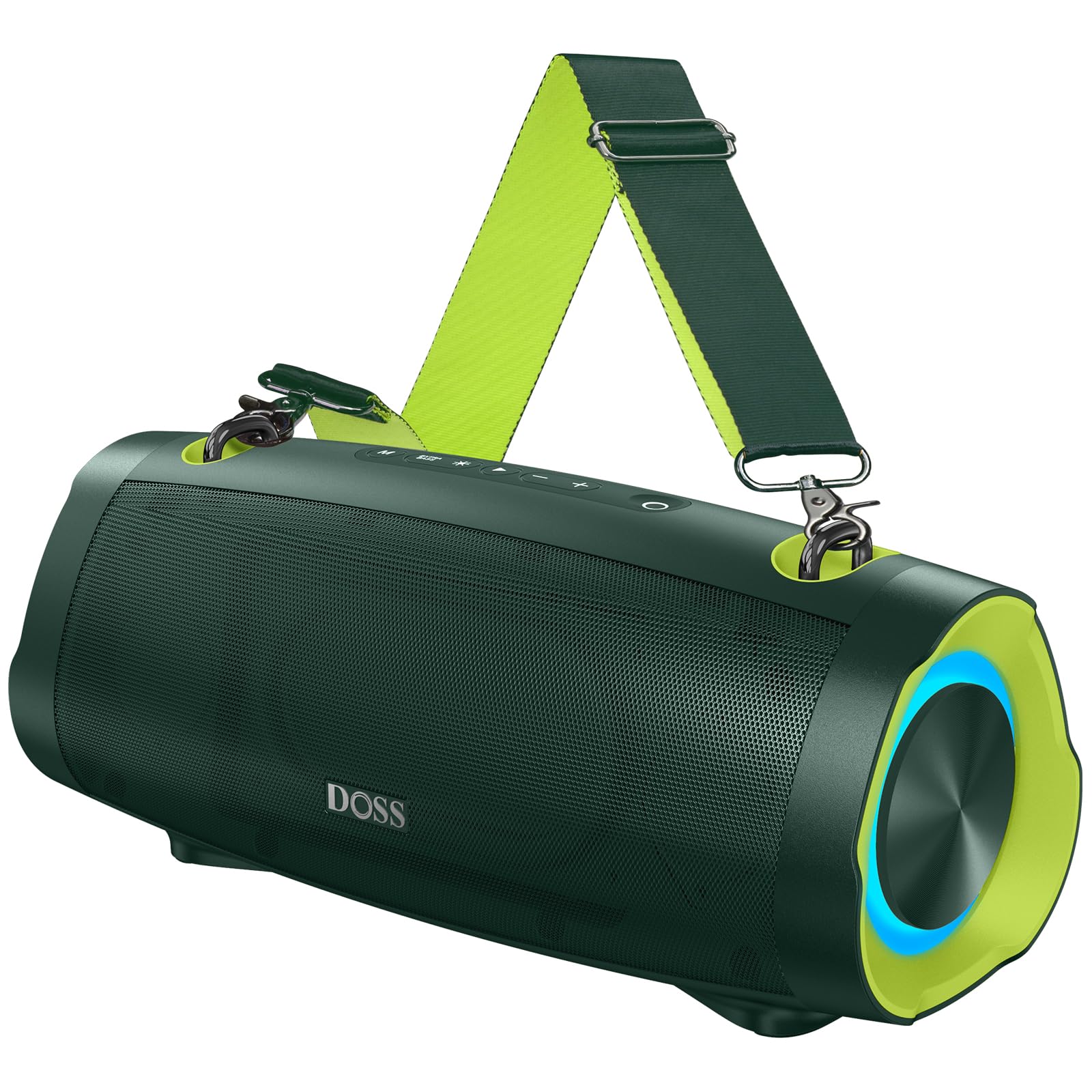
Изображение: Bluetooth-колонка DOSS Extreme Boom Pro D100, демонстрацияasinг его прочная конструкция.
Характеристики продукта
- Мощный звук: Experience 70W of bold sound (140W Peak) with a 40W full-range driver and two 15W tweeters, enhanced by three advanced DSP technologies.
- Улучшенный бас: Dual passive radiators provide deeper bass with a dedicated Extra Bass button.
- Портативная конструкция: Features a durable, adjustable, and detachable shoulder strap for easy transport.
- Настоящее беспроводное стерео (TWS): Connect two speakers wirelessly for an immersive stereo sound experience.
- Расширенное время воспроизведения: До 24 XNUMX часов работы от батареи.
- Встроенный внешний аккумулятор: Charge your devices directly from the speaker.
- IPX6 Водонепроницаемость: Designed to withstand water splashes and jets.
- Динамическое световое шоу: Integrated lights synchronize with music rhythm.
Что в коробке?
Пожалуйста, проверьте содержимое вашей посылки:
- Беспроводная колонка DOSS Extreme Boom Pro D100
- Зарядный кабель USB-C
- Вспомогательный аудиокабель
- Съемный плечевой ремень
- Руководство пользователя
Продукт болееview
Ознакомьтесь с элементами управления и разъемами акустической системы.

Image: Top panel controls including Power, Volume, Play/Pause, Mode, Extra Bass, and Light buttons.

Изображение: взорванный view illustrating the internal speaker components, including the full-range driver and tweeters.
Настройка и эксплуатация
1. Включение/выключение питания
Нажмите и удерживайте кнопку питания (OНажмите и удерживайте в течение 2 секунд, чтобы включить или выключить динамик.
2. Сопряжение по Bluetooth
To connect your DOSS Extreme Boom Pro D100 to a Bluetooth device:
- Включите колонку. Она автоматически перейдет в режим сопряжения Bluetooth, о чем будет свидетельствовать мигающий синий светодиод.
- На вашем устройстве (смартфоне, планшете и т. д.) включите Bluetooth и выполните поиск доступных устройств.
- Select "Extreme Boom Pro D100" from the list. A confirmation sound indicates successful pairing.
Video: Demonstrates how to power on the speaker and connect it via Bluetooth to a mobile device.
3. Сопряжение беспроводных стереонаушников (TWS)
For an enhanced stereo experience, you can pair two DOSS Extreme Boom Pro D100 speakers:
- Убедитесь, что оба динамика включены и не подключены ни к одному устройству Bluetooth.
- On one speaker (this will be your main speaker), press and hold the 'Extra Bass' button until you hear a prompt. The LED on the main speaker will flash slowly.
- On the second speaker, press and hold the 'Extra Bass' button. The LED on the second speaker will flash quickly.
- The speakers will automatically connect to each other. A confirmation sound will indicate successful TWS pairing. The main speaker's LED will flash slowly, and the second speaker's LED will be solid.
- Connect your device to the main speaker via Bluetooth as described in the Bluetooth Pairing section.
Video: Illustrates the steps for pairing two DOSS Extreme Boom Pro D100 speakers for True Wireless Stereo sound.

Image: Two DOSS Extreme Boom Pro D100 speakers positioned for a True Wireless Stereo setup.
4. Регулятор громкости
Нажмите кнопку «+», чтобы увеличить громкость, и кнопку «-», чтобы уменьшить громкость.
5. Extra Bass Function
Press the 'Extra Bass' button to activate or deactivate the enhanced bass mode.
Video: Shows how to activate the Extra Bass feature on the speaker.
6. Dynamic Light Show
Нажмите кнопку «Свет» (※) to cycle through different light modes or turn the lights off.
Video: Demonstrates how to change the dynamic light modes on the speaker.

Image: The speaker displaying its dynamic light show in an outdoor setting.
7. Auto-Power Off Function
The speaker has an auto-power off feature to conserve battery. You can activate or deactivate this function:
- Press and hold the 'M' (Mode) button and the 'Power' button simultaneously.
- If the LED flashes red, auto-power off is removed (deactivated).
- If the LED flashes green, auto-power off is activated.
Video: Explains how to remove or activate the auto-power off feature on the speaker.
8. Функция сброса
If you encounter issues, you can reset the speaker:
- Press and hold the 'Power' button and the 'Volume Down (-)' button simultaneously.
- A confirmation sound will indicate a successful reset.
Video: Demonstrates the process of resetting the speaker.
Функция зарядки и Power Bank
The DOSS Extreme Boom Pro D100 features a built-in power bank to charge your external devices.
- Зарядка динамика: Connect the provided USB-C cable to the speaker's charging port and a suitable USB power adapter (not included). The charging indicator will show the charging status.
- Использование в качестве Power Bank: Connect your device's charging cable to the speaker's USB-A output port. The speaker will begin charging your device.

Image: The speaker being used to charge a smartphone in an outdoor setting, highlighting its power bank capability.
Технические характеристики
| Бренд | ДОСС |
| Номер модели | Extreme Boom Pro D100 |
| Максимальная выходная мощность динамика | 140 Вт (пиковая) / 70 Вт (среднеквадратическая) |
| Технология связи | Bluetooth |
| Режим аудиовыхода | Стерео |
| Тип динамика | На открытом воздухе |
| Дополнительные возможности | Bass Boost, Dynamic Light Show, Power Bank |
| Цвет | Green (variant shown in product images) |
| Средний срок службы батареи | 24 часов |
| Рейтинг водонепроницаемости | IPX6 |
| Метод контроля | Трогать |
| Размеры товара (Д x Ш x В) | 12.17"Д x 5.39"Ш x 5.43"В |
| Вес товара | 2 Килограмма |
| Совместимые устройства | Laptop, MP3 Player, Projector, Smartphone, Tablet, Television |
| Емкость аккумулятора | 10400 миллиamp Часы |
| Время зарядки аккумулятора | 5 часов |
Поиск неисправностей
Если у вас возникли проблемы с динамиком, пожалуйста, воспользуйтесь следующими распространенными решениями:
- Нет питания: Убедитесь, что колонка полностью заряжена. Подключите её к источнику питания и дайте ей зарядиться не менее 30 минут, прежде чем пытаться включить.
- Проблемы с подключением Bluetooth:
- Убедитесь, что колонка находится в режиме сопряжения (мигает синий светодиод).
- Ensure your device's Bluetooth is enabled and within range (up to 33 feet/10 meters).
- Удалите колонку из списка Bluetooth-устройств и попробуйте выполнить повторное сопряжение.
- Try resetting the speaker as described in the Setup and Operation section.
- Нет звука:
- Проверьте уровень громкости как на динамике, так и на подключенном устройстве.
- Ensure the speaker is correctly paired via Bluetooth or connected via the auxiliary cable.
- Ошибка сопряжения TWS: Перед началом сопряжения TWS убедитесь, что оба динамика не подключены к другим устройствам Bluetooth. Внимательно следуйте инструкциям по сопряжению TWS.
- Воздействие воды: While the speaker is IPX6 waterproof, prolonged submersion is not recommended. If exposed to water, ensure all ports are dry before charging.
В случае постоянных проблем обращайтесь в службу поддержки клиентов.
Обслуживание
To ensure the longevity and optimal performance of your DOSS Extreme Boom Pro D100 speaker:
- Уборка: Для чистки внешней поверхности динамика используйте мягкую сухую ткань. Не используйте абразивные чистящие средства или растворители.
- Хранилище: Храните динамик в прохладном, сухом месте, вдали от прямых солнечных лучей и экстремальных температур.
- Уход батареи: To maintain battery health, charge the speaker fully at least once every three months if not in regular use.
- Защита от воды: Always ensure the charging port cover is securely closed when near water to maintain IPX6 water resistance.
Гарантия и поддержка
Your DOSS Extreme Boom Pro D100 Bluetooth Speaker comes with a Гарантия производителя на 1 год, covering quality-related concerns from the date of purchase.
For any product issues or support inquiries, please contact us:

Image: A customer support representative with contact details.
Телефон: 1-833-275-3677
Электронная почта: support@dossav.com
We are committed to providing 24-hour prompt assistance and support.