
Dsoon DSTL2100
Руководство пользователя для покадровой фотокамеры Dsoon DSTL2100
Model: DSTL2100
Введение
The Dsoon DSTL2100 is a robust time-lapse camera designed for outdoor and construction recording. It captures high-definition 1080P video and images, featuring a wide-angle lens and extended battery life, making it suitable for long-term monitoring projects.
Содержимое упаковки
Проверьте наличие всех предметов в упаковке:
- Корпус камеры
- Настенный кронштейн
- Round Tube Bracket
- Installation Strap and Rope
- SD-карта 64 ГБ
- USB Cable (Type-C Line)
- Руководство пользователя

Image: The Dsoon DSTL2100 camera shown with its various accessories, including mounting brackets, cables, and an SD card.
Характеристики продукта
- Разрешение 1080p Full HD: Captures clear images and videos with a 2MP starlight lens and 110° wide-angle view.
- Увеличенное время работы в режиме ожидания: Up to 180 days of battery life with a 5-minute capture interval.
- Степень водонепроницаемости IP66: Designed for outdoor use, resistant to rain, dust, and fog.
- 2.4" TFT HD LCD Screen: For easy setup and review of captured content.
- Универсальные режимы съемки: Supports timed shooting, video time-lapse, and photo time-lapse.
- Manual Macro Focus: Allows for capturing both close-up and distant subjects.
- Included 64GB TF Card: Обеспечивает ampхранилище для записей.

Image: The Dsoon DSTL2100 camera displaying its key technical specifications and features.
Настраивать
1. Установка аккумулятора
The camera requires 12 AA batteries for operation. Open the battery compartment, typically located on the side or back of the camera, and insert the batteries according to the polarity indicators (+/-). Ensure the compartment is securely closed to maintain the waterproof seal.
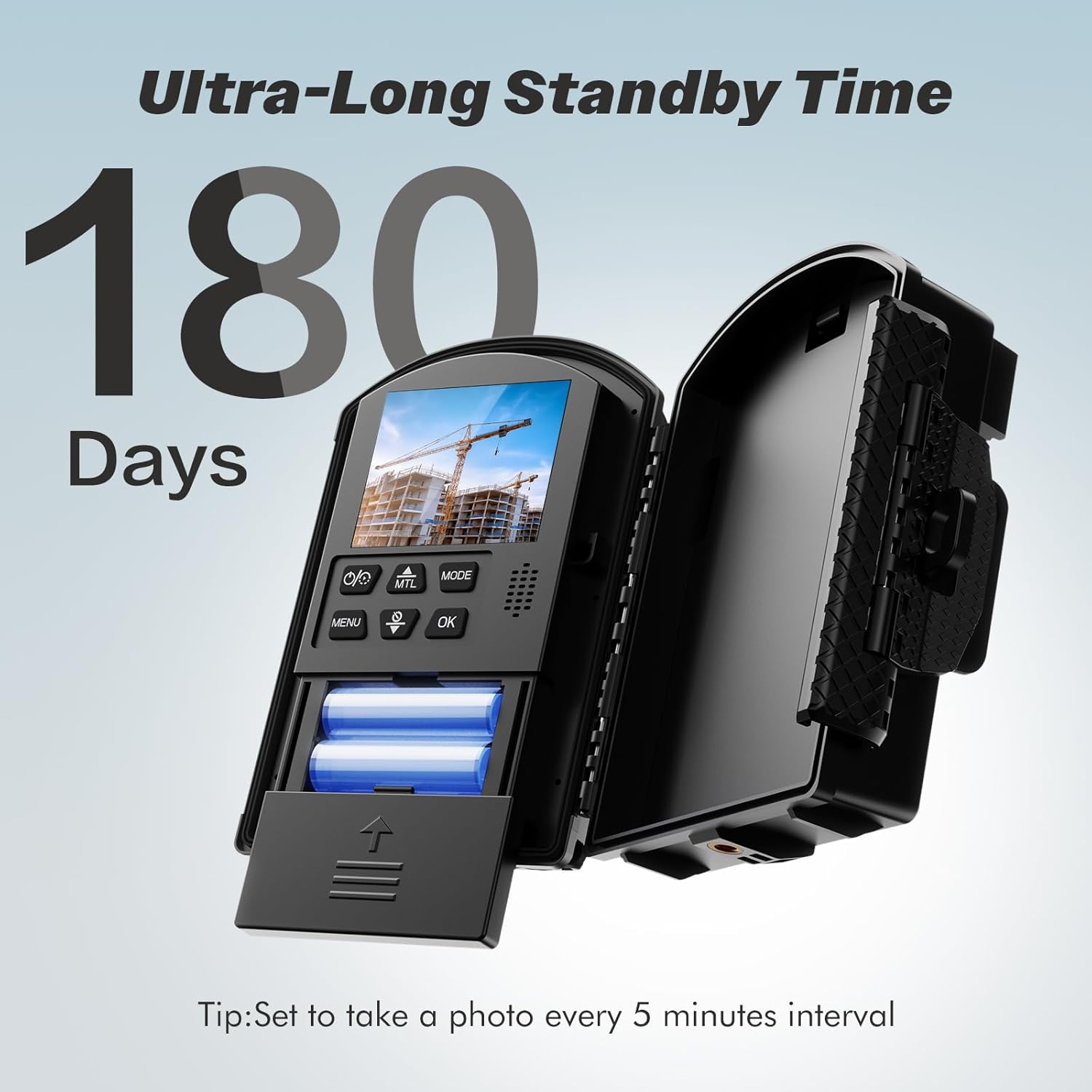
Image: The camera with its battery compartment open, illustrating the placement of AA batteries for power.
2. Установка SD-карты
Locate the SD card slot, usually near the battery compartment or under a protective flap. Insert the provided 64GB Micro SD card until it clicks into place. Ensure the card is inserted correctly to avoid damage.
3. Установка камеры
The Dsoon DSTL2100 offers multiple installation methods:
- Настенный кронштейн: Use screws to attach the wall bracket to a flat surface. Secure the camera to the bracket.
- Round Tube Bracket: Ideal for poles or pipes. Attach the bracket around the tube and then secure the camera.
- Installation Strap and Rope: For flexible mounting on trees, posts, or other irregular surfaces. Thread the strap or rope through the camera's mounting points and secure it.

Image: Illustrations demonstrating different ways to mount the camera, such as on a wall, pole, or using a strap.
Инструкция по эксплуатации
1. Включение и выключение
Press and hold the power button (location may vary, typically near the LCD screen) to turn the camera on or off. The 2.4" LCD screen will illuminate upon startup.
2. Навигация по меню
Use the navigation buttons (Up, Down, Left, Right, OK/Menu) to browse through the camera's settings on the LCD screen. The "MENU" button typically accesses the main settings, and "OK" confirms selections.
3. Выбор режимов съемки
The camera supports several modes:
- Стрельба по таймеру: Captures individual photos or videos at set intervals.
- Video Time-Lapse: Records a series of images and compiles them into a video.
- Photo Time-Lapse: Captures a series of still images at set intervals.
- Manual Macro Focus: Adjust the lens for close-up or distant shots as needed.
Access these modes through the camera's menu and select the desired option.
4. Setting Capture Intervals and Schedule
Within the chosen shooting mode, navigate to the interval settings. You can set the time between captures (e.g., 5 seconds, 5 minutes, 30 minutes). For long-term projects, a 5-minute interval can extend battery life up to 180 days.
The camera also supports scheduled capture, allowing you to define specific operating hours (e.g., 08:00-18:00) and days of the week for recording.

Image: The camera's LCD screen displaying options for setting a recording schedule, including start/end times and active days.
Обслуживание
- Уборка: Для очистки корпуса и объектива камеры используйте мягкую сухую ткань. Для удаления стойких загрязнений слегка протрите поверхность.ampСмочите ткань водой. Избегайте использования абразивных чистящих средств и растворителей.
- Водонепроницаемое уплотнение: Regularly inspect the rubber seals around the battery compartment and ports to ensure they are free from debris and properly seated. This maintains the IP66 waterproof rating.
- Проверка батареи: For extended deployments, periodically check battery levels. Replace all batteries simultaneously for optimal performance.
- Рабочая температура: The camera is designed to operate in temperatures ranging from -20°C (-4°F) to 50°C (122°F). Avoid prolonged exposure to temperatures outside this range.

Image: The camera highlighting its IP66 waterproof rating and its operational temperature range from -20°C to 50°C.
Поиск неисправностей
- Камера не включается:
- Убедитесь, что батареи вставлены правильно и с соблюдением полярности.
- Проверьте, полностью ли заряжены батареи, или замените их новыми.
- Убедитесь, что батарейный отсек надежно закрыт.
- No Recording/SD Card Error:
- Убедитесь, что SD-карта правильно вставлена.
- Отформатируйте SD-карту через меню камеры (это приведет к удалению всех данных).
- Check if the SD card is full; transfer data to a computer and clear the card.
- Попробуйте другую совместимую SD-карту.
- Плохое качество изображения/видео:
- Очистите объектив камеры.
- Ensure the camera is stable and not subject to vibrations during capture.
- Check lighting conditions; the camera performs best in adequate light, though it has a starlight lens for low-light.
- Verify focus settings, especially if using manual macro focus.
- Короткое время работы от батареи:
- Убедитесь, что используются высококачественные батарейки типа АА.
- Increase the capture interval time in settings.
- Reduce the number of active recording hours if using scheduled capture.
- Operating in extremely cold temperatures can reduce battery performance.
Технические характеристики
| Бренд | Дсун |
| Номер модели | DSTL2100 |
| Разрешение видеозахвата | 1080p |
| Технология фотодатчика | КМОП |
| Угол обзора объектива | Широкий угол 110° |
| Размер экрана | 2.4 inches TFT HD LCD |
| Тип флэш-памяти | Micro SD (64 ГБ в комплекте) |
| Источник питания | Требуется 12 батареек AA |
| Рейтинг водонепроницаемости | IP66 |
| Рабочая температура | -20°C (-4°F) до 50°C (122°F) |
| Технология связи | USB |
| Вес товара | 1.4 фунта |
| Размеры упаковки | 9.29 x 5.79 x 4.02 дюйма |
Гарантия и поддержка
For warranty information or technical support, please refer to the contact details provided with your purchase documentation or visit the official Dsoon webСохраните чек о покупке для предъявления гарантийных претензий.
Ask a question about this manual
Ask about setup, troubleshooting, compatibility, parts, safety, or missing instructions. Manuals+ will review the question and use this page’s manual context to help answer it.