
1. Введение
This manual provides essential information for the proper setup, operation, and maintenance of your MAIWO Portable SSD 1TB External Solid State Drive. Please read this guide thoroughly before using the device to ensure optimal performance and longevity.
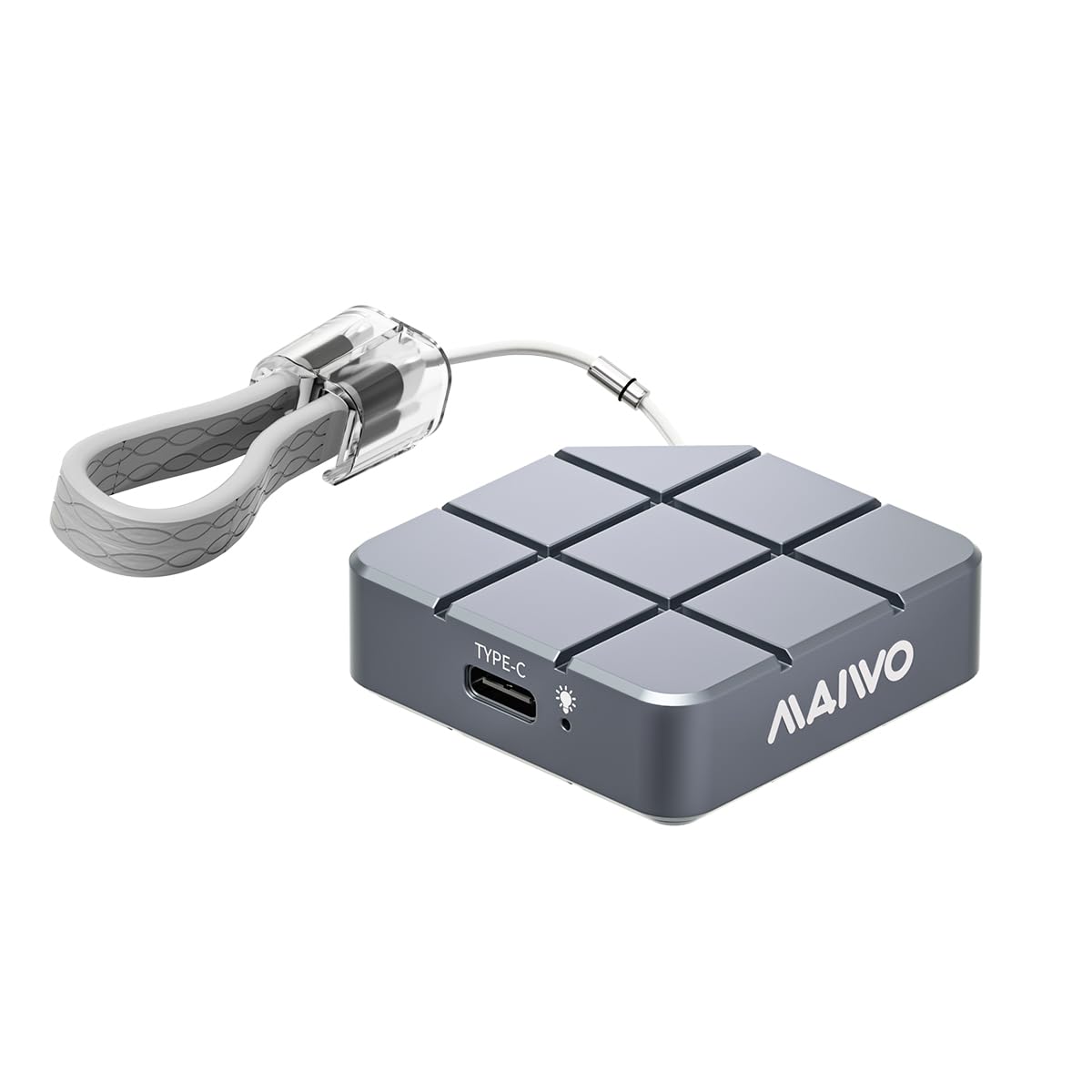
Figure 1: MAIWO Portable SSD 1TB External Solid State Drive.
2. Продукт закончилсяview
2.1 Основные характеристики
- Ultra-High-Speed Transmission: Equipped with USB 3.2/USB-C interface, offering read/write speeds up to 1050MB/s.
- Легкий и портативный: Compact size, weighing less than 55g, designed for easy transport.
- Прочный и долговечный: Металл casing with shockproof, anti-drop, and dust-proof design.
- Large Capacity Options: Available in 256GB, 512GB, 1TB, and 2TB to suit various storage needs.
- Подключи и работай: No additional drivers required for Windows, macOS, Android, and Linux systems.
- Широкая совместимость: Compatible with Android Phones, laptops, PS5/Xbox, and other devices.
- Эффективное рассеивание тепла: CNC-processed aluminum alloy shell for rapid heat dissipation.
2.2 Что в коробке
- MAIWO Portable SSD (1TB)
- Кабель USB-C-USB-C
- Краткое руководство пользователя

Figure 2: The MAIWO Portable SSD connected via its USB-C cable, highlighting its 10Gbps transfer rate.
Видео 1: Оверview of the MAIWO USB-C External Portable SSD, demonstrating its compact size and connectivity.
3. Настройка
The MAIWO Portable SSD is designed for immediate use with its plug-and-play functionality. No complex installation or driver downloads are typically required.
3.1 Подключение SSD
- Locate the USB-C port on your device (computer, smartphone, tablet, gaming console).
- Connect one end of the provided USB-C cable to the MAIWO Portable SSD.
- Подключите другой конец кабеля USB-C к порту USB-C вашего устройства.
- The SSD should be automatically recognized by your operating system. A blue indicator light on the SSD will illuminate when connected and active.

Figure 3: The MAIWO Portable SSD featuring its integrated USB-C cable and a convenient lanyard loop for portability.
Video 2: An unboxing and initial setup demonstration of the MAIWO Portable SSD, showing its contents and how to connect it.
4. Инструкция по эксплуатации
4.1 Передача данных
Once connected, the MAIWO Portable SSD will appear as an external drive on your device. You can drag and drop fileскопируйте и вставьте, или воспользуйтесь возможностями вашего устройства. file Система управления для передачи данных.
- Для компьютеров (Windows/macOS/Linux): The SSD will appear in 'My Computer' or 'Finder'. Open the drive and transfer fileтак же, как и с любым другим внешним запоминающим устройством.
- Для мобильных устройств (Android/iOS): Используйте возможности вашего устройства. file приложение менеджера (например, 'Files' app on iOS, 'My Files' on Android) to browse and transfer files на SSD и обратно.
- For Gaming Consoles (PS5/Xbox): Connect the SSD to an available USB port. Follow your console's instructions for external storage setup to store games or media.
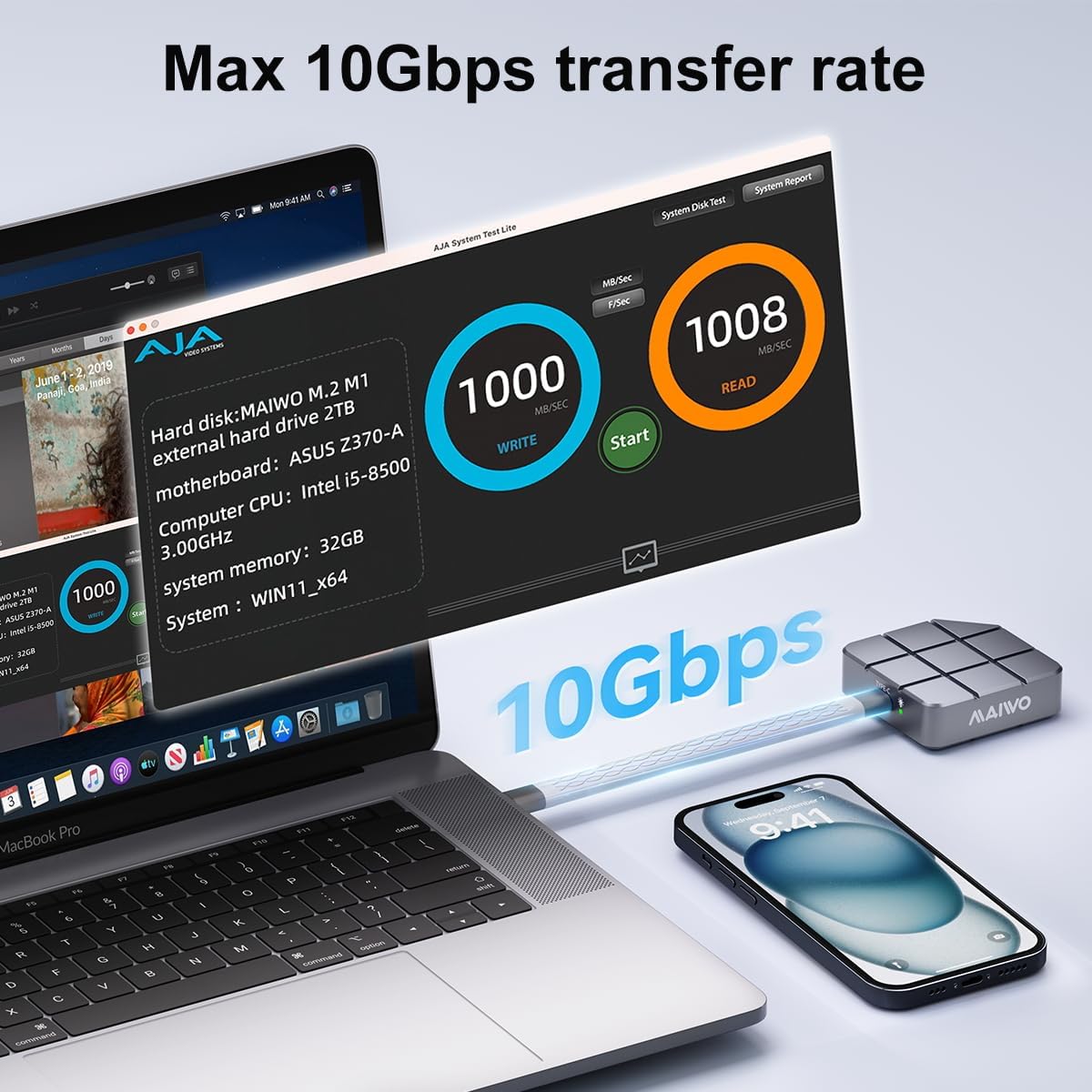
Figure 4: Speed test results on a MacBook Pro, demonstrating the MAIWO Portable SSD's high-speed data transfer capabilities.

Figure 5: The MAIWO Portable SSD connected to an iPhone, illustrating its use for expanding storage for photos and videos.
4.2 4K ProRes Video Recording
The MAIWO Portable SSD supports direct recording of high-definition videos, photos, and audio from compatible devices, such as iPhone 15 Pro and above. Connect the SSD to your iPhone's USB-C port and select the SSD as the storage destination within your camera application.

Figure 6: Demonstrating 4K ProRes video recording directly to the MAIWO Portable SSD using an iPhone.
5. Техническое обслуживание
To ensure the longevity and optimal performance of your MAIWO Portable SSD, follow these maintenance guidelines:
- Физическая помощь: Алюминиевый сплав casing provides durability and aids in heat dissipation. Avoid dropping the device or exposing it to extreme physical shock.
- Температура: While designed for efficient heat dissipation, prolonged heavy use may cause the device to warm up. This is normal. Ensure adequate airflow around the device during operation.
- Уборка: Для чистки внешней поверхности SSD-накопителя используйте мягкую сухую ткань. Избегайте использования жидких чистящих средств и абразивных материалов.
- Резервное копирование данных: Регулярно создавайте резервные копии важных данных, хранящихся на SSD-диске, в другом месте, чтобы предотвратить потерю данных.
- Внутренний SSD: The internal SSD is not designed to be replaced, and the casing cannot be disassembled. Attempting to do so may void your warranty.

Figure 7: The MAIWO Portable SSD's aluminum alloy construction is designed for fast heat dissipation.
6. Поиск Неисправностей
If you encounter issues with your MAIWO Portable SSD, refer to the following common solutions:
- SSD не распознан:
- Убедитесь, что кабель USB-C надежно подключен как к SSD-накопителю, так и к вашему устройству.
- Попробуйте подключить SSD к другому порту USB-C на вашем устройстве.
- Test the SSD with a different compatible device to rule out device-specific issues.
- Перезагрузите компьютер или устройство.
- Низкая скорость передачи данных:
- Ensure your device's USB-C port supports USB 3.2 Gen 2 (10Gbps) for maximum speed. Older USB versions will result in slower speeds.
- Verify that the cable used is the original MAIWO cable or another high-quality USB 3.2 Gen 2 compatible cable.
- Закройте все ненужные приложения, работающие в фоновом режиме, которые могут потреблять системные ресурсы.
- Устройство нагревается во время использования:
- It is normal for the SSD to become warm during high-speed data transfers or prolonged use due to its aluminum casing acting as a heatsink. This indicates efficient heat dissipation.
- If the device becomes excessively hot and performance degrades, ensure it is not covered and has adequate ventilation.
- Повреждение данных или ошибки:
- Перед отключением SSD-накопителя всегда безопасно извлекайте его из устройства, чтобы предотвратить повреждение данных.
- If issues persist, consider reformatting the drive (note: this will erase all data). Refer to your operating system's instructions for formatting external drives.
7. Технические характеристики
| Особенность | Деталь |
|---|---|
| Емкость цифрового хранилища | 1 ТБ |
| Интерфейс жесткого диска | USB 3.2 |
| Технология связи | USB |
| Бренд | МАЙВО |
| Специальная характеристика | Portable, Shock Resistant, USB 3.2/USB-C interface |
| Описание жесткого диска | Внешний твердотельный накопитель |
| Совместимые устройства | Desktop, Gaming Console, Laptop, Android Phones, iPad, MacBook, PS5 |
| Тип установки | Внешний жесткий диск |
| Цвет | Серый |
| Размер жесткого диска | 1 ТБ |
| Скорость чтения | 1050 мегабайт в секунду |
| Скорость передачи данных | 10 гигабит в секунду |
| Форм-фактор | Портативный |
| Аппаратное обеспечение | USB 3.2 Gen 2 |
| Вес товара | 0.12 фунта |
| Номер модели | Portable ssd-1TB |
| Материал корпуса | Алюминий |
8. Гарантия и поддержка
8.1 Информация о гарантии
The MAIWO Portable SSD comes with a Гарантия 12 месяца с даты покупки. Данная гарантия распространяется на производственные дефекты и неисправности при нормальном использовании. Сохраните чек о покупке для предъявления гарантийных претензий.
8.2 Поддержка клиентов
For technical assistance, troubleshooting, or warranty inquiries, please contact MAIWO customer support through the official MAIWO website or your retailer's support channels. You may also refer to the Quick Start Guide included in your product packaging for additional contact information.
For more information about MAIWO products, visit the Магазин MAIWO на Amazon.


