
1. Продукт закончилсяview
The Riokko YM119 OBD2 Scanner is a diagnostic tool designed for car owners to easily read and clear engine fault codes. It provides real-time data, freeze frame information, and supports various diagnostic functions for OBDII/EOBD compliant vehicles manufactured since 1996. Its intuitive interface and compact design make it suitable for both professional technicians and home users.

Figure 1.1: Riokko YM119 OBD2 Scanner. This image shows the main diagnostic tool with its color screen, control buttons, and the attached OBDII connector cable.
2. Настройка и первоначальное использование
2.1 Содержимое упаковки
- Riokko YM119 OBD2 Scanner Unit
- Руководство пользователя (этот документ)
2.2 Подключение сканера
- Найдите разъем диагностического интерфейса (DLC) автомобиля. Обычно он расположен под приборной панелью со стороны водителя.
- Убедитесь, что зажигание автомобиля включено. ON (engine can be off or running, depending on the test).
- Plug the OBDII connector of the YM119 scanner firmly into the vehicle's DLC. The scanner will power on automatically.
2.3 Выбор языка
The YM119 supports 13 national languages. To change the language:
- From the main menu, navigate to "Setting" using the arrow keys.
- Нажмите OK button to enter the Setting menu.
- Выберите «Язык» и укажите предпочитаемый язык из списка.
- Нажимать OK для подтверждения вашего выбора.
3. Эксплуатация сканера
3.1 кнопки навигации
- EXIT: Возвращает на предыдущий экран или в главное меню.
- Стрелки ВВЕРХ/ВНИЗ: Навигация по опциям меню.
- Стрелки ВЛЕВО/ВПРАВО: Navigate through data screens or adjust settings.
- OK: Подтверждает выбор или переходит в подменю.
- НИТ: Initiates the battery voltagе тест.

Figure 3.1: Main Menu and Professional Functions. This image illustrates the scanner's main menu interface and highlights its key diagnostic capabilities such as Engine Fault Diagnostics, Quick Clear Fault Code, Real-time Data Stream, and Battery Life Test.
3.2 Функции диагностики
From the main menu, select "Diagnosis" to access the primary diagnostic functions.

Figure 3.2: OBD II Diagnostic Test Items. This image shows the comprehensive list of diagnostic tests available on the scanner, from reading and erasing codes to advanced sensor and component tests.
3.2.1 Чтение кодов
Эта функция считывает диагностические коды неисправностей (DTC) из бортового компьютера автомобиля. Эти коды указывают на конкретные проблемы, обнаруженные бортовой диагностической системой автомобиля.
- Select "Read Codes" from the Diagnosis menu.
- Сканер отобразит все сохраненные, ожидающие или постоянные коды неисправностей.
- Используйте ВВЕРХ/ВНИЗ arrows to scroll through the codes.
- For detailed information on a specific code, use the "DTC Lib" function or refer to a reliable automotive repair database.
3.2.2 Очистить коды
This function erases DTCs from the vehicle's computer and turns off the Malfunction Indicator Lamp (MIL), также известный как индикатор неисправности двигателя. Примечание: Сброс кодов не устраняет основную проблему. Индикатор неисправности снова загорится, если неисправность сохранится.

Figure 3.3: Check and Turn Off Engine Light. This image demonstrates the scanner's ability to diagnose and clear engine fault codes, effectively turning off the Check Engine Light on the vehicle's dashboard.
- Select "Erase Codes" from the Diagnosis menu.
- Подтвердите действие при появлении соответствующего запроса.
- The MIL should turn off.
3.2.3 Real-time Data (Live Data Stream)
View real-time sensor data from the vehicle's engine control unit (ECU). This data can be displayed in text or graphical format, allowing for dynamic monitoring of vehicle performance.
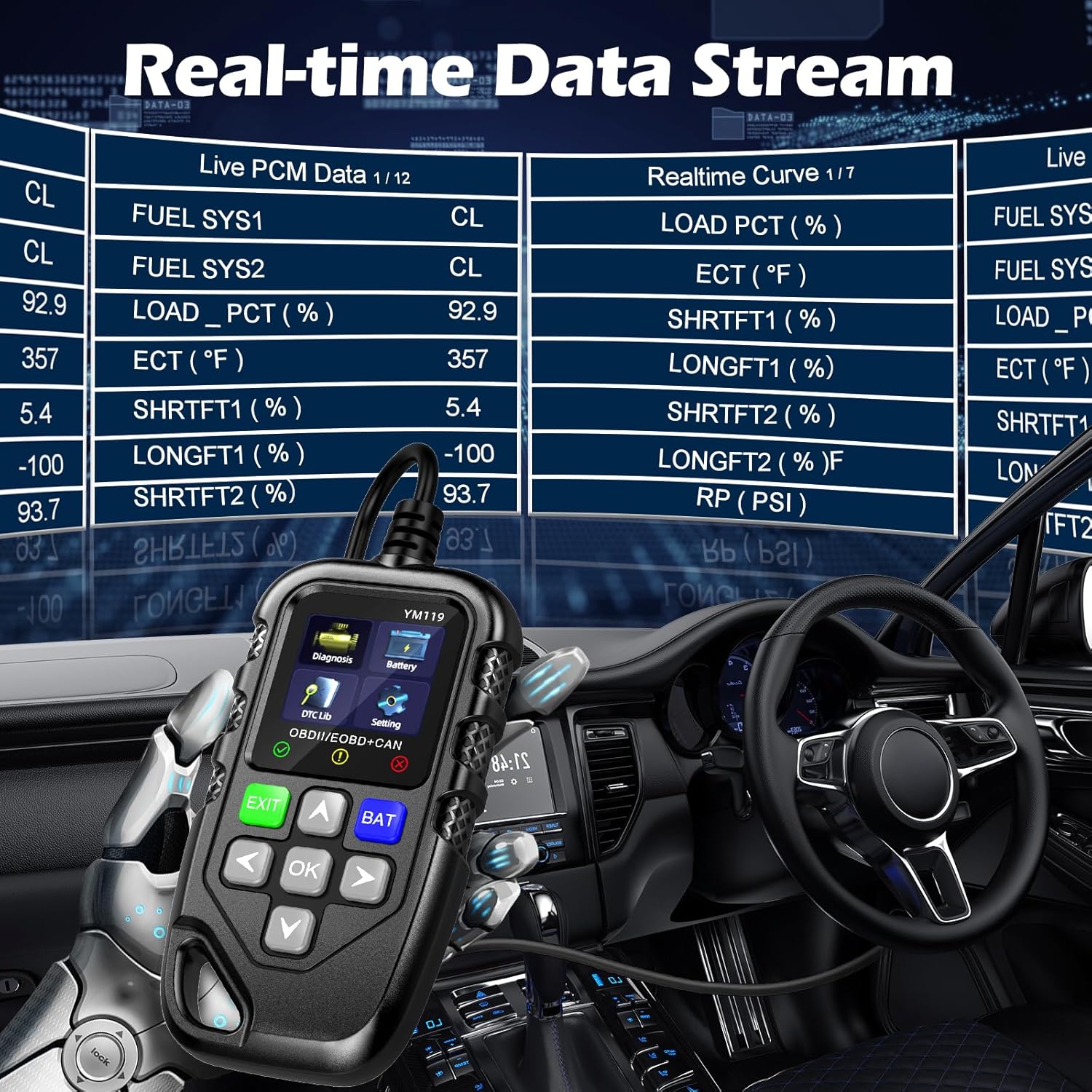
Figure 3.4: Real-time Data Stream. This image shows the scanner's capability to display live engine data, including various sensor readings and their corresponding real-time curves, aiding in dynamic vehicle diagnostics.
- Select "Live Data" or "Realtime Curve" from the Diagnosis menu.
- Используйте ВВЕРХ/ВНИЗ arrows to scroll through different data parameters.
- Используйте ЛЕВЫЙ/ПРАВЫЙ arrows to switch between text and graph views (if available for the parameter).
3.2.4 Данные стоп-кадра
When an emission-related fault occurs, the vehicle's computer records a snapshot of operating conditions at the time of the fault. This "freeze frame" data helps in diagnosing intermittent problems.
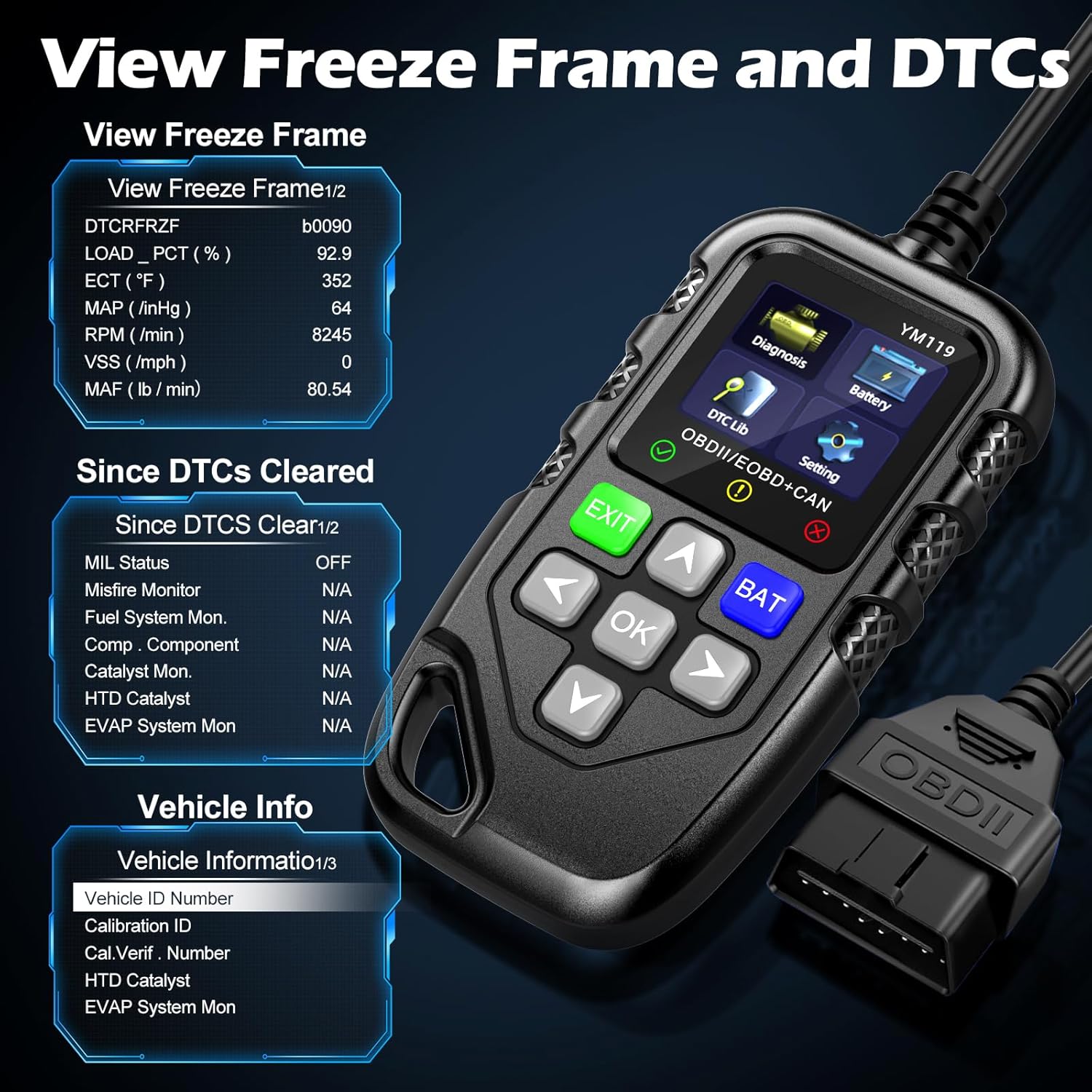
Рисунок 3.5: View Freeze Frame and DTCs. This image displays the scanner's ability to capture and show freeze frame data, which provides a snapshot of engine conditions at the moment a fault code was set, aiding in diagnosis.
- Выбирать "View Freeze Frame" from the Diagnosis menu.
- Review the recorded parameters.
3.2.5 DTC Query (DTC Lib)
The built-in DTC Library allows you to look up definitions for generic (P0, P2, P34, B0, C0, U0) and manufacturer-specific (P1, P30-P33, B1, C1, U1) codes.
- From the main menu, select "DTC Lib".
- Введите код неисправности (DTC) с помощью клавиш со стрелками. OK кнопка.
- Сканер отобразит определение кода.
3.2.6 I / M Готовность
This function checks the readiness of the emission-related monitoring systems on the vehicle. It's useful for determining if the vehicle is ready for an emissions test.
- Select "I/M Readiness" from the Diagnosis menu.
- The scanner will display the status of various monitors (e.g., Misfire Monitor, Fuel System Monitor). "OK" indicates the monitor has completed its test, "INC" indicates incomplete, and "N/A" indicates not applicable.
3.2.7 Уровень заряда батареиtage Тест
The YM119 can perform a basic battery voltage test to assess the vehicle's battery health.

Figure 3.6: Estimate Battery Life Test. This image shows the scanner's dedicated function for monitoring and assessing the vehicle's battery voltage and overall health.
- From the main menu, select "Battery" or press the НИТ кнопка.
- Сканер покажет текущий уровень заряда батареи.tage.
3.2.8 Информация об автомобиле
This function retrieves the Vehicle Identification Number (VIN), Calibration ID (CALID), and Calibration Verification Number (CVN) of the vehicle.
- Select "Vehicle Info" from the Diagnosis menu.
- Сканер отобразит доступную информацию об автомобиле.
4. Техническое обслуживание
4.1 Очистка устройства
To maintain the scanner's performance and appearance:
- Протрите устройство мягким, damp ткань.
- Не используйте абразивные чистящие средства или растворители.
- Перед хранением убедитесь, что устройство полностью высохло.
4.2 Хранение
Store the scanner in a clean, dry environment away from extreme temperatures and direct sunlight. Keep the OBDII connector free from dust and debris.
5. Поиск Неисправностей
| Проблема | Возможная причина | Решение |
|---|---|---|
| Сканер не включается. |
|
|
| Сообщение «Ошибка соединения» или «Ошибка связи». |
|
|
| Engine light reappears after clearing codes. | Underlying fault has not been repaired. | Clearing codes only turns off the light; it does not fix the problem. Diagnose and repair the underlying issue before clearing codes again. |
| Inaccurate or missing data readings. |
|
|
6. Технические характеристики
| Особенность | Деталь |
|---|---|
| Номер модели | AE0004L (YM119) |
| Бренд | Riokko |
| Размер экрана | 2.8 дюйма |
| Поддерживаемые протоколы | Nine standard OBDII/EOBD protocols |
| Поддерживаемые языки | 13 национальных языков |
| Вес товара | 7.8 унций (приблизительно 221 граммов) |
| Размеры упаковки | 8.11 x 5.35 x 1.14 дюйма (прибл. 20.6 x 13.6 x 2.9 см) |
| Первая доступная дата | 16 октября 2024 г. |
7. Гарантия и поддержка
7.1 Информация о гарантии
The Riokko YM119 OBD2 Scanner comes with a Гарантия 3 год с даты покупки. Данная гарантия распространяется на дефекты материалов и изготовления при нормальном использовании.
7.2 Политика возврата
A 30-дневная политика возврата без вопросов is offered for your purchase. Please refer to your retailer's specific return instructions.
7.3 Поддержка клиентов
For technical assistance, warranty claims, or any other inquiries, please contact Riokko customer service. Круглосуточное обслуживание клиентов готов оказать вам помощь.
Please visit the official Riokko webАктуальную контактную информацию можно найти на сайте или на упаковке вашего продукта.