
1. Продукт закончилсяview
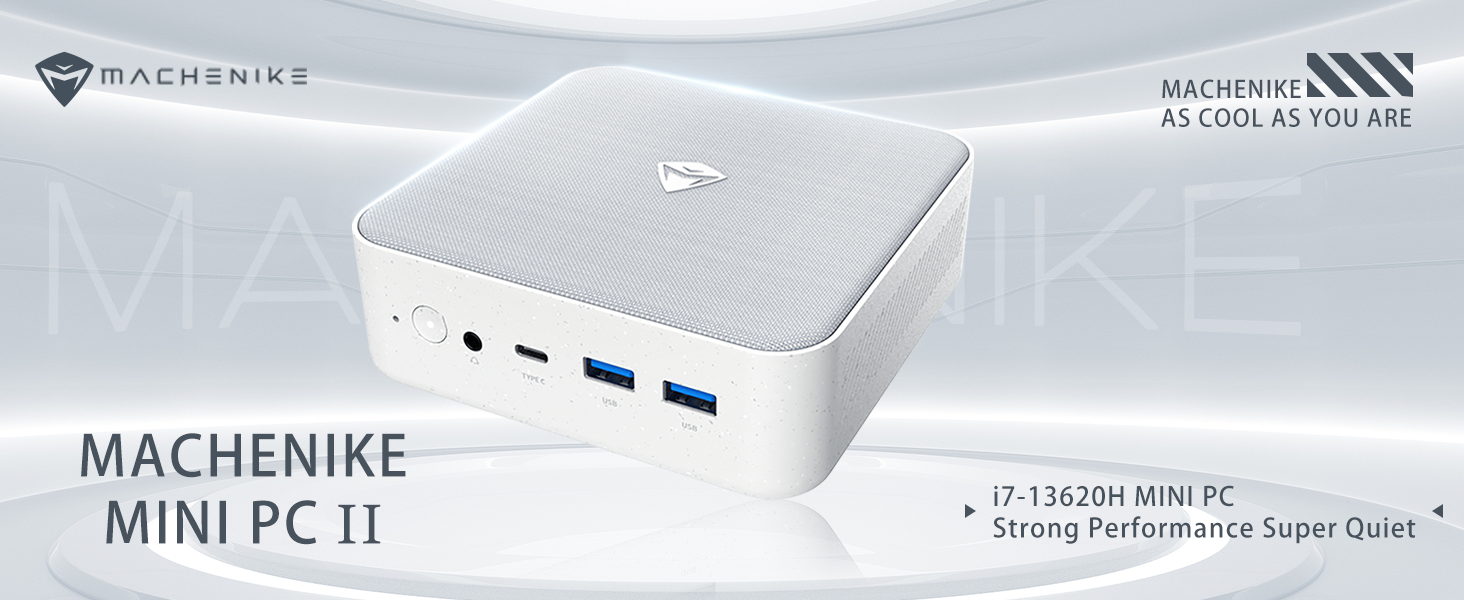
The Machenike Machcreator Mini Desktop, Model 4762H, is a compact and powerful computing solution designed for various applications, from business to everyday use. It features a 13th Gen Intel Core i7-13620H processor, 16GB DDR5 RAM, and a 512GB PCIe M.2 SSD, providing high-speed performance and efficient multitasking capabilities. This mini PC supports 4K dual monitor output and comes pre-installed with Windows 11 Pro.
Изображение: Оверview of the Intel Core i7 processor, highlighting 10 Cores, 16 Threads, 4.90 GHz Max Turbo Frequency, and 24 MB L3 Cache.
Основные характеристики:
- Процессор: Intel Core i7-13620H (10 ядер, 16 потоков, до 4.9 ГГц)
- Память: 16GB DDR5 SODIMM RAM (expandable up to 64GB)
- Хранилище: 512GB PCIe M.2 Solid State Drive (supports dual M.2 expansion)
- Операционная система: Windows 11 Профессиональная
- Графика: Integrated Intel UHD Graphics, supporting 4K dual monitor output via HDMI 2.0 and DisplayPort 1.4
- Связь: Wi-Fi 6, Bluetooth, 2 x RJ45 Ethernet, USB 3.2 Gen2 Type-A, USB Type-C
- Система охлаждения: Twin turbine cooling fan with deluxe all-copper radiator
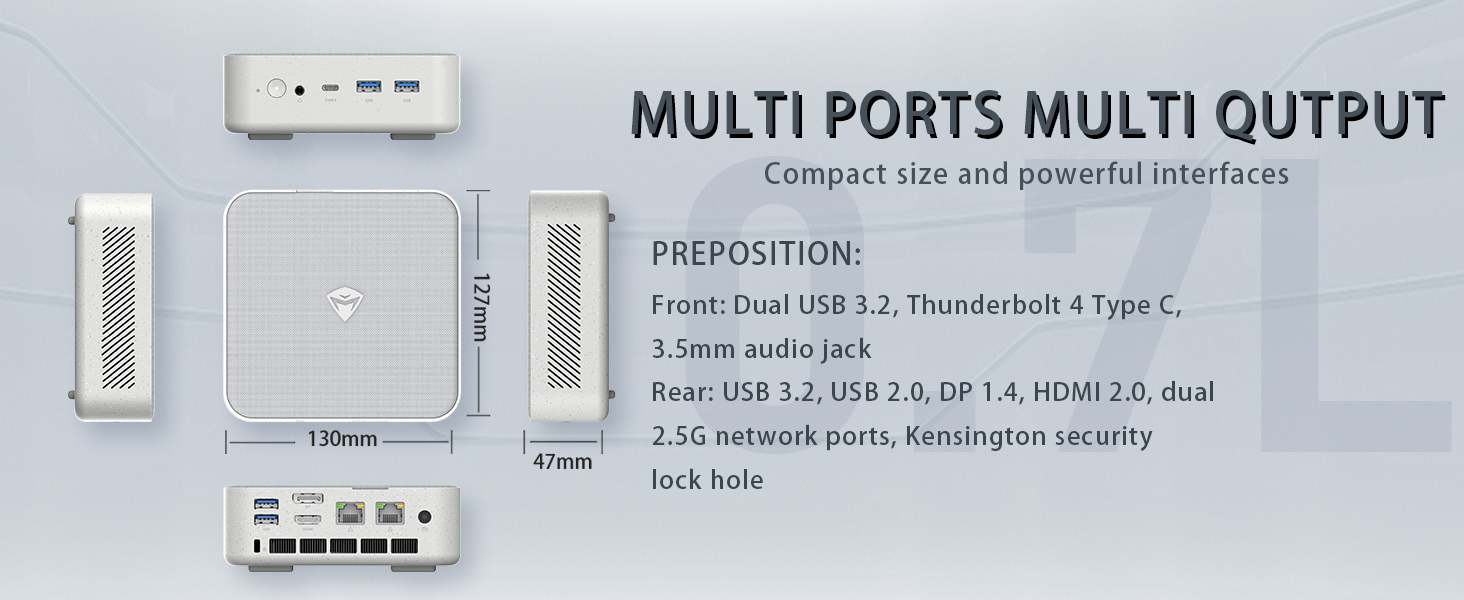
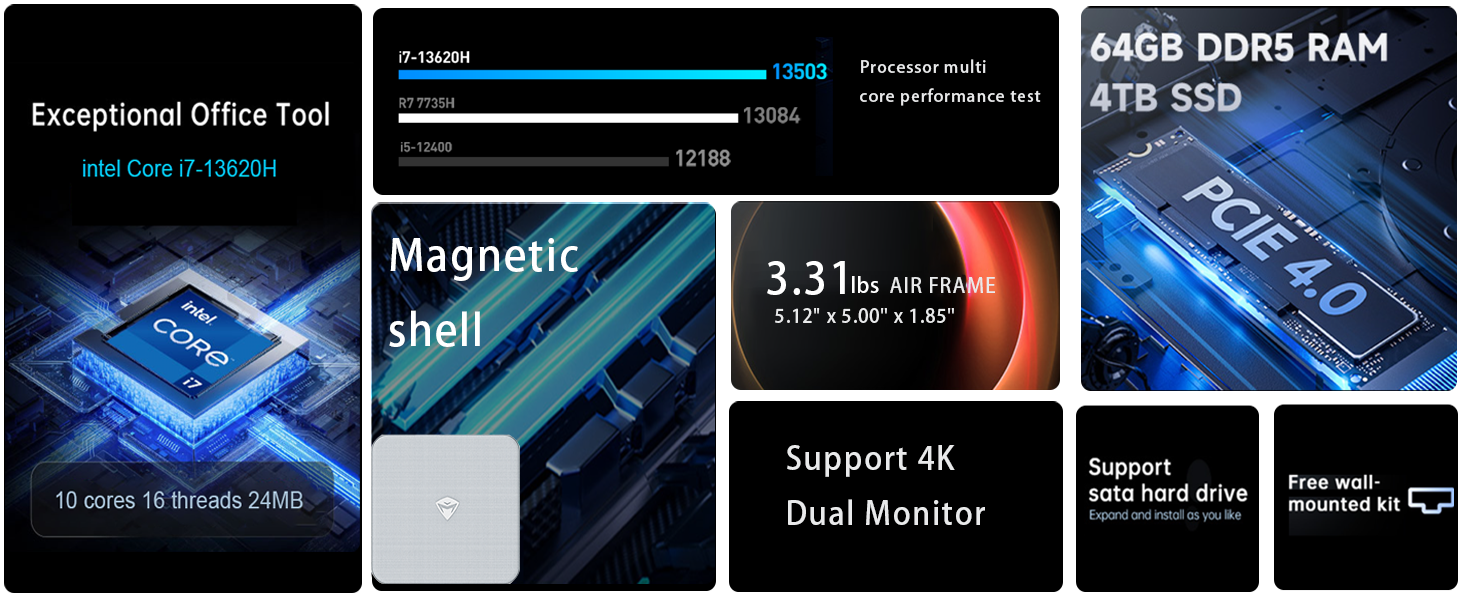
Image: Illustration of PCIe 4.0 SSD and memory slots, indicating support for up to 64GB DDR5 RAM and up to 4TB PCIe SSD expansion.
2. Руководство по установке
2.1 Распаковка устройства
Осторожно извлеките все компоненты из упаковки. Убедитесь, что в наличии следующие предметы:
- Machenike Machcreator Mini Desktop (Model 4762H)
- Адаптер питания
- Руководство пользователя (этот документ)
- (Optional) VESA Mount Kit
2.2 Подключение периферийных устройств
Перед включением подключите основные периферийные устройства:
- Отображать: Connect your monitor(s) to the HDMI 2.0 or DisplayPort 1.4 ports on the rear of the mini PC. The USB Type-C port also supports video output.
- Клавиатура и мышь: Connect your USB keyboard and mouse to any of the available USB 3.2 Gen2 Type-A ports.
- Сеть: For a wired connection, connect an Ethernet cable to one of the RJ45 ports. For wireless, ensure your Wi-Fi network is available.
- Власть: Подключите адаптер питания к разъему DC-in на мини-ПК, затем вставьте адаптер в розетку.
Изображение: подробное view of the mini PC's front and rear ports, including USB 3.2 Gen2 Type-A, USB Type-C, 3.5mm Audio Jack, HDMI 2.0, DisplayPort 1.4, and RJ45 Ethernet ports. Dimensions are also shown.
2.3 Первоначальная загрузка и настройка Windows 11 Pro
- Нажмите кнопку питания, расположенную на передней панели мини-ПК.
- The system will boot into the Windows 11 Pro setup wizard. Follow the on-screen instructions to configure your language, region, network, and user account.
- Once setup is complete, your mini PC is ready for use.
3. Инструкция по эксплуатации
3.1 Включение/выключение питания
- Включение питания: Нажмите кнопку питания один раз.
- Неисправность: Нажмите кнопку «Пуск» в Windows, затем выберите «Питание» > «Завершение работы».
- Перезапуск: Нажмите кнопку «Пуск» в Windows, затем выберите «Питание» > «Перезагрузка».
- Спать: Нажмите кнопку «Пуск» в Windows, затем выберите «Питание» > «Спящий режим».
3.2 Конфигурация дисплея
The mini PC supports up to two 4K displays simultaneously. To configure display settings:
- Щелкните правой кнопкой мыши по рабочему столу и выберите «Параметры экрана».
- Here you can detect multiple displays, arrange them, change resolution, and adjust scaling.
3.3 Сетевое подключение
- Wi-Fi: Click the network icon in the taskbar, select your Wi-Fi network, enter the password, and connect.
- Ethernet: При подключении кабеля Ethernet система должна автоматически установить проводное сетевое соединение.
3.4 Cooling System Modes
The mini PC features an advanced cooling system with adjustable modes via the BIOS to optimize performance and noise levels. These modes include:
- Беззвучный режим: Prioritizes quiet operation, suitable for light tasks.
- Режим баланса: Offers a good balance between performance and noise.
- Режим производительности: Maximizes performance (up to 65W power release), ideal for demanding applications.
To change these settings, access the BIOS during startup (typically by pressing Дель or F2 repeatedly after powering on) and navigate to the relevant power or performance settings.
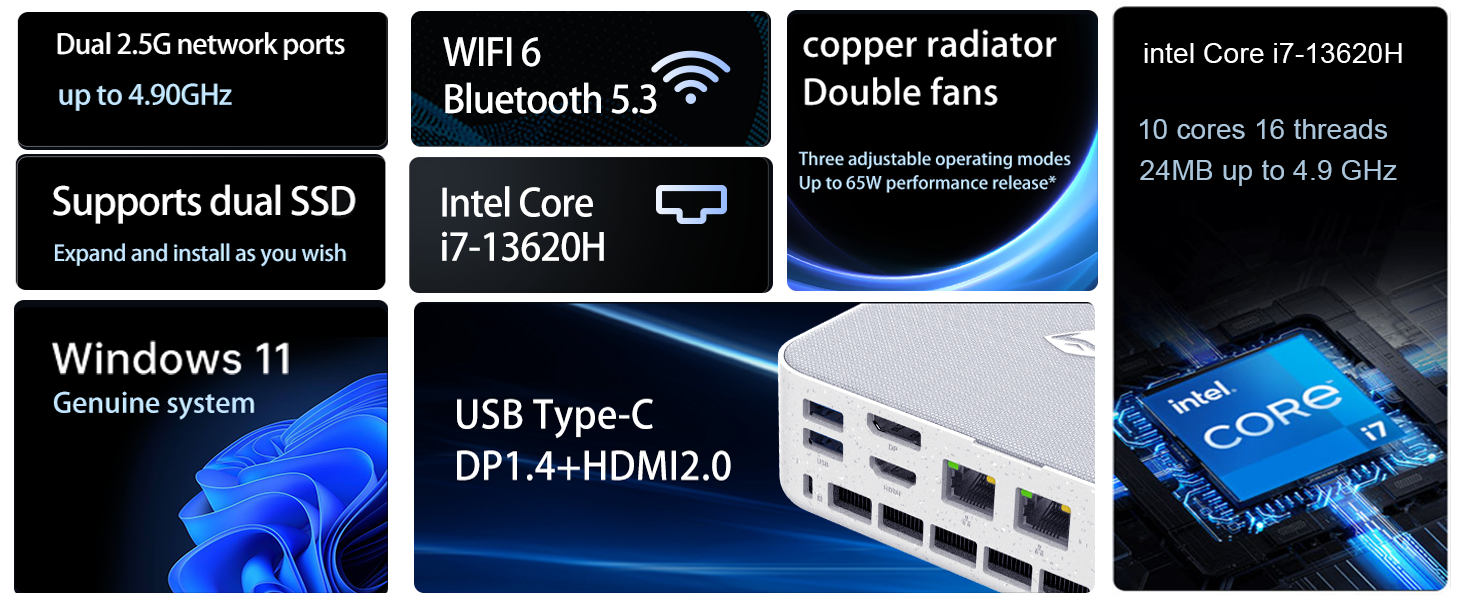
Image: Illustration of the twin turbine cooling fan and deluxe all-copper radiator, explaining how it prevents slowdowns due to overheating and offers silence, balance, and performance modes.
4. Техническое обслуживание
4.1 Очистка устройства
Для обеспечения оптимальной производительности и долговечности регулярно чистите свой мини-ПК:
- Power off the device and disconnect it from the power outlet.
- Для протирки внешней поверхности используйте мягкую сухую ткань.
- Use compressed air to gently clear dust from ventilation openings. Do not insert any objects into the vents.
4.2 Обновления программного обеспечения
Keep your Windows 11 Pro operating system and drivers updated to ensure security and performance:
- Обновления Windows: Go to Start > Settings > Windows Update and check for updates.
- Обновления драйверов: Visit the Machenike official webсайт для получения последних версий драйверов для вашей конкретной модели.
4.3 Хранилище и расширение памяти
The Machenike Machcreator Mini Desktop supports upgrades for both RAM and storage:
- БАРАН: The device has 2 SODIMM slots and supports up to 64GB DDR5 RAM.
- Хранилище: It supports dual PCIe M.2 SSDs, allowing for significant storage expansion up to 4TB.
Примечание: Opening the device for upgrades may void your warranty. Consult a qualified technician or refer to specific upgrade guides from Machenike if available.
5. Поиск Неисправностей
В этом разделе рассматриваются распространённые проблемы, с которыми вы можете столкнуться. Если у вас возникнут более сложные проблемы, обратитесь в службу поддержки.
5.1 Нет питания
- Убедитесь, что адаптер питания надежно подключен как к мини-ПК, так и к работающей розетке.
- Проверьте работоспособность розетки, подключив к ней другое устройство.
- Проверьте адаптер питания на наличие видимых повреждений.
5.2 Нет вывода на дисплей
- Убедитесь, что монитор включен и выбран правильный источник входного сигнала.
- Ensure the HDMI or DisplayPort cable is securely connected to both the mini PC and the monitor.
- Попробуйте использовать другой дисплейный кабель или монитор, если он доступен.
- If using multiple displays, try connecting only one display at a time.
5.3 Проблемы с сетевым подключением
- Проводной (Ethernet): Check if the Ethernet cable is properly connected to both the mini PC and the router/modem. Verify router/modem status.
- Беспроводная связь (Wi-Fi): Ensure Wi-Fi is enabled in Windows settings. Restart your router/modem. Check if other devices can connect to the Wi-Fi network.
- Run Windows Network Troubleshooter (Start > Settings > Network & internet > Advanced network settings > Network troubleshooter).
6. Технические характеристики
Detailed technical specifications for the Machenike Machcreator Mini Desktop, Model 4762H:
| Особенность | Спецификация |
|---|---|
| Бренд | Махенике |
| Номер модели | 4762Н |
| Операционная система | Windows 11 Профессиональная |
| Модель ЦП | Intel Core i7-13620H |
| Скорость ЦП | Up to 4.9 GHz (Max Turbo Frequency) |
| Установленный размер оперативной памяти | 16 ГБ DDR5 (с возможностью расширения до 64 ГБ) |
| Тактовая частота памяти | 4800 МГц |
| Доступные слоты памяти | 2 |
| Емкость памяти | 512 GB PCIe M.2 SSD (Supports dual M.2, up to 4TB) |
| Графический сопроцессор | Intel UHD Graphics (интегрированная) |
| Интерфейс видеовыхода | HDMI 2.0, DisplayPort 1.4, USB Type-C |
| Разрешение дисплея Максимальное | 3840x2160 (4К) |
| аппаратный интерфейс | 3.5mm Audio, Bluetooth, DisplayPort, Ethernet (2x RJ45), HDMI, USB, USB Type C |
| Беспроводное подключение | Wi-Fi 6 (802.11ax), Bluetooth |
| Размеры изделия (ДхШхВ) | 5.12 x 5 x 1.85 дюйма |
| Вес товара | 49.8 фунта (Note: This weight may be a data entry error; actual weight for a mini PC is typically much less.) |
| СКП | 193200587317 |
7. Гарантия и поддержка
7.1 Информация о гарантии
Machenike products typically come with a limited manufacturer's warranty. Please refer to the warranty card included with your purchase or visit the official Machenike website for detailed warranty terms and conditions specific to your region and product model. Keep your proof of purchase for warranty claims.
7.2 Поддержка клиентов
For technical assistance, troubleshooting beyond this manual, or warranty inquiries, please contact Machenike customer support:
- Онлайн поддержка: Посетите официальный сайт Махенике webсайт (www.machenike.com - exampссылка, фактическая ссылка может отличаться) и перейдите в раздел поддержки.
- Поддержка по электронной почте: Конкретный адрес электронной почты службы поддержки указан в документации к вашему продукту.
- Поддержка по телефону: Проверьте Махенике webСайт с региональными номерами телефонной службы поддержки.
When contacting support, please have your product model number (4762H) and serial number ready.