
1. Введение
The BoxWave SlimKeys Bluetooth Keyboard is designed for portable use, offering a comfortable typing experience with its chiclet-style keys. This manual provides instructions for setting up, operating, maintaining, and troubleshooting your keyboard.
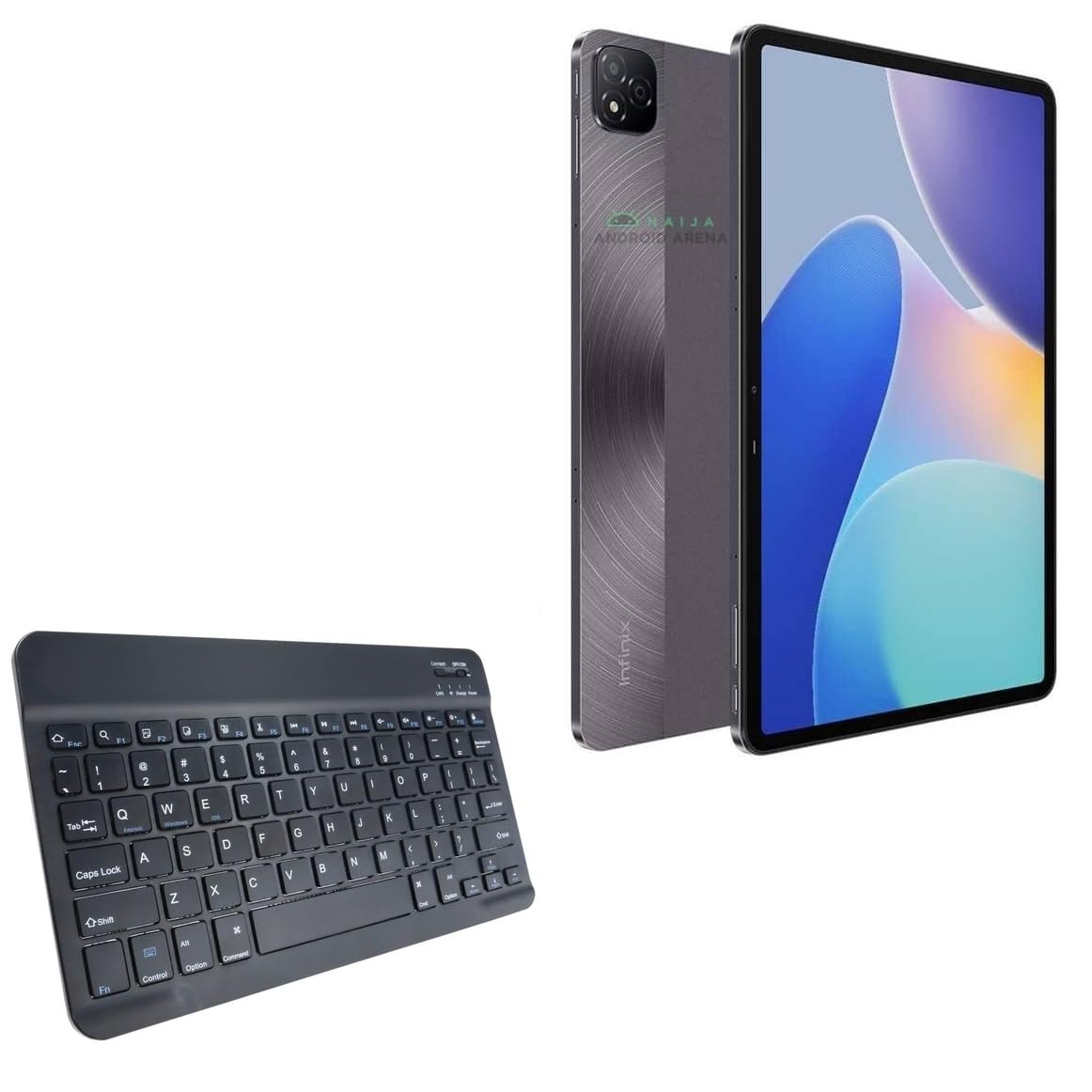
Изображение 1.1: Сверху вниз view of the BoxWave SlimKeys Bluetooth Keyboard.
2. Содержимое упаковки
Проверьте комплектацию на наличие следующих предметов:
- BoxWave SlimKeys Bluetooth Keyboard
- Кабель для зарядки (USB)
- Руководство пользователя (этот документ)
3. Настройка
3.1 Зарядка клавиатуры
Before initial use, fully charge the keyboard. Connect the provided USB charging cable to the keyboard's charging port and to a USB power source. The charging indicator light will illuminate during charging and turn off when fully charged.

Image 3.1: The keyboard connected to its charging cable.
To conserve battery life, use the built-in ON/OFF switch when the keyboard is not in use. The keyboard features an energy-efficient Bluetooth 3.0 design to reduce power drain.
3.2 Сопряжение с вашим устройством
- Ensure the keyboard is charged and powered on using the ON/OFF switch located on the top right.
- Нажмите Соединять Кнопка на клавиатуре. Индикатор Bluetooth начнет мигать, указывая на то, что устройство находится в режиме сопряжения.
- On your device (e.g., Infinix Xpad, tablet, smartphone, computer), navigate to the Bluetooth settings.
- Включите Bluetooth на вашем устройстве и выполните поиск доступных устройств.
- Выбирать "SlimKeys Keyboardили похожее название из списка найденных устройств.
- Follow any on-screen prompts to complete the pairing process. A successful connection will be indicated by the Bluetooth light on the keyboard turning solid or off, depending on the model.
The SlimKeys keyboard utilizes Bluetooth 3.0 for quick and reliable pairing across various operating systems, including Android, Windows, and iOS.
4. Операция
4.1 Общее использование
The SlimKeys Bluetooth Keyboard provides a full QWERTY layout with chiclet-style keys for comfortable and efficient typing. Its compact and lightweight design makes it suitable for travel and on-the-go productivity.

Image 4.1: User typing on the SlimKeys Bluetooth Keyboard.
4.2 Specialized Function Keys
The keyboard includes specialized function keys (F1-F12) that provide quick access to common commands. These functions may vary slightly depending on your device's operating system.

Изображение 4.2: оконченоview of specialized function keys.
- Esc (Home): Returns to home screen.
- F1 (Search): Opens search function.
- F2 (Select All): Selects all content.
- F3 (Copy): Copies selected content.
- F4 (Paste): Pastes copied content.
- F5 (Cut): Cuts selected content.
- F6 (Skip Back): Skips to previous track.
- F7 (Play/Pause): Воспроизводит или приостанавливает воспроизведение медиафайлов.
- F8 (Skip Forward): Skips to next track.
- F9 (Volume Down): Уменьшает объем.
- F10 (Volume Up)Увеличивает объем.
- F11 (Brightness Down): Decreases screen brightness.
- F12 (Brightness Up): Increases screen brightness.
- Delete (Lock): Locks the device.
To activate these functions, press the corresponding F-key. Some functions may require pressing the Fn key simultaneously, depending on your device's operating system and settings.
5. Техническое обслуживание
- Уборка: Для чистки клавиатуры используйте мягкую, сухую ткань без ворса. Для удаления стойких загрязнений слегка потрите.ampПротрите ткань водой или мягким средством для чистки электроники. Избегайте чрезмерной влажности.
- Хранилище: When not in use for extended periods, store the keyboard in a cool, dry place. Ensure the keyboard is powered off to preserve battery life.
- Уход батареи: Избегайте частой полной разрядки батареи. Регулярно заряжайте клавиатуру, даже если она не используется постоянно, чтобы поддерживать работоспособность батареи.
- Избегайте жидкостей: Держите клавиатуру подальше от жидкостей, чтобы предотвратить повреждение внутренних компонентов.
- Избегайте экстремальных температур: Do not expose the keyboard to extreme heat or cold, as this can affect battery performance and overall functionality.
6. Поиск Неисправностей
6.1 Клавиатура не подключается/не сопрягается
- Проверьте мощность: Убедитесь, что клавиатура включена и имеет достаточный заряд батареи.
- Re-enable Bluetooth: Выключите и снова включите Bluetooth на вашем устройстве.
- Ремонт: Go to your device's Bluetooth settings, forget or unpair the "SlimKeys Keyboard" if it's listed, then repeat the pairing steps (Section 3.2).
- Расстояние: Ensure the keyboard is within the effective range of your device (typically up to 10 meters or 33 feet).
- Вмешательство: Отойдите от других беспроводных устройств, которые могут создавать помехи.
- Перезагрузите устройства: Restart both your device and the keyboard.
6.2 Клавиши не отвечают
- Уровень заряда батареи: Check if the keyboard battery is low. Charge the keyboard if necessary.
- Связь: Verify that the keyboard is still connected via Bluetooth to your device.
- Чистые ключи: Убедитесь, что под клавишами нет мусора.
- Перезапуск: Выключите и снова включите клавиатуру.
6.3 Lag or Delayed Input
- Уровень заряда батареи: Низкий заряд батареи иногда может влиять на производительность.
- Расстояние/Помехи: Reduce distance to the device and minimize potential interference sources.
- Производительность устройства: Ensure your connected device is not under heavy load, which could affect Bluetooth responsiveness.
7. Технические характеристики
| Название модели | SlimKeys Bluetooth Keyboard |
| Связность | Блютус 3.0 |
| Совместимость | Android, Windows, iOS devices (e.g., Infinix Xpad) |
| Размеры (приблизительные) | 9.5 дюймов (ширина) x 5.75 дюйма (глубина) x 0.2 дюйма (высота) |
| Масса | 8.6 унций (приблизительно 244 граммов) |
| Тип батареи | Информация о конкретном продукте (входит в комплект) |
| Срок службы батареи | Up to 30 days (active use), 6 months (standby) |
| Производитель | BoxWave |
| ASIN | B0DFZ2S7C4 |

Image 7.1: Approximate dimensions of the SlimKeys Bluetooth Keyboard.
8. Гарантия и поддержка
For warranty information and technical support, please refer to the documentation included with your purchase or visit the official BoxWave website. You may also contact BoxWave customer service directly for assistance.
Manufacturer: BoxWave
Для получения дополнительной помощи посетите: www.boxwave.com