

Введение
This manual provides comprehensive instructions for the KALEVOL Wireless Indoor Outdoor Thermometer Digital Atomic Clock Weather Station with Multiple Sensors. Please read this manual thoroughly before operating the device to ensure proper use and optimal performance.

Image: The KALEVOL Weather Station main display unit shown with its three accompanying wireless outdoor sensors.
Что в коробке?
- Основной блок метеостанции
- 3 беспроводных дистанционных датчика
- Руководство пользователя
Основные характеристики
- 3 Wireless Indoor/Outdoor Sensors: Provides temperature and humidity data for up to 4 locations (1 main unit + 3 sensors) with a transmission range of 200 feet (60 meters) in open areas.
- Reliable Weather Change Monitoring: Calculates 12-hour weather forecasts based on temperature, humidity, and barometric index.
- Большой цифровой ЖК-дисплей: 6.3-inch length by 4.5-inch width display with excellent reading angle, showing data for 4 locations. Includes unique colorful sticker modules for location identification.
- Dual Alarm & Atomic Clock: Features automatic or manual WWVB signal search for accurate time calibration and a dual alarm clock function.
- Battery Power with Backlight: Battery-powered unit with a 15-second backlight for easy reading in dark environments, designed to conserve power.

Image: Close-up of the weather station's large digital display highlighting its multi-function capabilities including temperature, humidity, weather forecast, radio-controlled time, calendar, and alarm.
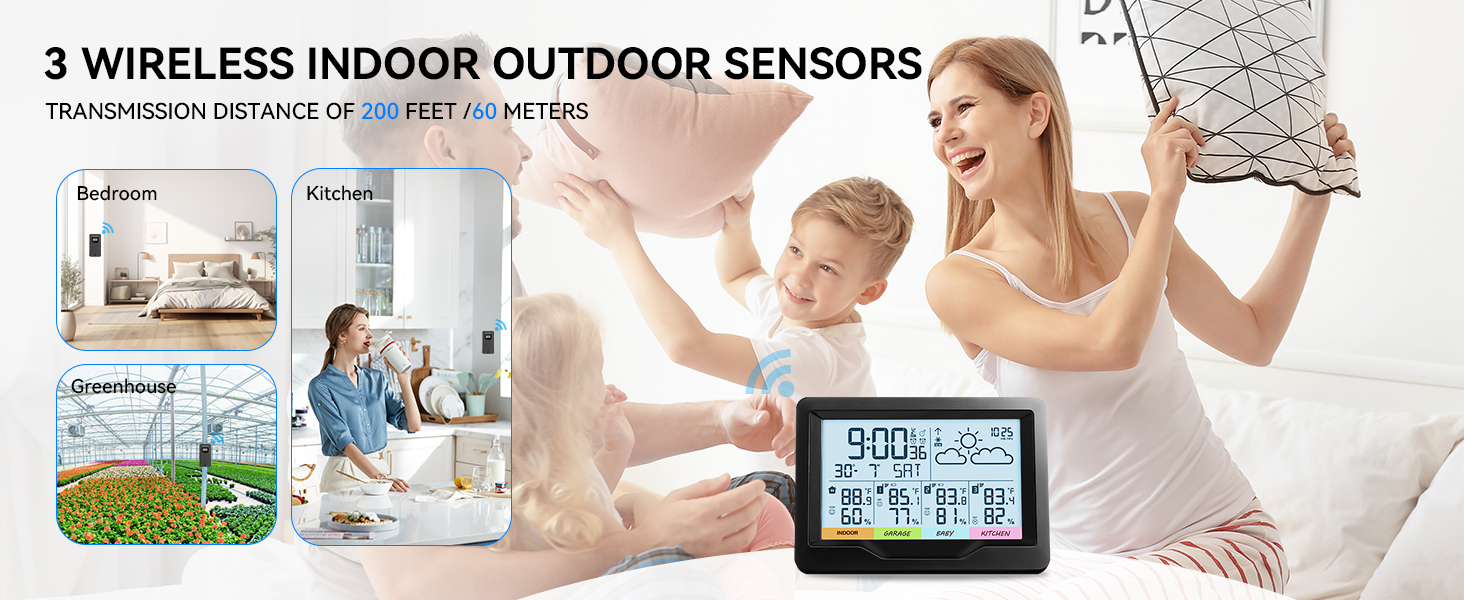
Image: Illustration showing the versatility of the three wireless sensors, placed in a bedroom, kitchen, and greenhouse, demonstrating their 200 feet / 60 meters transmission range.
Руководство по настройке
- Распаковываем компоненты: Carefully remove the main weather station unit and the three wireless remote sensors from their packaging.
- Установите батареи: Insert 2 x AA batteries (not included) into the main weather station unit and each of the three remote sensors. Ensure correct polarity.
- Initial Sensor Connection: Place the weather station host and all sensors together in the same location. This allows for initial pairing and data stabilization.
- Активируйте датчики: On each sensor, ensure the channel switch (1, 2, or 3) is set to a unique channel. Press the sensor button to actively send signals to the main unit. The sensor may take up to 3 minutes to connect.
- Калибровка времени: The atomic clock function will automatically search for WWVB signals to calibrate the time. This may take some time. Manual calibration options are also available if needed.
- Размещение: Once connected, place the main unit in your desired indoor location. Strategically place the remote sensors in the areas you wish to monitor (e.g., garden, garage, baby room, kitchen).
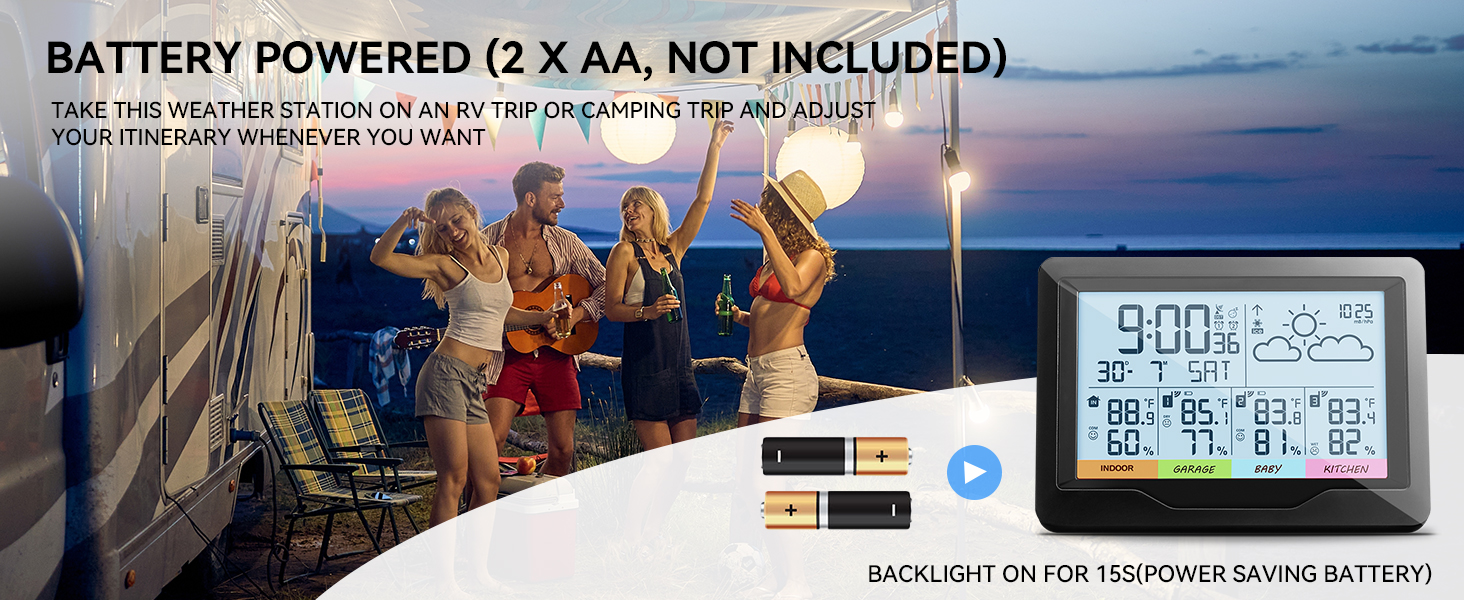
Image: The weather station is battery-powered (2 x AA, not included) and features a backlight that illuminates for 15 seconds to conserve power.
Инструкция по эксплуатации
Чтение дисплея
The large LCD display shows the time, date, indoor temperature and humidity, and the temperature and humidity from each of the three remote sensors. Each sensor's data is clearly labeled with a colored partition sticker for easy identification (e.g., Indoor, Garden, Swimming, Children, or customizable labels).

Image: The weather station display allows for clear identification of monitoring areas for each of the three sensors using customizable labels such as Children's Angle, Living Room, Kitchen, Garden, Baby Room, and Garage.
Функция подсветки
To activate the backlight, click the "Light/SNZ" button located on the top of the device. The screen will illuminate for 15 seconds, allowing you to read the information in low-light conditions. This feature is designed to save battery power.
Atomic Clock and Dual Alarm
The weather station automatically or manually searches for WWVB signals to ensure accurate time. The dual alarm clock function can be set to manage your daily schedule effectively.

Image: The weather station features both automatic and manual time calibration functions, ensuring accurate time display.

Image: The weather station includes a dual alarm feature, promoting a healthy lifestyle by assisting with wake-up and sleeping times.
Прогноз погоды
The station analyzes temperature, humidity, and barometric pressure to provide a forecast for the next 12 hours. This helps in planning activities and preparing for weather changes.
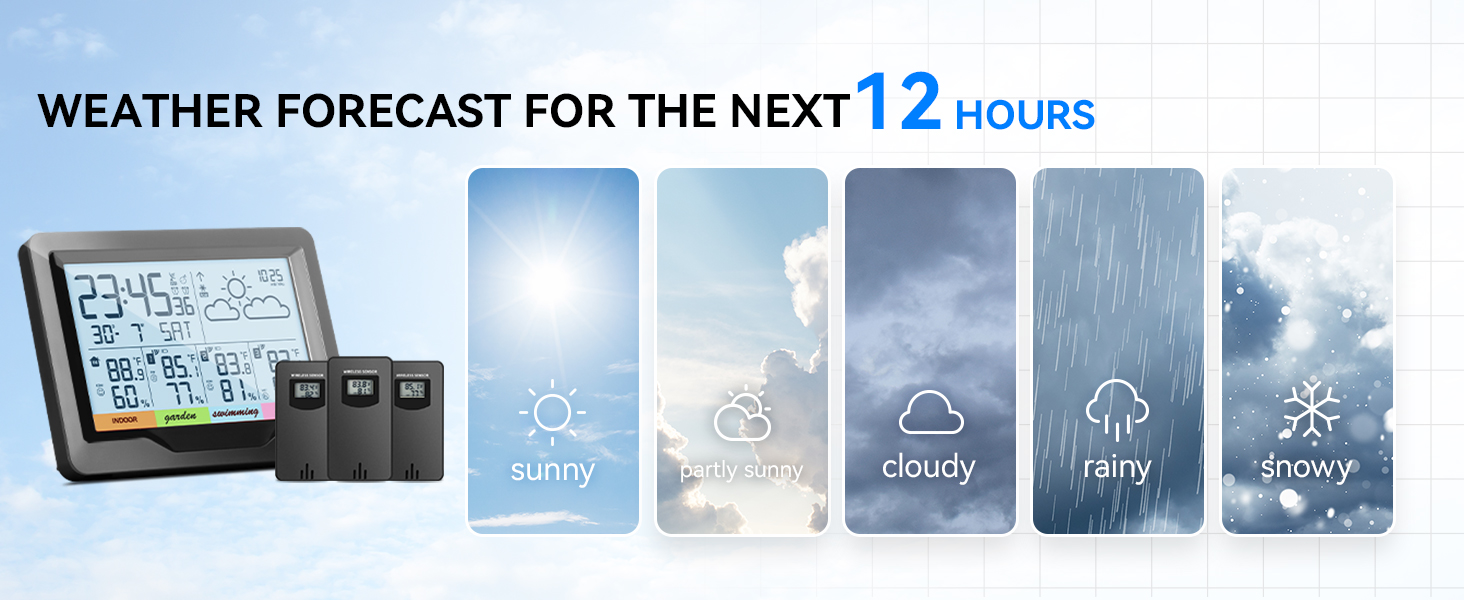
Image: The weather station provides a visual representation of the weather forecast for the next 12 hours, including sunny, partly sunny, cloudy, rainy, and snowy conditions.
Обслуживание
- Замена батареи: При появлении индикатора низкого заряда батареи на дисплее замените батарейки как в основном блоке, так и в датчиках.
- Уборка: Wipe the display and sensor units with a soft, dry cloth. Avoid using abrasive cleaners or solvents.
- Размещение датчика: Ensure outdoor sensors are placed in a sheltered location to protect them from direct rain and sunlight, which can affect accuracy and lifespan.
Поиск неисправностей
Sensor Not Working / No Reading
- Remove batteries from both the main host unit and the problematic sensor.
- Wait for 1 to 5 minutes.
- Reinsert batteries into both the sensor and the main unit.
- Ensure the channel switch (1, 2, or 3) on the sensor is pushed to the corresponding channel setting on the host unit.
- Verify that the sensor is within the 200 feet (60 meters) transmission range and there are no major obstructions.
- Allow up to 3 minutes for the sensor to reconnect and display data.
Примечание: The data collected by the weather station takes several hours to stabilize after initial setup or reconnection. For best results, keep the main unit and sensors close together during the initial setup phase.
Технические характеристики
| Особенность | Деталь |
|---|---|
| Размеры продукта | 6.89 x 5.24 x 3.46 дюйма |
| Вес товара | 1.06 фунта |
| Номер модели | ЭМ3383Б |
| Производитель | КАЛЕВОЛ |
| Страна происхождения | Китай |
| Рекомендуемое использование | Офис, Сад, Дом |
| Конкретные применения | Temperature, Humidity, Time, Date |
| Источник питания | Питание от батареи |
| Специальная характеристика | Large Display With Color Partition Stickers, Thermometer, Humidity Monitor, Alarm, Clock |
| Материал | Акрилонитрилбутадиенстирол (АБС) |
| Технология связи | RF |
| Стиль | Weather Station with Basic Display |
| Цвет | Черный |
Гарантия и поддержка
KALEVOL is committed to customer satisfaction. For any product inquiries, technical support, or warranty claims, please refer to the contact information provided with your purchase or visit the official KALEVOL webсайт. Сохраните чек о покупке для гарантийных целей.
KALEVOL actively listens to customer feedback and is committed to continuously innovating and optimizing products to ensure a comfortable and healthy living experience and after-sales service support.