
УР2350С
Shark Matrix Self-Emptying Robot Vacuum
Model: UR2350S
Введение
This manual provides essential instructions for the setup, operation, and maintenance of your Shark Matrix Self-Emptying Robot Vacuum, Model UR2350S. Please read this guide thoroughly before using the appliance to ensure safe and efficient operation. Keep this manual for future reference.
Важные инструкции по технике безопасности
При использовании электроприборов всегда следует соблюдать основные меры предосторожности, включая следующие:
- Read all instructions before using this robot vacuum.
- Не используйте на открытом воздухе или на влажных поверхностях.
- Не разрешать использовать в качестве игрушки. Необходимо особое внимание при использовании детьми или вблизи них.
- Используйте только так, как описано в этом руководстве. Используйте только рекомендуемые производителем насадки.
- Не прикасайтесь к вилке или прибору мокрыми руками.
- Не вставляйте никакие предметы в отверстия. Не используйте, если какие-либо отверстия заблокированы; не допускайте попадания пыли, ворса, волос и всего, что может уменьшить поток воздуха.
- Держите волосы, свободную одежду, пальцы и все части тела подальше от отверстий и движущихся частей.
- Не поднимайте ничего горящего или дымящегося, например, сигареты, спички или горячий пепел.
- Не используйте устройство для сбора легковоспламеняющихся или горючих жидкостей, таких как бензин, а также в местах их возможного присутствия.
- Не используйте устройство без установленного пылесборника и/или фильтров.
- Предотвращение непреднамеренного запуска. Убедитесь, что переключатель находится в выключенном положении, прежде чем подключать аккумулятор, поднимать или переносить прибор.
- Заряжайте только с помощью зарядного устройства, указанного производителем.
Содержимое упаковки
Убедитесь, что в упаковке присутствуют все компоненты:
- Shark Matrix Robot Vacuum
- Самостоятельно опорожняющаяся база
- Зарядная док-станция
- Шнур питания
- Боковые щетки (2)
- Руководство пользователя
Настраивать
1. Распаковка и первоначальное размещение
Carefully remove all packaging materials from the robot and the self-empty base. Place the self-empty base against a wall in an open area, ensuring there are no obstacles within 3 feet (1 meter) on either side and 5 feet (1.5 meters) in front. Plug the power cord into the base and then into a wall outlet.

Image: The Shark Matrix robot vacuum docked with its self-empty base, alongside a smartphone displaying the SharkClean app with a home map.
2. Первоначальный взнос
Place the robot onto the self-empty base. Ensure the charging contacts on the robot align with those on the base. The robot will begin charging automatically. Allow the robot to fully charge before its first use, which may take several hours.
3. Download the SharkClean App
Download the SharkClean app from your smartphone's app store. Follow the in-app instructions to connect your robot to your home Wi-Fi network. This enables advanced features like scheduling, zone cleaning, and remote control.
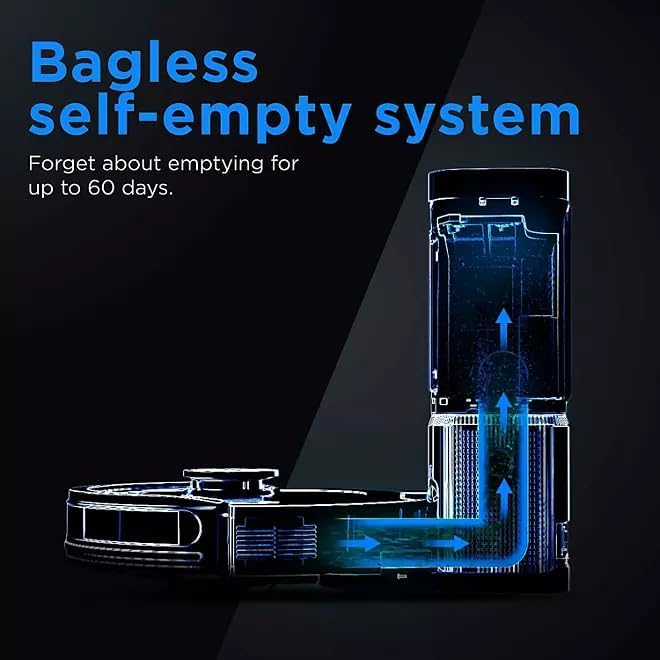
Image: A smartphone displaying the SharkClean app, illustrating options to customize cleaning tasks such as targeting specific rooms or areas.
4. Home Mapping
For optimal cleaning, allow the robot to complete an initial mapping run of your home. During this process, the robot will navigate all accessible areas to create a detailed map, which can then be viewed and customized in the SharkClean app.
Эксплуатация вашего робота-пылесоса
Начало уборки
Press the Clean button on the robot or use the SharkClean app to start a cleaning cycle. The robot will automatically return to its base when cleaning is complete or when its battery is low.
Scheduling Cleans
Use the SharkClean app to set up recurring cleaning schedules. You can customize cleaning times and days to fit your routine.
Customizing Your Clean
The SharkClean app allows you to define specific cleaning zones, set no-go zones, and target individual rooms for cleaning based on the generated home map.
Расширенная навигация
The robot is equipped with sensors to detect and avoid obstacles, ensuring efficient navigation and thorough coverage of your home.
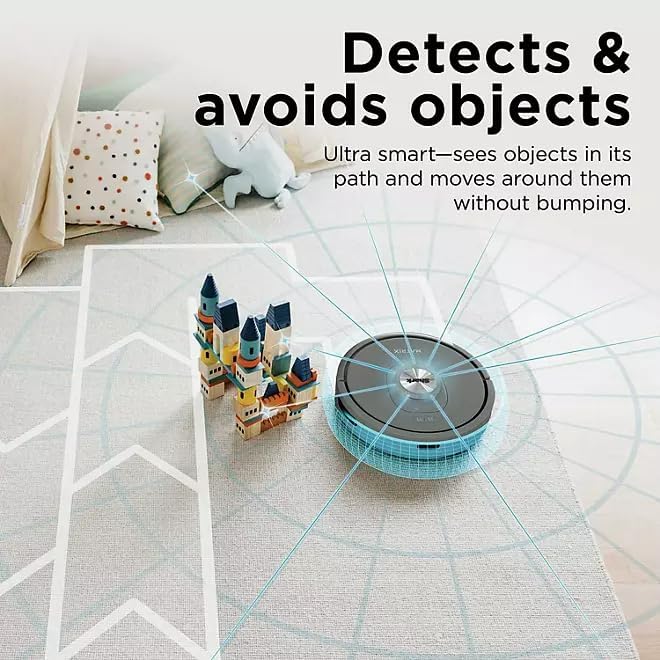
Image: The Shark Matrix robot vacuum on a rug, illustrating its ability to detect and navigate around objects such as building blocks.
Мощное всасывание
The robot delivers powerful suction to effectively clean dirt, dust, and debris from various floor types, including carpets and hard floors.
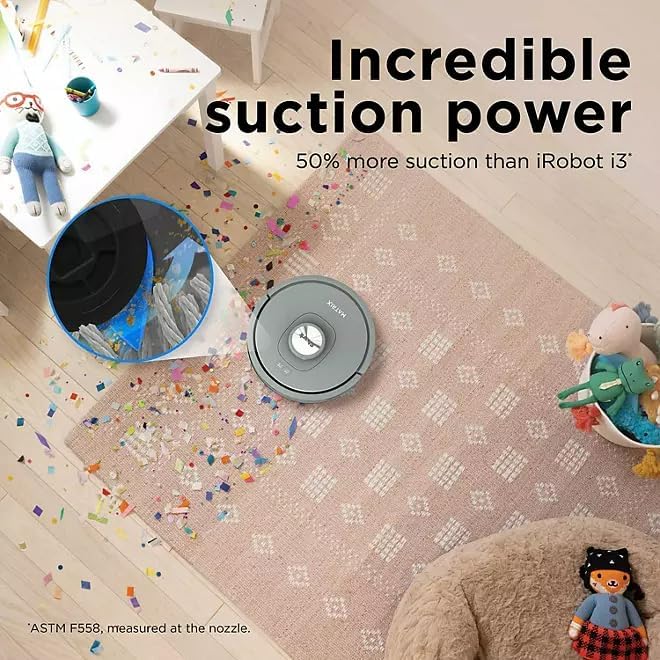
Image: The Shark Matrix robot vacuum cleaning a rug covered in confetti and debris, with an inset showing the powerful suction action.
Обслуживание
Регулярное техническое обслуживание обеспечивает оптимальную работу вашего робота-пылесоса.
1. Self-Empty Base Maintenance
The self-empty base can hold up to 60 days of debris, reducing the frequency of manual emptying. When the dust bag in the base is full, the app will notify you. Replace the dust bag as needed.

Image: A diagram illustrating the internal mechanism of the bagless self-empty system, showing how debris is transferred from the robot to the base.
2. Cleaning the Robot Dustbin
While the self-empty base handles most debris, it is recommended to periodically check and manually empty the robot's internal dustbin, especially if you notice reduced suction or if the robot is used in very dusty environments.
3. Чистящие щетки
- Main Brushroll: Remove the brushroll cover and lift out the brushroll. Use the cleaning tool (if included) or scissors to remove any hair or debris wrapped around it.
- Боковые щетки: Gently pull off the side brushes. Remove any hair or debris and reattach them.
4. Очистка фильтров
Locate the filter in the robot's dustbin. Tap off loose dirt over a trash can. Rinse the filter with water if necessary, and allow it to air dry completely for at least 24 hours before reinserting. Do not operate the robot with a wet filter.
5. Очистка датчиков
Wipe the cliff sensors, bumper sensors, and charging contacts on both the robot and the base with a clean, dry cloth. This ensures proper navigation and charging.
Поиск неисправностей
- Робот не заряжается: Убедитесь, что контакты зарядки на роботе и подставке чистые и свободны от мусора. Проверьте, надежно ли подключен шнур питания к подставке и к розетке.
- Робот не подключается к Wi-Fi: Ensure your Wi-Fi network is 2.4GHz. Restart your router and try the connection process again through the SharkClean app.
- Робот застрял: Clear any loose cables, small rugs, or obstacles from the cleaning path. Use the app to set no-go zones for persistent problem areas.
- Плохая эффективность очистки: Check and clean the brushroll, side brushes, and filters. Empty the robot's dustbin and the self-empty base.
- Робот издает необычные звуки: Inspect the brushroll and wheels for any lodged debris or foreign objects.
Технические характеристики
| Особенность | Деталь |
|---|---|
| Название модели | Matrix Self-Empty Robot Vacuum |
| Номер модели | УР2350С |
| Особые возможности | Precision Home Mapping, Wi-Fi Connectivity, Multi-Surface Cleaning, Self-Emptying Base |
| Цвет | Серый |
| Размеры продукта | 14"Д x 5.99"Ш x 14"В |
| Включенные компоненты | Robot Vacuum, Self-Empty Base, Charging Dock, Power Cord, Side Brushes, User Manual |
| Тип фильтра | Картридж |
| Срок службы батареи | 110 минуты |
| Источник питания | Питание от батареи |
| Батарейки в комплекте | Да |
| Совместимые устройства | Амазон Эхо |
| Вес товара | 14 фунта |
| Производитель | АКУЛА |
Гарантия и поддержка
This product comes with a limited warranty provided by the manufacturer. For detailed warranty information, product registration, or technical support, please refer to the official Shark webили обратитесь в службу поддержки клиентов. Сохраните чек в качестве подтверждения покупки.
Ask a question about this manual
Ask about setup, troubleshooting, compatibility, parts, safety, or missing instructions. Manuals+ will review the question and use this page’s manual context to help answer it.