
Введение
The Electight White Noise Machine is designed to enhance sleep quality and create a calming environment for adults and babies. It features 34 soothing sounds, a 7-color adjustable night light, and convenient Wi-Fi connectivity for app control. This manual provides comprehensive instructions for its setup, operation, and maintenance.
Что в коробке?
- Аппарат для создания белого шума *1
- Зарядный кабель USB-C * 1
- Руководство пользователя
Продукт болееview
The Electight White Noise Machine combines a sound machine and a night light into a compact, user-friendly device. It offers both physical button controls and smart app control via Wi-Fi.

Изображение: Оверview of the Electight White Noise Machine highlighting its key features such as app control, timer, rechargeable battery, night light, 34 sounds, child lock, sleep programs, and customizable scenarios.
Кнопки управления
The device features intuitive buttons on its base for direct control of various functions.

Image: Detailed diagram illustrating the functions of each control button on the base of the device, including volume up/down, power/play/pause, sound selection, light color/brightness adjustment, and timer.
- Объем +/-: Регулирует громкость звука.
- Power / Play/Pause: Turns the device on/off and plays/pauses sounds.
- Выбор звука: Cycles through the available sound categories.
- Light Color / Brightness: Changes the night light color and adjusts brightness.
- Таймер: Устанавливает таймер автоматического отключения.
- Top Touch Sensor: Taps the top of the device to switch scenario modes or adjust light.
Настраивать
1. Подключение питания
Connect the provided USB-C charging cable to the device and a suitable power adapter (not included). The device can be used while charging, or operate on its internal battery.
2. Первоначальное включение
Long press the Power button on the base to switch the device on. The night light will illuminate, and a default sound may begin playing.
3. Загрузка приложения и подключение к Wi-Fi
For smart control features, download the dedicated app to your mobile phone. Refer to the instruction manual included in the box for specific app download details and QR codes. Ensure your Wi-Fi network is 2.4G, as 5G Wi-Fi is not compatible. Follow the in-app instructions to connect your device to Wi-Fi.

Image: The Electight White Noise Machine shown alongside a smartphone screen displaying the mobile application interface for controlling the device's sounds and lighting.
Инструкция по эксплуатации
Управление приложениями
Once connected to Wi-Fi, use the mobile app for full control over your Electight White Noise Machine. The app allows you to:
- Select from 34 soothing sounds (white noises, fan sounds, lullabies, nature sounds).
- Adjust volume levels precisely.
- Choose from 7 night light colors and adjust brightness (1%-100%).
- Set custom auto-off timers and auto-wakeup programs.
- Create and customize scene modes combining specific sounds and lighting effects.
- Enable or disable child lock.

Image: A child sleeping with the white noise machine on a bedside table, illustrating its use for sleep. The image also shows the app interface for setting sleep programs and timers.
Ручное управление
You can also operate the device using the physical buttons on its base:
- Включение/выключение питания: Длительно нажмите кнопку питания.
- Воспроизведение/пауза звука: Короткое нажатие на кнопку питания.
- Отрегулируйте громкость: Используйте кнопки «+» и «-».
- Изменить звук: Press the sound selection button to cycle through sound categories.
- Изменить цвет света: Press the light color/brightness button to cycle through 7 colors.
- Отрегулируйте яркость света: Long press the light color/brightness button to dim or brighten the light.
- Установить таймер: Press the timer button to set an auto-off duration.
- Scenario Mode Switching: Tap the top of the device to switch between pre-set or customized scenario modes.
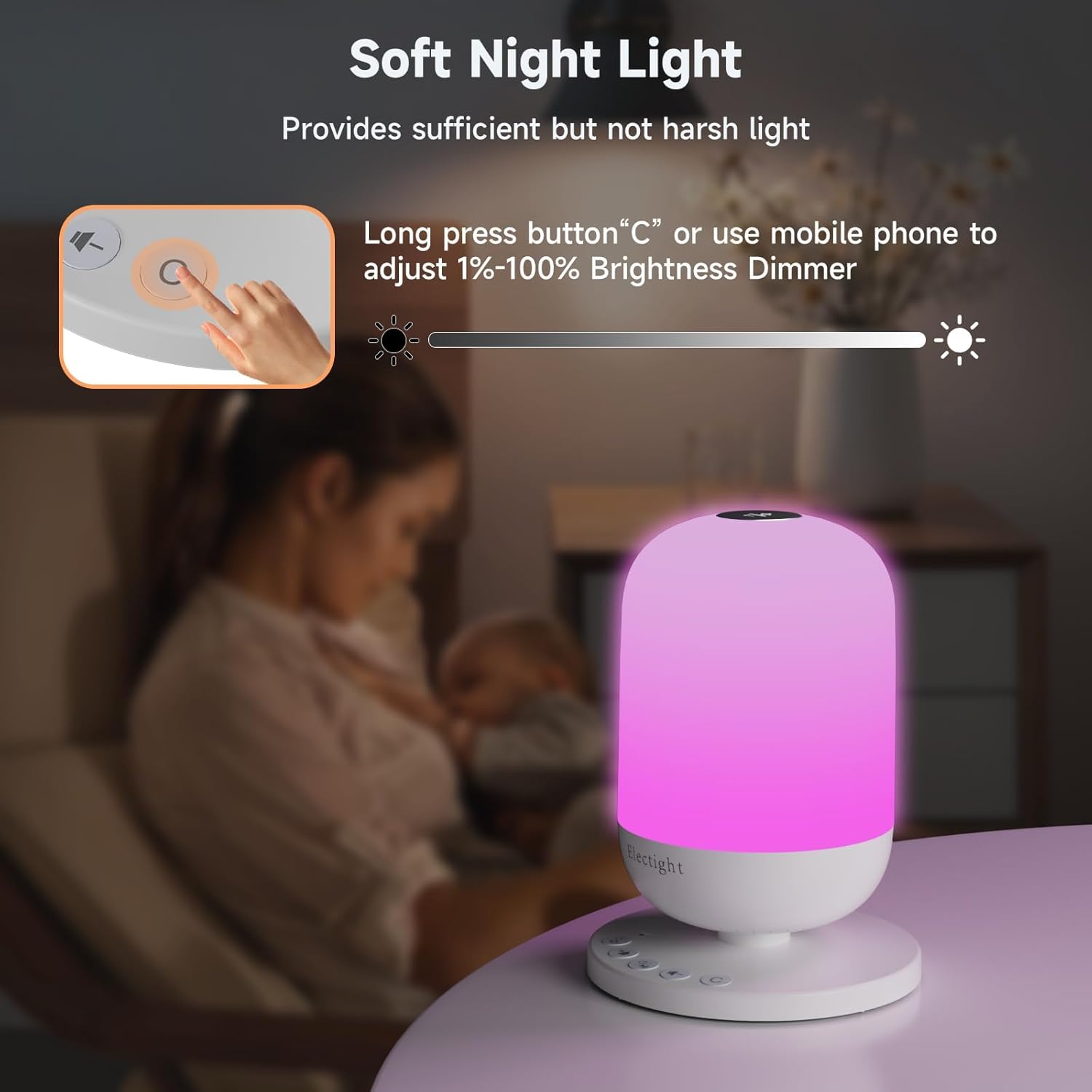
Image: A hand interacting with the device's control panel, specifically demonstrating how to adjust the soft night light's brightness using the physical buttons or the mobile app.
Выбор звука
The device offers 34 authentic sleep sounds, categorized as:
- 11 белых шумов
- 3 звуков вентилятора
- 8 Колыбельные
- 12 звуков природы

Image: A visual representation of the sound categories available, including white noises, fan sounds, lullabies, and nature sounds, suggesting a high-quality sound experience for a cozy atmosphere.
Особенности ночного света
The integrated night light provides soft, natural illumination with 7 soothing colors. It can be used as a bedside lamp, nursery light, or for creating ambient lighting. Brightness is adjustable from 1% to 100%.

Image: A visual demonstration of the night light's capabilities, showcasing different colors and a brightness scale from 10% to 100%.
Timer and Sleep Programs
Set an auto-off timer for the device to automatically turn off after a specified duration. You can also create personalized sleep programs via the app, combining specific sounds, lights, and timings for wake-up and sleep routines.
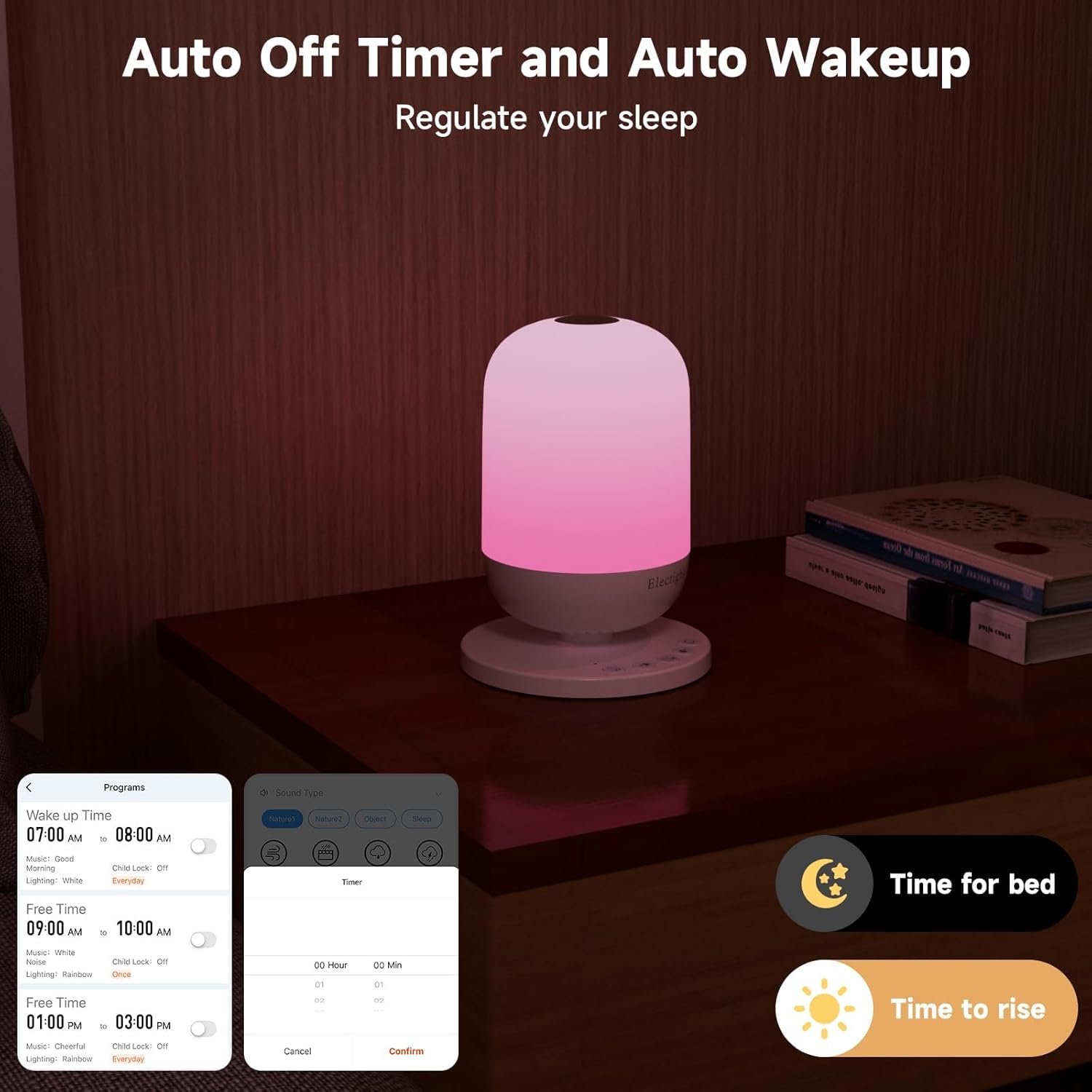
Image: The white noise machine on a nightstand, with a smartphone displaying the app's interface for setting auto-off timers and custom wake-up programs, labeled 'Time for bed' and 'Time to rise'.
Обслуживание
To ensure the longevity and optimal performance of your Electight White Noise Machine, follow these simple maintenance guidelines:
- Уборка: Протрите устройство мягкой сухой тканью. Не используйте абразивные чистящие средства, растворители и не погружайте устройство в воду.
- Хранилище: Если устройство не используется в течение длительного времени, храните его в прохладном, сухом месте, вдали от прямых солнечных лучей.
- Уход батареи: To maintain battery health, avoid fully discharging the battery frequently. Charge the device regularly.
Поиск неисправностей
If you encounter any issues with your Electight White Noise Machine, please refer to the following common solutions:
- Устройство не включается: Ensure the device is charged or connected to a power source using the USB-C cable. Try a different power adapter or outlet.
- Нет звука/света: Check if the device is powered on and not in pause mode. Adjust volume and brightness settings.
- Проблемы с подключением приложения: Verify your mobile device's Wi-Fi is enabled and connected to a 2.4G network. Ensure the white noise machine is within range of your Wi-Fi router. Restart both the device and the app.
- Кнопки не реагируют: If the physical buttons are not responding, try restarting the device by holding the power button for 10 seconds.
- Проблемы с качеством звука: Ensure the device is placed on a stable surface. If using app control, check your phone's volume settings.
Если проблема не устранена, обратитесь в службу поддержки клиентов для получения дополнительной помощи.
Технические характеристики
| Особенность | Деталь |
|---|---|
| Бренд | Electight |
| Название модели | USHHSM1 (FRHHSM1-US) |
| Размеры продукта | 4.44"Д x 4.44"Ш x 6.1"В |
| Вес товара | 10.4 унции |
| Материал | Акрилонитрилбутадиенстирол, полипропилен |
| Источник питания | Питание от аккумулятора (1 литий-ионный аккумулятор в комплекте) |
| Томtage | 3.7 Вольт |
| Тип источника света | ВЕЛ |
| Светлый цвет | 7 цвета, регулируемые |
| Количество звуков | 34 успокаивающих звуков для сна |
| Метод контроля | Приложение, кнопка |
| Особые возможности | Wi-Fi Connection, App Control, Timer |
| Использование внутри и снаружи помещений | В помещении |
| Уровень водонепроницаемости | Не водостойкий |
Гарантия и поддержка
For warranty information or technical support, please refer to the contact details provided in the product packaging or visit the official Electight webСохраните чек о покупке для предъявления претензий по гарантии.