
Введение
This manual provides detailed instructions for the installation, operation, and maintenance of your Junsun Car Radio. Designed specifically for Toyota Tacoma models from 2005 to 2015, this unit enhances your driving experience with advanced features including Wireless CarPlay/Android Auto, GPS navigation, DSP, RDS, Bluetooth 5.0, WiFi 5G, and a high-definition backup camera. Please read this manual thoroughly before installation and use to ensure optimal performance and safety.
Основные характеристики
- Genuine Plug & Play Installation: Vehicle-specific harness for direct connection to factory wiring, eliminating complex modifications. Supports factory JBL Premium Sound System.
- Integrated Wireless and Wired CarPlay/Android Auto: Seamless smartphone integration for navigation, music, and calls. Includes screen mirroring for media projection.
- 1080P AHD Backup Camera Ready: Comes with a Junsun HD 1080P rearview camera (HS19) for enhanced reversing safety.
- Portable GPS Navigation: Powerful GPS module with online navigation support and live traffic updates.
- Интегрированная функциональность рулевого колеса: Control audio and settings directly from your steering wheel for improved safety and convenience.
- Preserve OEM Features: Retains essential factory features like steering wheel controls and driving information displays.
- Обновленный Bluetooth 5.0: Supports hands-free calling, contact synchronization, and audio streaming with an external microphone for clear calls.
- Premium FM/AM Radio: Stay connected with the latest news and traffic updates.
- 9" IPS HD Touchscreen: Delivers vibrant visuals (1280x720 resolution) for effortless navigation and entertainment.
- 2GB RAM and 32GB ROM: Ensures fast functionality and ampхранилище для приложений.
- Software Update Support: Wireless updates for Android 13 head unit to address bugs and boost security.
Что в коробке?
- Головное устройство
- Провода, кабели
- Лом (для снятия панели)
- Рамка
- Backup camera (HS19)
Note: Additional accessories like a car powered subwoofer are not included.
Настройка и установка
The Junsun Car Radio is designed for genuine plug-and-play installation, minimizing the need for complex wiring. Follow these general steps for a smooth setup.
1. Initial Connections Overview
Before installing the head unit into the dashboard, connect the necessary cables as shown in the wiring diagrams. Ensure all connections are secure.
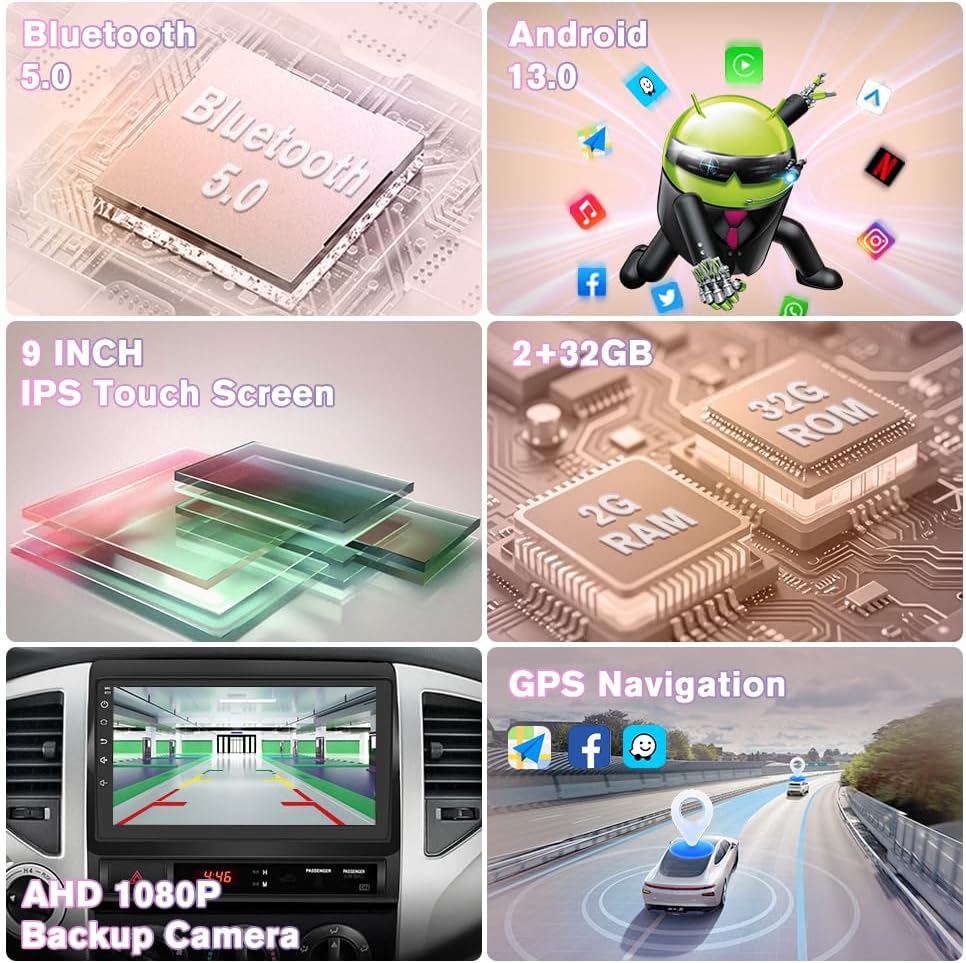
Изображение: Оверview of the Junsun Car Radio's key features including Bluetooth 5.0, Android 13.0, 9-inch IPS Touch Screen, 2GB RAM + 32GB ROM, AHD 1080P Backup Camera, and GPS Navigation.
2. Демонтаж штатной магнитолы
Use the provided crowbar or a plastic opening tool to carefully pry open the dashboard panel surrounding the factory radio. Disconnect all wiring harnesses from the old unit.

Image: A visual comparison of a Toyota Tacoma dashboard before and after the Junsun Car Radio installation, highlighting the seamless fit and integrated appearance.
3 Схема электропроводки и соединений
Connect the vehicle-specific harness to the new Junsun head unit. Ensure all corresponding plugs are securely connected. The system is designed to retain factory features like steering wheel controls.

Image: A detailed wiring diagram showing the connections for the Junsun Car Radio, including the main unit, various wire cables, and the CANBUS module for specific Tacoma models.
4. Установка камеры заднего вида
The included HS19 backup camera provides 1080P AHD visuals. Connect the red cable to the backup light's positive (+) terminal and the black cable to the ground (GND). Route the video signal cable to the head unit's rear camera input.

Image: A diagram illustrating the connection of the aftermarket rear camera to the Junsun Car Radio, showing the red cable to the backup light and the black cable to ground.
5. Окончательная установка
Once all connections are made, carefully slide the new head unit into the dashboard opening until it clicks into place. Reattach any removed trim panels.
Installation Videos (Seller Provided)
Car Stereo Radio for Toyota Tacoma 2005-2015
Video: This video demonstrates the features and user interface of the Junsun Car Stereo Radio installed in a Toyota Tacoma, showing car settings, CarPlay/Android Auto, DSP, and compatibility with 2005-2015 models.
android carplay radio for toyota tacoma 2005 to 2015
Video: This video provides an unboxing and overview of the components included with the Android CarPlay radio for Toyota Tacoma 2005-2015, detailing the main unit, wiring harness, and various cables.
Radio Upgrade For Toyota Tacoma(2005-2015)
Video: This video demonstrates the installation process of a radio upgrade for Toyota Tacoma (2005-2015), including removal of the old unit, wiring connections, and fitting the new head unit.
Install video for Tacoma
Video: This video shows the installation of a head unit in a Toyota Tacoma, including the removal of the old radio, mounting the new unit, and connecting the wiring harnesses.
Jingelsye Wiring Video
Video: This video provides a step-by-step guide on connecting the various cables and components for the Jingelsye car stereo, including the 4G antenna, GPS antenna, camera signal wire, and USB cables.
Инструкция по эксплуатации
Your Junsun Car Radio features an intuitive Android 13 interface with a responsive 9-inch IPS HD touchscreen. Here's how to get started:
1. Включение/выключение питания
Press and hold the power button (usually located on the side panel) to turn the unit on or off. A short press typically mutes/unmutes audio.
2. Сенсорная навигация
Navigate through menus and applications by tapping and swiping on the touchscreen. The interface is designed to be user-friendly.

Image: A visual representation of the CarPlay and Android Auto interfaces on the Junsun Car Radio, demonstrating wireless and wired connection options for smartphones.
3. Беспроводной CarPlay и Android Auto
Connect your iPhone or Android device via Bluetooth for wireless CarPlay or Android Auto. This allows access to navigation, music, and communication apps directly on the head unit's screen. Wired connections are also supported via USB.
4. GPS-навигация
Utilize the built-in GPS module for accurate positioning. Access online navigation apps for real-time traffic information and route guidance.
5. Audio and DSP Settings
Adjust audio settings using the built-in DSP (Digital Signal Processor) and 48-band EQ to customize your sound experience. Access these settings through the main menu.
6. Органы управления на рулевом колесе
The unit is compatible with your vehicle's factory steering wheel controls. This allows you to manage volume, tracks, and calls without taking your hands off the wheel.
7. Bluetooth-подключение
Pair your phone via Bluetooth 5.0 for hands-free calling and audio streaming. The external microphone ensures clear call quality.
8. Радио (FM/AM)
Tune into your favorite FM/AM radio stations. The RDS feature provides additional station information where available.
Обслуживание
Для обеспечения долговечности и оптимальной работы вашей автомобильной магнитолы Junsun следуйте этим рекомендациям по техническому обслуживанию:
- Очистка экрана: Аккуратно протрите сенсорный экран мягкой безворсовой тканью. Для удаления стойких загрязнений слегка потрите.ampПротрите ткань специальным средством для чистки экранов, предназначенным для электроники. Избегайте агрессивных химикатов и абразивных материалов.
- Обновления программного обеспечения: Keep your Android 13 head unit updated wirelessly. Regular updates help address software bugs, improve security, and enhance overall usability. Check for updates periodically through the system settings.
- Кабельные соединения: Periodically check all cable connections behind the unit to ensure they are secure and free from damage. Loose connections can lead to intermittent issues.
- Забота об окружающей среде: Не подвергайте устройство воздействию экстремальных температур, прямых солнечных лучей в течение длительного времени или чрезмерной влажности.
Поиск неисправностей
If you encounter any issues with your Junsun Car Radio, refer to the following common troubleshooting tips:
- Устройство не включается: Check the power cable connections and ensure the vehicle's ignition is on. Verify the fuse for the radio is intact.
- Нет звука: Check volume levels, ensure speakers are properly connected, and verify audio settings (e.g., DSP equalizer).
- CarPlay/Android Auto не подключается: Ensure Bluetooth is enabled on both the phone and the head unit. For wired connections, try a different USB cable. Restart both devices.
- Проблемы с сигналом GPS: Убедитесь, что GPS-антенна правильно установлена и имеет прямую видимость в небо.
- Резервная камера не отображается: Verify the camera's power and video signal connections. Ensure the vehicle is in reverse gear.
- Сенсорный экран не отвечает: Попробуйте перезагрузить устройство. Если проблема не исчезнет, может потребоваться сброс до заводских настроек (обратите внимание: это приведет к удалению личных настроек).
For persistent issues or advanced troubleshooting, please contact our professional after-sales support team.
Технические характеристики
| Особенность | Спецификация |
|---|---|
| Вес товара | 4.16 фунта |
| Размеры упаковки | 13.19 x 11.42 x 4.61 дюйма |
| Номер модели товара | JS-US-XT892CTacoma515-HS19-FX |
| Размер дисплея | 9 дюйма |
| Голосовое управление | Микрофон, сенсорный экран |
| Операционная система | Андроид 13 |
| БАРАН | 2 ГБ |
| ПЗУ | 32 ГБ |
| Технология связи | Bluetooth 5.0, Ethernet, USB, Wi-Fi 5G |
| Разрешение экрана | 1280x720 |
| Тип карты | North America (Online Navigation Support) |
| Режим аудиовыхода | Стерео |
| Тип крепления | Крепление на приборную панель |
Гарантия
The Junsun Car Radio comes with a Гарантия 1 год Гарантия распространяется на производственные дефекты с даты покупки. Сохраните чек для предъявления гарантийных претензий.
Поддерживать
Our dedicated professional after-sales support team is available 24/7, ready to assist you with any inquiries or issues. Trained in product knowledge, we ensure quick responses to your needs even on weekdays. For assistance, please refer to the contact information provided with your product packaging or visit the Junsun official webсайт.