
Введение
This manual provides detailed instructions for the safe and efficient operation of your Longer Ray5 20000mW Laser Engraver with Air Assist Kit. Please read this manual thoroughly before using the device to ensure proper setup, operation, and maintenance. Retain this manual for future reference.
Информация по безопасности
ПРЕДУПРЕЖДЕНИЕ: Laser engravers are powerful tools that can cause serious injury if not used correctly. Always follow these safety guidelines:
- При работе с лазерным оборудованием всегда надевайте соответствующие защитные очки для работы с лазером.
- Никогда не смотрите прямо на лазерный луч или на его отражение.
- Обеспечьте хорошую вентиляцию рабочего места для рассеивания паров и дыма.
- Не допускайте на пути лазера легковоспламеняющихся материалов.
- Не оставляйте машину без присмотра во время работы.
- Убедитесь, что машина установлена на устойчивой, ровной поверхности.
- Не допускайте детей и домашних животных в зону проведения операции.
- Перед выполнением любого обслуживания или регулировки отключите питание.
- Ознакомьтесь с процедурами аварийного отключения.
Содержимое упаковки
Убедитесь, что в упаковке присутствуют все компоненты:
- Longer Ray5 20000mW Laser Engraver Unit
- Воздушный насос
- Насадка и трубка для подачи воздуха для вспомогательной подачи воздуха
- Адаптер питания
- USB-кабель
- Защитные очки
- Руководство пользователя (этот документ)
- Материал Samples (may vary)

Image: Air assist kit components including the pump, nozzle, and tubing.
Настраивать
- Распаковка: Аккуратно извлеките все компоненты из упаковки.
- Сборка: Follow the included quick start guide for assembling the main laser engraver frame and attaching the laser module.
- Air Assist Installation:
- Connect the air assist pump to the designated port on the laser module using the provided tubing.
- Ensure the air assist nozzle is securely attached to direct airflow to the engraving/cutting point.
- Подключение питания: Подключите адаптер питания к гравировальному станку, а затем к подходящей розетке.
- Подключение к компьютеру: Connect the engraver to your computer via USB, or prepare for Wi-Fi/TF card connection.

Image: The Longer Ray5 laser engraver with the air assist pump connected and ready for operation.
Инструкция по эксплуатации
1. Программное обеспечение и возможности подключения
The Longer Ray5 supports various software and connection methods:
- Совместимое программное обеспечение: LaserGRBL and LightBurn.
- Операционные системы: Supports Windows 7+, MacOS, and Linux.
- Методы подключения: Wi-Fi, USB, App, and TF card.
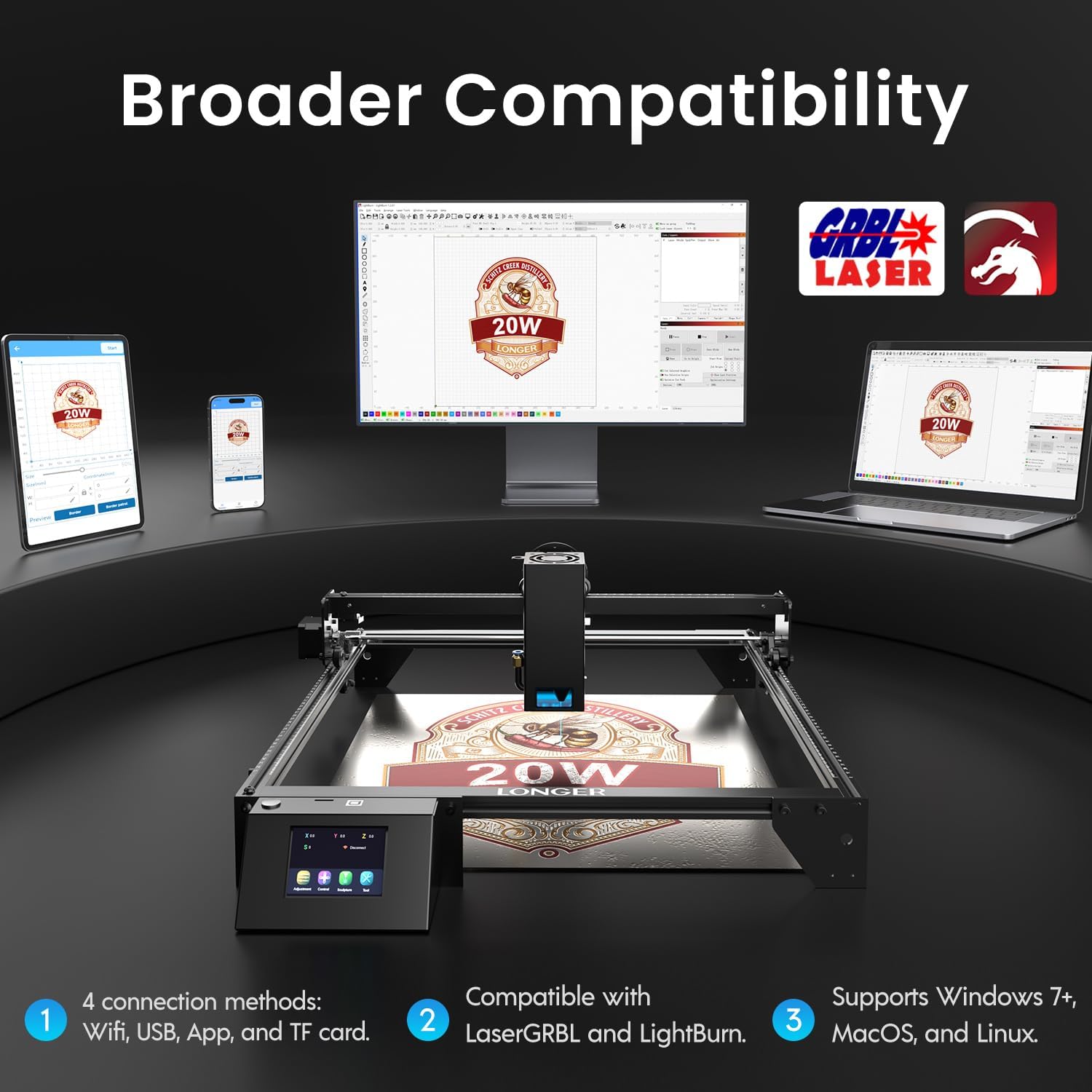
Image: Display showing the Longer Ray5's compatibility with LaserGRBL and LightBurn software, and various connection options including Wi-Fi, USB, App, and TF card across Windows, MacOS, and Linux operating systems.
2. Возможности гравировки и резки
The 20W diode laser offers high-efficiency performance for various materials.
- Резка: Capable of cutting up to 25mm of wood and 35mm of acrylic. It can also cut 0.05mm metal.
- Гравировка: Engrave hundreds of colors on metallic steel and a wide range of other materials.
- Материалы: Acrylic, metal, wood, stainless steel, and more.
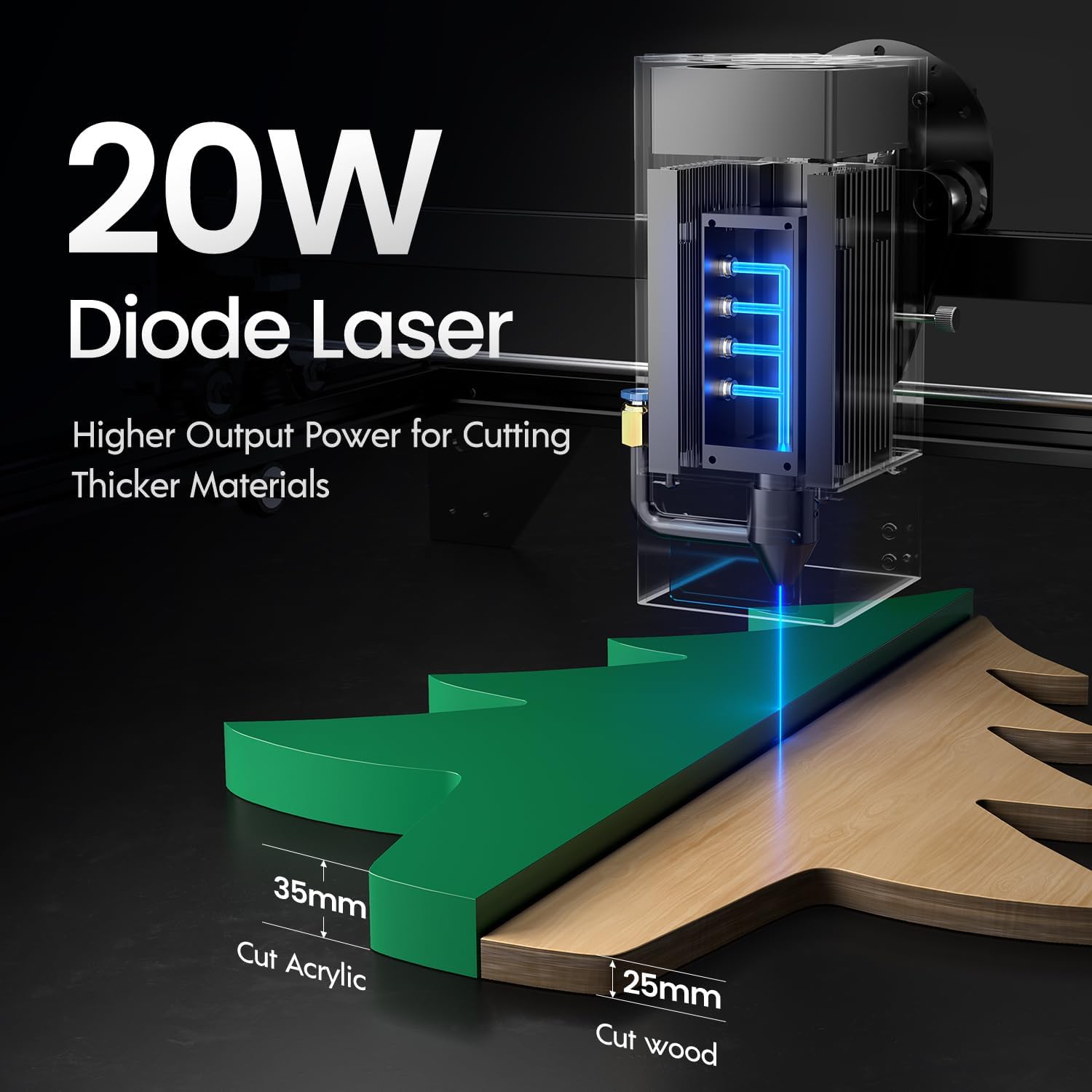
Image: Illustration demonstrating the 20W diode laser's capability to cut 25mm wood and 35mm acrylic.

Изображение: Бывшийamples of engraving capabilities, showcasing over 380 colors on metallic surfaces and other DIY artworks.

Image: A collection of various items demonstrating the versatile material selection for engraving and cutting, including wood, metal, and acrylic.
3. Функция воздушной поддержки
The integrated air assist kit significantly improves cutting and engraving quality.
- Enhanced Cutting: The adjustable airflow (10-30L/min) suppresses smoke and dust, preventing laser energy attenuation and ensuring cleaner, smoother edges.
- Reduced Yellowing: Air assist helps prevent charring and yellowing on materials during laser processing, especially for wood and acrylic.

Image: A visual comparison showing the benefits of air assist, resulting in cleaner cuts and reduced processing time (e.g., 12 minutes with air assist vs. 20 minutes without).
4. Непрерывная работа
The Longer Ray5 is designed for powerful continuous working capacity, supporting 24/7 continuous engraving. A single computer can control multiple machines.

Image: Depiction of multiple Longer Ray5 machines working simultaneously, illustrating continuous operation and the ability for one computer to control several units.
Обслуживание
Регулярное техническое обслуживание обеспечивает оптимальную производительность и продлевает срок службы вашего лазерного гравировального станка.
- Очистите линзу лазера: Для поддержания качества лазерного луча периодически очищайте линзу лазера мягкой безворсовой тканью, смоченной специальным раствором для чистки линз.
- Очистить мусор: Remove any accumulated dust or debris from the work area and machine components.
- Проверьте ремни и направляющие: Inspect drive belts for tension and wear. Keep linear rails clean and lubricated as per manufacturer recommendations.
- Воздушный фильтр: If your air assist pump has a filter, clean or replace it regularly to ensure efficient airflow.
- Обновления прошивки: Проверьте производителя webсайт для получения любых доступных обновлений прошивки для улучшения производительности или добавления функций.
Поиск неисправностей
В этом разделе рассматриваются распространенные проблемы, с которыми вы можете столкнуться.
| Проблема | Возможная причина | Решение |
|---|---|---|
| Лазер не стреляет | Power not connected, software error, laser module fault. | Check power connections. Verify software settings. Contact support if laser module is suspected faulty. |
| Низкое качество гравировки/резки | Incorrect focus, dirty lens, wrong power/speed settings, material issues, no air assist. | Adjust laser focus. Clean the laser lens. Optimize power/speed settings for the material. Ensure air assist is active. |
| Машина не подключается к компьютеру | USB cable issue, driver not installed, Wi-Fi configuration error. | Try a different USB port/cable. Install necessary drivers. Reconfigure Wi-Fi connection. |
| Чрезмерное дымление/пары | Insufficient ventilation, air assist not active or weak. | Ensure proper ventilation. Check air assist pump and tubing for blockages. Increase air assist flow. |
Технические характеристики
| Особенность | Деталь |
|---|---|
| Номер модели | ЛУЧ5 |
| Выходная мощность лазера | 20000 мВт (20 Вт) |
| Тип лазера | Диодный лазер |
| Cutting Depth (Wood) | До 25 мм |
| Cutting Depth (Acrylic) | До 35 мм |
| Metal Cutting Capability | 0.05 мм |
| Air Assist Flow | 10-30 л/мин (регулируемое значение) |
| Сенсорный экран | 3.5 дюймов |
| Связность | Wi-Fi, USB, App, TF Card |
| Совместимое программное обеспечение | ЛазерGRBL, LightBurn |
| Поддерживаемые ОС | Windows 7+, MacOS, Linux |
| Производитель | Длиннее |
| Дата первой доступности | 1 августа 2024 г. |
Гарантия и поддержка
For warranty information and technical support, please refer to the official Longer webсайт или свяжитесь со службой поддержки клиентов напрямую. Сохраните чек о покупке в качестве доказательства покупки для гарантийных претензий.
Интернет-ресурсы: Посетите Магазин Longer Store на Amazon для получения дополнительной информации о продукте и поддержки.