
Введение
Thank you for choosing the Edyell EH1 Bluetooth Motorcycle Helmet Headset. This device is designed to provide clear communication, music playback, and FM radio functionality while riding, enhancing your safety and enjoyment. Please read this manual carefully before use to ensure proper operation and to maximize the product's lifespan.
Содержимое упаковки
Проверьте комплектацию на наличие следующих предметов:
- Edyell EH1 Bluetooth Helmet Headset Unit
- Микрофон (на штанге или с мягким проводом, в зависимости от типа шлема)
- Speakers (pair)
- Зарядный кабель USB Type-C
- Крепежные зажимы для шлема (cl)amp и клейкой основой)
- Накладки на липучках для динамиков и микрофона
- Руководство пользователя
Продукт болееview
The Edyell EH1 features an intuitive design with advanced functionalities for motorcycle riders.
Smart LED Screen and RGB Lights
The headset is equipped with an LED display that shows essential information such as battery capacity, Bluetooth pairing status, and FM channel. Dynamic RGB lights provide visual feedback and enhance the aesthetic.
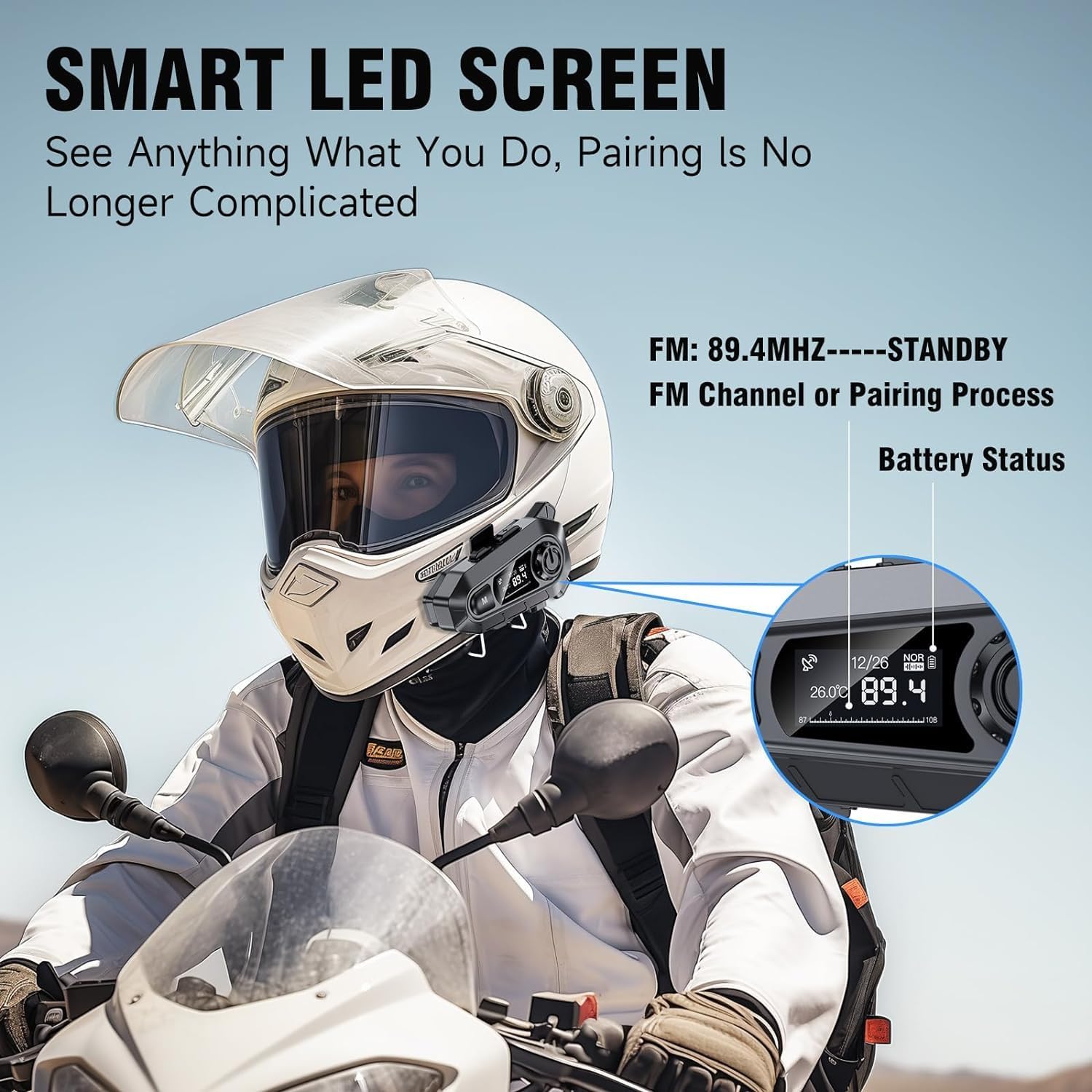
Изображение: The Edyell EH1 headset mounted on a helmet, highlighting its smart LED screen which displays battery status, FM channel, and pairing information for easy monitoring.
High-Quality 50mm Speakers with ENC Noise Reduction
Experience superior audio quality with 50mm speakers, delivering enhanced volume and bass compared to standard 40mm speakers. Environmental Noise Cancellation (ENC) technology ensures clear audio even at high speeds.
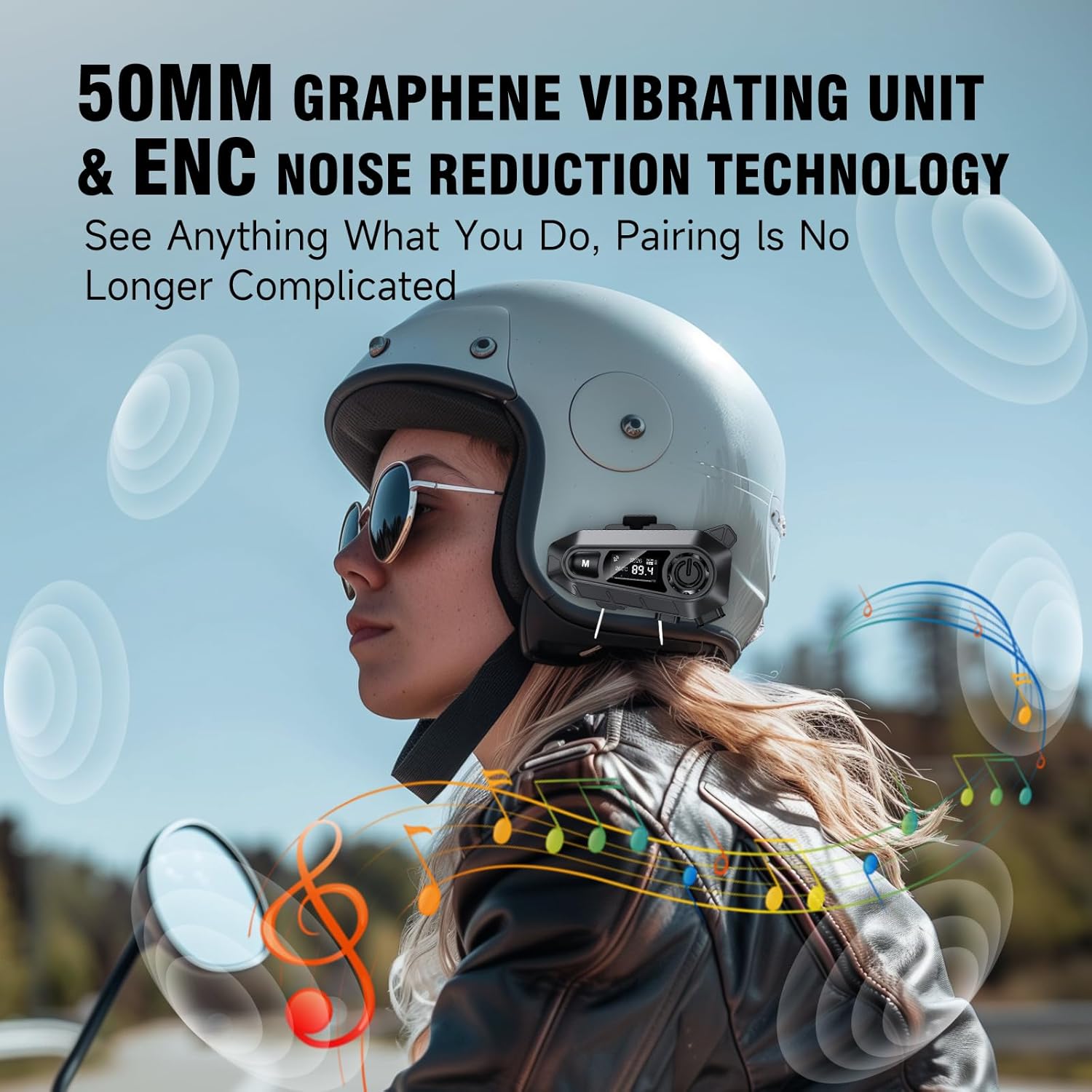
Изображение: A rider wearing a helmet with the Edyell EH1 headset, illustrating the 50mm graphene vibrating unit and ENC noise reduction technology for high-quality audio and clear communication.
Длительный срок службы аккумулятора и быстрая зарядка
Equipped with a 1000mAh battery, the EH1 provides up to 30 hours of music playback, 40 hours of talk time, and over 300 hours of standby time. The Type-C port allows for full charging in just 1.5 hours.

Изображение: A close-up of the Edyell EH1 headset showing its Type-C fast charging port and indicating its 1000mAh battery capacity, with charging and usage times.
Automatic Call Answering and Voice Control
The headset automatically answers incoming calls within 10 seconds, allowing for hands-free communication. Activate your phone's voice assistant (Siri, Google Assistant) with a single button press for navigation, music control, and more.

Изображение: A rider on a motorcycle demonstrating the voice assistant feature of the Edyell EH1 headset, showing prompts for "Previous song", "Open GPS", and "Hey Siri, Call Mike".
Universal Helmet Compatibility and IP67 Waterproof Rating
The Edyell EH1 is designed to be compatible with various helmet types. Its IP67 waterproof rating ensures durability and performance in diverse weather conditions.
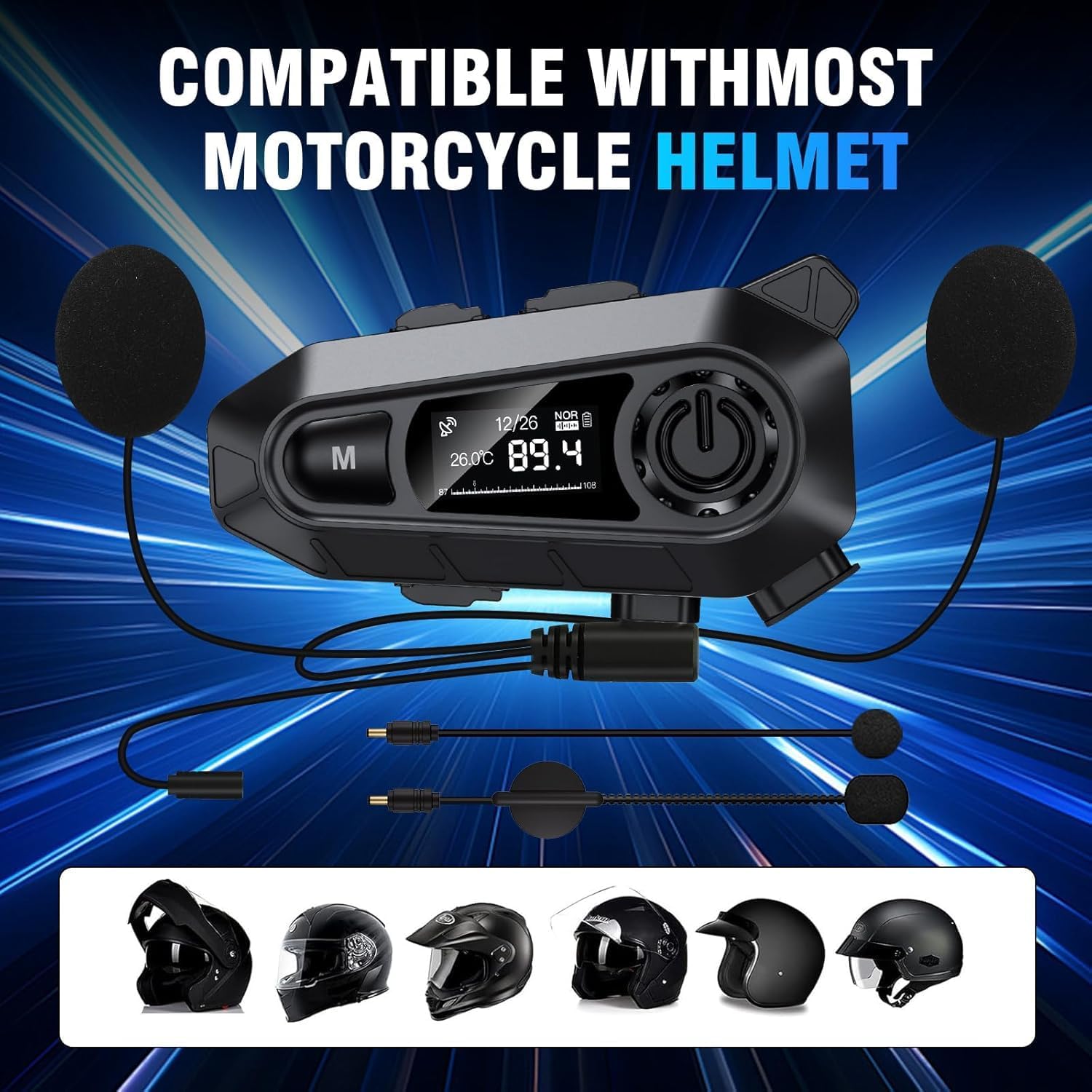
Изображение: The Edyell EH1 headset with its speakers and microphone attachments, displayed alongside various helmet types to illustrate its broad compatibility.
Настраивать
1. Зарядка устройства
- Перед первым использованием полностью зарядите гарнитуру.
- Connect the provided USB Type-C charging cable to the headset's charging port and to a USB power source (e.g., computer, wall adapter).
- The LED screen will indicate charging status. A full charge takes approximately 1.5 hours.
2. Installing on Your Helmet
The EH1 can be installed using either the clamp крепление или клейкое крепление.
- Clamp Устанавливать:
- Ослабьте винты на кл.amp крепление.
- Сдвиньте кл.amp between the outer shell and inner padding of your helmet on the left side.
- Затяните винты, чтобы закрепить замок.amp.
- Slide the EH1 main unit onto the clamp пока не раздастся щелчок.
- Клейкое крепление:
- Очистите место крепления на левой стороне шлема.
- Снимите защитную пленку с клейкой основы.
- Firmly press the adhesive mount onto the helmet for 30 seconds. Allow 24 hours for the adhesive to fully cure before attaching the main unit.
- Slide the EH1 main unit onto the adhesive mount until it clicks into place.
3. Установка динамиков и микрофона
- Attach the Velcro pads to the back of the speakers and inside the helmet's ear pockets.
- Разместите динамики внутри карманов для ушей в шлеме, убедившись, что они расположены на одном уровне с ушами для оптимального звучания.
- Attach the microphone Velcro pad to the inside of the helmet near your mouth. Position the microphone for clear voice pickup, typically on the left side.
- Route the speaker and microphone wires neatly under the helmet padding to the main unit's ports.
- Connect the speaker and microphone cables to their respective ports on the EH1 main unit.
Инструкция по эксплуатации
Включение/выключение питания
- Включение питания: Press and hold the Power button (usually the central large button) for 3 seconds until the LED screen lights up and you hear a prompt.
- Выключение: Press and hold the Power button for 3 seconds until the LED screen turns off and you hear a prompt.
Bluetooth-сопряжение
- With the device off, press and hold the Power button for approximately 5-7 seconds until the LED screen shows "Pairing" and the RGB lights flash.
- On your mobile phone, enable Bluetooth and search for "Edyell EH1".
- Select "Edyell EH1" to connect. Once paired, the LED screen will show "Connected" and the RGB lights will stop flashing.
Воспроизведение музыки
- Воспроизведение/Пауза: Коротко нажмите кнопку питания.
- Следующий трек: Short press the "Next" button (often marked with a forward arrow).
- Предыдущий трек: Short press the "Previous" button (often marked with a backward arrow).
Управление звонками
- Ответ на звонок: The headset will automatically answer incoming calls after 10 seconds. You can also short press the Power button to answer immediately.
- Завершить звонок: Коротко нажмите кнопку питания во время разговора.
- Отклонить вызов: При входящем звонке нажмите и удерживайте кнопку питания в течение 2 секунд.
- Повторный набор последнего номера: Когда разговор не ведется, дважды нажмите кнопку питания.
Голосовой помощник
- Активировать голосового помощника: Short press the dedicated Voice Control button (often marked with a microphone icon or 'M' button). This will activate Siri or Google Assistant on your paired phone.
FM-радио
- Включить/выключить FM: Press and hold the 'M' button for 2 seconds to switch between Bluetooth and FM radio mode.
- Каналы сканирования: In FM mode, short press the Power button to automatically scan and save available stations.
- Станция пересадки: Short press the "Next" or "Previous" buttons to cycle through saved FM stations.
Регулятор громкости
- Увеличить громкость: Short press the Volume Up button (often marked with '+').
- Уменьшить громкость: Short press the Volume Down button (often marked with '-').
Обслуживание
- Уборка: Используйте мягкий, damp cloth to clean the headset unit. Do not use harsh chemicals or abrasive cleaners.
- Воздействие воды: While the device is IP67 waterproof, avoid prolonged submersion. Ensure the charging port cover is securely closed when not charging.
- Хранилище: Храните гарнитуру в прохладном, сухом месте, когда не используете её. Избегайте экстремальных температур.
- Уход батареи: To prolong battery life, charge the device regularly and avoid fully discharging it for extended periods.
Поиск неисправностей
| Проблема | Возможное решение |
|---|---|
| Устройство не включается. | Убедитесь, что аккумулятор заряжен. Подключите зарядное устройство и повторите попытку. |
| Невозможно подключиться к телефону. |
|
| Нет звука из динамиков. |
|
| Микрофон не работает. |
|
| FM-радио не принимает станции. |
|
Технические характеристики
| Особенность | Деталь |
|---|---|
| Название модели | Edyell EH1 (MBH-A1) |
| Бренд | Эдиелл |
| Технология связи | Беспроводная связь (Bluetooth) |
| Форм-фактор наушников | On-Ear (Helmet Integrated) |
| Контроль шума | Активное шумоподавление (ENC) |
| Сопротивление | 100 Ом |
| Емкость аккумулятора | 1000 мАч |
| Время зарядки | Приблизительно 1.5 часов |
| Время воспроизведения музыки | До 30 часов |
| Время разговора | До 40 часов |
| Время в режиме ожидания | Более 300 часов |
| Рейтинг водонепроницаемости | IP67 |
| Метод контроля | Сенсорное, голосовое управление |
| Особые возможности | Sweatproof, Smart LED Screen, FM Radio, RGB Lights |
Гарантия и поддержка
The Edyell EH1 Bluetooth Motorcycle Helmet Headset comes with a Гарантия 15 месяца from Edyell India. If you encounter any quality issues with your product, please contact Edyell customer service for assistance. Our dedicated support team is always ready to help you with any queries or concerns.
For warranty claims or technical support, please refer to the contact information provided on the Edyell official webсайте или в документации о покупке.