
1. Введение
This manual provides detailed instructions for the HPRT T260LR Label Maker. Please read this manual thoroughly before using the device to ensure proper operation and to maximize its lifespan. The HPRT T260LR is a versatile thermal label printer designed for various labeling needs, offering ink-free printing and smart label recognition.
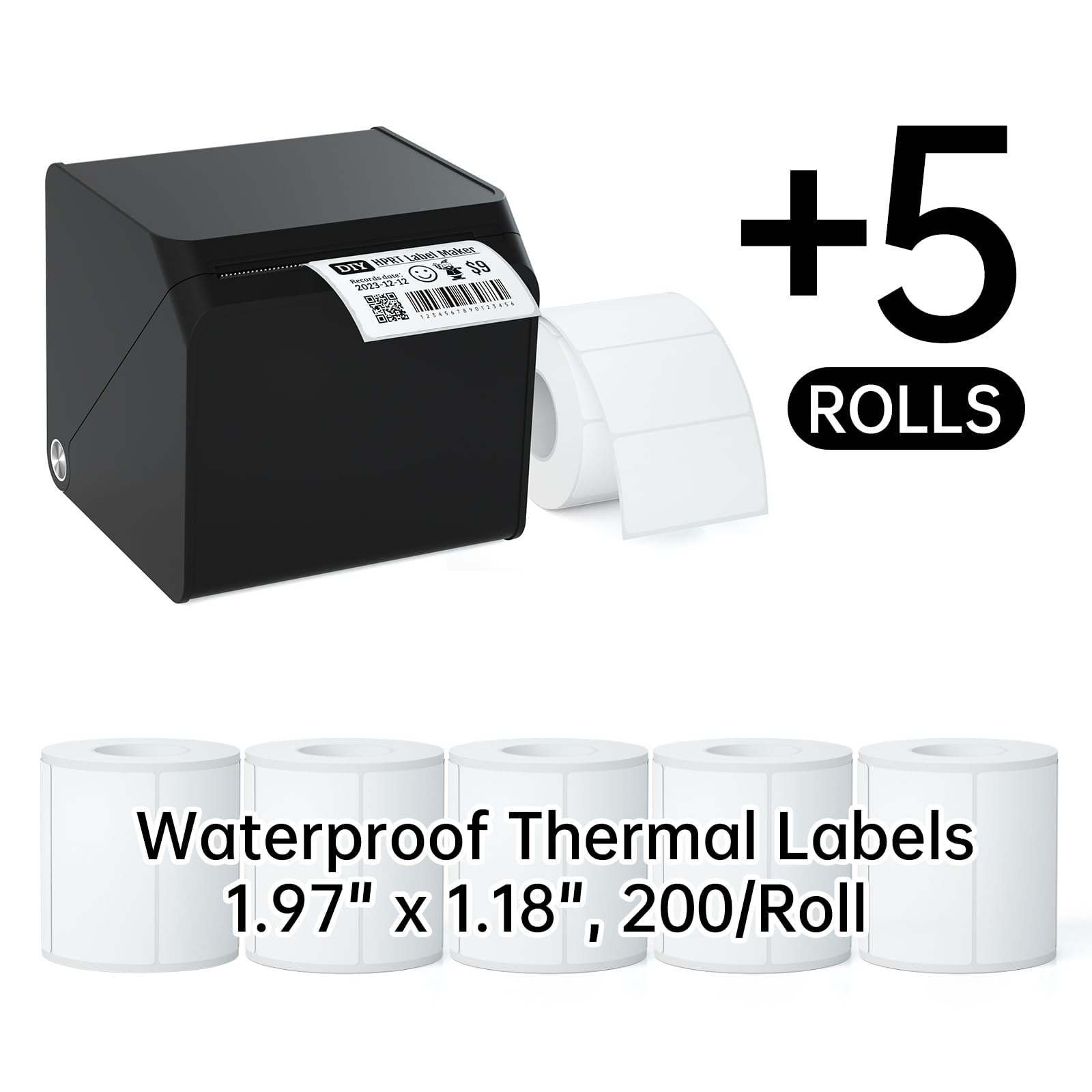
Image 1.1: The HPRT T260LR Label Maker shown with several examples of printed labels and a roll of blank thermal labels. This image illustrates the compact design of the label maker and the variety of labels it can produce, including those with text, barcodes, and icons. Product reference: 2184864564880.
2.Основные характеристики
The HPRT T260LR Label Maker offers a range of features designed for efficiency and convenience:
- All-in-One Labeling: Provides comprehensive solutions for various labeling tasks, from address stamps to organizing storage bins.
- Bluetooth-подключение: Enables wireless printing directly from mobile phones via the HereLabel app.
- Smart Label Recognition: Automatically identifies label sizes, streamlining the printing process and minimizing waste with automatic paper feed and rollback.
- Безчернильная термопечать: Utilizes thermal technology, eliminating the need for ink and delivering clear prints. HPRT labels are waterproof, oil-resistant, and removable.
- Портативный и компактный: Easy to carry, making it suitable for home, office, or on-the-go use.

Изображение 2.1: оконченоview of the HPRT T260LR Thermal Label Maker, emphasizing its core features such as RFID identification, compact design, ink-free operation, fast printing, long battery life, and ease of use.
3. Руководство по установке
3.1. Наклеивание этикеточной ленты
Follow these steps to correctly install the label tape into your HPRT T260LR Label Maker:
- Шаг 1: Open the cover by gently pulling it outward with both hands.
- Шаг 2: Lift and adjust the paper limiter upward, then lock it into place.
- Шаг 3: Place the label paper roll to the right, ensuring the printing side is facing up.
- Шаг 4: Pull the label paper forward, close the lid, and then press and hold the power button for 3 seconds to turn on the device.

Image 3.1: A visual step-by-step guide demonstrating the process of installing label tape into the HPRT T260LR Label Maker, from opening the cover to loading the paper and closing the lid.
3.2 Установка приложения и подключение по Bluetooth
To use your label maker wirelessly, install the HereLabel app and connect via Bluetooth:
- Шаг 1: Scan the QR code provided in the image or visit https://hm.hprt.com/en/download/?from=T21 to install the "HereLabel" app on your mobile device.
- Шаг 2: Open the HereLabel app and tap on the "Not connected" status to initiate the connection process.
- Шаг 3: In the list of searched Bluetooth devices, find "HM-T260LR-XXXX" (where XXXX is a unique identifier) and tap to connect.
- Шаг 4: Once connected, tap "Current Consumables" and then choose "Use templates" or tap "New" to start designing.
- Шаг 5: Tap "Text" to input your desired text for the label.
- Шаг 6: After editing your label, set the number of copies and tap "Print" to begin printing.

Image 3.2: A visual guide detailing the six steps required to install the HereLabel app, connect the label maker via Bluetooth, and initiate the printing process from your mobile device.

Image 3.3: The HereLabel app interface shown on a smartphone, demonstrating its use for connecting to the HPRT T260LR label maker and customizing labels. The image also shows various labels printed using the device.
4. Операция
4.1. Using the HereLabel App for Customization
The HereLabel app provides extensive options for designing and customizing your labels:
- Ввод текста: Easily add and format text.
- Генерация штрих-кодов и QR-кодов: Create various types of barcodes and QR codes.
- Icon Integration: Выберите значки из библиотеки, чтобы улучшить ваши подписи.
- Date & Line Tools: Add dates and design elements like lines and shapes.
- Table Functionality: Incorporate tables for structured information.

Image 4.1: The HereLabel app's customization interface, displaying various tools available for designing labels, including options for text, barcodes, QR codes, icons, dates, lines, shapes, and tables.

Image 4.2: Several smartphone screens illustrating the rich selection of iconic designs and customization options available within the HereLabel app, allowing for personalized label creation. Product reference: 2184864564880.
4.2. Smart Label Recognition
The HPRT T260LR features smart label recognition, which automatically detects the size of the loaded label paper. This function ensures accurate printing and minimizes label waste. It is compatible only with HPRT Thermal Label Paper.

Image 4.3: A graphic representation of the Smart RFID Label Recognition feature, highlighting its benefits such as easy template detection and zero label wastage due to automatic paper rollback.

Image 4.4: The HereLabel app interface showing the 'Current consumables' screen, which indicates the automatic recognition of label dimensions. The label maker and various labels are also visible.
4.3. Supported Label Sizes and Applications
The HPRT T260LR supports various label widths from 0.8" to 2" (20-50mm), accommodating different label shapes and sizes for diverse applications.

Image 4.5: An illustration of the various label sizes and shapes compatible with the HPRT T260LR, such as cable labels, special-shaped labels, solid color labels, pattern labels, and circular labels.

Image 4.6: The HPRT T260LR label maker, shown with a smartphone running the HereLabel app, and various label rolls and printed labels, illustrating its capability to support multiple label sizes.

Изображение 4.7: Коллажasing diverse applications for the labels created by the HPRT T260LR, including logos, thank-you stickers, address labels, price labels for food items, gift tagsи имя tags для личных вещей.

Изображение 4.8: Примерamples of specialized labels for bakery products, coffee cups, and craft items, demonstrating the versatility of the HPRT T260LR for various business and personal uses.

Image 4.9: Illustrations of label applications for organizing kitchen and pantry items, customizing gifts, labeling kids' belongings, and general household organization.

Изображение 4.10: Примерamples of labels used for file organization, general office organization (e.g., drawer labels), and document identification, showcasing the printer's utility in a professional setting.
5. Техническое обслуживание
To ensure optimal performance and longevity of your HPRT T260LR Label Maker, regular maintenance is recommended:
- Очистка печатающей головки: Аккуратно протрите печатающую головку термопринтера ватным тампоном.ampened with isopropyl alcohol. Ensure the device is turned off and cooled down before cleaning. Allow it to dry completely before use.
- Очистка внешней части: Use a soft, dry cloth to wipe the exterior of the label maker. Avoid using abrasive cleaners or solvents.
- Хранилище: Храните этикеточный принтер в прохладном, сухом месте, вдали от прямых солнечных лучей и экстремальных температур.
- Label Roll Handling: Always use high-quality HPRT thermal labels. Store label rolls in their original packaging to protect them from dust and moisture.
6. Поиск Неисправностей
If you encounter issues with your HPRT T260LR Label Maker, refer to the following common problems and solutions:
| Проблема | Возможная причина | Решение |
|---|---|---|
| Нет электричества | Проблема с разряженной батареей или адаптером питания. | Charge the device. Ensure the power adapter is correctly connected. |
| Невозможно подключиться через Bluetooth | Bluetooth is off, device is out of range, or app issue | Ensure Bluetooth is enabled on your phone. Move closer to the label maker. Restart the app and the label maker. |
| Плохое качество печати | Dirty print head, incorrect label type, or low battery | Clean the print head (refer to Maintenance section). Ensure you are using HPRT thermal labels. Charge the device. |
| Этикетки подаются неправильно | Improper label installation or label jam | Reinstall the label roll correctly (refer to Setup section). Clear any jammed labels. |
| App not recognizing label size | Non-HPRT labels or sensor issue | Ensure you are using HPRT Thermal Label Paper. Restart the label maker and app. |
7. Технические характеристики
Key technical specifications for the HPRT T260LR Label Maker:
- Модель: Т260LR
- Технология печати: Термопечать
- Связь: Bluetooth
- Compatible Label Width: 0.8" - 2" (20 мм - 50 мм)
- Совместимость приложения: HereLabel (available on app stores)
- Особые характеристики: Smart Label Recognition, Ink-Free Printing, Automatic Paper Feed/Rollback
- Дата первой доступности: 18 июля 2024 г.
- ASIN: B0D9NKJTY1

Image 7.1: A roll of HPRT Thermal Labels, specifically 200 labels per roll, measuring 1.97 x 1.18 inches (50mm x 30mm), highlighting their compatibility with HPRT T20/T260LR label makers.
8. Гарантия и поддержка
For warranty information, technical support, or further assistance, please refer to the official HPRT website or contact HPRT customer service. Keep your purchase receipt for warranty claims.
Официально Webсайт: www.hprt.com
Скачать приложение: https://hm.hprt.com/en/download/?from=T21