1. Введение
This manual provides detailed instructions for the installation, operation, and maintenance of your Hikity Android Carplay Wireless Autoradio. This multimedia system is specifically designed for the Seat Leon MK3 (Left-Hand Drive) models from 2013 to 2019, offering a 9-inch touchscreen display with advanced features such as wireless CarPlay, Android Auto, GPS navigation, Bluetooth, and support for a reversing camera.
Перед установкой и использованием внимательно ознакомьтесь с данным руководством, чтобы обеспечить его правильную работу и максимально комфортное использование.
2. Информация по технике безопасности
- Рекомендуется профессиональная установка: Ввиду сложности электрических систем автомобиля настоятельно рекомендуется проводить профессиональную установку, чтобы предотвратить повреждение устройства или вашего автомобиля.
- Безопасность вождения: Не используйте систему таким образом, чтобы это отвлекало вас от вождения. Всегда ставьте безопасность дорожного движения на первое место.
- Источник питания: Ensure the unit is connected to a 12V DC power supply with a negative ground. Incorrect wiring can cause damage or fire.
- Избегайте попадания влаги: Не подвергайте устройство воздействию воды или чрезмерной влажности.
- Температура: Избегайте экстремальных температур. Диапазон рабочих температур обычно составляет от -20°C до +70°C.
- Вентиляция: Обеспечьте достаточную вентиляцию вокруг устройства, чтобы предотвратить перегрев.
3. Содержимое упаковки
Verify that all items are present in your package before proceeding with installation:
- Hikity Android Autoradio Unit (9-inch touchscreen)
- Силовой кабель
- RCA кабель
- USB-кабели (2 шт.)
- Кабель входа камеры
- GPS-антенна
- Радио антенна
- Декодер CANbus
- AHD Rear Camera (optional, if included in your package)
- Микрофон
- Инструмент для установки
- Обратная линия

4. Настройка и установка
This autoradio is designed for direct fitment in Seat Leon MK3 (2013-2019) Left-Hand Drive vehicles. Ensure your vehicle's dashboard matches the 'Before' image for compatibility.

4.1 Подключение проводки
Refer to the wiring diagram provided with your unit and the image below for connecting the various cables. Incorrect wiring can lead to malfunction or damage.

- Силовой кабель: Connect the main power harness to your vehicle's wiring. Ensure correct positive (B+) and accessory (ACC) connections, and a secure ground (GND). The Canbus decoder should be integrated as per the vehicle's specific wiring.
- RCA-кабели: Для внешнего amplifiers, subwoofers, or auxiliary audio/video input/output.
- USB-кабели: Connect the two provided USB cables for media playback, phone charging, or wired CarPlay/Android Auto connections.
- Вход камеры: Connect the AHD rear camera cable here.
- GPS-антенна: Установите антенну GPS в месте с хорошим обзором. view неба, как правило, на приборной панели или под лобовым стеклом.
- Радиоантенна: Подключите антенну автомобильной магнитолы.
- Микрофон: Подключите внешний микрофон для улучшения качества связи и голосовых команд.
Note: Some users have reported that the provided connection harness may not be a direct 'plug and play' for all Seat Leon FR models, requiring modifications or extensions for certain cables (e.g., the cable from the glove compartment CD unit). Please verify your vehicle's specific wiring before installation.
5. Инструкция по эксплуатации
5.1 Система Оверview
The unit runs on Android 13 with a Quad Core processor, 2GB RAM, and 64GB ROM, providing a responsive user experience on its 9-inch Ultra HD touchscreen with a resolution of 1024*600 pixels.


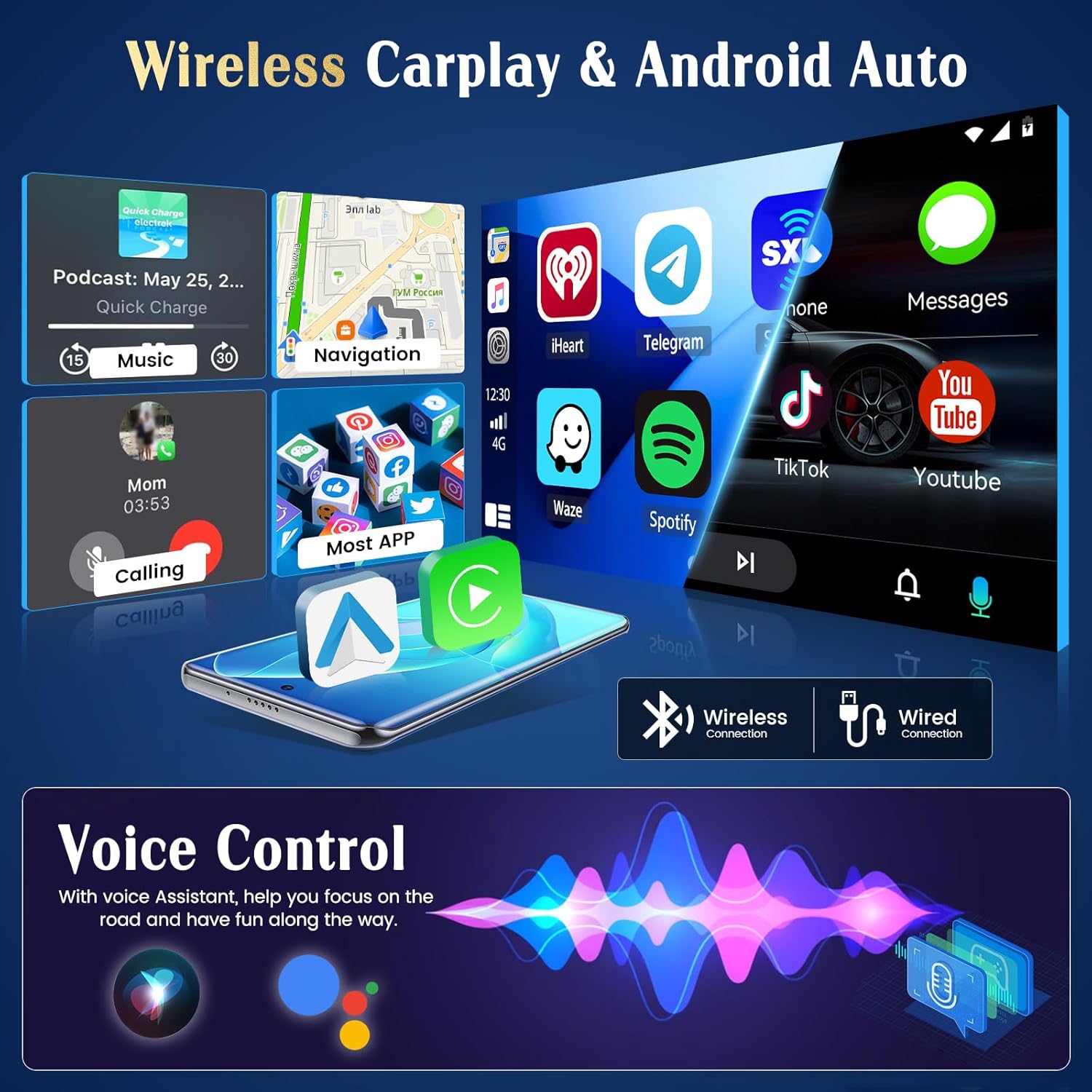
5.2 Беспроводной CarPlay и Android Auto
The unit supports both wireless and wired CarPlay and Android Auto. This feature integrates your smartphone's interface directly onto the car's display, allowing access to navigation, music, messages, and calls safely while driving.
- Связь: Connect your iPhone via Bluetooth for wireless CarPlay or a USB cable for wired CarPlay. For Android phones, connect via Bluetooth for wireless Android Auto or a USB cable for wired Android Auto.
- Функциональность: Once connected, your phone's compatible apps will appear on the autoradio screen.

5.3 GPS-навигация
The autoradio has an integrated GPS receiver and supports both online and offline maps. The pre-installed Herewego app allows you to download free offline maps for global navigation.
- Онлайн-карты: Requires a WiFi connection to access real-time traffic and map updates.
- Оффлайн карты: Download maps in advance to navigate without an internet connection.


5.4 Wi-Fi-соединение
Connect the autoradio to a WiFi network (e.g., your phone's hotspot) to access online features.
- Загрузки приложений: Access the Google Play Store to download various applications.
- Online Browsing: Серфить web, stream content, and use online services.

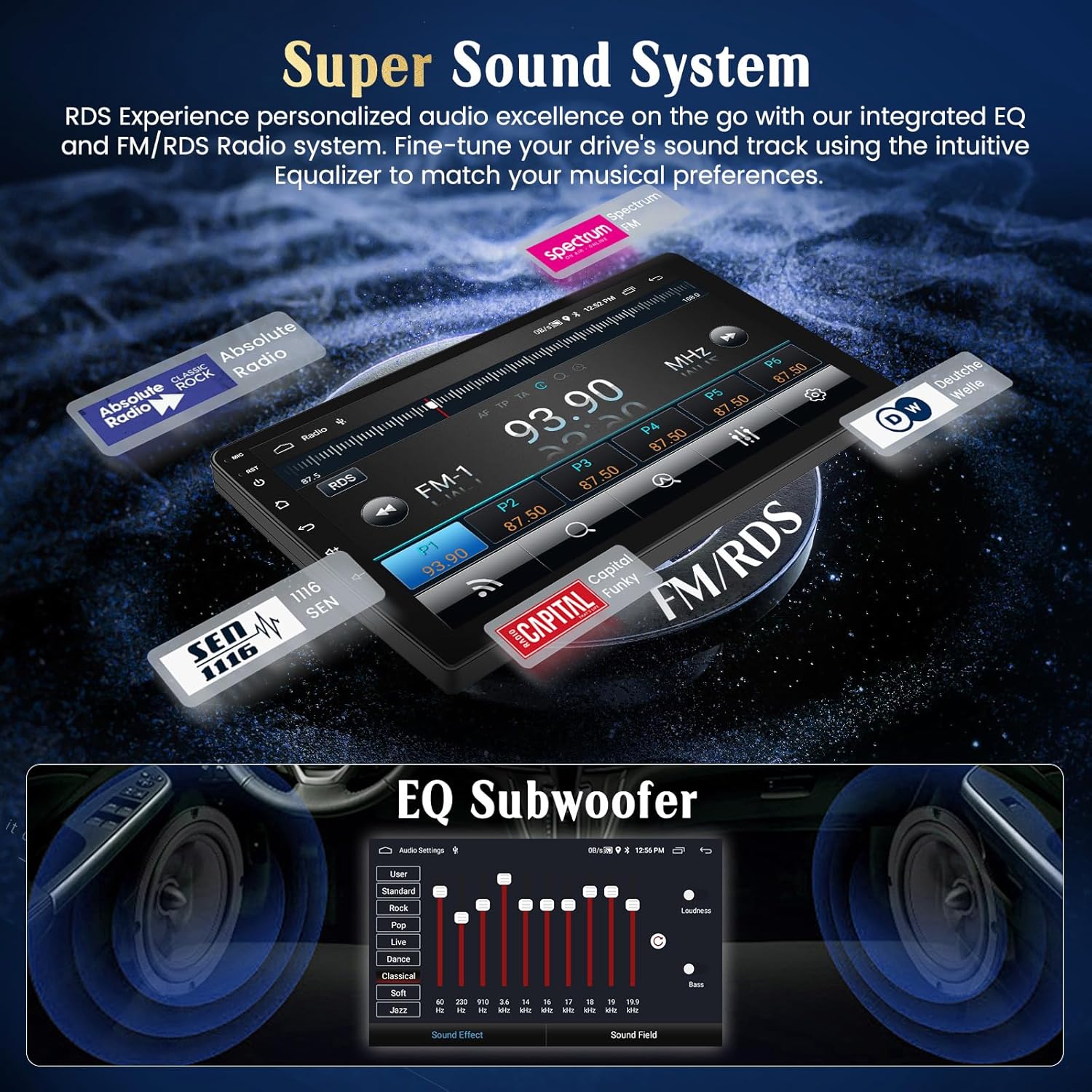
5.5 FM/RDS-радио
Tune into your favorite FM radio stations and enjoy real-time broadcast information via RDS (Radio Data System).
- Автоматическое сканирование: Используйте функцию автоматического сканирования для поиска и сохранения доступных станций.
- Ручная настройка: Manually adjust the frequency to specific stations.
5.6 Функциональность Bluetooth
Подключите свой смартфон через Bluetooth для совершения звонков по громкой связи и потоковой передачи аудио.
- Сочетание: Enable Bluetooth on your phone and search for the autoradio unit. Select it to pair.
- Звонки по громкой связи: Совершайте и принимайте звонки прямо с сенсорного экрана.
- Потоковое аудио: Слушайте музыку с телефона через динамики автомобиля.
5.7 Управление на рулевом колесе
The unit supports your vehicle's original steering wheel controls, allowing you to manage audio and other functions without taking your hands off the wheel.
- Конфигурация: Access the 'Steering Wheel Control' settings in the system menu to map your vehicle's buttons to the desired functions (e.g., volume up/down, track skip, mode).

5.8 AHD Reversing Input (Backup Camera)
When your vehicle is shifted into reverse gear, the system automatically switches to the rear camera viewобеспечивая четкое изображение, помогающее при парковке и маневрировании.
- Функции: The supported AHD camera offers HD image quality, waterproof design, night vision, and a wide-angle view с правилами парковки.


Звуковая система 5.9
Customize your audio experience with the integrated equalizer (EQ) and subwoofer output.
- Эквалайзер: Adjust various frequency bands to tailor the sound to your preferences.
- Выход на сабвуфер: Для усиления басов подключите внешний сабвуфер.
5.10 Функция зеркального отображения экрана телефона
Отобразите экран своего смартфона Android или iOS непосредственно на дисплее автомагнитолы.
- Андроид: Connect via USB or WiFi.
- iOS-устройство: Connect via USB or WiFi.

5.11 Умное голосовое управление
Utilize voice commands through Siri (for CarPlay) or Google Assistant (for Android Auto) to control various functions, keeping your hands on the wheel and eyes on the road.
- Активация: Activate voice control through your connected smartphone's interface.
- Команды: Use commands for navigation, music playback, calls, and messages.

5.12 Темы пользовательского интерфейса
Personalize your user interface with a selection of 28 different UI themes.
- Изменение темы: Long-press on an empty space on the desktop to access theme options and switch between different designs.

6. Техническое обслуживание
- Очистка экрана: Для очистки сенсорного экрана используйте мягкую безворсовую ткань. Для удаления стойких пятен слегка протрите поверхность.ampСмочите ткань водой или безопасным чистящим средством для экранов. Избегайте использования агрессивных химикатов.
- Обновления программного обеспечения: Периодически проверяйте наличие обновлений программного обеспечения через системные настройки или через сайт производителя. webсайт для обеспечения оптимальной производительности и доступа к новым функциям.
- Общий уход: Избегайте размещения тяжелых предметов на устройстве или длительного воздействия прямых солнечных лучей во время стоянки.
7. Поиск Неисправностей
If you encounter issues with your Hikity Autoradio, refer to the following common problems and solutions:
| Проблема | Возможная причина | Решение |
|---|---|---|
| Блок не включается. | Ненадежное соединение электропитания, перегоревший предохранитель, неправильная проводка. | Check all power cables (B+, ACC, GND) for secure connection. Inspect vehicle fuses and the unit's fuse. Ensure correct 12V DC connection. |
| Ни звука. | Слишком низкая громкость, отключен звук, неправильная проводка динамиков, ampпроблема с лифером. | Increase volume. Check if mute is active. Verify speaker connections. If using an external ampПроверьте усилитель, его питание и соединения. |
| Сигнал GPS потерян или неточен. | GPS antenna obstructed or improperly placed, antenna faulty. | Убедитесь, что антенна GPS имеет чистое пространство. view of the sky. Check antenna connection. Try repositioning the antenna. |
| CarPlay/Android Auto не подключается. | Bluetooth/USB connection issue, phone compatibility, app not updated. | Ensure Bluetooth is on and paired. Try a different USB cable. Update phone OS and CarPlay/Android Auto apps. Restart both phone and autoradio. |
| Задняя камера не работает. | Camera not powered, incorrect camera input connection, reverse trigger wire issue. | Check camera power supply. Verify camera input cable is securely connected. Ensure the reverse trigger wire is correctly connected to the vehicle's reverse light circuit. |
| Не работают кнопки управления на руле. | Canbus connection issue, incorrect configuration. | Ensure Canbus decoder is correctly installed and connected. Re-enter the steering wheel control learning interface and re-map buttons. |
Если проблема не исчезнет после применения этих решений, пожалуйста, обратитесь в службу поддержки клиентов Hikity.
8. Технические характеристики
| Особенность | Деталь |
|---|---|
| Бренд | Хикити |
| Номер модели | ManJu-A7195A3195A4MI2 |
| Размер экрана | 9 дюйма |
| Разрешение экрана | 1024*600 |
| Операционная система | Андроид 13 |
| Процессор | Четырехъядерный |
| БАРАН | 2 ГБ |
| ПЗУ (внутреннее хранилище) | 64 ГБ |
| CarPlay / Android Авто | Беспроводной и проводной |
| GPS-навигация | Integrated receiver, supports online/offline maps |
| Подключение Wi-Fi | Да |
| Bluetooth | Hands-free calls, audio streaming |
| Радио | FM с RDS |
| USB-порты | 2 |
| Совместимые устройства | Смартфон |
| Особые возможности | EQ settings, Subwoofer output, Steering Wheel Control, AHD Reversing Input, Phone Mirror Link, Voice Control, 28 UI Themes |
9. Гарантия и поддержка
9.1 Информация о гарантии
This Hikity Autoradio comes with a 2-летняя гарантия производителя. Please retain your proof of purchase for warranty claims. The warranty covers manufacturing defects and malfunctions under normal use. It does not cover damage caused by improper installation, misuse, accidents, or unauthorized modifications.
9.2 Поддержка клиентов
Для получения технической помощи, устранения неполадок или по вопросам гарантии обращайтесь в службу поддержки клиентов Hikity:
- Электронная почта: hikityservices@163.com
- Интернет-ресурсы: Посетите официальный сайт Hikity. webсайт для ответов на часто задаваемые вопросы, обновленных руководств и загрузки программного обеспечения.