
1. Введение
Thank you for choosing the MECHEN H1-Pro Bluetooth MP3 Player with WiFi. This device is designed to provide a versatile and enjoyable audio and video experience. Featuring a 4-inch touchscreen and running on Android 9.0, it supports various applications and connectivity options. This manual provides essential information for setting up, operating, and maintaining your device.
2. Содержимое упаковки
Убедитесь, что все перечисленные ниже предметы входят в комплект. Если какие-либо предметы отсутствуют или повреждены, обратитесь в службу поддержки клиентов.
- MECHEN H1-Pro MP3 Player
- USB-кабель
- Наушники
- Защитная пленка
- Защитный чехол
- Руководство пользователя

Image: The MECHEN H1-Pro MP3 Player displayed with its accessories, including a USB cable, headphones, protective film, and a clear protective case.
3. Устройство перешлоview
Familiarize yourself with the physical components and controls of your MECHEN H1-Pro MP3 Player.
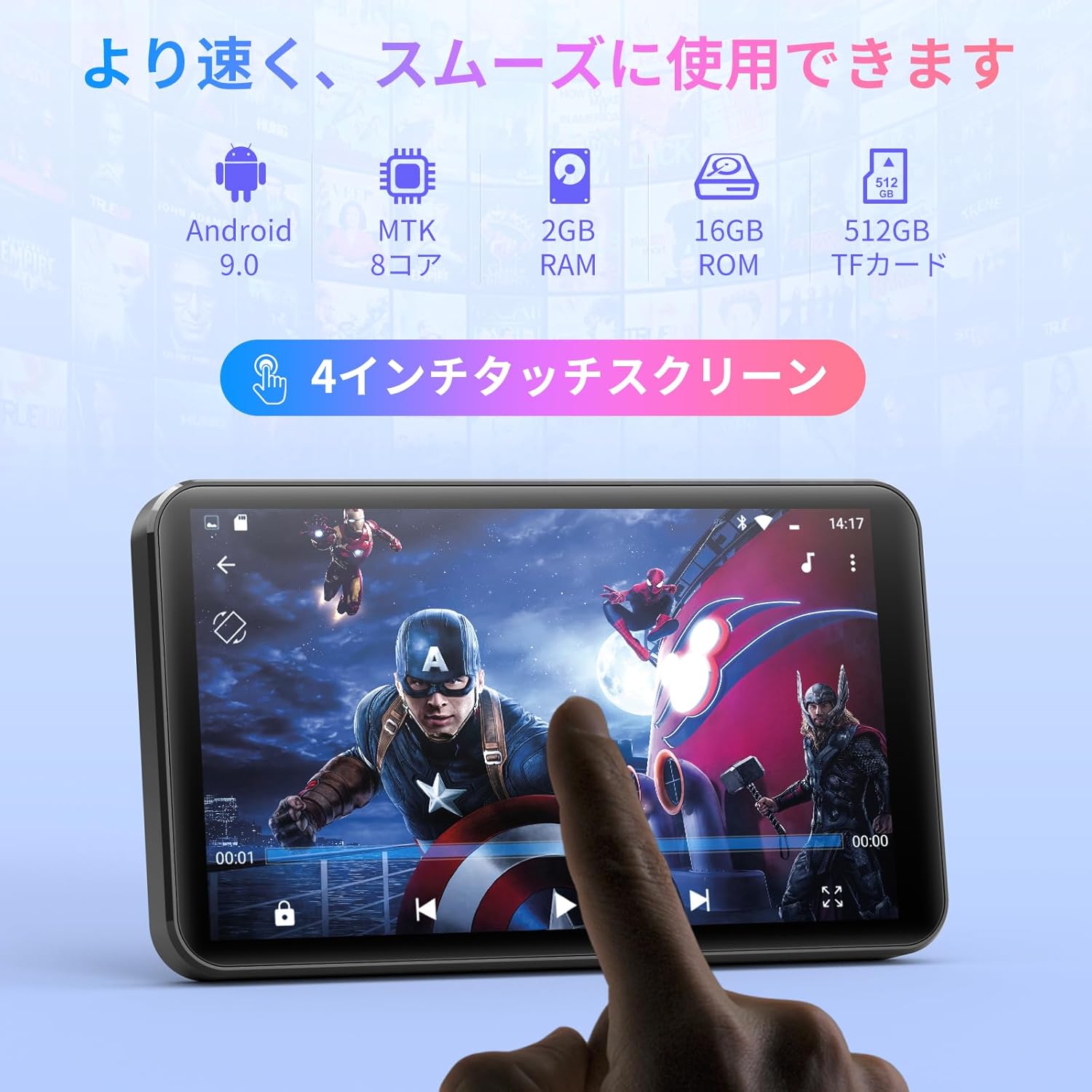
Изображение: Спереди view of the MECHEN H1-Pro MP3 Player, showcasing its 4-inch touchscreen display.

Изображение: сбоку view of the MECHEN H1-Pro MP3 Player, highlighting the power button and volume controls.

Изображение: Сверху и снизу views of the MECHEN H1-Pro MP3 Player, illustrating the USB-C charging port, headphone jack, and Micro SD card slot.
4. Настройка
4.1 Первоначальная зарядка
Before first use, fully charge the device. Connect the provided USB cable to the player's USB-C port and the other end to a USB power adapter (not included) or a computer's USB port. The charging indicator will show the charging status.
4.2 Включение/выключение питания
- Для включения: Нажмите и удерживайте кнопку питания на боковой стороне устройства, пока не загорится экран.
- Чтобы выключить: Нажмите и удерживайте кнопку питания, пока на экране не появится меню выключения. Выберите «Выключить», чтобы выключить устройство.
4.3 Подключение к Wi-Fi
To access online features and download apps, connect your device to a Wi-Fi network.
- Перейти к Настройки > Сеть и Интернет > Wi-Fi.
- Включить Wi-Fi On.
- Выберите нужную сеть Wi-Fi из списка.
- Введите пароль, если потребуется, и нажмите Соединять.

Image: The MECHEN H1-Pro MP3 Player screen showing Wi-Fi settings and available networks.
4.4 Установка карты Micro SD
The device supports Micro SD cards for expanded storage. Locate the Micro SD card slot on the side of the device. Gently insert the card with the gold contacts facing down until it clicks into place.
5. Инструкция по эксплуатации
5.1 Basic Navigation (Touchscreen)
The MECHEN H1-Pro features a responsive 4-inch touchscreen. Use standard touch gestures:
- Кран: Чтобы выбрать элемент или открыть приложение.
- Проведите пальцем по экрану: Для прокрутки списков или переключения между экранами.
- Ущипнуть: To zoom in or out (in supported applications).
5.2 Воспроизведение музыки
The device supports various audio formats including MP3, WAV, WMA, APE, OGG, and FLAC for high-fidelity music playback.
- Откройте Музыка приложение.
- Просматривайте свою музыкальную библиотеку по исполнителю, альбому, песне или плейлисту.
- Нажмите на песню, чтобы начать воспроизведение.
- Используйте экранные элементы управления для воспроизведения/паузы, переключения треков и регулировки громкости.

Image: The MECHEN H1-Pro MP3 Player screen showing a music playback interface with album art and controls.
5.3 Воспроизведение видео
Enjoy 720P/1080P full-format HD video playback without conversion. Supported formats include RM, RMVB, FLV, MP4, DAT, MKV, MPG, MOV, TS, etc.
- Откройте Видеоплеер приложение.
- Выберите видео file из вашего хранилища.
- Tap to play. Use on-screen controls for playback options.

Image: The MECHEN H1-Pro MP3 Player screen showing a video playing in full-screen mode.
5.4. Bluetooth-подключение
Подключайтесь к Bluetooth-наушникам, колонкам или другим совместимым устройствам.
- Перейти к Настройки > Подключенные устройства > Bluetooth.
- Переключить Bluetooth On.
- Убедитесь, что ваше Bluetooth-устройство находится в режиме сопряжения.
- Выберите аксессуар из списка доступных устройств для сопряжения.

Image: The MECHEN H1-Pro MP3 Player shown alongside a pair of wireless headphones, indicating Bluetooth connectivity.
5.5 Wi-Fi Connectivity & App Downloads
With Android 9.0 and Wi-Fi, you can download and install various applications from the Google Play Store.
- Убедитесь, что устройство подключено к сети Wi-Fi (см. раздел 4.3).
- Откройте Play Store приложение.
- Войдите в систему, используя свою учетную запись Google.
- Искать and download desired applications (e.g., Spotify, Amazon Music, Audible).

Image: The MECHEN H1-Pro MP3 Player screen showing a variety of installed applications, including music streaming services and web браузеров.
5.6 FM-радио
Слушайте ваши любимые FM-радиостанции.
- Connect wired headphones to the 3.5mm audio jack; they act as the antenna.
- Откройте FM-радио приложение.
- Use the on-screen controls to scan for stations or tune manually.
5.7 File Управление
Используйте встроенную функцию file менеджер для организации вашего files on internal storage and the Micro SD card.
- Откройте File Менеджер приложение.
- Navigate through folders to view, copy, move, or delete files.
6. Техническое обслуживание
6.1 Очистка
Протрите устройство мягкой, сухой, безворсовой тканью. Не используйте жидкие чистящие средства или абразивные материалы.
6.2 Хранение
Храните устройство в прохладном, сухом месте, вдали от прямых солнечных лучей и экстремальных температур. При длительном хранении убедитесь, что аккумулятор частично заряжен (примерно на 50%), чтобы продлить срок его службы.
6.3 Уход за аккумулятором
To maximize battery life, avoid fully discharging the battery frequently. Use the original charging cable for optimal performance.
7. Поиск Неисправностей
| Проблема | Возможное решение |
|---|---|
| Устройство не включается. | Ensure the battery is charged. Connect to a charger for at least 30 minutes. If unresponsive, perform a hard reset by holding the power button for 10-15 seconds. |
| Невозможно подключиться к Wi-Fi. | Check if Wi-Fi is enabled. Verify the Wi-Fi password. Restart your router and the MP3 player. |
| Устройство Bluetooth не подключается. | Ensure Bluetooth is enabled on both devices and the accessory is in pairing mode. Move devices closer together. |
| Приложения работают медленно или дают сбои. | Close unnecessary background apps. Clear app cache (Settings > Apps > [App Name] > Storage > Clear Cache). Restart the device. Too many apps can lead to slowdowns. |
| Нет звука в наушниках. | Check headphone connection. Ensure volume is not muted or too low. Test with different headphones. |
8. Технические характеристики
| Особенность | Деталь |
|---|---|
| Бренд | МЕЧЕН |
| Название модели | H1-Pro (EU-H11) |
| Операционная система | Андроид 9.0 |
| Процессор | 8-ядерный процессор MTK |
| БАРАН | 2 ГБ |
| Внутреннее хранилище | 16 ГБ |
| Расширяемое хранилище | Micro SD (до 512 ГБ) |
| Размер экрана | 4 дюймов |
| Технология экрана | ЖК-дисплей |
| Связность | Bluetooth, USB, Wi-Fi |
| Особые возможности | FM Radio, Equalizer, Video Playback |
| Поддерживаемые аудиоформаты | MP3, WAV, WMA, APE, OGG, FLAC |
| Поддерживаемые форматы видео | RM, RMVB, FLV, MP4, DAT, MKV, MPG, MOV, TS, etc. |
| Емкость аккумулятора | 2000 мАч |
| Время работы батареи (музыка) | До 50 часов |
| Время работы батареи (видео) | До 8 часов |
| Размеры (Д x Ш x В) | 10.5 x 6.2 x 1.2 см (4.14 x 2.44 x 0.46 дюймов) |
| Вес товара | 97.5 грамм (3.45 унций) |

Image: The MECHEN H1-Pro MP3 Player shown with its physical dimensions and weight specifications.
9. Гарантия и поддержка
For warranty information and technical support, please refer to the warranty card included in your package or visit the official MECHEN webСохраните чек о покупке в качестве подтверждения покупки для предъявления гарантийных претензий.