
Введение
Thank you for choosing the GOOJODOQ AD4017 20000mAh 35W Fast Charging Power Bank. This device is designed to provide portable power for your electronic devices, featuring high capacity, fast charging capabilities, and integrated cables for convenience. Please read this manual carefully to ensure proper use and optimal performance of your power bank.
Основные характеристики:
- Высокая емкость 20000 мАч: Обеспечивает многократную зарядку смартфонов и других устройств.
- Двусторонняя быстрая зарядка 35 Вт: Supports Power Delivery (PD) and Quick Charge (QC) protocols for rapid charging and recharging.
- Встроенные кабели: Includes integrated Type-C and Lightning cables, eliminating the need to carry extra wires.
- Несколько выходных портов: Features a Type-C port, a USB port, and the two built-in cables, allowing simultaneous charging of up to four devices.
- Светодиодный цифровой дисплей: Чётко отображается оставшийся процент заряда батареи.tage.
- Защиты безопасности: Equipped with smart protection chips to prevent overheating, short circuits, and overcurrents.
Продукт болееview
Содержимое упаковки:
- GOOJODOQ AD4017 20000mAh Power Bank
- Руководство пользователя
Компоновка устройства:
Familiarize yourself with the various components of your power bank:
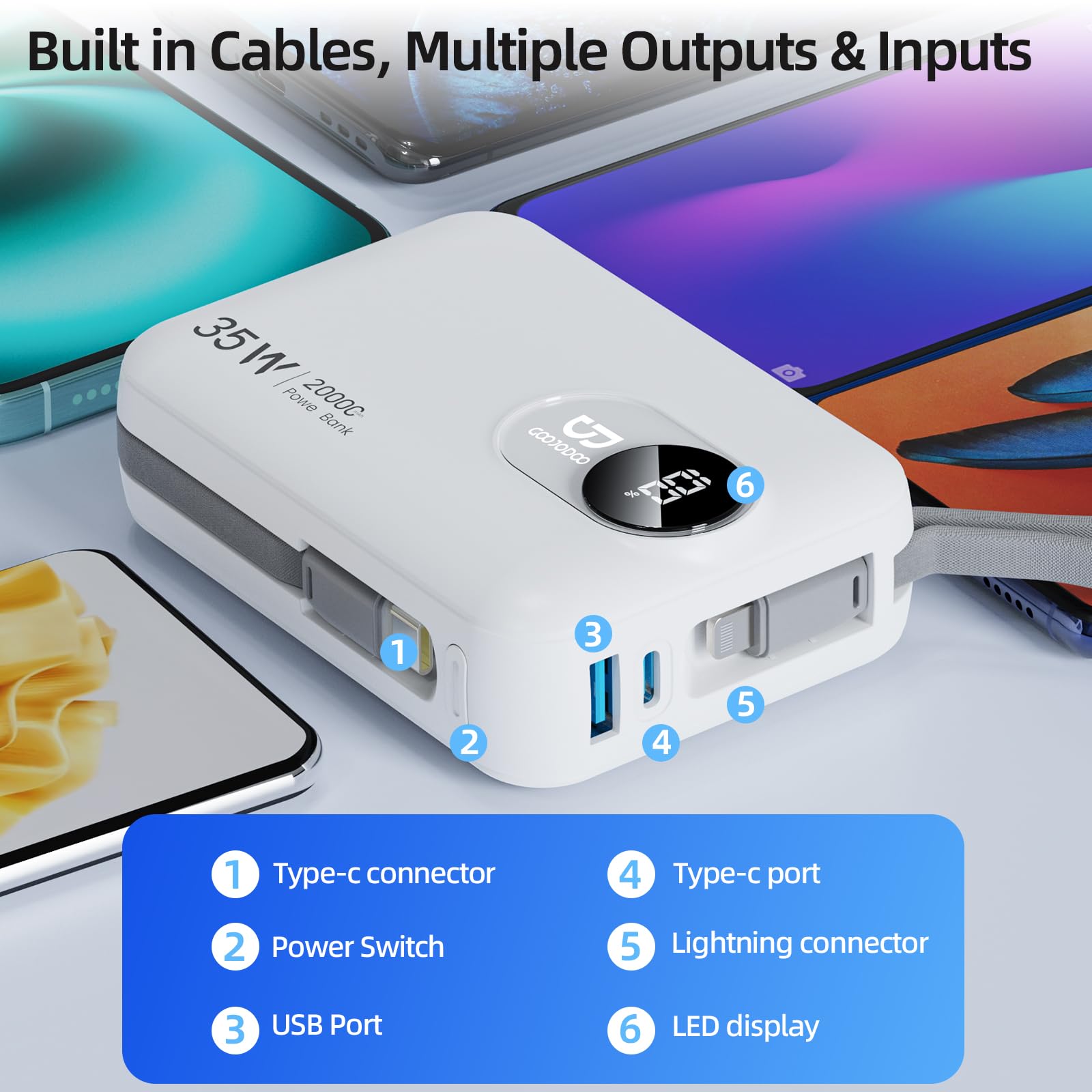
Изображение: подробное view of the GOOJODOQ AD4017 Power Bank showing its built-in cables, USB port, Type-C port, power switch, and LED display.
- Разъем типа C: Built-in cable for Type-C devices.
- Выключатель: Активирует внешний аккумулятор и дисплей.
- USB-порт: Стандартный выходной порт USB-A.
- Порт Type-C: Bidirectional port for input and output.
- Разъем Lightning: Built-in cable for Lightning devices.
- Светодиодный дисплей: Показывает оставшийся процент заряда батареиtage.
Настраивать
Зарядка PowerBank:
Before first use, it is recommended to fully charge your power bank. The GOOJODOQ AD4017 supports 35W Power Delivery (PD) input for fast recharging.
- Connect the power bank to a compatible power adapter (not included) using either the built-in Type-C cable or an external Type-C to Type-C cable via the Type-C port.
- Светодиодный дисплей покажет ход зарядки.
- A full charge typically takes approximately 9 hours with a 35W PD charger.
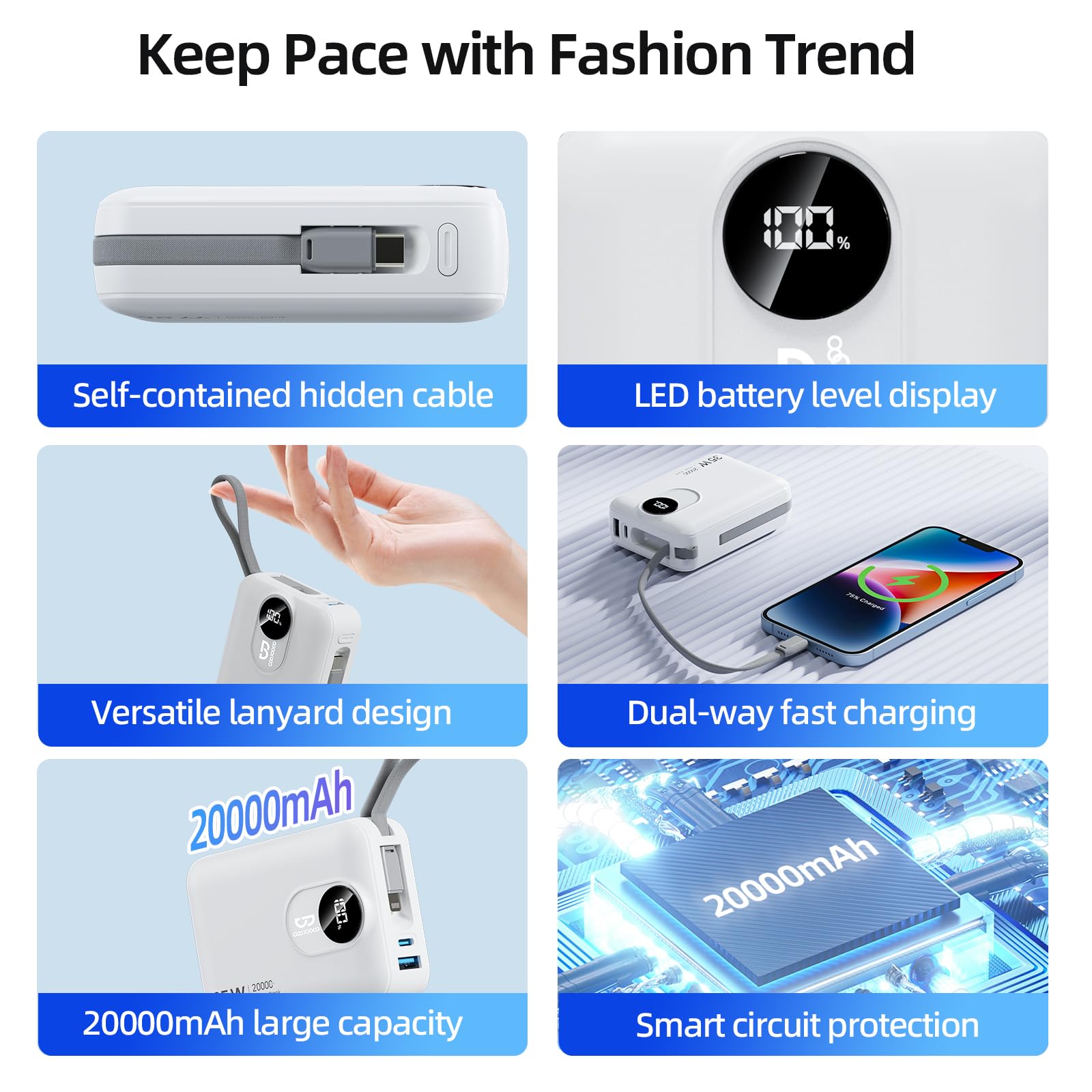
Image: The power bank being recharged using its built-in Type-C cable connected to a wall adapter, illustrating the input charging process.
Первоначальный сбор:
For optimal battery health, fully charge the power bank before its first use.
Инструкция по эксплуатации
Зарядка ваших устройств:
The power bank offers multiple output options to charge various devices simultaneously.
- Press the power switch once to activate the power bank and view the battery level on the LED display.
- Использование встроенных кабелей: Extend the integrated Type-C or Lightning cable and connect it directly to your compatible device.
- Использование портов: Connect your device's charging cable to the USB-A port or the Type-C port on the power bank.
- Внешний аккумулятор автоматически начнет заряжать ваше устройство.
- You can charge up to four devices concurrently using all available outputs.
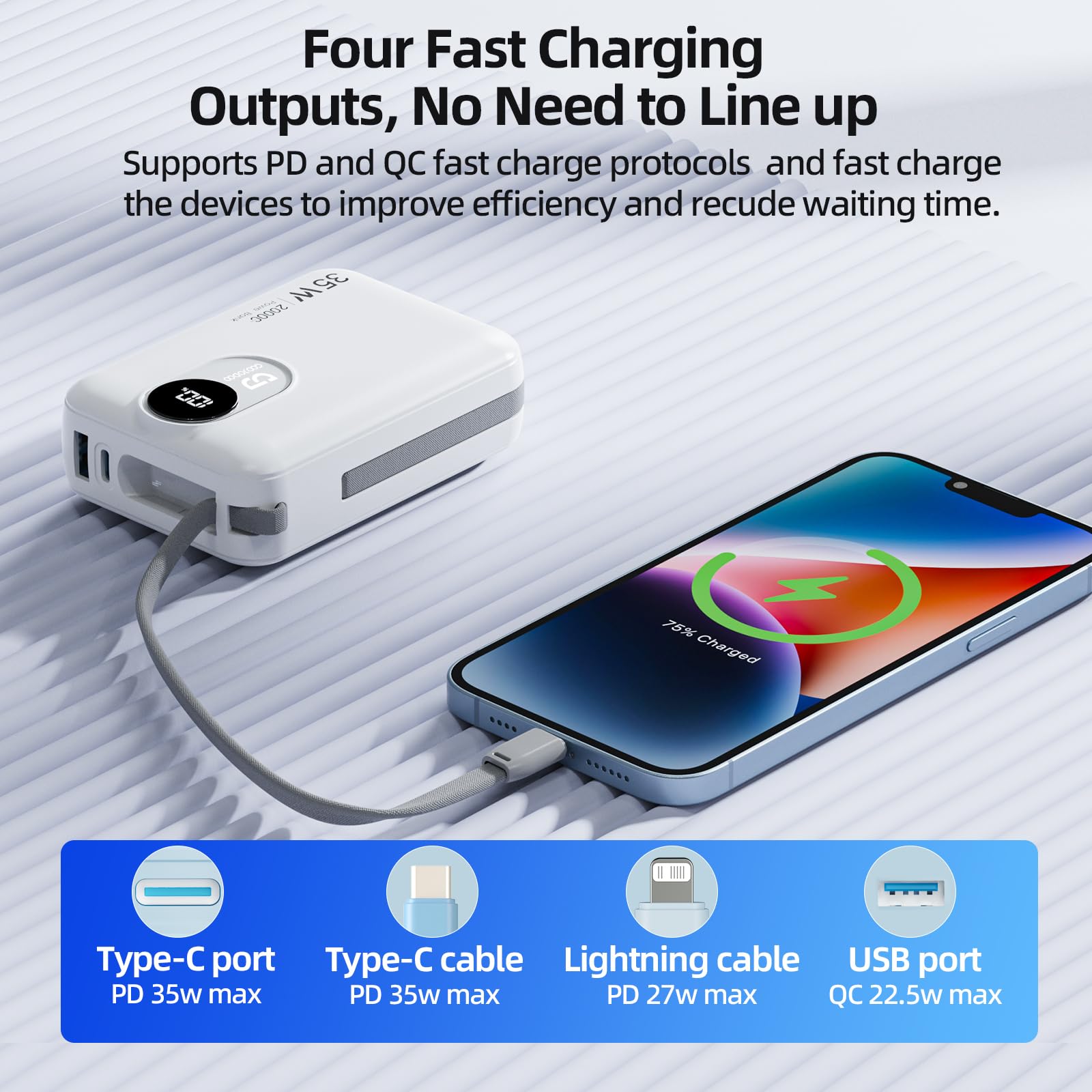
Image: A smartphone being charged by the power bank using the built-in Type-C cable, demonstrating one of the four fast charging outputs.
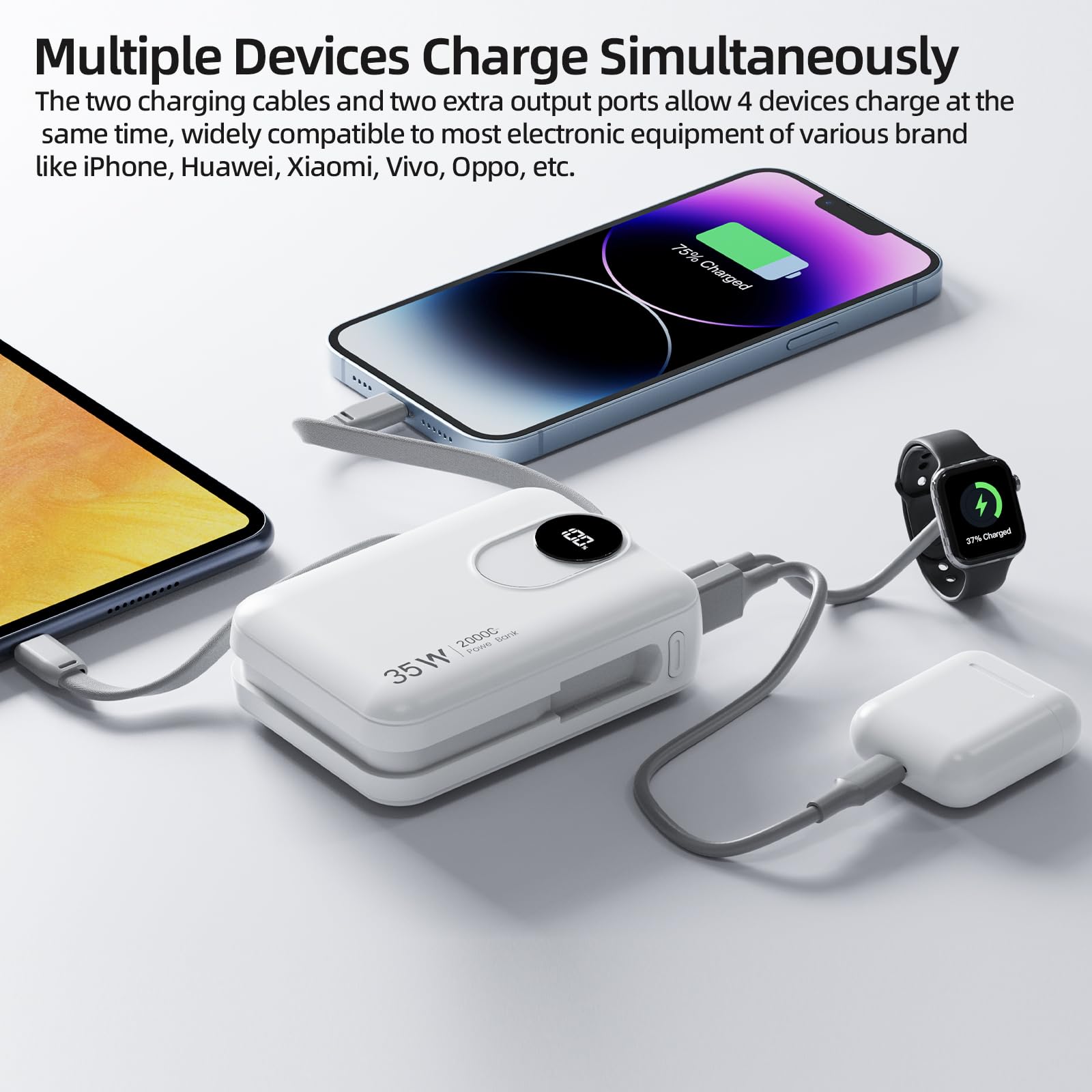
Image: The power bank charging multiple devices including a smartphone, smartwatch, and earbuds, showcasing its ability to charge four devices simultaneously.
Charging Laptops:
The GOOJODOQ AD4017 can charge laptops that require up to 35W of power. Use the Type-C port or the built-in Type-C cable for laptop charging.
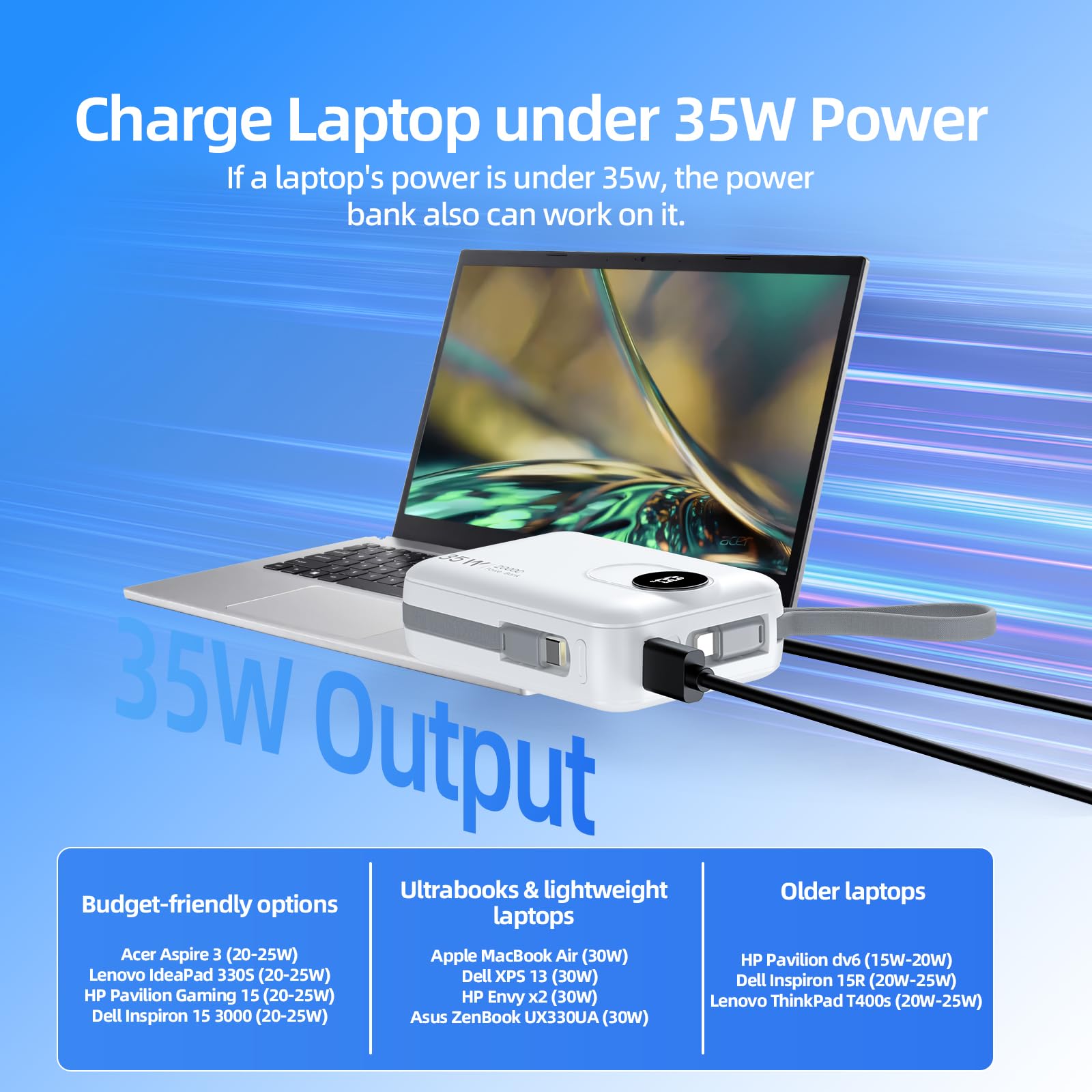
Image: The power bank connected to a laptop, demonstrating its capability to charge laptops requiring up to 35W.
Понимание светодиодного цифрового дисплея:
The LED display provides real-time information about the power bank's battery status.
- When the power bank is active or charging, the display will show the remaining battery percentage.
- This allows you to monitor the power level and recharge the power bank when necessary.
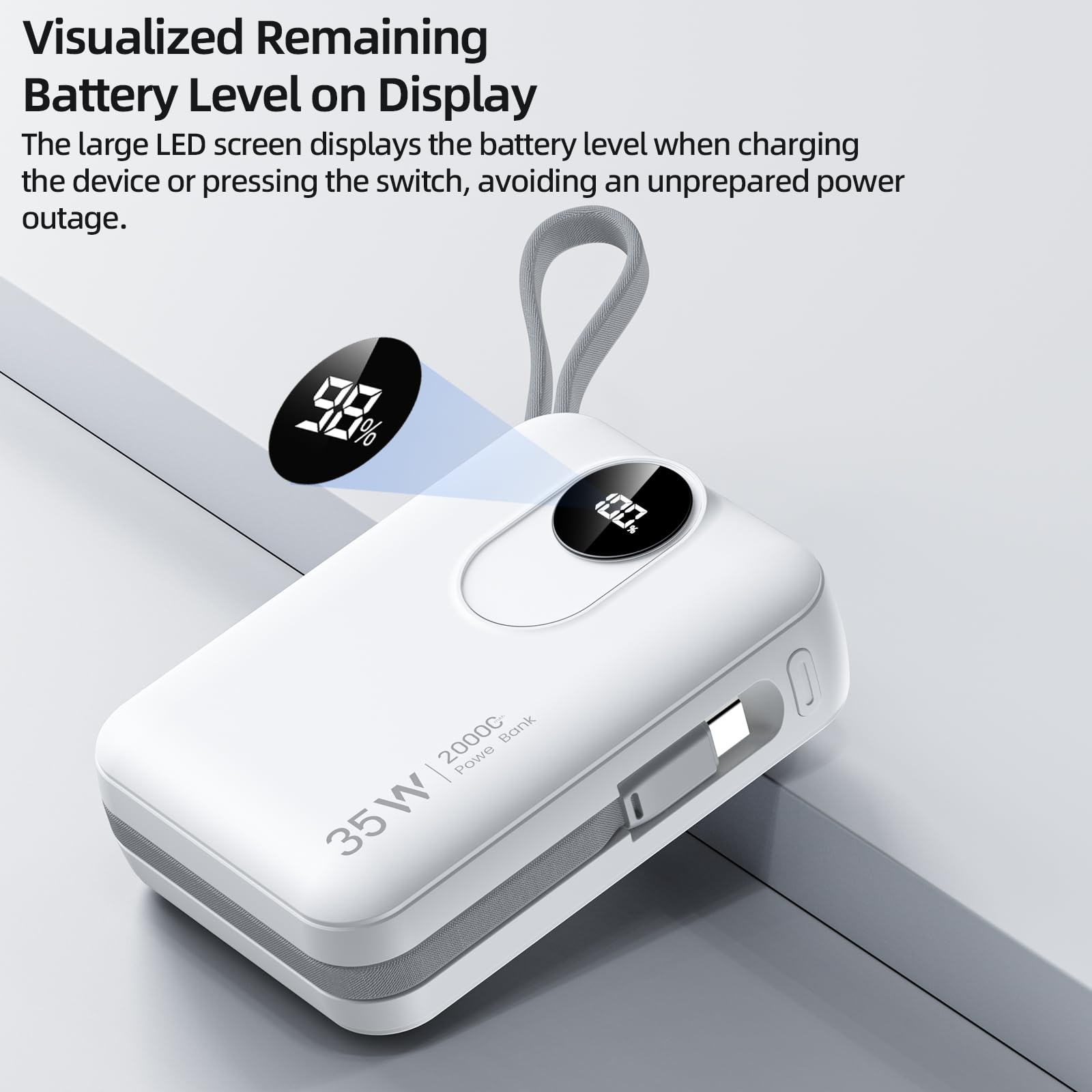
Изображение: крупный план view of the power bank's LED digital display, indicating the remaining battery level.
Обслуживание
Уборка:
To maintain the appearance and functionality of your power bank, wipe it with a soft, dry cloth. Avoid using harsh chemicals or abrasive materials.
Хранилище:
Store the power bank in a cool, dry place away from direct sunlight and extreme temperatures. If storing for extended periods, ensure the battery is charged to approximately 50-70% to preserve battery health.
Уход батареи:
To prolong the lifespan of the lithium-ion battery:
- Избегайте регулярной полной разрядки внешнего аккумулятора.
- Do not expose the power bank to temperatures above 45°C (113°F) or below 0°C (32°F).
- Recharge the power bank at least once every three months if not in regular use.
Поиск неисправностей
If you encounter issues with your GOOJODOQ AD4017 Power Bank, refer to the following common problems and solutions:
- Problem: Device is not charging from the power bank.
- Решение:
- Убедитесь, что внешний аккумулятор достаточно заряжен. Проверьте светодиодный дисплей.
- Press the power switch to activate the power bank.
- Verify that the charging cable (built-in or external) is securely connected to both the power bank and your device.
- Чтобы исключить неисправность соединения, попробуйте использовать другой кабель или порт.
- Убедитесь, что ваше устройство совместимо с выходными характеристиками внешнего аккумулятора.
- Problem: Power bank is not recharging.
- Решение:
- Ensure the charging adapter is functioning correctly and provides sufficient power (e.g., 35W PD compatible).
- Check the connection of the charging cable to both the power bank and the wall adapter.
- Try using a different Type-C cable or a different wall adapter.
- Problem: Power bank feels warm during use or charging.
- Решение:
- It is normal for power banks to generate some heat during charging or discharging, especially during fast charging.
- If the power bank becomes excessively hot, disconnect it immediately and allow it to cool down. Avoid using it in poorly ventilated areas.
- Если перегрев не прекращается, обратитесь в службу поддержки клиентов.
Технические характеристики
| Особенность | Деталь |
|---|---|
| Модель | АД4017 |
| Емкость аккумулятора | 20000мАч |
| Input (Type-C Port/Cable) | ПД 35 Вт Макс. |
| Выход (порт Type-C) | ПД 35 Вт Макс. |
| Выход (встроенный кабель Type-C) | ПД 35 Вт Макс. |
| Выход (встроенный кабель Lightning) | ПД 27 Вт Макс. |
| Выход (USB-порт) | QC 22.5W Макс. |
| Размеры (Д x Ш x Т) | 10L x 7.1W x 3.2 сантиметров |
| Масса | 420 грамм |
| Тип элемента батареи | Литий-ионный |
| Особые возможности | 35W Fast Charging, Built-in Cables, Digital Display, Short Circuit Protection |
Гарантия и поддержка
Информация о гарантии:
The GOOJODOQ AD4017 Power Bank comes with a Гарантия производителя 1 года from the original date of purchase. This warranty is non-transferable and covers manufacturing defects. Please retain your proof of purchase for warranty claims.
Связаться со службой поддержки:
For technical assistance, warranty claims, or any other inquiries, please contact GOOJODOQ customer support:
- Электронная почта: maisifang_yd@163.com
- Контакты импортера: VALUECART PRIVATE LIMITED, 2nd Floor, 1/1 Vinayaka Towers, 1st Cross, Gandhinagar, Bangalore, Bengaluru (Bangalore) Urban, Karnataka, 560009
- Электронная почта импортера: arun@valuecart.in
- Телефон импортера: 9901545456