
Anker A3959H11
Anker Soundcore R50i NC True Wireless Earbuds User Manual
Модель: A3959H11
Введение
Thank you for choosing the Anker Soundcore R50i NC True Wireless Earbuds. These earbuds are designed to provide a superior audio experience with features like 10mm drivers for big bass, Bluetooth 5.3 for stable connectivity, up to 45 hours of playtime with the charging case, IP54-Sweatguard M waterproof rating, AI Clear Calls with 4 microphones, and 22 preset EQs via the Soundcore app. This manual will guide you through the setup, operation, and maintenance of your new earbuds.
Настраивать
1. Что в коробке
- Soundcore R50i NC True Wireless Earbuds
- Зарядный футляр
- Амбушюры (разные размеры)
- Зарядный кабель USB-C
- Краткое руководство пользователя
2. Зарядка наушников и чехла.
Before first use, fully charge the earbuds and the charging case. Place the earbuds into the charging case and close the lid. Connect the USB-C charging cable to the charging port on the case and to a power source. The LED indicator on the case will show the charging status.
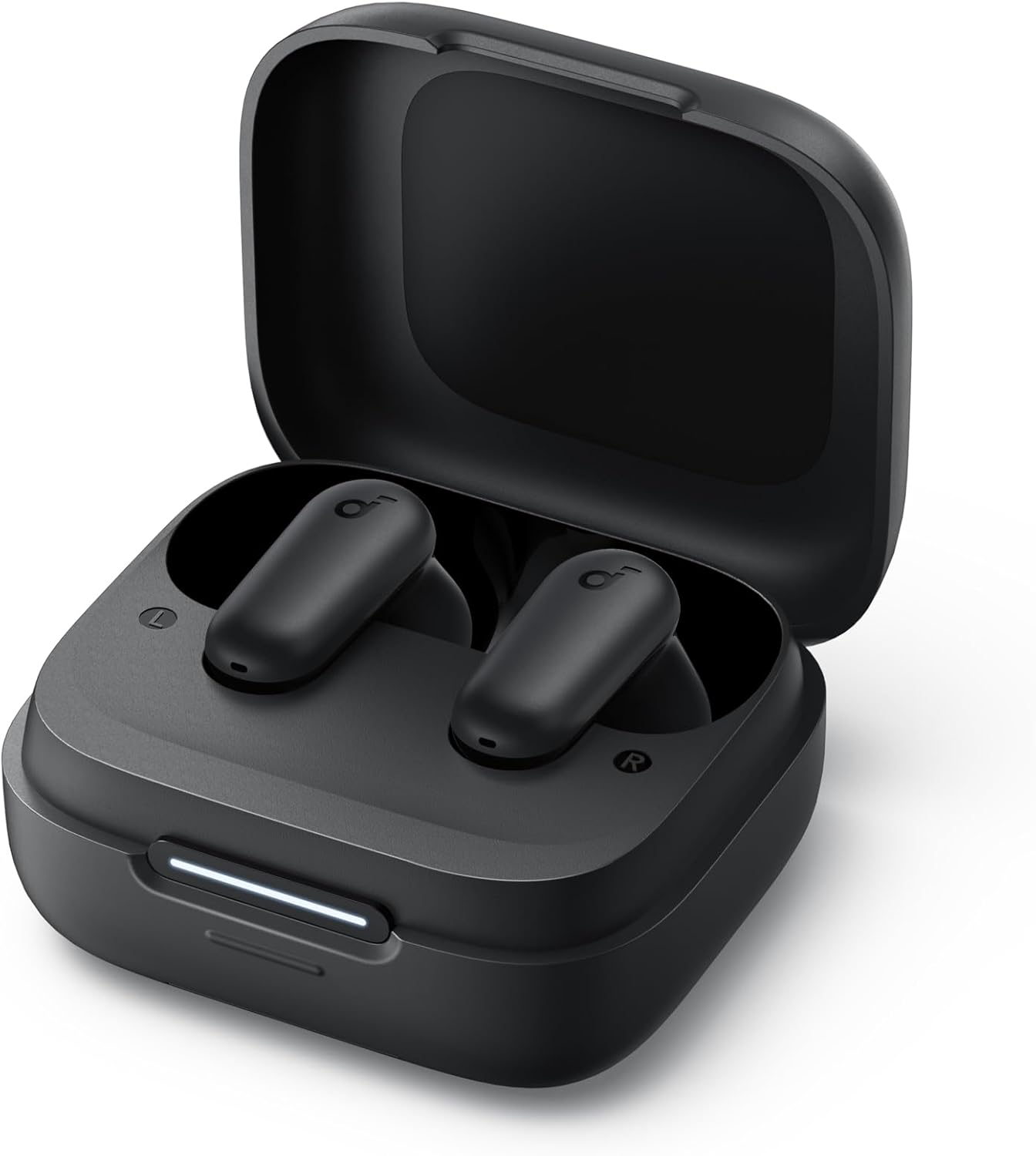
Image: The Anker Soundcore R50i NC True Wireless Earbuds resting inside their open black charging case. A white LED indicator bar is visible on the front of the case, indicating charging status.
- Полная зарядка обеспечивает до 10 часов воспроизведения для самих наушников и до 45 часов с зарядным кейсом.
- Убедитесь, что зарядные контакты на наушниках и внутри кейса чистые и сухие.
3. Включение и сопряжение
The earbuds will automatically power on when removed from the charging case. To pair with a new device:
- Open the charging case. The earbuds will enter pairing mode, and the LED indicator on the case will flash white.
- On your device, enable Bluetooth and search for "Soundcore R50i NC" in the list of available devices.
- Select "Soundcore R50i NC" to connect. Once connected, the LED indicator on the case will turn solid white for 3 seconds before turning off.
If already paired, the earbuds will automatically connect to the last paired device when removed from the case.
4. Установка приложения Soundcore
Download the Soundcore app from the App Store (iOS) or Google Play Store (Android) to unlock additional features, customize EQ settings, and update firmware.
Использование наушников
1. Ношение наушников
Choose the ear tips that provide the best fit and seal for optimal sound quality and noise cancellation. Insert the earbuds into your ear canals and twist gently until they fit securely and comfortably.

Image: A young man wearing the black Anker Soundcore R50i NC earbuds in his ears, looking to the side with a slight smile, indicating comfortable and secure fit.
2. Элементы управления
The Soundcore R50i NC earbuds feature touch controls on each earbud. The default controls are:
| Действие | Левый наушник | Правый наушник |
|---|---|---|
| Воспроизведение/Пауза | Двойное нажатие | Двойное нажатие |
| Следующий трек | Н/Д | Тройной тап |
| Предыдущий трек | Тройной тап | Н/Д |
| Ответить/Завершить вызов | Двойное нажатие | Двойное нажатие |
| Отклонить вызов | Нажмите и удерживайте 2 с. | Нажмите и удерживайте 2 с. |
| Switch Noise Cancellation Mode | Нажмите и удерживайте 2 с. | Нажмите и удерживайте 2 с. |
| Активировать голосовой помощник | Н/Д | Press and hold 2s (customizable) |
Примечание: Настройки можно изменить через приложение Soundcore.
3. Noise Cancellation (NC) and Transparency Modes
The Soundcore R50i NC earbuds feature Adaptive ANC (Active Noise Cancellation) with up to 42dB noise reduction depth. You can switch between ANC, Normal, and Transparency modes by pressing and holding the touch control area on either earbud for 2 seconds (default setting).
- Режим АНК: Снижает уровень окружающего шума, обеспечивая захватывающий опыт прослушивания.
- Режим прозрачности: Позволяет слышать окружающие звуки, продолжая наслаждаться ими, что полезно для повышения осведомленности.
- Нормальный режим: Стандартное воспроизведение звука без шумоподавления и прозрачности.
4. Hidden Cell Phone Holder
The charging case features a hidden mobile phone holder, allowing you to prop up your smartphone for convenient hands-free viewing of videos or browsing.

Image: The black Anker Soundcore R50i NC charging case is shown with a smartphone propped up on its integrated stand, demonstrating its dual functionality as a charging case and phone holder.
Обслуживание
1. Чистка наушников
Регулярная чистка помогает поддерживать качество звука и гигиену.
- Аккуратно протрите наушники и зарядный чехол мягкой, сухой, безворсовой тканью.
- Чтобы почистить амбушюры, выньте их из наушников и протрите специальным средством.amp При необходимости протрите тканью и мягким мылом. Тщательно промойте и убедитесь, что они полностью высохли, прежде чем прикреплять их обратно.
- Use a dry cotton swab to clean the charging contacts on both the earbuds and inside the case.
- Избегайте использования абразивных чистящих средств или растворителей.
2. Хранение
Когда наушники не используются, всегда храните их в зарядном футляре, чтобы защитить их и сохранить заряженными.
3. Уход за аккумулятором
- Регулярно заряжайте наушники и зарядный кейс, даже если используете их нечасто, чтобы продлить срок службы батареи.
- Избегайте воздействия на наушники экстремальных температур (жары или холода).
- Do not fully drain the battery for extended periods.
Поиск неисправностей
1. Earbuds Not Pairing or Connecting
- Убедитесь, что на вашем устройстве включен Bluetooth и наушники находятся в режиме сопряжения.
- Place the earbuds back into the charging case, close the lid, wait 5 seconds, then open the lid again to re-enter pairing mode.
- Forget "Soundcore R50i NC" from your device's Bluetooth list and try pairing again.
- Убедитесь, что наушники и чехол достаточно заряжены.
2. Нет звука или низкая громкость
- Отрегулируйте громкость как на устройстве, так и на наушниках.
- Убедитесь, что наушники правильно вставлены в уши и амбушюры обеспечивают плотное прилегание.
- Очистите насадки наушников от мусора.
- Попробуйте воспроизвести аудио из другого приложения или устройства.
3. Poor Call Quality
- Убедитесь, что микрофоны не заблокированы.
- Подойдите ближе к подключенному устройству, чтобы избежать помех сигнала.
- Try making a call in a quieter environment.
4. Сброс настроек наушников
If you experience persistent issues, you can reset the earbuds:
- Поместите наушники в зарядный футляр и оставьте крышку открытой.
- Нажмите и удерживайте кнопку на зарядном чехле в течение 10 секунд, пока светодиодные индикаторы на обоих наушниках не мигнут красным цветом 3 раза.
- The earbuds have been reset and are ready for pairing.
Технические характеристики
| Особенность | Деталь |
|---|---|
| Название модели | Anker Soundcore R50i NC |
| Номер модели товара | А3959H11 |
| Технология связи | Беспроводная связь (Bluetooth 5.3) |
| Драйверы | 10 мм |
| Контроль шума | Активное шумоподавление (глубина 42 дБ) |
| Микрофоны | 4 (AI Clear Calls) |
| Время воспроизведения (в наушниках) | До 10 часов (одна зарядка) |
| Общее время воспроизведения (с кейсом) | До 45 часов |
| Рейтинг водонепроницаемости | IP54 (Sweatguard M) |
| Сопротивление | 120 Ом |
| Аккумуляторы | 3 литий-ионных аккумулятора (в комплекте) |
| Размеры упаковки | 11.5 х 10.9 х 3.6 см |
| Масса | 25 г |
| Производитель | Анкер |
| Страна происхождения | Китай |
Гарантия и поддержка
Anker provides a warranty for its products. Please refer to the warranty card included in your product packaging for specific terms and conditions. For technical support, FAQs, or to register your product, please visit the official Soundcore webПосетите сайт или свяжитесь со службой поддержки клиентов Soundcore.
You can also find more information and support through the Soundcore app.