
1. Введение
This manual provides detailed instructions for setting up, operating, maintaining, and troubleshooting your NIMO Mini PC N100. Please read this manual thoroughly before using the device to ensure proper functionality and to maximize its lifespan. The NIMO Mini PC N100 is a compact and powerful desktop computer designed for various applications, from home entertainment to office productivity.
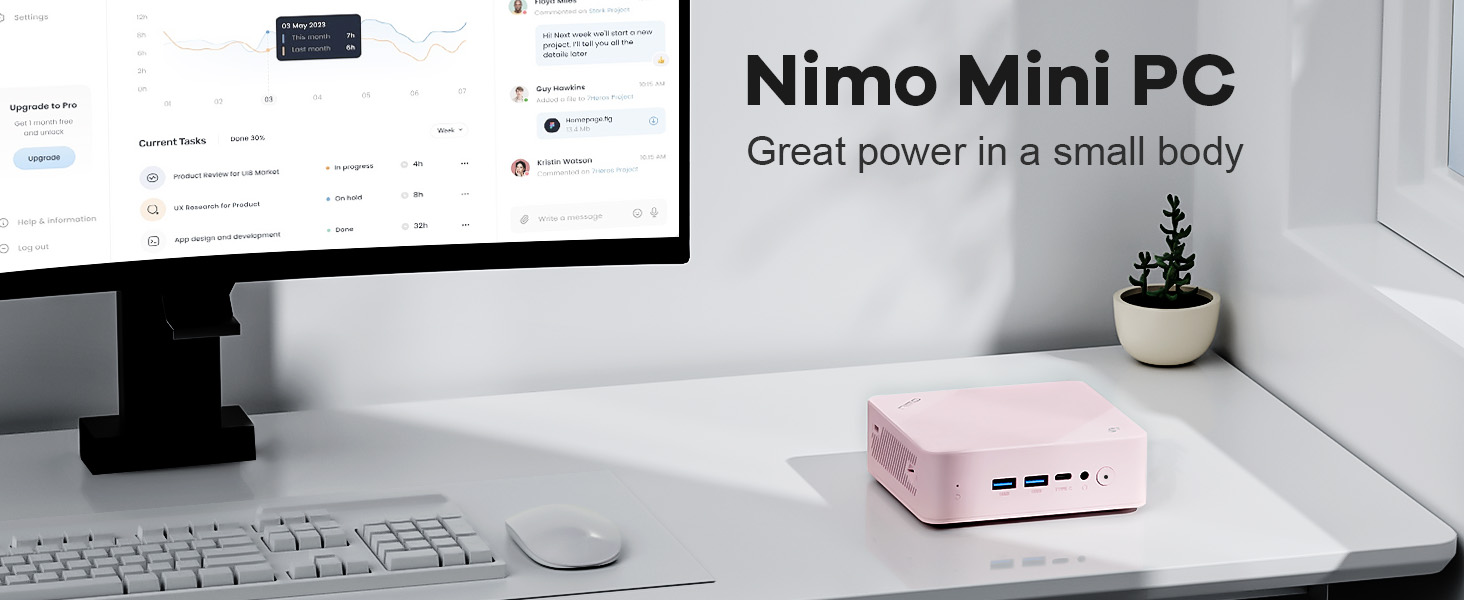
Image: The NIMO Mini PC N100, a compact computing solution for various environments.
2. Продукт закончилсяview
The NIMO Mini PC N100 is engineered for efficiency and versatility. It features a compact design with a comprehensive array of ports for seamless connectivity.
2.1. Физические характеристики и порты
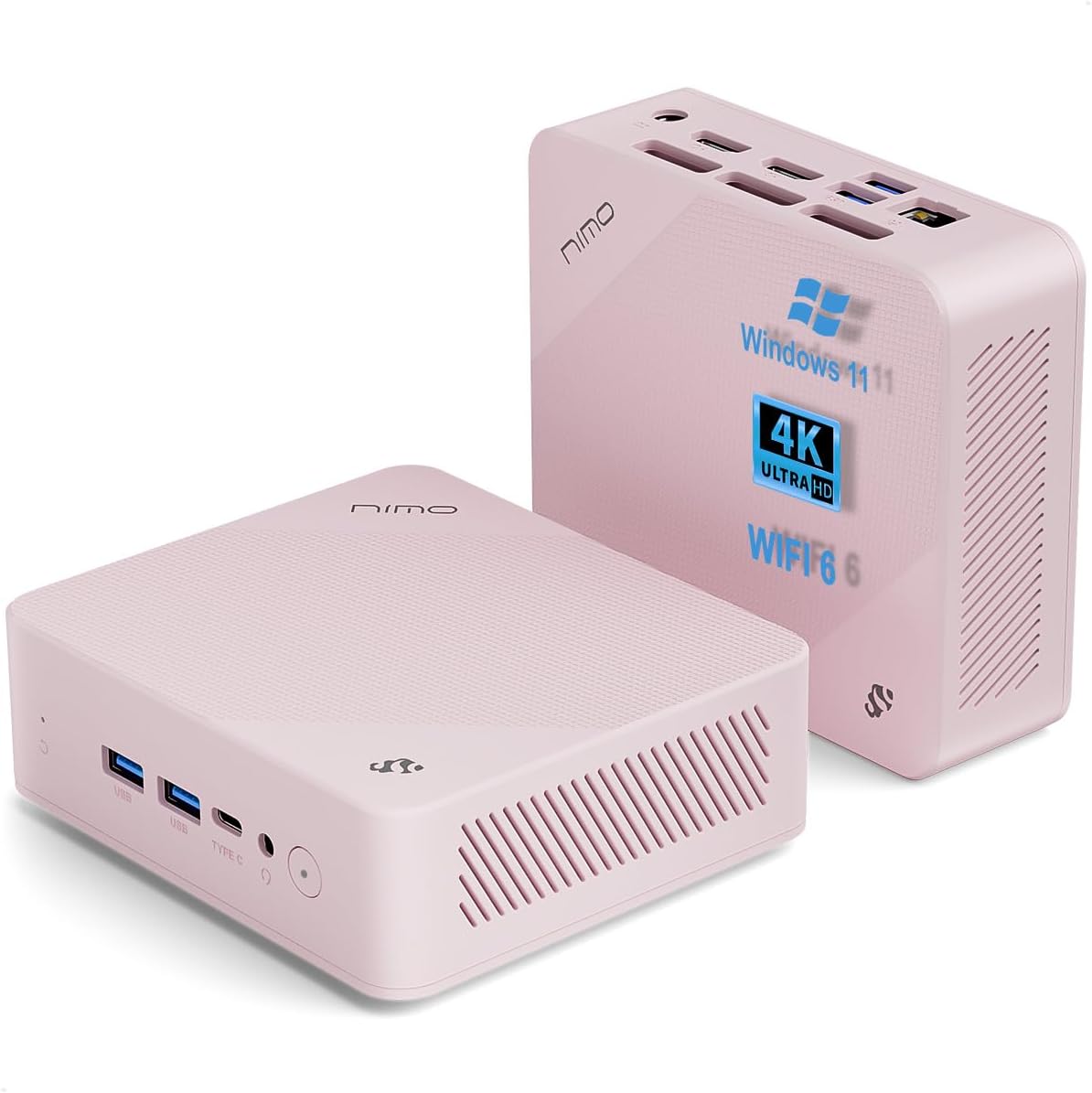
Изображение: спереди и сзади views of the NIMO Mini PC N100, showcasing its compact form factor and port layout.

Image: A detailed diagram illustrating the various ports available on the NIMO Mini PC N100, including USB, HDMI, LAN, and Type-C.
- Передняя панель: Power Button, 2x USB Type-A Ports, 1x Type-C Port (multifunction), 1x Audio Port, 1x Reset Button.
- Задняя панель: 1x Giga LAN Port, 2x HDMI 2.0 Ports, 2x USB Type-A Ports, 1x DC-IN Port, Security Slot, SD Card Reader.
2.2.Основные характеристики

Image: A visual summary of the NIMO Mini PC N100's core features, such as Windows 11, WiFi 6, and 4K display support.
- Операционная система: Windows 11 Домашняя
- Процессор: 12th Gen Intel N100 Processor
- Память: 8 ГБ оперативной памяти DDR4
- Хранилище: 1 ТБ PCIe SSD
- Связь: WiFi 6, Bluetooth 5.2, Gigabit LAN
- Вывод на дисплей: Dual HDMI 2.0 and Type-C for up to 4K triple-monitor display
- Охлаждение: 15W Efficient Cooling System

Image: The NIMO Mini PC N100 in a desktop setup, emphasizing its Intel N100 processor, WiFi 6, Bluetooth 5.2, and efficient cooling capabilities.
3. Настройка
Follow these steps to set up your NIMO Mini PC N100.
3.1. Содержимое упаковки
Проверьте наличие всех предметов в упаковке:

Image: The NIMO Mini PC N100 package contents, including the Mini PC unit, mounting bracket, power adapter, and instruction manual.
- 1x NIMO Mini PC N100 Unit
- 1x монтажный кронштейн
- 1x Адаптер питания
- 1x Руководство по эксплуатации
3.2. Первоначальное подключение
- Подключить дисплей: Connect your monitor(s) to the HDMI 2.0 ports or the Type-C port on the Mini PC using appropriate cables.
- Подключите периферийные устройства: Plug in your keyboard, mouse, and any other USB devices into the available USB Type-A ports.
- Подключите питание: Insert the power adapter into the DC-IN port on the Mini PC, then plug the adapter into a power outlet.
- Подключение к сети: For a wired connection, connect an Ethernet cable to the Giga LAN port. For wireless, ensure your WiFi network is available.
3.3. Варианты размещения
The NIMO Mini PC N100 offers flexible placement options:

Image: A visual comparison of VESA mounting and traditional desktop placement for the NIMO Mini PC N100.
- Размещение на рабочем столе: Place the Mini PC on a flat, stable surface with adequate ventilation.
- Установка ВЕСА: Use the included mounting bracket to attach the Mini PC to the back of a VESA-compatible monitor or TV. This helps create a clutter-free workspace.

Image: The NIMO Mini PC N100 discreetly mounted behind a monitor, illustrating its space-saving VESA capability.
4. Инструкция по эксплуатации
Learn how to operate your NIMO Mini PC N100 effectively.
4.1. Включение и выключение
- Включение питания: Press the Power Button on the front panel. The power indicator light will illuminate.
- Выключение: In Windows, click the Start button, then select Power > Shut down. Alternatively, you can press and hold the Power Button for a few seconds to force a shutdown (not recommended for regular use).
- Перезапуск: In Windows, click the Start button, then select Power > Restart.
4.2. Конфигурация дисплея
The NIMO Mini PC N100 supports up to three displays simultaneously.

Image: The NIMO Mini PC N100 demonstrating its capability to support a triple display setup for enhanced multitasking.
- Подключение нескольких мониторов: Use the two HDMI 2.0 ports and the Type-C port to connect up to three 4K displays.
- Параметры отображения Windows: Right-click on the desktop and select 'Display settings' to configure display resolution, orientation, and arrangement (extend, duplicate, or show only on one display).
4.3. Расширение хранилища
The Mini PC includes an SD card reader for additional storage expansion.

Image: The NIMO Mini PC N100 featuring an SD card slot, allowing for easy storage expansion up to 512GB.
- Insert an SD card into the dedicated slot on the rear panel to expand storage capacity for fileи приложения.
4.4 Сценарии использования

Image: The NIMO Mini PC N100 being used in different environments: home entertainment, office work, and classroom learning.
- Домашние развлечения: Connect to a TV for streaming, media playback, or light gaming.
- Работа в офисе: Ideal for productivity tasks, document editing, and video conferencing.
- Обучение в классе: Suitable for educational applications and online courses.
5. Техническое обслуживание
Proper maintenance ensures the longevity and optimal performance of your NIMO Mini PC N100.
- Уборка: Regularly clean the exterior of the Mini PC with a soft, dry cloth. Use compressed air to clear dust from ventilation grilles. Do not use liquid cleaners directly on the device.
- Вентиляция: Убедитесь, что мини-ПК размещен в хорошо проветриваемом месте. Не закрывайте вентиляционные отверстия.
- Обновления программного обеспечения: Регулярно обновляйте операционную систему Windows 11 и драйверы, чтобы обеспечить безопасность и производительность.
- Резервное копирование данных: Регулярно создавайте резервные копии важных данных на внешнем диске или в облачном хранилище, чтобы предотвратить потерю данных.
- Избегайте экстремальных условий: Не подвергайте мини-ПК воздействию экстремальных температур, влажности или прямых солнечных лучей.
6. Поиск Неисправностей
This section addresses common issues you might encounter with your NIMO Mini PC N100.
| Проблема | Возможная причина | Решение |
|---|---|---|
| Нет электричества | Адаптер питания не подключен; проблема с розеткой; неисправный адаптер. | Check power cable connection; try a different outlet; ensure adapter is working. |
| Нет изображения на мониторе | Monitor off or incorrect input; display cable loose or faulty. | Ensure monitor is on and set to correct input (HDMI/Type-C); check display cable connections; try a different cable or monitor. |
| Нет подключения к интернету (Wi-Fi). | Wi-Fi отключен; неверный пароль; проблема с маршрутизатором. | Ensure Wi-Fi is enabled in Windows settings; verify Wi-Fi password; restart router. |
| No internet connection (LAN) | Ethernet cable loose or faulty; router issue. | Check Ethernet cable connection; try a different cable; restart router. |
| Периферийные устройства (клавиатура/мышь) не работают. | Ненадежное USB-соединение; проблема с драйвером. | Reconnect USB device; try a different USB port; check device manager for driver issues. |
| Система работает медленно или не отвечает. | Слишком много запущенных приложений; мало места на диске; вредоносное ПО. | Close unnecessary applications; free up disk space; run antivirus scan; restart the PC. |
7. Технические характеристики
Detailed technical specifications for the NIMO Mini PC N100.

Image: Diagram highlighting the Intel 12th Gen N100 Processor, the core of the NIMO Mini PC N100's performance.
| Особенность | Спецификация |
|---|---|
| Номер модели | Н100 |
| Операционная система | Windows 11 Домашняя |
| Процессор | Intel 12th Gen N100 (3.4 GHz Intel_Mobile_CPU, 4 Cores) |
| БАРАН | 8 ГБ DDR4 SDRAM |
| Хранилище | 1 TB Solid State Drive (PCIe SSD) |
| Максимальное разрешение экрана | 3840 x 2160 пикселей (4K) |
| Графика | Intel UHD Graphics (интегрированная) |
| Связность | WiFi 6, Bluetooth 5.2, Gigabit LAN |
| Порты | 2x HDMI 2.0, 4x USB Type-A (USB3.2), 1x Type-C (multifunction), 1x Giga LAN, 1x DC-IN, 1x Audio, 1x SD Card Reader, 1x Security Slot |
| Размеры (ДxШxВ) | 4.8 x 4.4 x 1.53 дюйма |
| Аппаратная платформа | PC |
| Первая доступная дата | 1 ноября 2024 г. |
8. Гарантия и поддержка
NIMO is committed to providing excellent after-sales service and support for your Mini PC N100.

Изображение: Оверview of NIMO's commitment to after-sales excellence, including support, returns, and customer service.
8.1. Информация о гарантии
- Гарантийный срок: The NIMO Mini PC N100 is covered by a двухлетняя гарантия с даты покупки.
- Политика возврата: You may return any NIMO product for any reason within 90 дней покупки.
8.2. Поддержка клиентов
NIMO provides professional and high-quality customer service. If you have any product-related questions or require assistance, please contact us:
- Электронная почта: service@nimopc.com
- Онлайн: Visit the official NIMO website or product page for contact options and support resources.
Our team of professional technicians is ready to help resolve any issues you may encounter. We aim to reply to all inquiries promptly.