
Введение
Thank you for choosing the BCUOZ 4 Lesn Dash Cam M8. This manual provides detailed instructions for the installation, operation, and maintenance of your dash camera. Please read this manual thoroughly before use to ensure proper functionality and to maximize your device's performance.
Продукт болееview
The BCUOZ 4 Lesn Dash Cam M8 is a comprehensive vehicle recording system designed to capture events from multiple perspectives. It features a 1080P resolution, a 2.4-inch IPS screen, and a unique 4-lens system for front, left, right, and rear views. Key features include infrared night vision, loop recording, G-sensor collision detection, and 24-hour parking monitoring.
Основные характеристики:
- Запись в формате 1080p HD: Записывает четкое видео...tage.
- 4-Lens System: Records simultaneously from front, left, right, and rear perspectives. The interior camera can rotate 360 degrees.
- 2.4-дюймовый IPS-экран: Обеспечивает четкое отображение в режиме реального времени. view и воспроизведение.
- Инфракрасное (ИК) ночное видение: Ensures clear recording in low-light conditions, especially for the interior camera with 3 IR LED fill lights.
- Циклическая запись: Автоматически перезаписывает самые старые файлыtagе при заполнении карты памяти, обеспечивая непрерывную запись.
- G-сенсор: Обнаруживает внезапные удары или столкновения и автоматически блокирует текущий видеофрагмент.tagе, чтобы предотвратить его перезапись.
- Круглосуточный мониторинг парковки: Monitors your vehicle even when parked, recording events triggered by motion or impact (requires hardwire kit, not included).
- Простая установка: Mounts securely to the windshield using suction cups and connects via the cigarette lighter.

Image: The BCUOZ 4 Lesn Dash Cam M8 displaying simultaneous views from its four cameras on the 2.4-inch IPS screen.

Image: Visual representation of the 4-camera system, highlighting the front, built-in left/right, and rear camera components.
Содержимое упаковки
- BCUOZ 4 Lesn Dash Cam M8 Unit
- Автомобильное зарядное устройство
- Крепление на присоске
- Руководство пользователя (этот документ)
- Карта памяти Micro SD объемом 64 ГБ (предустановлена или поставляется отдельно)
Настраивать
1. Подготовьте карту Micro SD.
The dash cam supports up to a 64GB Micro SD card. A 64GB card is included. For optimal performance, it is recommended to format the Micro SD card within the dash cam settings before first use and periodically thereafter.
- Вставьте карту Micro SD в соответствующий слот на видеорегистраторе.
- Включите видеорегистратор.
- Перейдите в меню системных настроек.
- Select the "Format" option and confirm. This will erase all data on the card.
2. Установите видеорегистратор.
The dash cam is designed for easy and secure mounting to your vehicle's windshield using the included suction cup mount.
- Очистите место на лобовом стекле, куда вы собираетесь установить видеорегистратор. Убедитесь, что оно свободно от пыли и жира.
- Прикрепите крепление на присоске к видеорегистратору.
- Press the suction cup firmly against the cleaned windshield surface and engage the locking mechanism to secure it.
- Adjust the angle of the dash cam to ensure the front camera has a clear view of the road ahead. The interior camera can be rotated 360 degrees to capture the cabin as desired.
3. Подключение питания
Подключите видеорегистратор к источнику питания вашего автомобиля с помощью прилагаемого автомобильного зарядного устройства.
- Insert the small end of the car charger cable into the power input port on the dash cam.
- Plug the larger end of the car charger into your vehicle's cigarette lighter socket.
- Видеорегистратор автоматически включится и начнет запись при включении зажигания автомобиля.
Инструкция по эксплуатации
Основная операция
- Включение/выключение питания: The dash cam powers on automatically with vehicle ignition and powers off when the ignition is turned off. You can also manually power it on/off using the power button.
- Запись: Once powered on, the dash cam automatically begins continuous loop recording. A recording indicator (e.g., flashing red dot) will be visible on the screen.
- Экран дисплея: The 2.4-inch IPS screen can display live views from multiple cameras simultaneously. Use the menu buttons to switch display modes if available.
Циклическая запись
The dash cam records video in segments (e.g., 1, 3, or 5 minutes) and stores them on the Micro SD card. When the card is full, the oldest unlocked fileЗаписи автоматически перезаписываются новыми. Это обеспечивает непрерывную запись без ручного вмешательства.
- To adjust loop recording duration, access the settings menu.
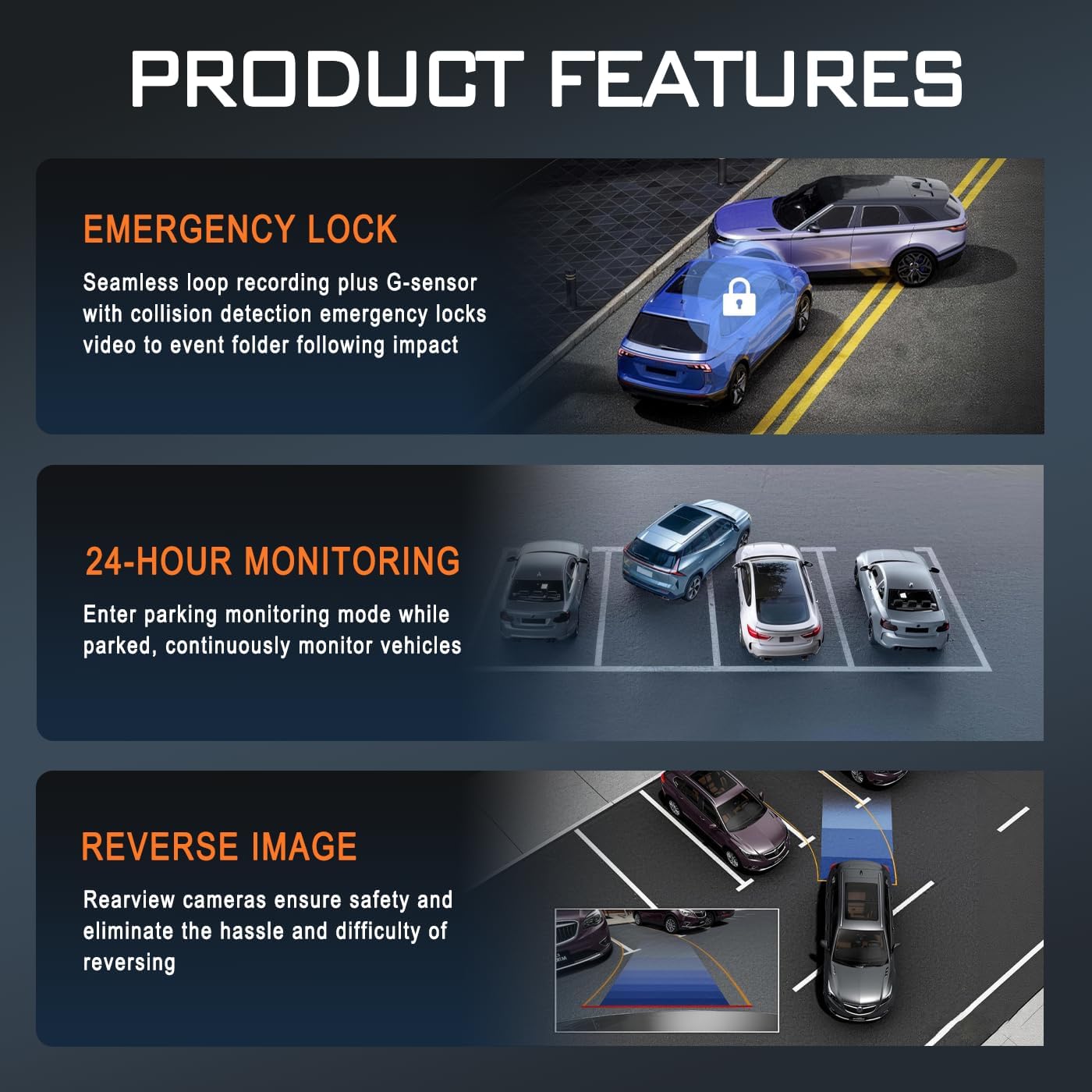
Image: Illustration of key product features: Emergency Lock (G-sensor), 24-Hour Monitoring, and Reverse Image functionality.
G-сенсор (аварийная блокировка)
Встроенный G-сенсор обнаруживает резкое ускорение, торможение или удар. При срабатывании он автоматически блокирует текущий фрагмент видео, предотвращая его перезапись циклической записью. Эти заблокированные fileхранятся в отдельной папке на карте Micro SD.
- The G-sensor sensitivity can be adjusted in the settings menu (e.g., Low, Medium, High, Off).
Круглосуточный мониторинг парковки
When enabled, the parking monitor allows the dash cam to continue monitoring your vehicle after it's parked and the ignition is off. It can detect impacts or motion and automatically start recording. This feature requires a continuous power supply, typically achieved through a hardwire kit (sold separately) connected to your vehicle's fuse box.
- Ensure a hardwire kit is installed for continuous 24-hour parking monitoring.
- The parking mode settings (e.g., time-lapse recording, impact detection) can be configured in the menu.
Инфракрасное ночное видение
The dash cam is equipped with infrared technology to enhance recording clarity in low-light or dark conditions. The interior camera utilizes 3 IR LED fill lights to capture clear images of the cabin occupants even in complete darkness.
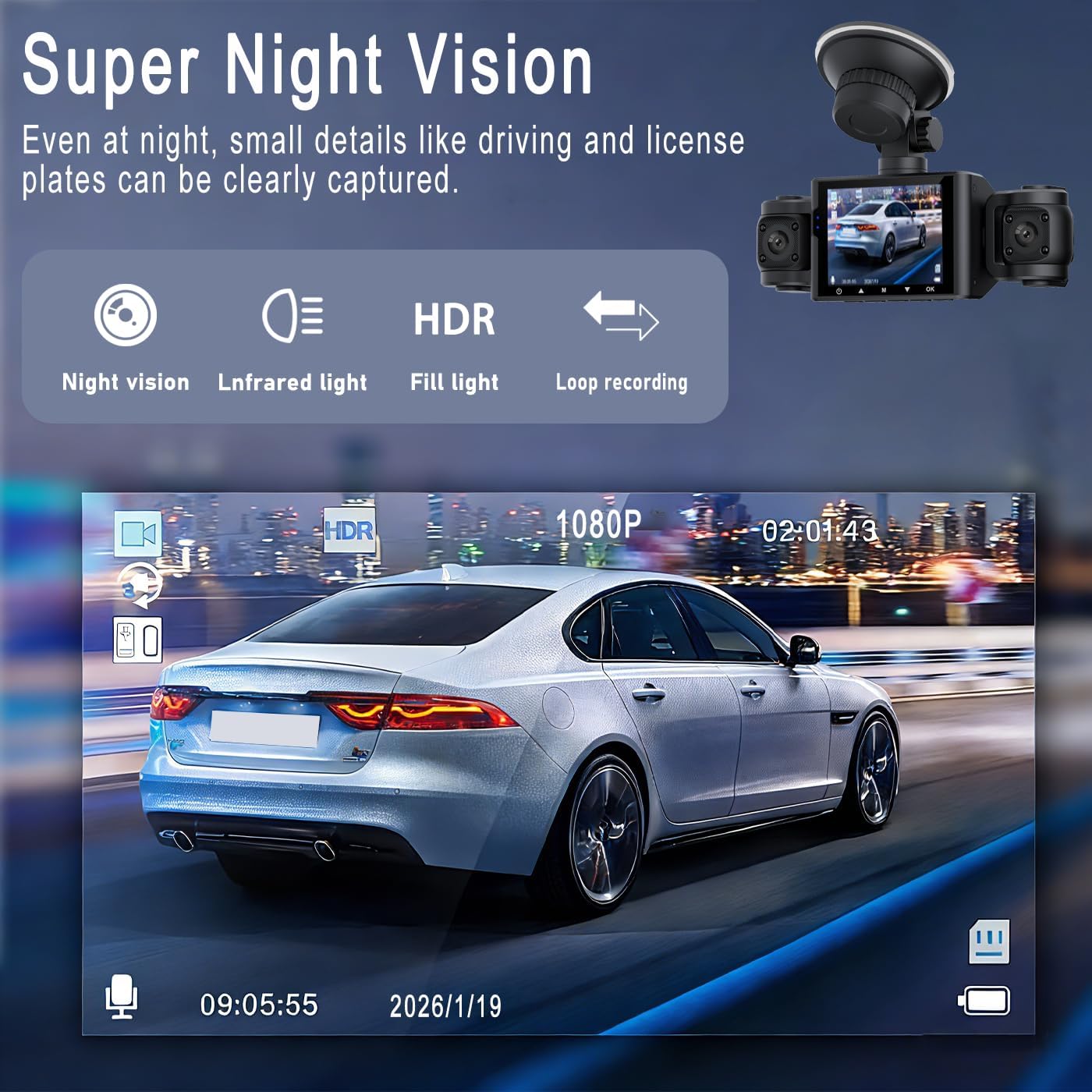
Изображение: Бывшийample of Super Night Vision performance, showing clear capture of details like license plates in low light.

Изображение: подробное view of the dash cam's lens system, highlighting features like aspheric high-index lens and optical plating for enhanced image quality in various lighting conditions.
Воспроизведение и File Управление
- Воспроизведение на устройстве: Stop recording, then navigate to the playback menu on the dash cam's screen to view записанные видео.
- Компьютерное воспроизведение: Remove the Micro SD card from the dash cam and insert it into a computer's card reader. Video files can be accessed and played using standard media players.
- File Организация: Videos are typically organized into folders such as "Normal," "Event" (for G-sensor triggered recordings), and "Parking" (for parking mode recordings).
Обслуживание
- Очистите линзы: Для обеспечения четкого качества видео регулярно протирайте объективы камер мягкой безворсовой тканью. Избегайте использования абразивных материалов.
- Micro SD Card Maintenance: Format the Micro SD card every 2-4 weeks to prevent data corruption and ensure optimal recording performance. Back up any important files перед форматированием.
- Рабочая температура: Избегайте длительного воздействия на видеорегистратор экстремальных температур.
- Обновления прошивки: Проверьте производителя webПериодически проверяйте наличие доступных обновлений прошивки для повышения производительности и добавления новых функций.
Поиск неисправностей
| Проблема | Возможное решение |
|---|---|
| Видеорегистратор не включается. |
|
| Видеорегистратор прекращает запись или выдает ошибку "Карта памяти заполнена". |
|
| видеоtagИзображение e размытое или нечеткое. |
|
| Parking monitor is not working. |
|
| G-сенсор слишком чувствителен или недостаточно чувствителен. |
|
Технические характеристики
| Название модели | M8 |
| Бренд | Общий |
| Разрешение видеозахвата | 1080p |
| Размер экрана | 2.4 дюйма (IPS-дисплей) |
| Конфигурация объектива | 4-lens system (Front, Left, Right, Rear) |
| Особые возможности | Loop Recording, IR Night Vision, G-Sensor, 24hr Parking Mode |
| Технология связи | Вспомогательный |
| Тип флэш-памяти | Карта памяти Micro SD (поддерживает до 64 ГБ) |
| Тип крепления | Крепление на приборную панель (на присоске) |
| Размеры продукта (Д x Ш x В) | 3.54"Г x 0.99"Ш x 1.57"В (приблизительно 9 см x 2.5 см x 4 см) |
| Вес товара | 200 грамм |
| Включенные компоненты | Car Charger, 64GB Micro SD Card |
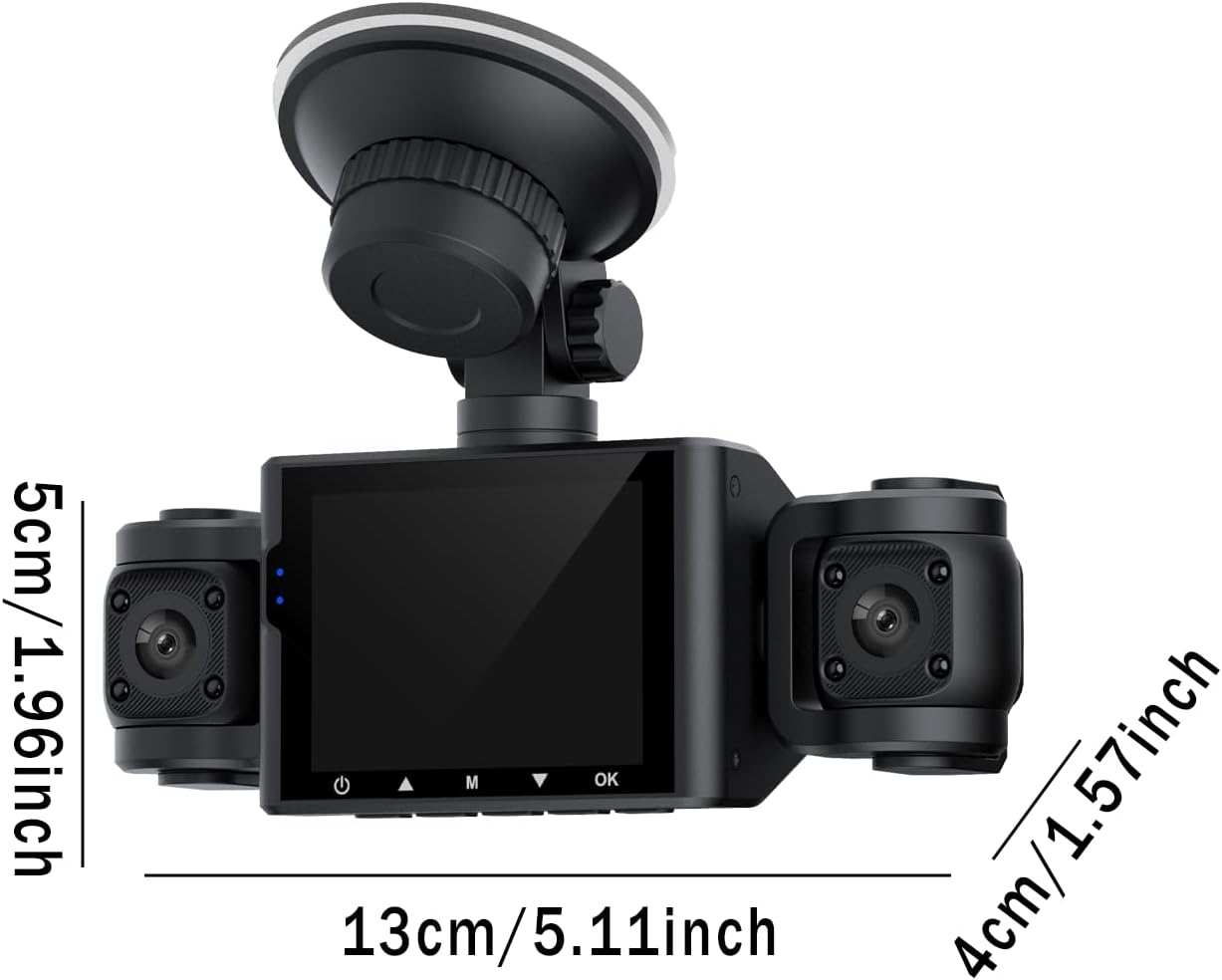
Image: Diagram showing the approximate dimensions of the dash cam unit in centimeters and inches.
Гарантия и поддержка
Информация о гарантии
This BCUOZ 4 Lesn Dash Cam M8 comes with a 2-летняя гарантия производителя from the date of purchase. This warranty covers defects in materials and workmanship under normal use. It does not cover damage caused by misuse, accidents, unauthorized modifications, or natural disasters. Please retain your proof of purchase for warranty claims.
Поддержка клиентов
For technical assistance, troubleshooting, or warranty inquiries, please refer to the contact information provided with your purchase or visit the manufacturer's official support website. When contacting support, please have your product model (M8) and purchase details ready.