
1. Введение
This manual provides detailed instructions for the safe and efficient operation of your HANLIM Portable CD Player, Model HL-108. Please read this manual thoroughly before using the product and retain it for future reference.

Рисунок 1: Передний view of the HANLIM Portable CD Player HL-108. This image displays the main unit with its control panel, LCD screen, and integrated handle.
2. Инструкции по технике безопасности
- Не подвергайте устройство воздействию дождя, влаги или экстремальных температур.
- Не размещайте устройство вблизи источников тепла или под прямыми солнечными лучами.
- Не открывайте сasinг; поручайте все работы по обслуживанию квалифицированному персоналу.
- Держите устройство вдали от сильных магнитных полей.
- Используйте только прилагаемый кабель питания.
- Обеспечьте надлежащую вентиляцию, чтобы предотвратить перегрев.
3. Содержимое упаковки
Пожалуйста, проверьте наличие всех предметов:
- HANLIM Portable CD Player HL-108
- Кабель питания (1.2 м)
- Пульт дистанционного управления (батарейки в комплект не входят)
- Руководство пользователя

Рисунок 2: The HANLIM Portable CD Player HL-108 shown with its included accessories: the power cable, remote control, and user manual.
4. Продукт закончилсяview
The HANLIM Portable CD Player HL-108 features a compact design with multiple playback options and connectivity ports.
4.1 Органы управления на передней панели
- ЖК-дисплей: Показывает текущий режим, информацию о треке и частоту FM.
- Кнопка РЕЖИМ: Switches between CD, FM, Bluetooth, USB, and AUX modes.
- Кнопка РЕЖИМА ОЖИДАНИЯ: Включает и выключает устройство.
- Play/Pause/Scan Button: Plays/pauses media or scans FM radio stations.
- Кнопка «Предыдущий/CH»: Skips to previous track/station.
- Кнопка Next/CH+: Skips to next track/station.
- Ручка регулировки громкости: Регулирует громкость звука.
- USB-порт: Для воспроизведения с USB-накопителя.
- Разъем для наушников (3.5 мм): Для частного прослушивания.
4.2 Соединения на задней панели
- AUX-вход (3.5 мм): Подключите внешние аудиоустройства.
- Порт микрофона: Connect a microphone for singing.
- Вход питания переменного тока: Connect the power cable for charging or continuous power.
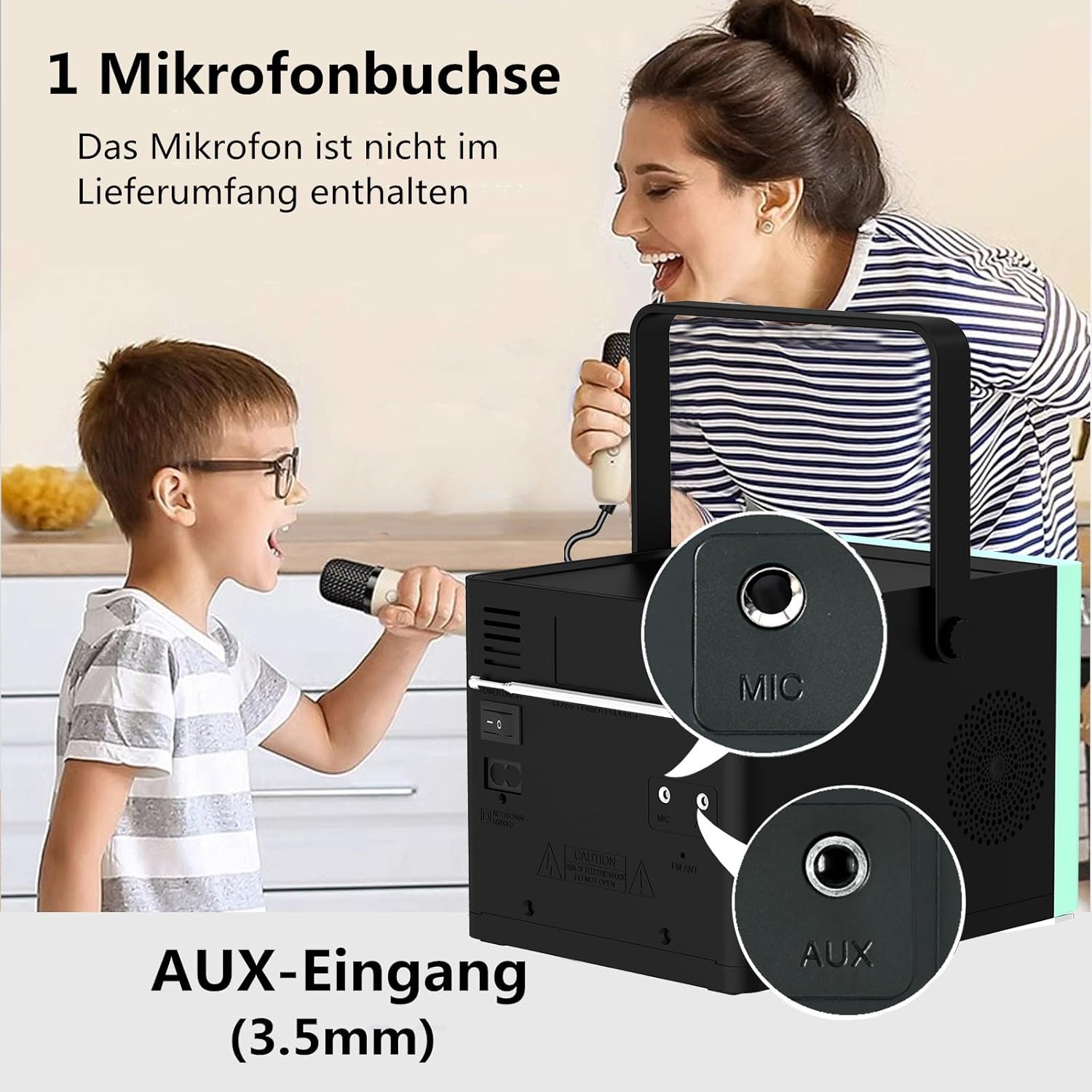
Рисунок 3: Задний view of the HANLIM Portable CD Player HL-108, highlighting the microphone input and AUX input ports.
5. Настройка
5.1 Включение и зарядка
- Connect the provided power cable to the AC power input on the rear of the unit and plug it into a wall outlet.
- The built-in 2000mAh battery will begin charging automatically. A full charge provides approximately 4.5 to 5 hours of playback at maximum volume.
- Нажмите STANDBY кнопку для включения устройства.
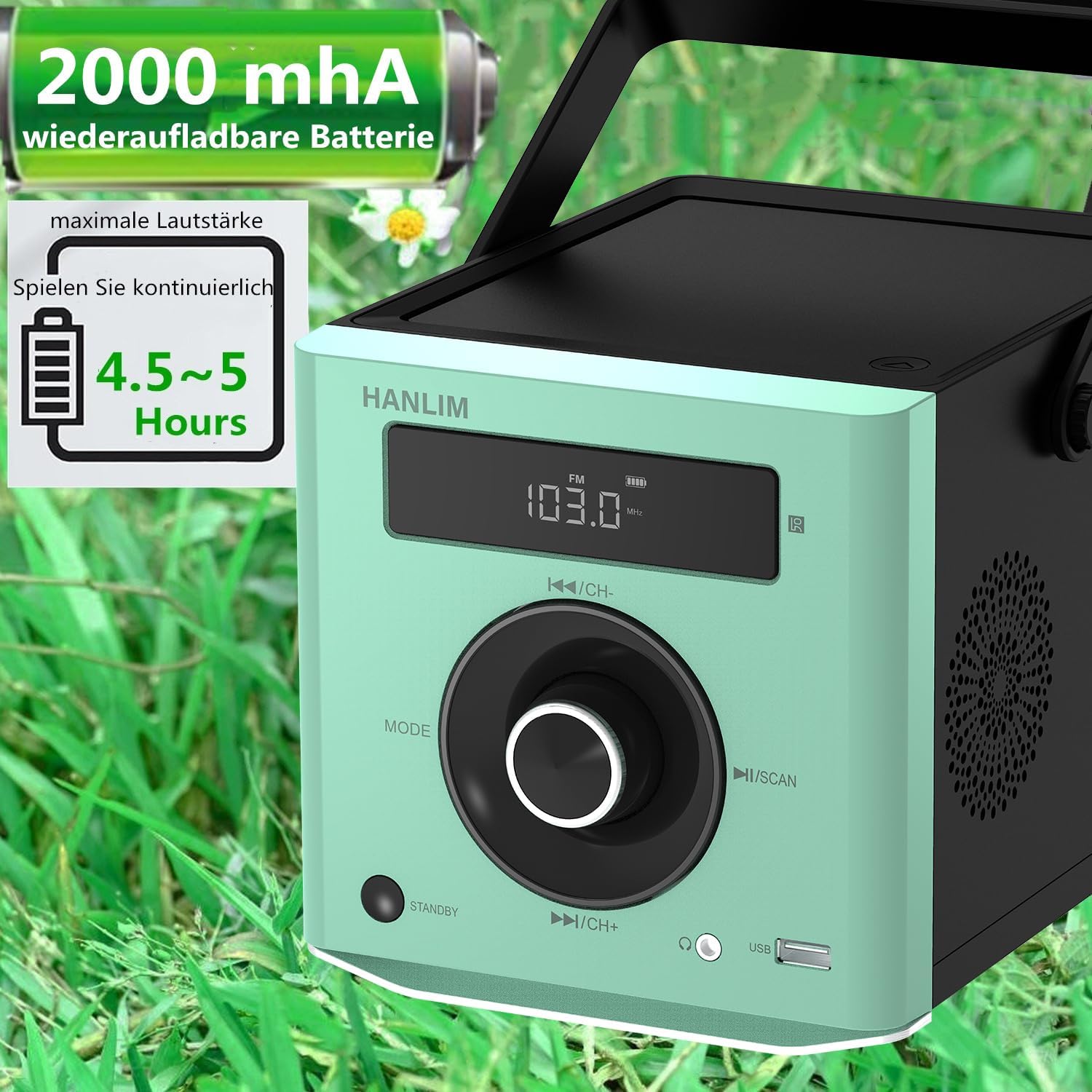
Рисунок 4: The HANLIM Portable CD Player HL-108 displaying battery charge status and indicating 4.5-5 hours of continuous playback.
6. Инструкция по эксплуатации
6.1 Воспроизведение компакт-дисков
- Откройте крышку отсека для компакт-дисков.
- Place a CD (CD/CD-R/CD-RW/MP3 format) onto the spindle, label side up.
- Закройте крышку отсека для компакт-дисков.
- Нажмите РЕЖИМ Нажимайте кнопку, пока не отобразится "CD".
- Нажмите Воспроизведение/Пауза кнопку, чтобы начать воспроизведение.
- Используйте Предыдущий/Следующий кнопки для пропуска треков.
- Функция повтора: Press the repeat button on the remote control to cycle through repeat one, repeat all, or random play.
- Continue Playback: The unit will resume playback from where it was last stopped, useful for language learning.
6.2 FM-радио
- Нажмите РЕЖИМ пока не отобразится «FM».
- Нажмите и удерживайте Сканировать button to automatically scan and store available FM stations (87.5-108MHz). Up to 20 stations can be stored.
- Используйте CH- и СН+ кнопки для навигации по сохраненным станциям.

Рисунок 5: The HANLIM Portable CD Player HL-108 showing the FM radio frequency on its display.
6.3 Bluetooth-соединение
- Нажмите РЕЖИМ button until "Bluetooth" is displayed. The unit will enter pairing mode.
- On your device (phone, tablet, computer), enable Bluetooth and search for "HANLIM HL-108".
- Select the device to pair. Once connected, you will hear a confirmation sound.
- Note: Bluetooth headphones are not supported for connection to this CD player.

Рисунок 6: The HANLIM Portable CD Player HL-108 illustrating its Bluetooth connectivity, USB port, and headphone jack.
6.4 Воспроизведение через USB
- Insert a USB flash drive (up to 32GB, supporting MP3/WMA formats) into the USB port.
- Нажмите РЕЖИМ Нажимайте кнопку, пока не отобразится "USB".
- Воспроизведение начнется автоматически. Используйте Предыдущий/Следующий кнопки для навигации по трекам.
6.5 Дополнительный вход
- Connect an external audio device (e.g., phone, computer) to the AUX IN port using a 3.5mm audio cable (not included).
- Нажмите РЕЖИМ пока не отобразится «AUX».
- Управляйте воспроизведением с подключенного устройства.
Разъем для наушников 6.6
For private listening, connect 3.5mm headphones to the headphone jack on the front panel.
6.7 Microphone Port
Connect a microphone (not included) to the MIC port on the rear panel for singing along to music.
6.8 Настройки звука (эквалайзер)
The unit offers 5 sound qualities: Pop, Jazz, Rock, Classical, and Flat. Use the EQ button on the remote control to cycle through these modes and adjust the audio output to your preference.
7. Техническое обслуживание
- Уборка: Протирайте устройство мягкой сухой тканью. Не используйте абразивные чистящие средства или растворители.
- Уход за компакт-диском: Берите компакт-диски за края. Загрязненные компакт-диски очищайте мягкой безворсовой тканью, протирая от центра к краям.
- Уход батареи: Для оптимального срока службы аккумулятора избегайте частой полной разрядки. При длительном хранении заряжайте аккумулятор примерно до 50% каждые несколько месяцев.
8. Поиск Неисправностей
| Проблема | Возможная причина | Решение |
|---|---|---|
| Блок не включается. | Battery is depleted or power cable is not connected. | Connect the power cable and allow the battery to charge, or operate directly from AC power. |
| Ни звука. | Volume is too low, headphones connected, or incorrect mode selected. | Increase volume, disconnect headphones, or ensure the correct input mode (CD, FM, BT, USB, AUX) is selected. |
| Компакт-диск не воспроизводится или пропускает воспроизведение. | CD-диск загрязнен, поцарапан или вставлен неправильно. | Clean the CD, try a different CD, or reinsert the CD correctly. Ensure the CD compartment is fully closed. |
| Сбой сопряжения по Bluetooth. | Device is too far, Bluetooth is off on the device, or unit is not in pairing mode. | Ensure the unit is in Bluetooth mode, your device's Bluetooth is on, and they are within range. Try restarting both devices. |
| Плохой прием FM-радио. | Слабый сигнал или неправильное положение антенны. | Adjust the unit's position or extend the antenna for better reception. |
9. Технические характеристики
| Особенность | Спецификация |
|---|---|
| Бренд | ХАНЛИМ |
| Модель | ХЛ-108 |
| Размеры продукта | 15.5 x 20.5 x 16 см (6.1 x 8.1 x 6.3 дюймов) |
| Вес товара | 1.7 кг (3.75 фунта) |
| Выходная мощность | 20 Вт |
| Аккумулятор | Built-in 2000mAh rechargeable Lithium Ion |
| Срок службы батареи | До 5 часов (при максимальной громкости) |
| Поддерживаемые форматы CD | CD, CD-R, CD-RW, MP3 |
| FM-радио частота | 87.5-108 МГц |
| Поддержка USB | Up to 32GB, MP3/WMA formats |
| Связность | Bluetooth, USB, AUX (3.5mm), Headphone Jack (3.5mm), Microphone Port |
| Тип дисплея | ЖК-дисплей |
| Особые возможности | Bluetooth, CD-R/RW Compatible, Equalizer, Portable, Rechargeable |
10. Гарантия и поддержка
This HANLIM product comes with a гарантия один год с даты покупки. Данная гарантия распространяется на производственные дефекты и ненадлежащее качество изготовления при условии нормального использования.
For technical support, warranty claims, or service inquiries, please contact your retailer or the HANLIM customer service department through the contact information provided at the point of purchase.