
1. Введение
Thank you for choosing the LanLuk 200W GaN IV 8-Port USB-C Charging Station. This device is designed to provide efficient and safe charging for a wide range of electronic devices, including laptops, smartphones, tablets, and more. Please read this manual carefully before use to ensure proper operation and to maximize the lifespan of your product.
2. Инструкции по технике безопасности
- Не подвергайте устройство воздействию воды, влаги или экстремальных температур.
- Не роняйте устройство и не подвергайте его сильным ударам.
- Не разбирайте, не модифицируйте и не пытайтесь ремонтировать устройство самостоятельно. Это аннулирует гарантию и может привести к повреждению устройства или травме.
- Используйте только прилагаемый шнур питания.
- Обеспечьте надлежащую вентиляцию вокруг зарядной станции во время использования, чтобы предотвратить перегрев.
- Хранить в недоступном для детей месте.
- Unplug the charging station from the power outlet when not in use or during electrical storms.
3. Содержимое упаковки
Проверьте наличие всех предметов в посылке:
- 1 x LanLuk 200W 8-in-1 USB-C Charging Station
- 1 х Шнур питания
- 1 х Руководство по эксплуатации
4. Продукт закончилсяview
The LanLuk 200W GaN IV 8-Port USB-C Charging Station features advanced GaN IV technology for higher energy efficiency, upgraded heat dissipation, and a compact design. It provides a total of 200W power output across 8 ports, allowing you to charge multiple devices simultaneously.
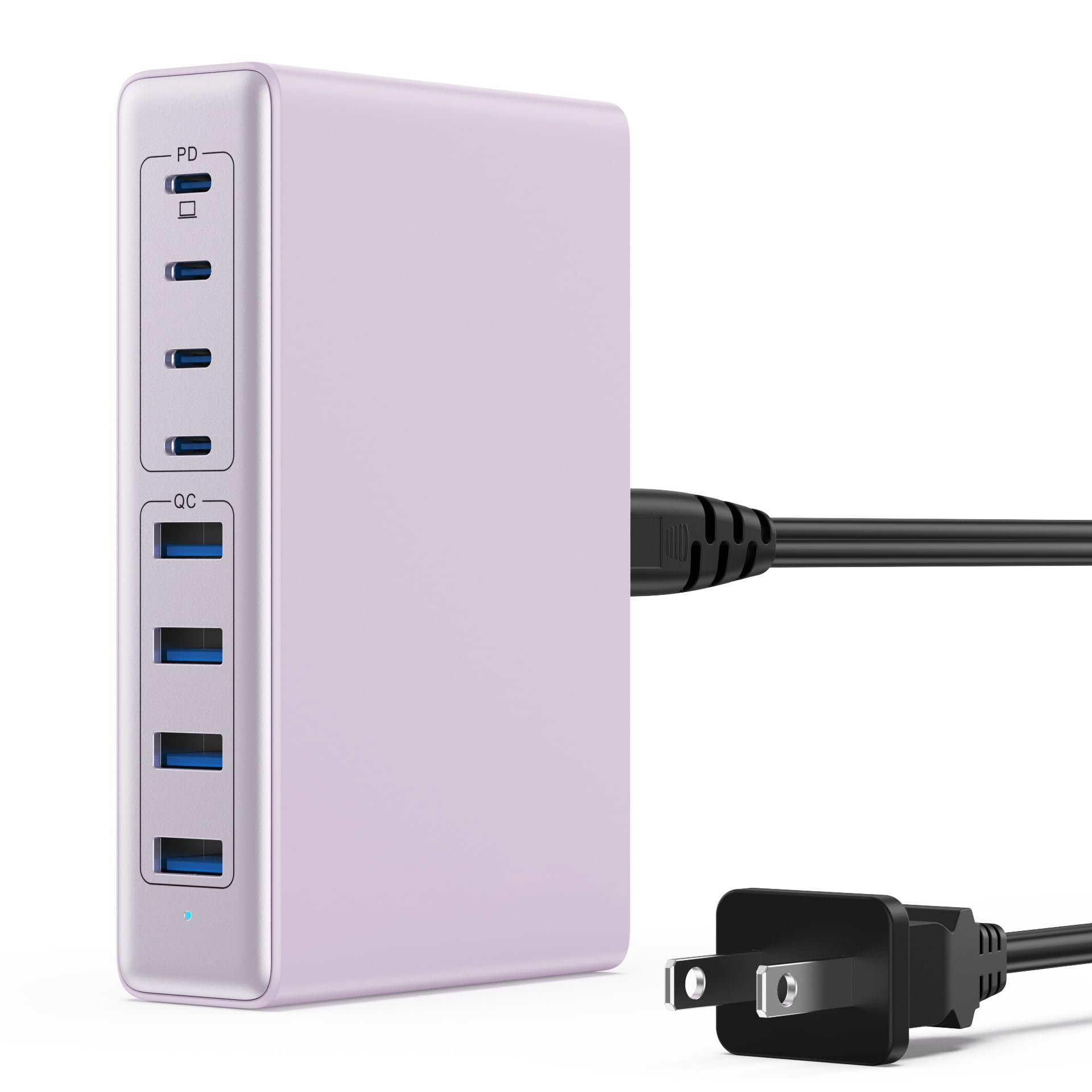
Image: The LanLuk 200W GaN IV 8-Port USB-C Charging Station in purple.
Основные характеристики:
- GaN IV Technology: Utilizes the latest Gallium Nitride (GaN) IV chip for enhanced efficiency, reduced heat, and a smaller form factor.
- Общая выходная мощность 200 Вт: Delivers optimal power to charge up to 8 devices simultaneously at full speed.
- 8 Charging Ports: Includes 4 USB-C ports (PD 3.0) and 4 USB-A ports (QC 4.0) for broad compatibility.
- 65 Вт Power Delivery (PD): One dedicated USB-C port provides up to 65W, capable of fast-charging laptops like MacBook Pro/Air, Dell XPS, and more.
- Многоуровневая система защиты: Built-in intelligent IC with six safety protections: over-voltage, over-current, over-charge, over-temperature, static electricity, and short circuit.
- Универсальная совместимость: Supports a wide range of devices including iPhones, iPads, Android phones, laptops, gaming consoles (Steam Deck, Nintendo Switch), smartwatches, and headphones.
- Портативная конструкция: Compact size (approximately 5 inches by 3 inches) with a 1.5M/5FT AC extension power cord for flexible placement.
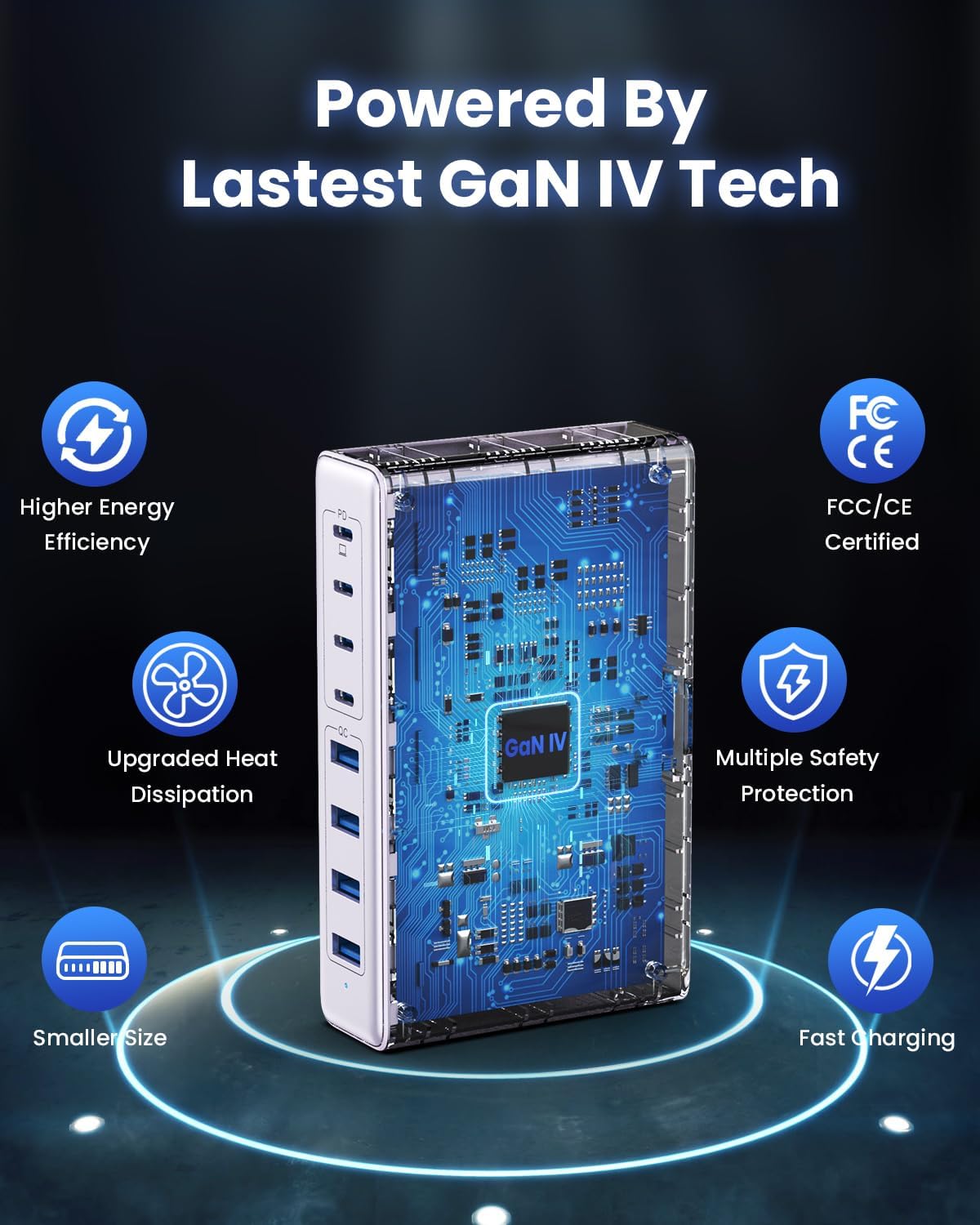
Image: Diagram illustrating the benefits of GaN IV technology, including higher energy efficiency, upgraded heat dissipation, smaller size, multiple safety protections, and fast charging.

Image: Visual representation of the charging station connecting to 8 different devices (4 USB-C, 4 USB-A).

Image: Infographic showing the universal compatibility with laptops/tablets (MacBook Pro, Dell XPS, iPad Pro), smartphones (iPhone, Samsung Galaxy, Google Pixel), and gaming devices/others (ROG ALLY, Steam Deck, AirPods, Switch).

Image: Illustration highlighting the USB-C1 port's 65W output, perfect for laptops, showing a MacBook charging.
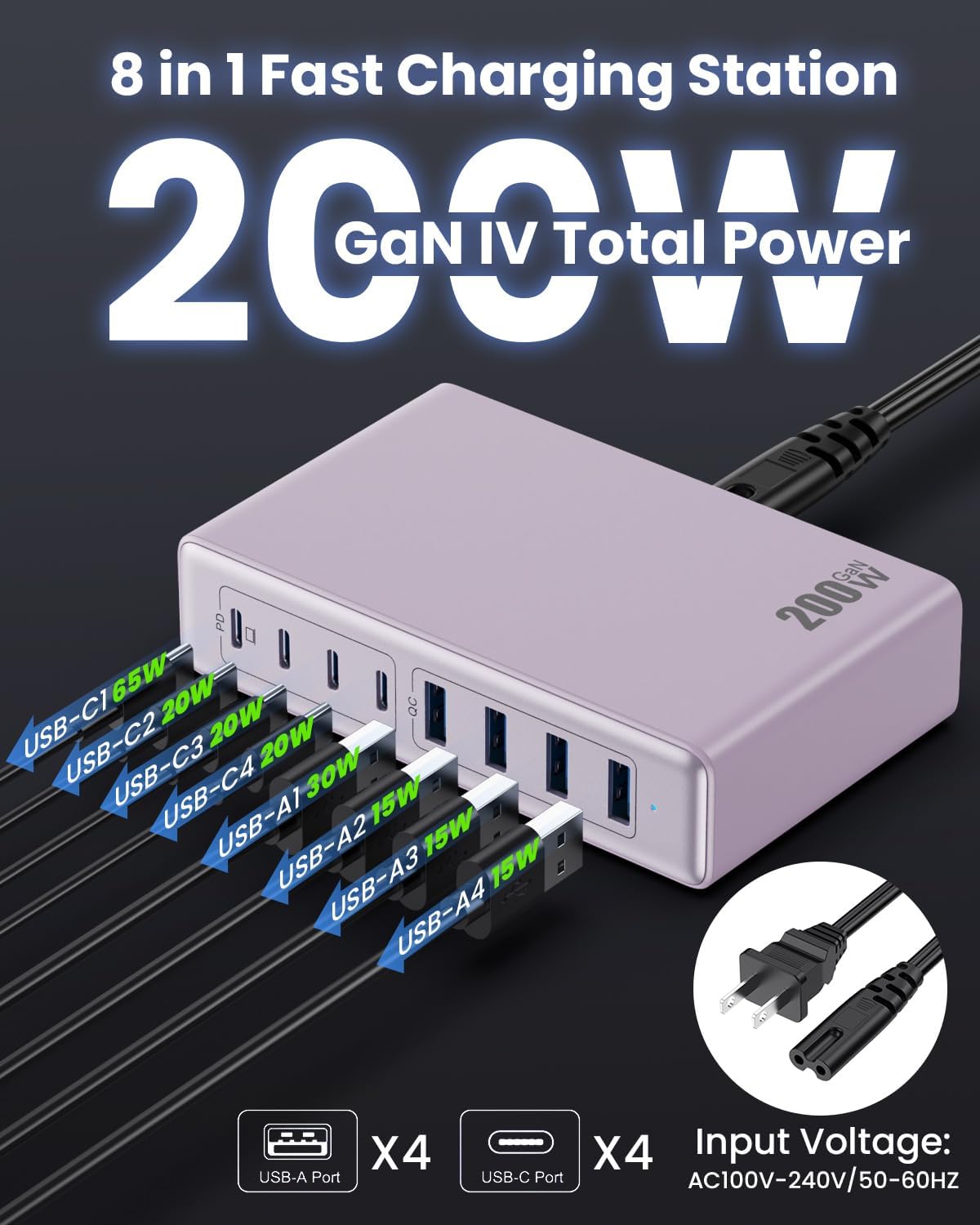
Изображение: подробное view of the charging station's ports and their individual power outputs (USB-C1 65W, USB-C2 20W, USB-C3 20W, USB-C4 20W, USB-A1 15W, USB-A2 15W, USB-A3 15W, USB-A4 15W).

Image: Comparison chart showing the LanLuk charger's advantages over other chargers in terms of total max output, one port output, number of ports, devices charged, portability, and sustainability.
5. Настройка
- Распаковать: Аккуратно извлеките зарядную станцию и все аксессуары из упаковки.
- Подключите шнур питания: Insert the included power cord into the AC input port on the back of the charging station.
- Подключите к розетке: Plug the other end of the power cord into a standard AC wall outlet (100-240V, 50/60Hz).
- Готов к использованию: Зарядная станция готова к зарядке ваших устройств.
6. Инструкция по эксплуатации
- Identify Port Type: Determine whether your device requires a USB-C or USB-A connection.
- Подключить устройство: Plug your device's charging cable into the appropriate port on the charging station. For optimal laptop charging, use the 65W PD USB-C1 port.
- Начать зарядку: Your device should begin charging automatically. The intelligent chip will identify the device and deliver the optimal charging current.
- Зарядка монитора: Some devices may display a charging indicator.
- Отключить: Once charging is complete, safely disconnect your device from the charging station.
7. Технические характеристики
| Особенность | Описание |
|---|---|
| Бренд | ЛанЛук |
| Номер модели | HX-P21 |
| Ватtage | 200 Вт (всего) |
| Общее количество портов USB | 8 (4 USB-C, 4 USB-A) |
| Выход USB-C | PD USB C (up to 65W on one port) |
| Выход USB-A | QC4.0 USB-A |
| Vol входtage | 100-240 Вольт (переменный ток), 50-60 Гц |
| Выходной ток | 4 Ampс (макс.) |
| Материал | Plastic (ABS and PC fireproof materials) |
| Особые возможности | GaN IV Technology, Fast Charging, Lightweight Design, Charging Indicator, Universal Compatibility, Short Circuit Protection |
| Размеры | Approximately 5 inches x 3 inches (portable) |
| Источник питания | Проводной электрический |
8. Поиск Неисправностей
- Устройство не заряжается:
- Убедитесь, что зарядная станция правильно подключена к работающей розетке.
- Убедитесь, что зарядный кабель надежно подключен как к зарядной станции, так и к вашему устройству.
- Чтобы исключить неисправность кабеля или разъема, попробуйте использовать другой зарядный кабель или разъем.
- Verify your device is compatible with the charging station's output specifications.
- Медленная зарядка:
- Ensure you are using a fast-charging compatible cable for your device.
- For laptops, use the dedicated 65W PD USB-C1 port.
- Charging multiple devices simultaneously may distribute the total power, potentially reducing individual port speeds.
- Check if your device supports fast charging protocols (PD, QC).
- Перегрев:
- Убедитесь, что зарядная станция имеет достаточную вентиляцию и ничем не накрыта.
- If excessive heat persists, discontinue use and contact customer support.
9. Техническое обслуживание
- Уборка: Disconnect the charging station from the power outlet before cleaning. Use a soft, dry cloth to wipe the surface. Do not use liquid cleaners or aerosols.
- Хранилище: Храните устройство в прохладном сухом месте вдали от прямых солнечных лучей и влаги, когда оно не используется.
- Уход за кабелем: Avoid bending or crimping charging cables excessively to prevent damage.
10. Гарантия и поддержка
LanLuk provides a Гарантия 3 год for free replacement. If you encounter any issues or have questions regarding your product, please contact our customer support team for assistance.
Служба поддержки клиентов: Пожалуйста, обратитесь к контактной информации, указанной на упаковке продукта, или к нашему официальному контактному лицу. webсайт для поддержки.