
Введение
This manual provides detailed instructions for the setup, operation, maintenance, and troubleshooting of your ZTE MC888 Ultra 5G Router. The MC888 Ultra is a high-performance 5G router designed to deliver fast and reliable internet connectivity. It supports download speeds up to 3.8 Gbps and upload speeds up to 280 Mbps, features dual Gigabit LAN/WAN ports, and includes an RJ11 port for voice calls via VoIP, VoLTE, or VoNR.
Информация по безопасности
- Внимательно прочтите все инструкции перед использованием устройства.
- Do not open or modify the device. Unauthorized modifications can void your warranty and create safety hazards.
- Use only the power adapter and accessories supplied with the router.
- Держите устройство вдали от воды, влаги и экстремальных температур.
- Обеспечьте достаточную вентиляцию вокруг маршрутизатора, чтобы предотвратить перегрев.
- Избегайте размещения маршрутизатора вблизи сильных электромагнитных полей.
Содержимое упаковки
Проверьте наличие всех предметов в посылке:
- Маршрутизатор ZTE MC888 Ультра 5G
- Адаптер питания
- Ethernet-кабель
- Краткое руководство пользователя (не входит в данное руководство)
Устройство перешлоview
Familiarize yourself with the ports and indicators on your ZTE MC888 Ultra 5G Router.
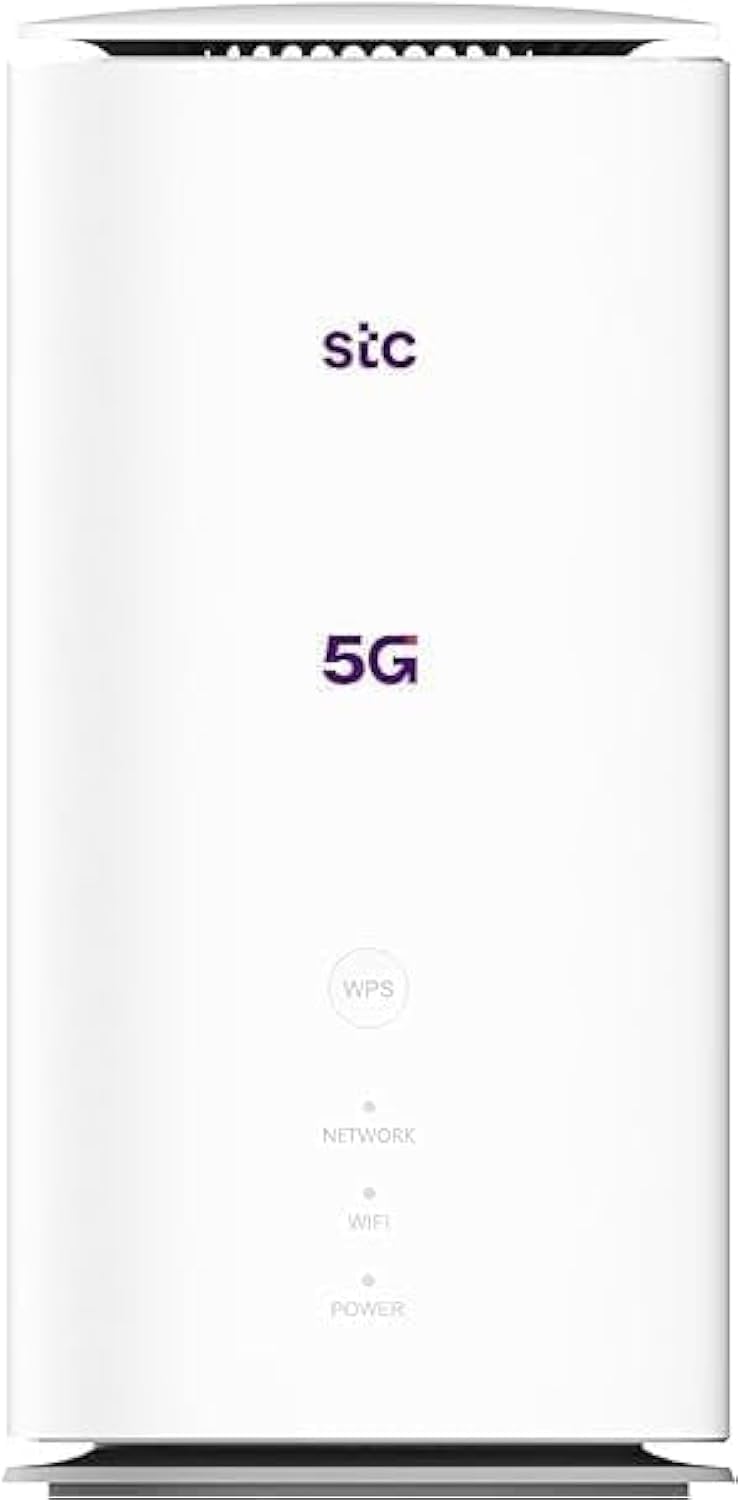
Изображение: спереди и сзади view of the ZTE MC888 Ultra 5G Router, showing LED indicators, SIM card slot, power port, LAN/WAN ports, and RJ11 port.
Индикаторы на передней панели:
- Светодиод питания: Указывает состояние питания.
- Светодиод сети: Показывает состояние подключения к сети 5G/4G.
- Индикатор Wi-Fi: Отображает активность Wi-Fi.
Порты на задней панели:
- Порт питания: Подключается к адаптеру питания.
- LAN/WAN Ports (x2): Gigabit Ethernet ports for wired connections or WAN input.
- Порт RJ11: For connecting a telephone for VoIP, VoLTE, or VoNR calls.
- Слот для SIM-карты: Для установки SIM-карты 5G/4G.
- Кнопка сброса: Используется для восстановления заводских настроек по умолчанию.
Настраивать
1. Вставьте SIM-карту
- Убедитесь, что маршрутизатор выключен.
- Найдите слот для SIM-карты на задней панели.
- Вставьте стандартную карту Nano-SIM в слот золотистыми контактами вниз и правильно расположив ее зазубренным углом. Нажмите до щелчка.
2. Подключите питание
- Connect the supplied power adapter to the router's power port.
- Вставьте другой конец адаптера питания в настенную розетку.
3. Включите питание.
- The router will automatically power on. Wait for the Power LED to turn solid, and the Network LED to indicate a stable 5G/4G connection. This may take a few minutes.
4. Подключить устройства
- Wi-Fi-соединение: Find the Wi-Fi network name (SSID) and password printed on the label at the bottom of the router. Select this network on your device (smartphone, laptop, etc.) and enter the password.
- Ethernet-подключение: Use the provided Ethernet cable to connect your computer or other network device to one of the LAN/WAN ports on the router.
Операционная
Доступ к Web Интерфейс
- Откройте web браузер на устройстве, подключенном к маршрутизатору.
- Enter the router's default IP address (e.g., 192.168.0.1 or 192.168.1.1) into the address bar and press Enter. The exact IP address is usually found on the router's label.
- Enter the default username and password (also found on the router's label) to log in.
Changing Wi-Fi Settings
Из web interface, navigate to the Wi-Fi settings section to change your SSID, password, security type, or enable/disable guest networks.
RJ11 Voice Call Functionality
The RJ11 port allows you to connect a standard analog telephone. You can manage sending and receiving calls via a configured VoIP account, or through VoLTE or VoNR, depending on your mobile operator's compatibility and SIM card support. Refer to your service provider for specific setup details.
Режим точки доступа
The router supports Access Point (AP) mode, allowing it to extend an existing wired network wirelessly. This feature can be configured through the web интерфейс в сетевых настройках.
Обслуживание
Обновления прошивки
Периодически проверяйте роутер. web interface for available firmware updates. Keeping your firmware up-to-date ensures optimal performance, security, and access to new features. Follow the on-screen instructions for safe updating.
Уборка
Clean the router with a soft, dry cloth. Do not use liquid cleaners or aerosols. Ensure the device is powered off before cleaning.
Сброс к заводским настройкам
If you experience persistent issues or forget your login credentials, you can perform a factory reset. With the router powered on, use a pin to press and hold the Reset button on the rear panel for approximately 5-10 seconds until the indicators flash. The router will restart with default settings.
Поиск неисправностей
- Нет соединения с интернетом: Check the Network LED. If it's off or red, ensure the SIM card is correctly inserted and has an active data plan. Try restarting the router.
- Низкая скорость Wi-Fi: Ensure your devices are within range. Reduce interference from other electronic devices. Try changing the Wi-Fi channel in the web интерфейс.
- Невозможно получить доступ Web Интерфейс: Verify your device is connected to the router via Wi-Fi or Ethernet. Double-check the IP address and login credentials. Try clearing your browser's cache.
- Отключения Wi-Fi: Update router firmware. Ensure the router is placed in a central location. Check for conflicting Wi-Fi networks.
Технические характеристики
| Бренд | ЗТЕ |
| Название модели | MC888 Ультра |
| Номер модели | MC888 ULTRA |
| Технология связи | Wi-Fi, 5G/4G Cellular |
| Беспроводной стандарт | 802.11ac |
| Класс диапазона частот | Двухдиапазонный |
| Максимальная скорость загрузки | 3.8 Гбит/с |
| Максимальная скорость загрузки | 280 Мбит/с |
| Пропускная способность порта LAN | 1000 Мбит/с (гигабит) |
| Количество портов | 2 x Gigabit LAN/WAN, 1 x RJ11 |
| Тип антенны | Внутренний |
| Протокол безопасности | ВПС |
| Особые возможности | Access Point Mode, RJ11 for VoIP/VoLTE/VoNR |
| БАРАН | 4 ГБ |
| Совместимые устройства | PC, Laptop, Smartphone, Tablet, Gaming Console, Smart TV, Surveillance Camera, Printer, Ethernet-enabled devices |
| Включенные компоненты | Router, Ethernet Cable, Charger |
Гарантия и поддержка
Информация о гарантии
The ZTE MC888 Ultra 5G Router comes with a 2-year agent warranty. Please retain your proof of purchase for warranty claims. The warranty covers manufacturing defects and malfunctions under normal use. It does not cover damage caused by misuse, accidents, unauthorized repairs, or acts of nature.
Поддержка клиентов
For technical assistance, warranty service, or further inquiries, please contact your local ZTE authorized service center or the retailer from whom you purchased the product. You may also visit the official ZTE webсайт для получения ресурсов поддержки и ответов на часто задаваемые вопросы.