
1. Введение
Thank you for choosing the VCHICS Digital Audio Amplifier Receiver Module. This device is designed to provide versatile audio playback options, including Bluetooth, USB, TF card, and FM radio, with adjustable bass and treble controls. This manual will guide you through the setup, operation, and maintenance of your ampлифтовый модуль.
2.Основные характеристики
- MP3 music playback from TF card, USB disk, and Bluetooth.
- Adjustable Treble, Bass, and Master Volume controls.
- Integrated Bluetooth receiver for wireless audio streaming.
- Встроенная функция FM-радио.
- AUX port for connection to PC, phone, or CD players.
- Supports AC 110-220V or DC 12-24V input voltage.
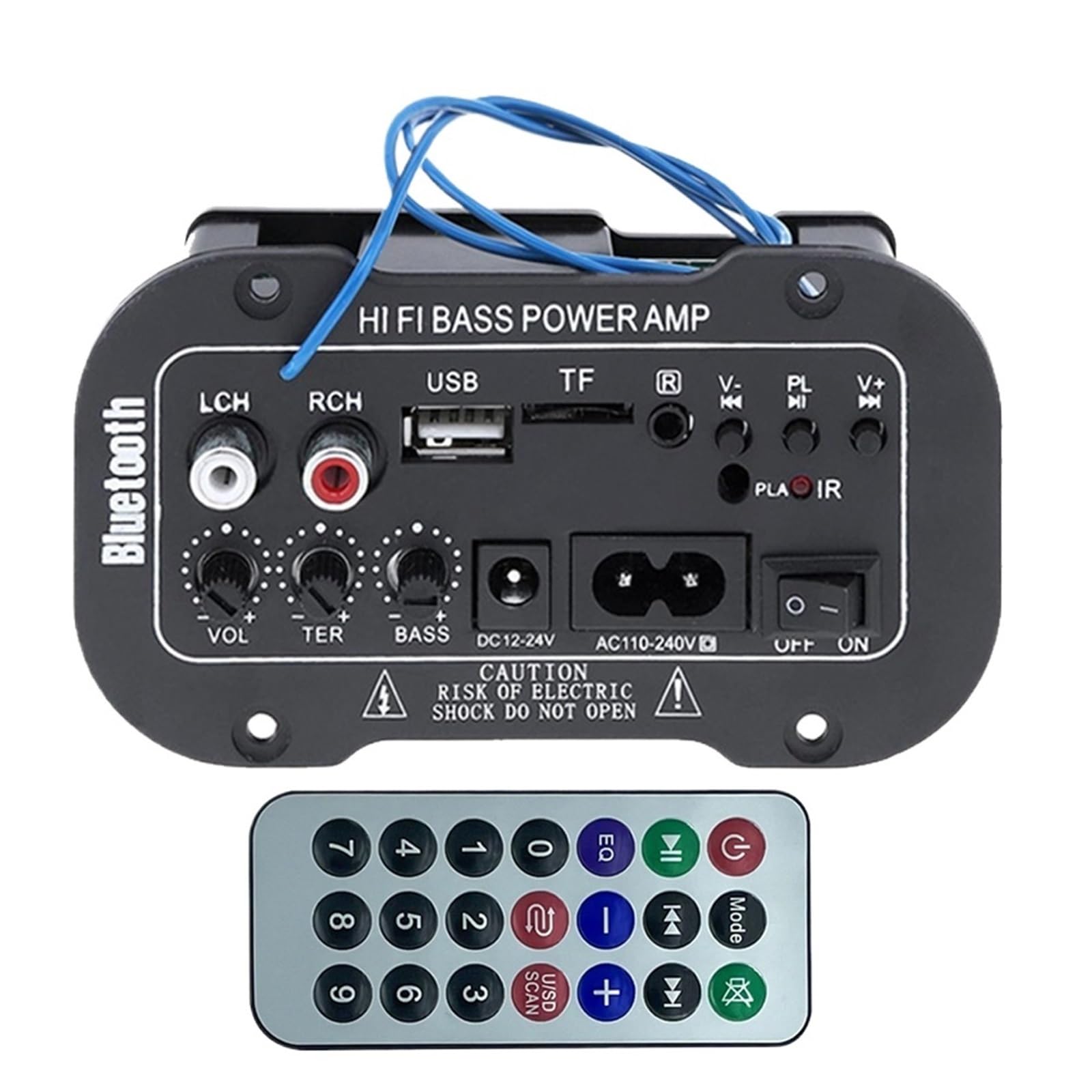
Рисунок 1: Болееview of the VCHICS Digital Audio Amplifier Receiver Module.
3. Технические характеристики
| Спецификация | Ценить |
|---|---|
| Версия Bluetooth | 2.1+EDR |
| Рабочий объемtage | 9-20 В постоянного тока |
| Рабочая мощность | 25-30 Вт |
| Кодек | ЮБК |
| Сопротивление | 4 Ом |
| Размер динамика | 133 мм |
| Чувствительность | 200hv |
| Частотная характеристика | 20-20000 XNUMX Гц |
| Вес товара | 400 грамм |
| Количество каналов | 1 |
| Номер модели | 1005005454581585 |

Figure 2: Product dimensions (11.7cm x 6.5cm x 4.5cm / 10cm x 4cm).
4. Органы управления и подключения
Familiarize yourself with the various controls and connection ports on your ampмодуль лифта:

Рисунок 3: Подробная информация view of controls and connection points.
- LCH / RCH (Audio Input): Left and Right channel audio input for external devices.
- USB-слот: Для подключения USB-накопителей для воспроизведения MP3.
- Слот ТФ: For inserting TF (MicroSD) cards for MP3 playback.
- Previous / Next (V- / V+): Navigate tracks or adjust volume in certain modes.
- Play / Pause (PL/IR): Play/pause audio, or initiate FM scan. IR indicates Infrared Sensor for remote control.
- Индикатор: Индикатор состояния.
- Инфракрасный датчик: For receiving signals from a remote control (if included or compatible).
- ВЫКЛ/ВКЛ: Power switch for the module.
- AC110-240V: Вход переменного тока.
- DC12-24В: Вход питания постоянного тока.
- Регулировка баса: Rotary knob to adjust bass levels.
- Регулировка высоких частот: Rotary knob to adjust treble levels.
- Регулировка громкости: Rotary knob to adjust master volume.
- Кнопка Bluetooth: Активирует режим Bluetooth.
5. Настройка
5.1 Подключение питания
- Обеспечить amplifier module is switched OFF.
- Connect the appropriate power supply to either the 110-240 В переменного тока вход или DC12-24В input. Use only the specified voltage диапазон, чтобы предотвратить повреждение.
5.2 Подключение динамика
Connect your speakers to the output terminals of the amplifier module. Ensure correct polarity (+/-) for optimal sound quality.
5.3 Antenna Connection (for FM Radio)
If using the FM radio function, connect the provided FM antenna to the designated antenna port for better reception.
6. Инструкция по эксплуатации
6.1 Включение/выключение питания
Переключить ВЫКЛ / ВКЛ switch to power on or power off the module.
6.2 Bluetooth-соединение
- Нажмите РЕЖИМ button (or the Bluetooth button if labeled) to switch the amplifier to Bluetooth mode.
- On your mobile phone or Bluetooth device, open the Bluetooth settings and search for available devices.
- Выберите amplifier's Bluetooth device name (usually "Bluetooth" or similar) from the list to connect.
- Once successfully paired, you can play audio from your device through the ampпожизненнее.
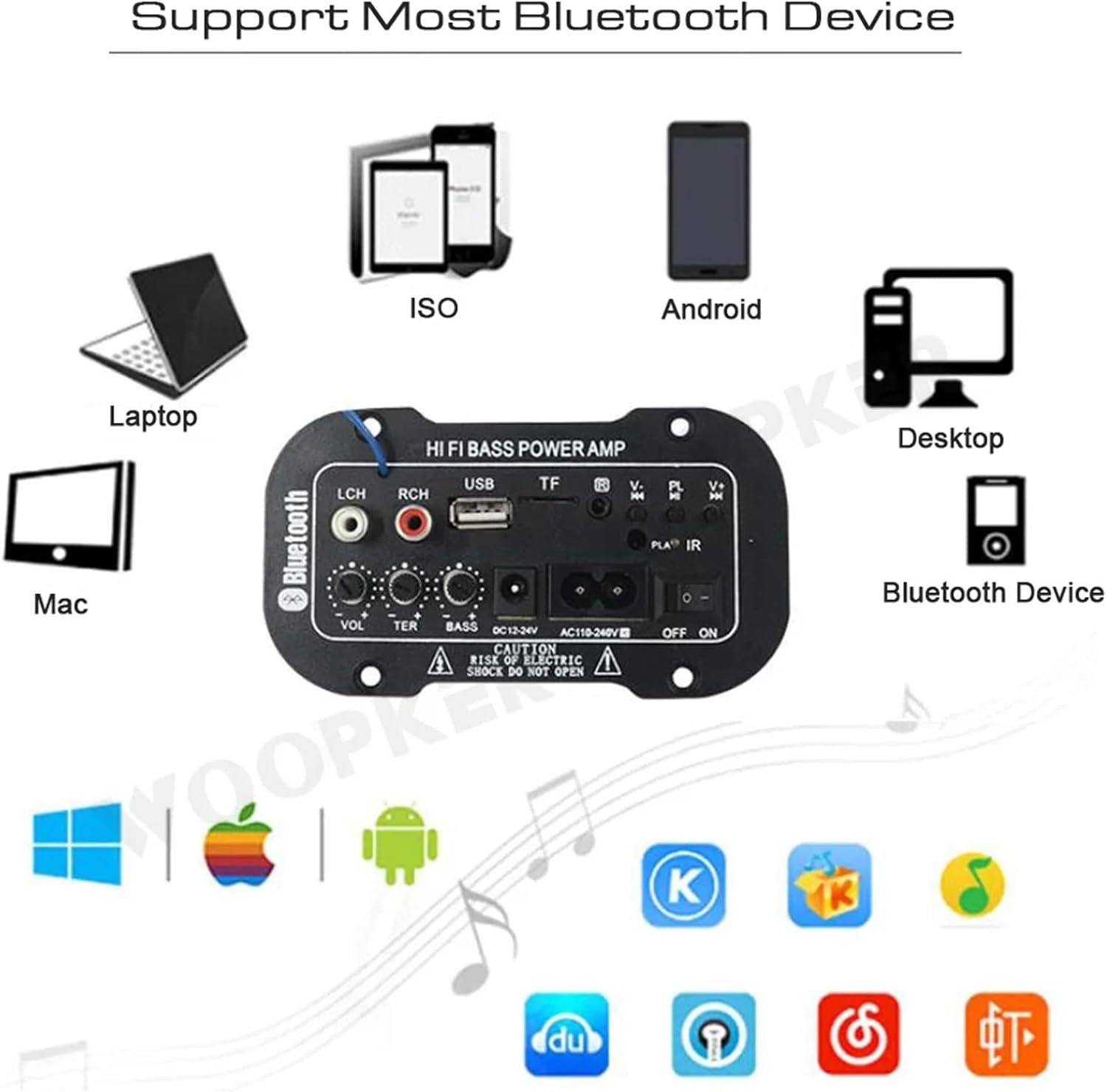
Рисунок 4: amplifier module supports various Bluetooth devices including laptops, phones, and desktops.
6.3 Работа FM-радио
- Ensure the radio antenna is properly connected.
- Нажмите РЕЖИМ кнопка для переключения amplifier to FM radio mode.
- Нажмите Воспроизведение/Пауза button to initiate an automatic scan for all available FM channels. The module will save them automatically.
- Используйте Предыдущий Следующий buttons to switch between saved radio stations.
6.4 Воспроизведение с USB/TF-карт
- Вставьте USB-накопитель в USB-слот или карту TF (MicroSD) вставить Слот TF.
- The module should automatically detect the storage device and begin playing MP3 fileЕсли нет, нажмите РЕЖИМ button to cycle through input sources until USB or TF mode is active.
- Используйте Предыдущий Следующий buttons to change tracks and the Воспроизведение/Пауза кнопка управления воспроизведением.
6.5 Дополнительный вход
Connect an external audio source (e.g., PC, phone, CD player) to the LCH / RCH (Audio Input) ports using an appropriate audio cable. Press the РЕЖИМ button to select the AUX input source.
6.6 Adjusting Audio
Используйте Регулировка громкости, Регулировка высоких частот, и Регулировка басов rotary knobs to fine-tune your audio output to your preference.
7. Поиск Неисправностей
- Нет питания: Ensure the power cable is securely connected and the power switch is in the ON position. Verify the power source is active and providing the correct voltage (AC 110-240V or DC 12-24V).
- Нет звука: Check speaker connections for correct polarity. Ensure the volume is turned up. Verify the correct input mode (Bluetooth, FM, USB, TF, AUX) is selected. Test with a different audio source.
- Bluetooth не подключается: Убедитесь, что amplifier is in Bluetooth mode. Ensure your device's Bluetooth is enabled and within range. Try restarting both the amplifier и ваше устройство Bluetooth.
- Плохой прием FM-радио: Ensure the FM antenna is properly connected and extended. Try repositioning the antenna or the amplifier for better signal.
- USB/TF-карта не воспроизводится: Ensure the USB drive or TF card contains compatible MP3 audio files. Check that the storage device is inserted correctly and not corrupted.
8. Техническое обслуживание
- Держите amplifier module clean by wiping it with a soft, dry cloth.
- Избегайте воздействия на устройство влаги, экстремальных температур или прямых солнечных лучей.
- Do not attempt to disassemble or repair the module yourself, as this may void any warranty and cause damage.
9. Гарантия и поддержка
Информацию о гарантии и техническую поддержку можно получить в документации, предоставленной при покупке, или у продавца. Сохраните чек на случай предъявления гарантийных претензий.