
1. Введение
Спасибо за покупкуasing the Sharp GX-BT390 Crystal Clear Series Bluetooth Speaker. This portable speaker is designed to deliver high-quality audio with enhanced bass, featuring IP67 waterproof and dustproof capabilities, LED light modes, and True Wireless Stereo (TWS) pairing. This manual provides essential information for setup, operation, and maintenance to ensure optimal performance and longevity of your device.
2. Содержимое упаковки
Пожалуйста, проверьте наличие всех предметов:
- Sharp GX-BT390 Bluetooth Speaker
- Кабель для зарядки (USB-C)
- Руководство пользователя
3. Продукт закончилсяview
Familiarize yourself with the various parts of your Sharp GX-BT390 speaker.
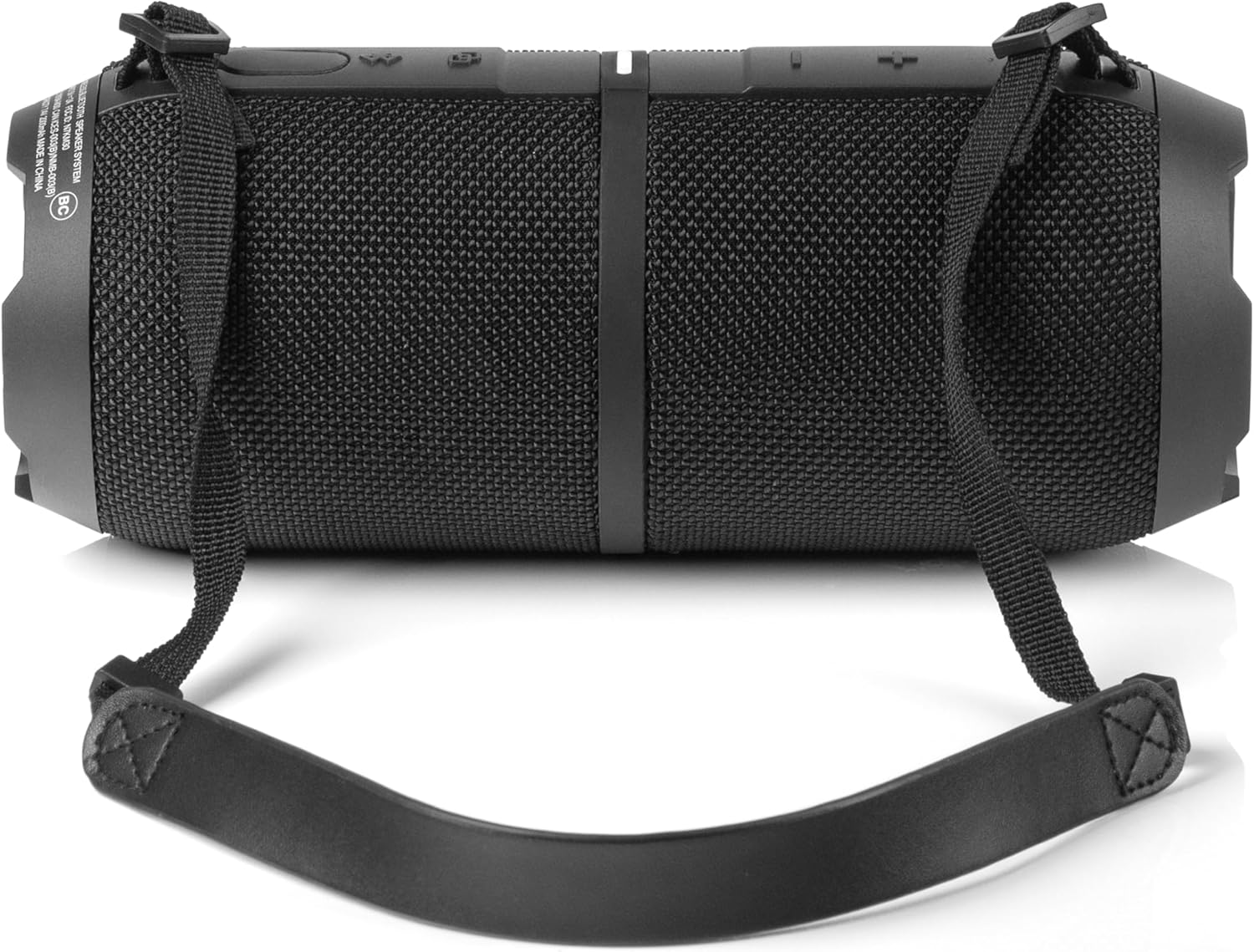
Рисунок 3.1: Передняя часть view of the Sharp GX-BT390 speaker, highlighting the control panel with volume buttons, play/pause, and power indicator.

Рисунок 3.2: Назад view of the Sharp GX-BT390 speaker, illustrating the sealed charging port and attachment points for the carrying strap.

Рисунок 3.3: Сторона view of the Sharp GX-BT390 speaker, showing the textured surface and the adjustable carrying strap.

Figure 3.4: The Sharp GX-BT390 speaker with its end cap illuminated, displaying the Sharp logo and an active LED light mode.
Элементы управления и индикаторы:
- Кнопка питания: Нажмите и удерживайте, чтобы включить/выключить.
- Увеличение громкости (+): Увеличьте громкость.
- Звук тише (-): Уменьшите громкость.
- Кнопка воспроизведения/паузы: Воспроизведение или приостановка музыки, ответ на вызов/завершение звонков.
- Кнопка сопряжения Bluetooth: Активируйте режим сопряжения Bluetooth.
- Светодиодный индикатор: Отображает состояние питания, состояние зарядки и состояние подключения Bluetooth.
- Кнопка светового режима: Cycle through LED light modes.
4. Настройка
4.1 Зарядка динамика
- Open the protective cover on the back of the speaker to access the USB-C charging port.
- Подключите прилагаемый кабель USB-C к порту зарядки динамика.
- Подключите другой конец кабеля USB-C к совместимому USB-адаптеру питания (не входит в комплект).
- Светодиодный индикатор будет показывать состояние зарядки. Полная зарядка обычно занимает около 3-4 часов.
- Once fully charged, disconnect the cable and securely close the protective cover to maintain IP67 water and dust resistance.
4.2 Включение/выключение питания
- Для включения: Press and hold the Power button for approximately 2 seconds until you hear an audible tone and the LED indicator illuminates.
- Чтобы выключить: Press and hold the Power button for approximately 2 seconds until you hear an audible tone and the LED indicator turns off.
4.3 Сопряжение по Bluetooth
- Убедитесь, что колонка включена и находится на расстоянии не более 1 метра от вашего Bluetooth-устройства.
- The speaker will automatically enter Bluetooth pairing mode when first powered on, or if no device is connected. The LED indicator will flash rapidly.
- На вашем Bluetooth-устройстве (смартфоне, планшете и т. д.) включите Bluetooth и выполните поиск доступных устройств.
- Select "Sharp GX-BT390" from the list of devices.
- Once paired, you will hear a confirmation tone, and the LED indicator will glow solid blue.
- If pairing fails, turn off the speaker and your device, then repeat the steps.
5. Инструкция по эксплуатации
5.1 Воспроизведение музыки
- Воспроизведение/Пауза: Нажмите кнопку «Воспроизведение/Пауза» один раз.
- Увеличить громкость: Нажмите кнопку «+».
- Убавить звук: Нажмите кнопку «-».
- Следующий трек: Нажмите и удерживайте кнопку «+».
- Предыдущий трек: Нажмите и удерживайте кнопку «-».
5.2 Звонки по громкой связи
The Sharp GX-BT390 features a built-in microphone for hands-free calls when connected to your smartphone.
- Ответ на звонок: Нажмите кнопку «Воспроизведение/Пауза» один раз.
- Завершить звонок: Нажмите кнопку «Воспроизведение/Пауза» один раз во время разговора.
- Отклонить вызов: Нажмите и удерживайте кнопку воспроизведения/паузы в течение 2 секунд.
5.3 Сопряжение беспроводных стереонаушников (TWS)
You can pair two Sharp GX-BT390 speakers together for a stereo sound experience.
- Ensure both GX-BT390 speakers are powered on and not connected to any Bluetooth device.
- On one speaker (this will be the primary speaker), press and hold the Bluetooth pairing button for 3 seconds. You will hear a tone.
- Оба динамика автоматически найдут друг друга и подключатся. После подключения вы услышите подтверждающий звуковой сигнал.
- Теперь подключите ваше Bluetooth-устройство к основному динамику, как описано в разделе 4.3.
5.4 светодиодных режимов освещения
The speaker features two LED mood lighting effects that synchronize with the music.
- Press the Light Mode button to cycle through the available light modes.
- Press the Light Mode button again to select the next mode or turn off the lights.

Рисунок 5.1: Болееview of key features including hands-free calling, LED light effects, IP67 rating, 10-hour playtime, 30W power output, and Bluetooth connectivity.
6. Техническое обслуживание
To ensure the longevity and performance of your Sharp GX-BT390 speaker, follow these maintenance guidelines:
- Уборка: Протри динамик мягким, damp Ткань. Не используйте абразивные чистящие средства или растворители.
- Защита от воды и пыли (IP67): The speaker is rated IP67, meaning it is protected from dust ingress and can withstand immersion in water up to 1 meter for 30 minutes. Ensure the charging port cover is securely closed to maintain this rating. Avoid prolonged exposure to water or extreme conditions.
- Хранилище: Храните динамик в прохладном, сухом месте, вдали от прямых солнечных лучей и экстремальных температур.
- Уход батареи: Для продления срока службы батареи регулярно заряжайте колонку, даже если она не используется в течение длительного времени. Избегайте частой полной разрядки батареи.

Figure 6.1: Visual representation of the speaker's IP67 waterproof and dustproof capabilities.
7. Поиск Неисправностей
Если у вас возникли проблемы с динамиком, ознакомьтесь со следующими распространенными проблемами и решениями:
| Проблема | Возможная причина | Решение |
|---|---|---|
| Динамик не включается | Низкий заряд батареи; Кнопка питания нажата недостаточно долго | Зарядите колонку; нажмите и удерживайте кнопку питания в течение 2 секунд. |
| Нет звука | Volume too low; Device not paired; Speaker muted | Increase volume on speaker and device; Re-pair Bluetooth; Check device mute settings |
| Сбой сопряжения Bluetooth | Speaker too far from device; Device Bluetooth off; Interference | Ensure speaker is within 1 meter; Turn device Bluetooth on/off; Move away from other wireless devices |
| Плохое качество звука | Low battery; Device too far; Obstructions | Charge speaker; Move device closer; Remove obstructions between speaker and device |
| Сопряжение TWS не удается | Speakers not in pairing mode; Already connected to another device | Ensure both speakers are disconnected from other devices; Follow TWS pairing steps carefully |
8. Технические характеристики
Detailed technical specifications for the Sharp GX-BT390 Bluetooth Speaker:
| Особенность | Спецификация |
|---|---|
| Название модели | GX-BT390(K) |
| Тип динамика | Уличная портативная Bluetooth-колонка |
| Технология связи | Bluetooth |
| Технология беспроводной связи | Bluetooth |
| Максимальная выходная мощность динамика | 60 Вт (30 Вт RMS) |
| Режим аудиовыхода | Стерео (с подключением TWS) |
| Особые возможности | Bass Boost, Built-in Microphone, Dustproof, LED Light, Lightweight |
| Уровень водонепроницаемости | IP67 (водонепроницаемый и пыленепроницаемый) |
| Источник питания | Питание от аккумулятора (1 литий-ионный аккумулятор в комплекте) |
| Срок службы батареи | До 10 часов |
| Максимальный диапазон | 33 футов (10 метров) |
| Метод контроля | Сенсорные кнопки |
| Размеры продукта | 4"Г x 8.5"Ш x 4"В (10.16 см Г x 21.59 см Ш x 10.16 см В) |
| Вес товара | 1.75 фунта (28 унций) |

Figure 8.1: Internal component diagram illustrating the speaker drivers responsible for 30-watt rich bass and powerful sound.
9. Гарантия и поддержка
The Sharp GX-BT390 Bluetooth Speaker comes with a Limited Warranty. Please refer to the warranty card included in your package for specific terms and conditions. For technical support or service inquiries, please contact Sharp customer service through their official webсайт или контактную информацию, указанную в документации к вашему продукту.