
1. Введение
Thank you for choosing the GEEKOM Mechanical Keyboard and Mouse Set. This manual provides detailed instructions for setting up, operating, and maintaining your new peripheral devices. Please read this manual thoroughly before use to ensure optimal performance and longevity of your product.
2. Содержимое упаковки
Please check the package contents upon unboxing. If any items are missing or damaged, please contact GEEKOM customer support.
- GEEKOM Mechanical Keyboard
- GEEKOM Mouse
- USB Receiver (for wireless connection, if applicable)
- USB-C Charging Cable (for keyboard/mouse, if rechargeable)
- Руководство пользователя (этот документ)
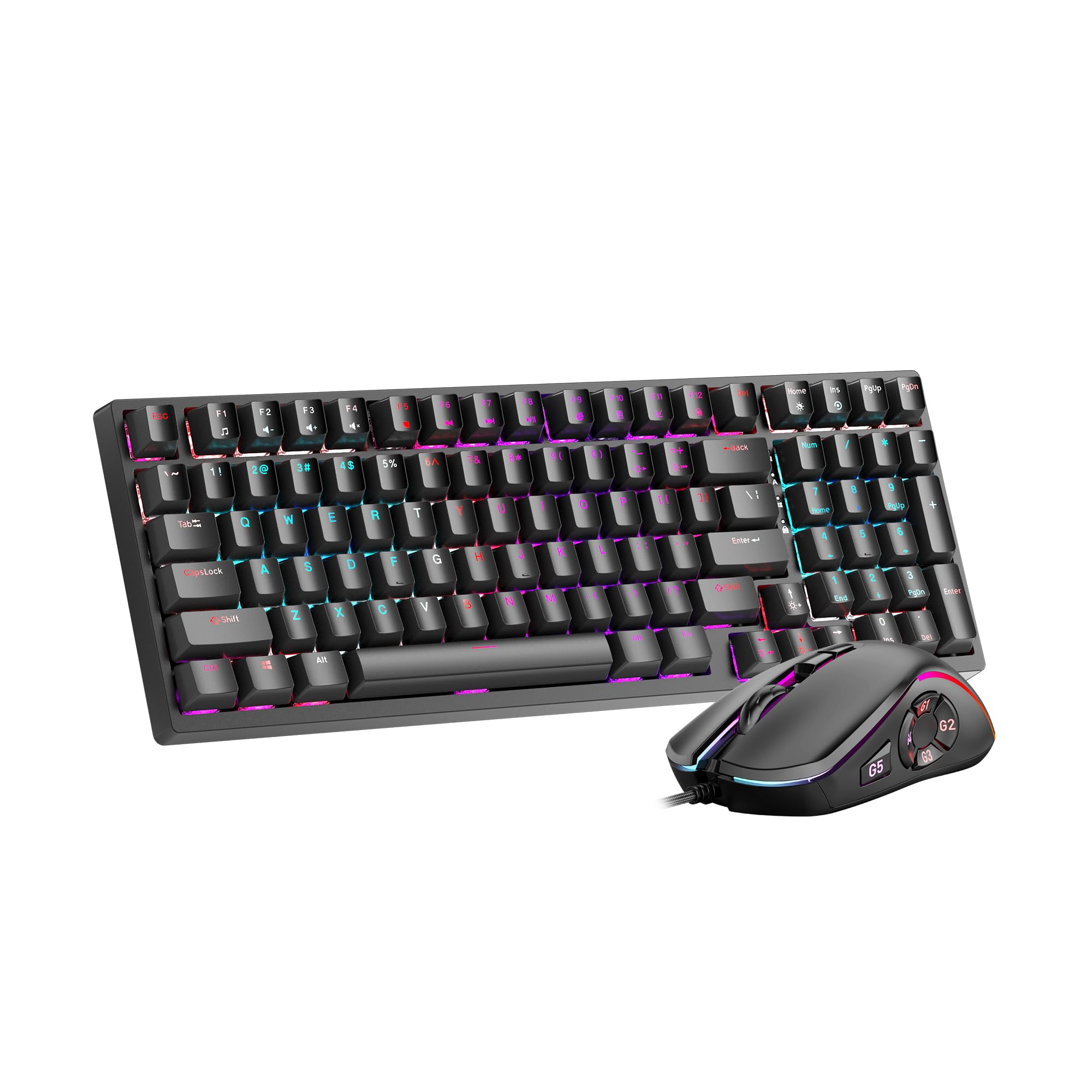
Image 1: GEEKOM Mechanical Keyboard and Mouse Set components.
3. Настройка
3.1 Подключение клавиатуры и мыши
The GEEKOM Mechanical Keyboard and Mouse Set can be connected via a 2.4GHz wireless USB receiver or a wired USB connection, depending on the model variant. Please refer to your specific product's connection type.
3.1.1 Wireless Connection (2.4GHz USB Receiver)
- Locate the USB receiver, usually stored in a compartment on the mouse or keyboard.
- Подключите USB-приемник к свободному USB-порту на вашем компьютере.
- Включите клавиатуру и мышь, используя соответствующие выключатели питания. Устройства должны автоматически подключиться к приемнику.
- If connection fails, press the pairing button (if available) on the keyboard/mouse and the receiver simultaneously.
3.1.2 Проводное подключение (USB-кабель)
- Connect the USB-C end of the provided cable to the keyboard/mouse.
- Подключите конец кабеля USB-A к свободному порту USB на вашем компьютере.
- The devices will be recognized by your operating system automatically.
3.2 Установка драйвера
The GEEKOM Mechanical Keyboard and Mouse Set is typically plug-and-play, requiring no additional driver installation for basic functionality. For advanced features or customization, please visit the official GEEKOM website to download any optional software or drivers.
4. Инструкция по эксплуатации
4.1 Функции клавиатуры
The mechanical keyboard offers a responsive typing experience. Specific functions may vary by model, but common features include:
- Стандартные ключи: All standard alphanumeric and symbol keys.
- Функциональные клавиши (F1–F12): Often combined with the Fn key for multimedia controls (volume, play/pause, etc.) or system shortcuts. Refer to the keycap legends for specific functions.
- Подсветка: Many mechanical keyboards feature adjustable backlighting. Use Fn + [Клавиша] combinations (e.g., Fn + Arrow keys, Fn + Ins/Del/Home/End) to change brightness, mode, or color.
- Функция одновременного нажатия нескольких клавиш (NKRO): Allows multiple key presses to be registered simultaneously, crucial for fast typing and gaming.
4.2 Функции мыши
The mouse provides precise tracking and comfortable use. Key features typically include:
- Щелчок левой/правой кнопкой мыши: Стандартные основные и дополнительные функции щелчка.
- Колесо прокрутки: For vertical scrolling and often acts as a middle click button.
- Кнопка разрешения: (Dots Per Inch) Allows adjustment of mouse sensitivity on the fly. Press to cycle through different DPI settings.
- Боковые кнопки: Often programmable for forward/backward navigation in web browsers or custom functions in software.
5. Техническое обслуживание
Proper maintenance ensures the longevity and performance of your GEEKOM Mechanical Keyboard and Mouse Set.
5.1 Очистка
- Клавиатура:
- Отключите клавиатуру от компьютера.
- Используйте баллончик со сжатым воздухом, чтобы выдуть пыль и мусор из-под колпачков клавиш.
- Wipe the keycaps and surface with a soft, slightly damp, ткань без ворса. Избегайте чрезмерной влажности.
- For deeper cleaning, keycaps can often be carefully removed using a keycap puller (not included) and cleaned separately. Ensure they are completely dry before reattaching.
- Мышь:
- Отключите мышь от компьютера.
- Протрите поверхность мягкой, слегка шершавой тряпкой.amp, безворсовая ткань.
- Clean the optical sensor on the underside with a dry cotton swab to ensure accurate tracking.
5.2 Хранение
При длительном неиспользовании храните клавиатуру и мышь в сухом, прохладном месте, вдали от прямых солнечных лучей и экстремальных температур.
6. Поиск Неисправностей
If you encounter issues with your GEEKOM Mechanical Keyboard and Mouse Set, please refer to the following common solutions:
| Проблема | Возможная причина | Решение |
|---|---|---|
| Keyboard/Mouse not responding (Wireless) | Low battery; USB receiver not connected; Pairing issue. | Charge devices; Ensure receiver is firmly plugged in; Re-pair devices (refer to Section 3.1.1). |
| Keyboard/Mouse not responding (Wired) | Loose cable connection; Faulty USB port. | Ensure cable is firmly connected; Try a different USB port; Test with a different cable if possible. |
| Клавиши не регистрируются или печатаются дважды | Dust/debris under keycap; Switch malfunction. | Clean under keycaps with compressed air (refer to Section 5.1); If issue persists, contact support. |
| Курсор мыши двигается хаотично или неподвижно. | Грязный оптический датчик; Неподходящая поверхность; Низкий заряд батареи. | Clean optical sensor (refer to Section 5.1); Use on a clean, opaque mouse pad; Charge mouse. |
| Подсветка не работает | Backlight turned off; Software issue. | Adjust backlight settings using Fn key combinations; Check for software updates. |
7. Технические характеристики
The following are general specifications for the GEEKOM Mechanical Keyboard and Mouse Set. Specific details may vary slightly by production batch.
- Бренд: ГЕЕКОМ
- Модель: Комплект из механической клавиатуры и мыши
- Связь: 2.4GHz Wireless (via USB Receiver) / Wired USB
- Тип клавиатуры: Механический
- Датчик мыши: Оптический
- DPI Settings (Mouse): Adjustable (e.g., 800/1200/1600/2400 DPI)
- Аккумулятор: Rechargeable Lithium-ion (for wireless models)
- Совместимость с операционными системами: Windows, macOS, Linux (базовая функциональность)
- Размеры упаковки: 50 х 15 х 5 см
- Вес упаковки: 1 кг
- ASIN: B0CTSVD82J
- UPC/GTIN: 850055043657
8. Гарантия и поддержка
GEEKOM products are designed for reliability and performance. This product comes with a standard manufacturer's warranty. For detailed warranty terms and conditions, please refer to the warranty card included in your package or visit the official GEEKOM webсайт.
For technical support, troubleshooting assistance, or warranty claims, please contact GEEKOM customer service through their official webсайт или контактную информацию, указанную в документации к вашему продукту.
Official GEEKOM Webсайт: www.geekom.nl (Примечание: это заполнитель. URLПожалуйста, обратитесь к упаковке вашего продукта для получения информации о правильной опоре. webсайт.)