
1. Введение
Thank you for choosing the ABSOSO Single Din Wireless CarPlay Stereo. This manual provides essential information for the proper installation, operation, and maintenance of your new car stereo system. Please read this manual thoroughly before use to ensure optimal performance and safety.
2. Информация по технике безопасности
- Всегда используйте устройство ответственно и в соответствии с местными правилами дорожного движения. Отвлечение внимания за рулем может привести к авариям.
- Не пытайтесь устанавливать или ремонтировать устройство самостоятельно, если у вас нет соответствующей квалификации. Неправильная установка может привести к повреждению устройства или вашего автомобиля.
- Во избежание короткого замыкания или поражения электрическим током убедитесь, что вся проводка подключена правильно.
- Для обеспечения четкой видимости поддерживайте чистоту экрана и следите за тем, чтобы на нем не было препятствий.
- Не подвергайте устройство воздействию экстремальных температур, прямых солнечных лучей в течение длительного времени или чрезмерной влажности.
3. Что в коробке
Перед началом установки убедитесь, что все компоненты присутствуют:
- Single Din CarPlay Stereo Unit
- Двойной USB-кабель
- GPS-антенна
- Кабель резервной камеры
- Wiring Harness & Wires
- Монтажные комплекты
- Руководство пользователя (этот документ)
4. Продукт закончилсяview
The ABSOSO Single Din Wireless CarPlay Stereo features a 10.1-inch rotatable touchscreen designed for enhanced in-car entertainment and navigation. It supports wireless Apple CarPlay and Android Auto, Bluetooth connectivity, AM/FM radio, and includes GPS navigation capabilities.
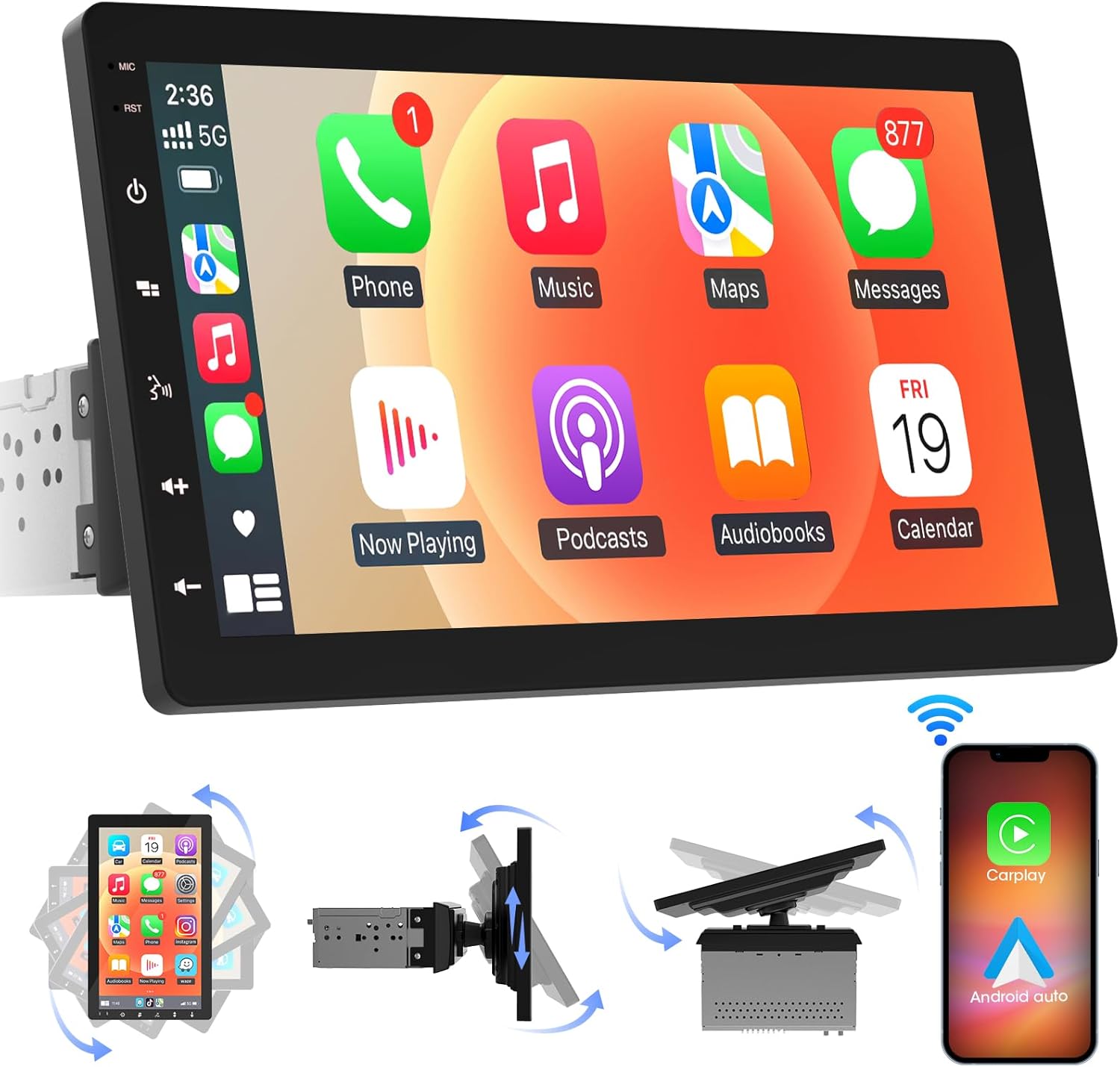
Изображение 4.1: Спереди view of the ABSOSO Single Din Wireless CarPlay Stereo displaying the Apple CarPlay interface.
5. Настройка и установка
This unit is designed for standard single DIN dash openings. Professional installation is recommended to ensure correct wiring and functionality. Refer to the wiring diagram provided with the unit for specific connections.
5.1 Монтаж устройства
The modular design allows for flexible installation. The main unit fits into a single DIN slot, and the 10.1-inch screen can be adjusted for optimal viewинж.

Image 5.1: Visual comparison of a car dashboard before and after the installation of the ABSOSO 10.1-inch rotatable car stereo, highlighting the integrated appearance.
5.2 Подключение проводки
Connect the power, speaker, and accessory wires according to your vehicle's wiring harness and the provided diagram. Ensure the backup camera input cable is routed correctly if you plan to use a rearview камера.
5.3 Установка GPS-антенны
Установите антенну GPS в месте с хорошим обзором. view of the sky, typically on the dashboard or under the windshield, to ensure accurate satellite reception.
6. Инструкция по эксплуатации
6.1 Включение/выключение питания
The unit will power on automatically with the vehicle's ignition. To manually power off, press and hold the power button on the unit.
6.2 Беспроводной CarPlay и Android Auto
This stereo supports wireless Apple CarPlay and Android Auto. To connect, enable Bluetooth and Wi-Fi on your smartphone and follow the on-screen prompts to pair with the stereo. Once connected, you can access navigation, music, messages, and voice assistants directly from the stereo's display.

Image 6.1: The ABSOSO car stereo showcasing its wireless connectivity features, including Apple CarPlay, Android Auto, and MirrorLink, with various app interfaces.
6.3 HD Touchscreen Operation
The 10.1-inch HD IPS display offers a responsive touch interface. Navigate through menus and applications by tapping, swiping, and pinching. Five capacitive touch buttons are located along the left edge for quick access to common functions.

Image 6.2: The 10.1-inch screen of the ABSOSO car stereo, emphasizing its HD resolution, sleek touch buttons, and 178-degree viewing angle for optimal clarity.
6.4 Mirrorlink Functionality
Mirrorlink allows you to display your smartphone's screen directly onto the stereo. This feature is useful for viewing navigation, videos, or other content from your phone on a larger display.
6.5. Bluetooth-подключение
Pair your smartphone via Bluetooth for hands-free calling and wireless audio streaming. Access your phone's contacts and call history directly from the stereo.
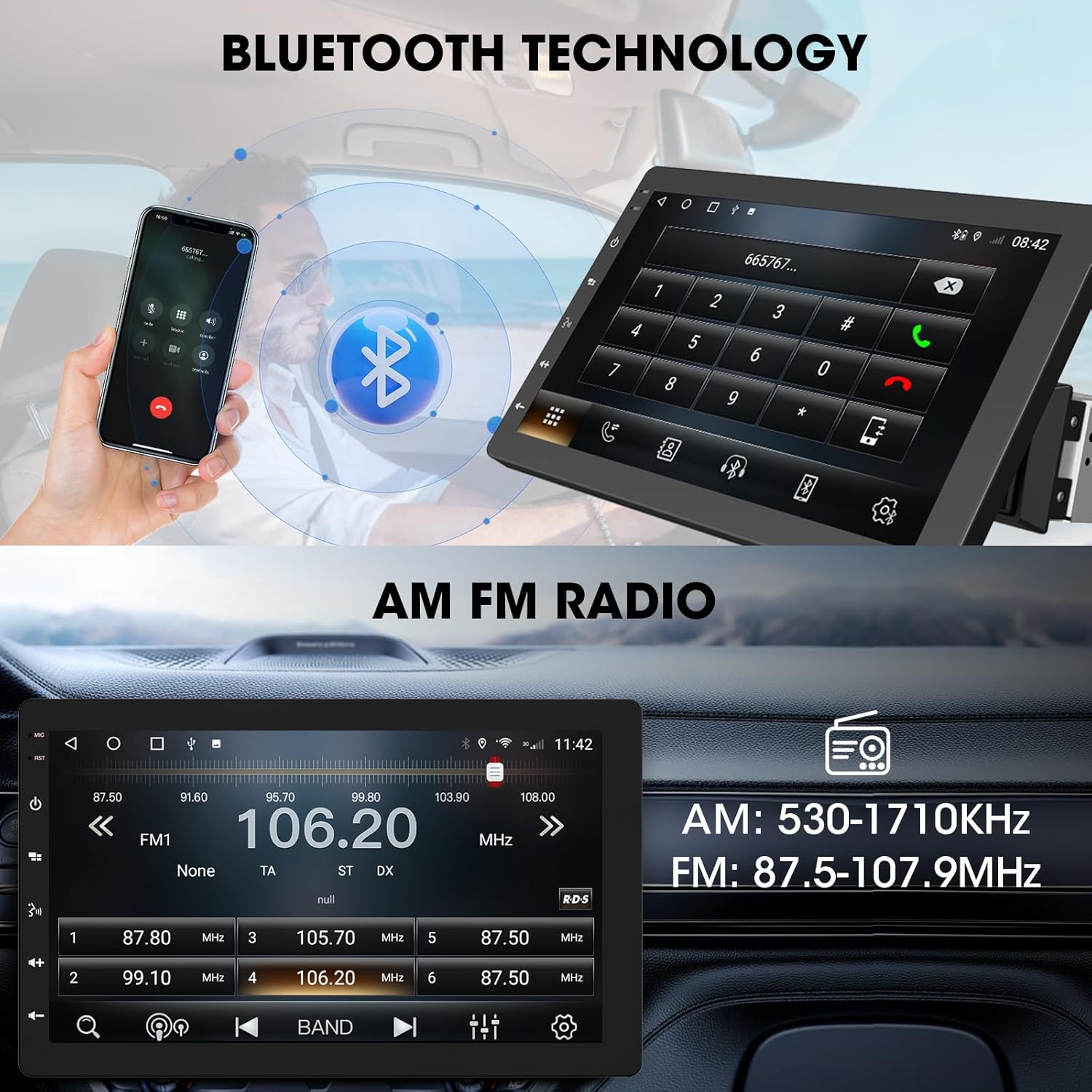
Image 6.3: The ABSOSO car stereo illustrating Bluetooth technology for hands-free calls and the interface for AM/FM radio tuning.
6.6 FM/AM-радио
Tune into your favorite FM and AM radio stations. The unit features 30 station memory presets for quick access to sports, news, and music.
6.7 GPS-навигация и точка доступа Wi-Fi
The stereo includes built-in GPS navigation with support for offline maps (2G RAM + 64GB ROM storage). Connect to a 2.4 GHz or 5 GHz Wi-Fi hotspot for online navigation and app downloads.
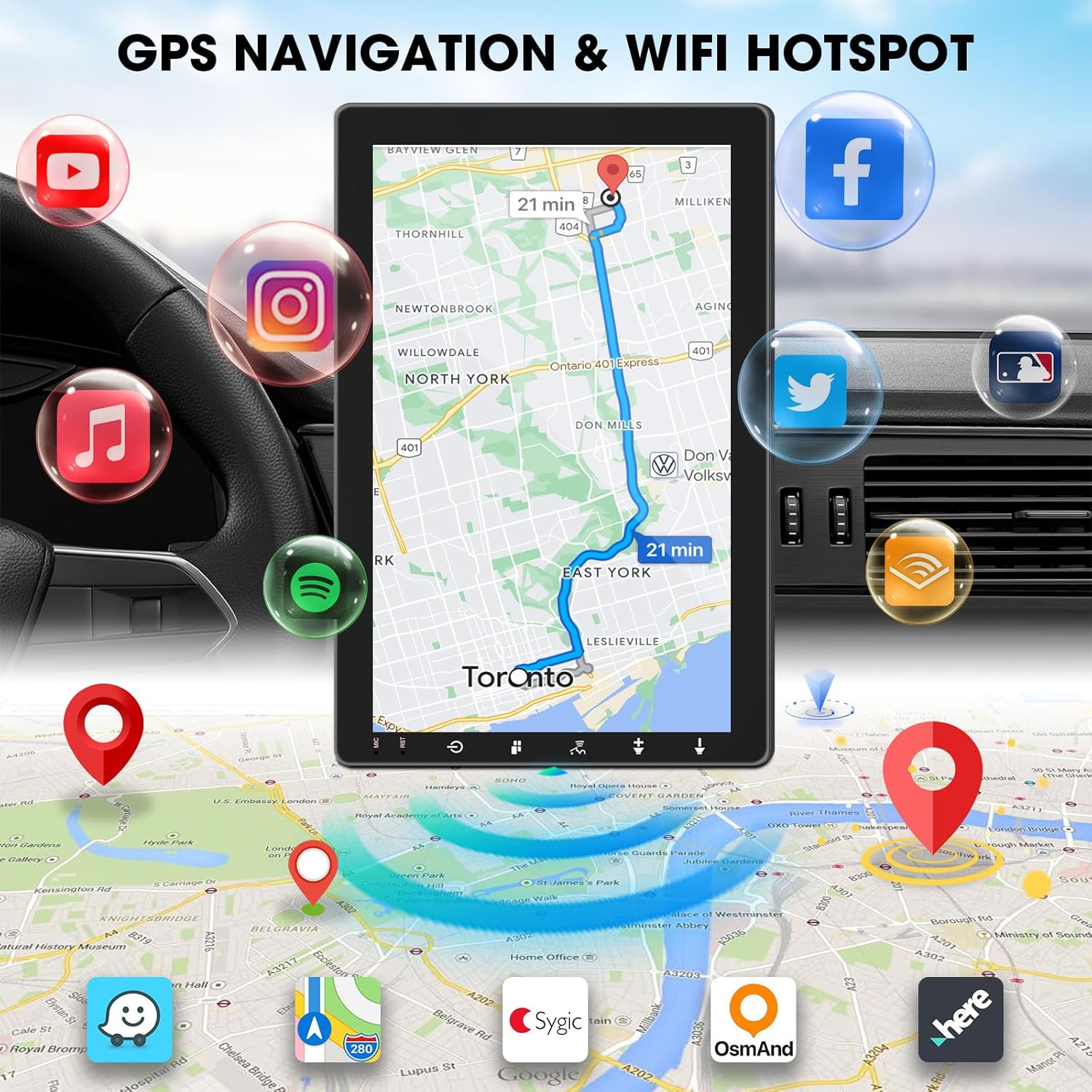
Image 6.4: The ABSOSO car stereo screen showing GPS navigation with a map, surrounded by icons representing various applications accessible via WiFi hotspot.
6.8 Adjustable Floating Screen
The 10.1-inch display is rotatable by 360 degrees and can be adjusted vertically and tilted to achieve optimal viewing angles, reducing glare and improving visibility.
6.9 Sound Tuning
Customize your audio experience with preset equalizer settings. The unit delivers a maximum power output of 200W and includes pre-amp and subwoofer outputs for enhanced sound quality.
6.10 Вход для резервной камеры
Connect a compatible backup camera (sold separately) to the RCA input. The stereo will automatically display the rearview camera feed when the vehicle is in reverse, aiding in accurate parking and maneuvering.

Image 6.5: Illustration of the backup camera input connection to the ABSOSO car stereo, showing how the camera feed is displayed on the screen when reversing.
7. Техническое обслуживание
7.1 Очистка экрана
Аккуратно протрите сенсорный экран мягкой безворсовой тканью. Для удаления стойких загрязнений слегка потрите.ampСмочите ткань водой или безопасным чистящим средством для экранов. Избегайте использования абразивных материалов и едких химикатов.
7.2 Общий уход
Keep the unit free from dust and debris. Ensure proper ventilation around the unit to prevent overheating. Do not block any vents or openings.
8. Поиск Неисправностей
- Нет питания: Проверьте все силовые соединения и предохранители. Убедитесь, что зажигание автомобиля включено.
- Нет звука: Проверьте подключение динамиков. Проверьте уровни громкости и настройки отключения звука. Убедитесь, что выбран правильный источник звука.
- Проблемы с подключением Bluetooth/CarPlay/Android Auto: Ensure your phone's Bluetooth and Wi-Fi are enabled. Try restarting both the stereo and your phone. Forget and re-pair the device.
- Потеря сигнала GPS: Убедитесь, что антенна GPS имеет чистое пространство. view неба. Проверьте подключение антенны.
- Экран не отвечает: Попробуйте перезапустить устройство. Если проблема не исчезнет, обратитесь в службу поддержки клиентов.
9. Технические характеристики
- Размеры продукта: 6.4"Д x 9.8"Ш x 5.9"В
- Вес товара: 4.73 фунта
- Отображать: 10.1 Inch HD IPS Touchscreen (1280*720P)
- Связь: Bluetooth, USB, Wi-Fi (2.4 GHz & 5 GHz)
- Особые характеристики: 360° Rotatable Floating Touchscreen, Wireless Android Auto, Apple CarPlay, Mirrorlink, GPS Navigation (Online/Offline Maps), AM/FM Radio, AV Input, Rearview Camera Input, USB Charging, Voice Control, Preset EQ, Video Output, Amplifier/Subwoofer Output
- Память: 2 ГБ ОЗУ + 64 ГБ ПЗУ
- Режим аудиовыхода: Стерео
- Конфигурация канала объемного звука: 4
- Кодирование видео: H.264, H.265/HEVC
10. Гарантия и поддержка
For warranty information and technical support, please refer to the documentation included with your purchase or contact ABSOSO customer service directly. Keep your purchase receipt as proof of purchase for any warranty claims.
For further assistance, visit the official ABSOSO webсайт или свяжитесь с их каналами поддержки.